CHUWI GemiBook Plus Laptop User Manual
Model: CHUWI GemiBook Plus (HEROBOOK)
15.6 inch Laptop Computer, 8GB LPDDR5 256GB SSD, Intel N100, Windows 11
1. Entwodiksyon
This manual provides essential information for the proper setup, operation, maintenance, and troubleshooting of your CHUWI GemiBook Plus laptop. Please read this manual thoroughly before using your device to ensure optimal performance and longevity.

Imaj 1.1: Devan view of the CHUWI GemiBook Plus laptop, showcasing its 15.6-inch display with system specifications like 8GB DDR5 RAM, 256GB SSD, Intel N100 processor, and Windows 11 Home operating system.
2. Ki sa ki nan bwat la
Verifye ke tout atik yo prezan nan pakè a:
- CHUWI GemiBook Plus Laptop
- Charger set (Power Adapter and Cable)
- Manyèl plizyè lang
- Sètifika konfòmite
3. Pwodwi souview
3.1 Karakteristik kle
- Processeur: 12th Gen Intel Alder Lake N100 CPU (up to 3.4GHz)
- memwa: 8GB LPDDR5 RAM (4800 MHz)
- Depo: 256GB SSD (expandable up to 1TB via M.2 2280 SSD slot)
- Ekspozisyon: 15.6-inch FHD IPS screen (1920 × 1080p, 16:9 aspect ratio)
- Grafik: Intel UHD Graphics pou 12yèm génération Intel processeurs
- Sistèm operasyon: Windows 11 Kay
- Koneksyon: Wi-Fi 6, Bluetooth 5.2, HDMI, USB 3.0, Type-C, RJ45 Ethernet
- Batri: 38Wh for 6 to 8 hours of usage
- Konsepsyon: Lightweight (1.74kg) and thin (19mm) with 180° opening hinge
- Sekirite: Physical camera switch for privacy

Imaj 3.1: Yon anlèview of the CHUWI GemiBook Plus's key features, including its 15.6-inch IPS screen, 12th Gen Intel Alder Lake-N100 processor, 38Wh Li-ion battery, FHD resolution, 12th Gen Intel UHD Graphics, 8GB LPDDR5 RAM, 256GB M.2 SSD, and WiFi6+BT5.2 connectivity.
3.2 Pò ak Konektè
Familiarize yourself with the various ports and connectors on your laptop:

Image 3.2: Diagram illustrating the various ports on the CHUWI GemiBook Plus laptop. On one side, it shows the charging port, HDMI port, USB-A 3.0 port, Type-C port, and Audio Jack. On the other side, it displays another Type-C port, USB-A 2.0 port, USB-A 3.0 port, RJ45 LAN Port, and a lock slot.
- Pò chaje: Konekte adaptè pouvwa a isit la.
- HDMI Port: Pou konekte ak ekran ekstèn.
- Pò USB-A 3.0: Pou transfè done gwo vitès ak aparèy konpatib.
- Pò USB-A 2.0: Pou aparèy USB estanda yo.
- Type-C Ports: Versatile ports for data, display, and power delivery (check specific functionality).
- Audio Jack: Pou kas ekoutè oswa oratè ekstèn.
- Pò LAN RJ45: Pou koneksyon rezo filaire.
- Fèmen plas: For security cable locks.
4. Pou kòmanse (Enstalasyon)
4.1 Premye pouvwa sou
- Connect the charger to the laptop's charging port and a power outlet.
- Louvri kouvèti laptop la.
- Press the power button, usually located on the keyboard deck.
- Swiv enstriksyon ki sou ekran an pou konplete pwosesis konfigirasyon Windows 11 la, ki gen ladan seleksyon lang, koneksyon rezo, ak kreyasyon kont itilizatè.
4.2 Konekte ak Wi-Fi
- Pandan enstalasyon Windows la, y ap mande w pou konekte ak yon rezo. Chwazi rezo Wi-Fi ou a nan lis la.
- Antre modpas Wi-Fi si sa nesesè.
- If setting up later, click the Wi-Fi icon in the taskbar, select your network, and connect.
5. Operasyon Enstriksyon
5.1 Klavye ak Touchpad
The GemiBook Plus features a full-size keyboard and a large touchpad for comfortable interaction.

Imaj 5.1: Yon gwo plan view of the CHUWI GemiBook Plus laptop's full-size keyboard and large touchpad, highlighting its ergonomic design for comfortable typing.
- Klavye: Use for typing and system commands. Function keys (Fn) combined with F1-F12 keys provide additional shortcuts (e.g., volume, brightness).
- Touchpad: Supports multi-touch gestures for navigation, scrolling, and zooming.
5.2 Montre
The 15.6-inch FHD IPS screen offers vibrant visuals. The laptop supports a 180° opening angle for flexible viewing.
5.3 Webcam and Privacy
The laptop includes a webcam for video calls and conferencing. A physical camera switch is provided to block the camera lens, ensuring privacy when not in use.
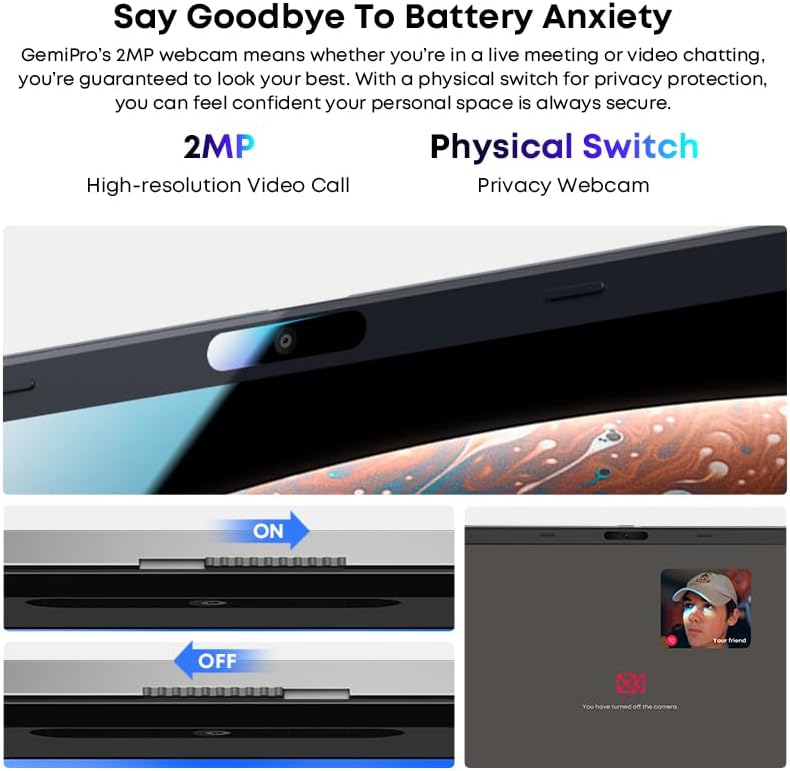
Image 5.2: Close-up of the CHUWI GemiBook Plus webcam with a physical privacy switch. The image shows the switch in both 'ON' (camera exposed) and 'OFF' (camera covered) positions, demonstrating how to physically block the camera lens for enhanced privacy.
5.4 Koneksyon san fil
The GemiBook Plus supports Wi-Fi 6 and Bluetooth 5.2 for fast and stable wireless connections.

Image 5.3: A visual representation of the CHUWI GemiBook Plus's seamless wireless experience, highlighting Wi-Fi 6, Bluetooth 5.2, Ethernet RJ45, and HD Camera features. A user is shown participating in a video call on the laptop.
- Wi-Fi 6: Provides faster internet speeds and improved network efficiency compared to previous Wi-Fi standards.
- Bluetooth 5.2: For connecting wireless peripherals such as headphones, mice, and keyboards.
6. Jesyon batri
The laptop is equipped with a 38Wh battery, providing approximately 6 to 8 hours of usage on a full charge. A full recharge typically takes about 3 hours.
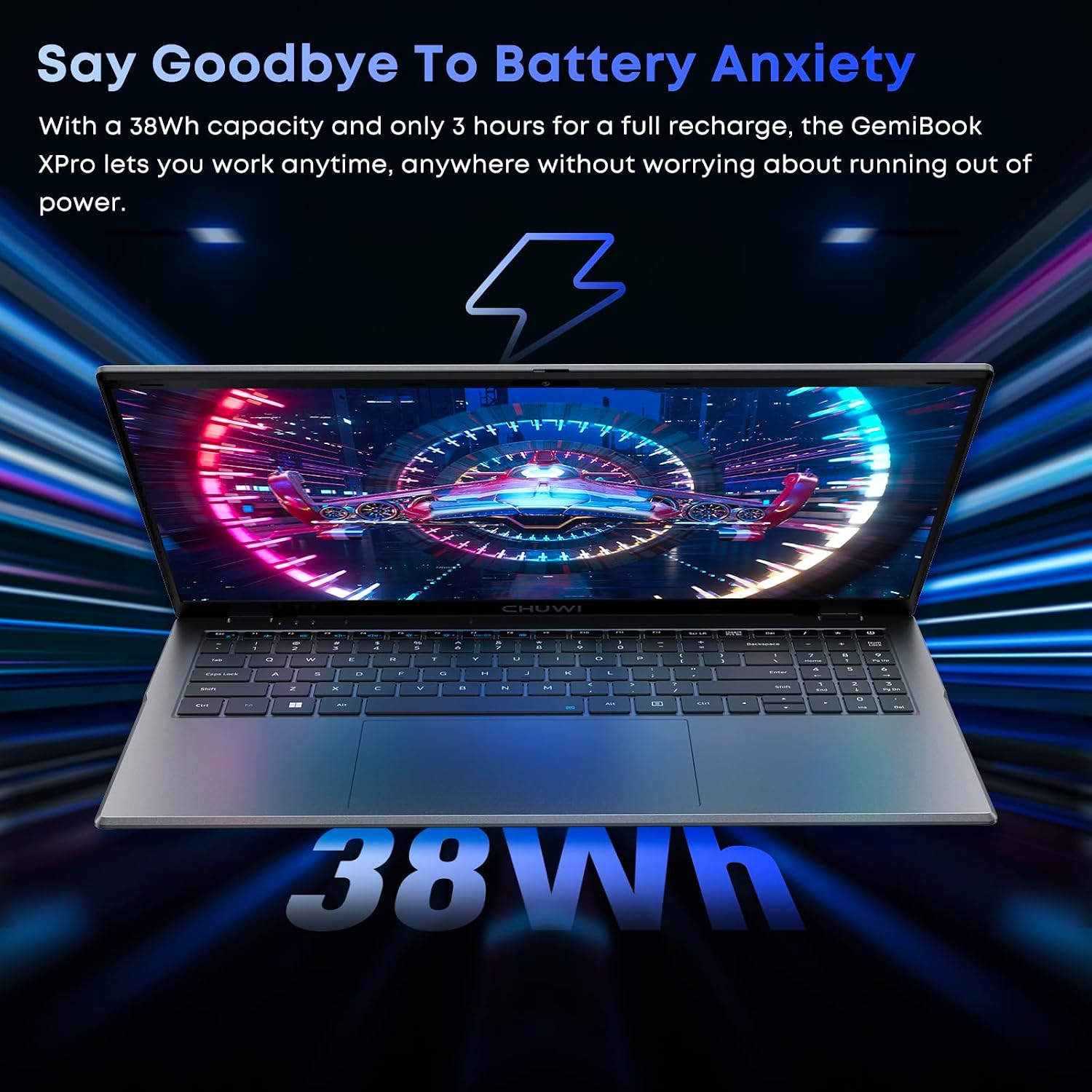
Image 6.1: The CHUWI GemiBook Plus laptop displayed with a visual representation of its 38Wh battery capacity, emphasizing its ability to provide extended usage without frequent recharging.
- Chaje: Connect the provided charger to the laptop and a power outlet. The charging indicator light will typically show the charging status.
- Swen batri: Pou pwolonje lavi batri a, evite dechaje batri a nèt souvan. Sere laptop la nan yon kote ki fre epi sèk lè w pa itilize li pou yon bon bout tan.
7. Antretyen ak Swen
- Netwayaj: Sèvi ak yon twal mou ki pa gen pousyè pou netwaye ekran an ak deyò a. Pou mak ki difisil pou retire, siye yon ti kras.ampRense twal la avèk dlo oswa yon pwodui netwayaj ekran. Evite pwodui chimik ki agresif.
- Depo: When not in use, store the laptop in a protective sleeve or bag to prevent scratches and dust accumulation.
- Tanperati: Operate the laptop within recommended temperature ranges. Avoid exposing it to extreme heat or cold.
- Vantilasyon: Asire ouvèti vantilasyon yo pa bloke pou anpeche surchof.
NAN. Depanaj
8.1 Pwoblèm komen ak solisyon
| Pwoblèm | Solisyon posib |
|---|---|
| Laptop la pa limen | Ensure the power adapter is securely connected and the outlet is working. Try a different power outlet. If the battery is completely drained, it may take a few minutes to respond after connecting the charger. |
| Pa gen koneksyon Wi-Fi | Tcheke si Wi-Fi a aktive nan paramèt Windows yo. Rekòmanse routeur ak modèm ou an. Asire w ke w ap antre modpas Wi-Fi ki kòrèk la. |
| Pèfòmans dousman | Close unnecessary applications. Check for background processes consuming resources. Ensure Windows is updated. Consider running a disk cleanup. |
| Ekran an vid oswa li ap tranble | Adjust screen brightness. Connect to an external monitor to check if the issue is with the laptop screen. Restart the laptop. |
| Webkamera a pa fonksyone | Ensure the physical camera switch is in the 'ON' position. Check privacy settings in Windows to allow apps access to the camera. Update camera drivers. |
9. Espesifikasyon teknik
| Karakteristik | Spesifikasyon |
|---|---|
| Kanpe gwosè ekspozisyon ekran | 15.6 pous |
| Rezolisyon ekran | 1920 x 1080 piksèl (FHD) |
| Processeur | Intel Alder Lake N100 (up to 3.4 GHz) |
| RAM | 8 GB LPDDR5 |
| Disk Drive | 256 GB SSD (M.2 2280, expandable to 1TB) |
| Koprosesè grafik | Intel UHD Graphics |
| Sistèm operasyon | Windows 11 |
| Kalite san fil | Wi-Fi 6, Bluetooth 5.2 |
| Kantite USB 3.0 pò | 2 |
| Mwayèn lavi batri | 6 Hours (38Wh) |
| Pwa atik | 3.7 liv (apeprè 1.74 kg) |
| Dimansyon pwodwi | 14 x 0.78 x 9.5 pous (apeprè 35.5 x 1.98 x 24.1 cm) |
| Koulè | Ajan |
10. Garanti ak sipò
10.1 Peryòd Garanti
The CHUWI GemiBook Plus laptop comes with a 1-ane garanti, valid immediately after purchase.
10.2 Sipò pou Kliyan
CHUWI offers lifetime factory professional support and 24-hour online support. For any issues or inquiries, please contact CHUWI customer service. They aim to provide professional and timely assistance.


