
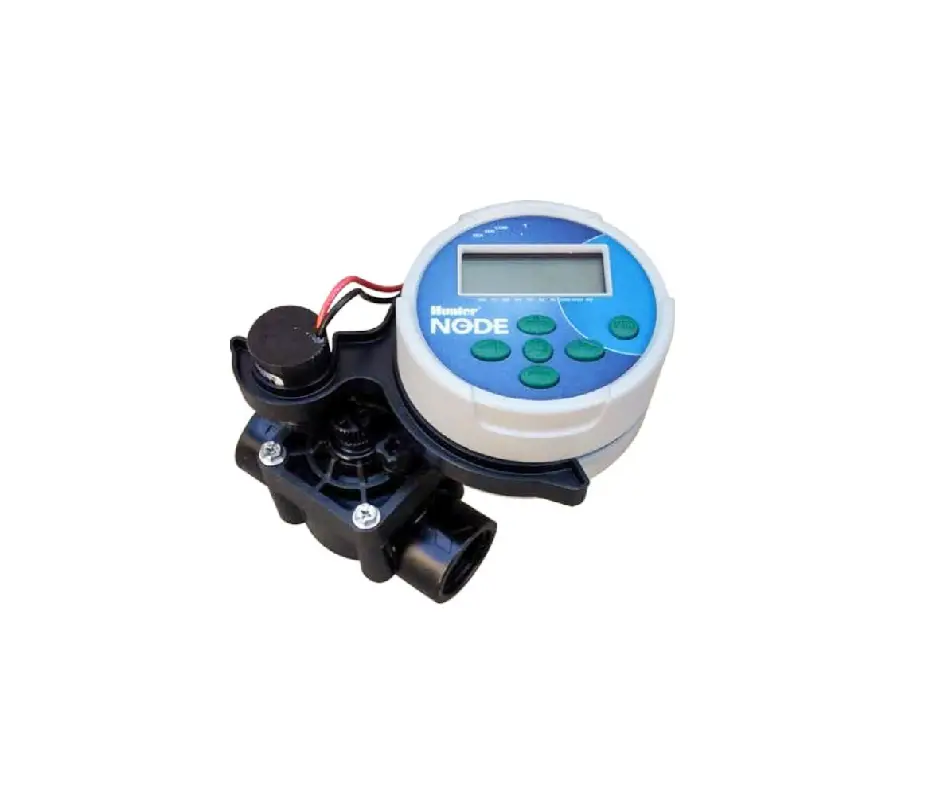
Manyèl Pwopriyetè Kontwolè Hunter NODE ki Mache ak Pil
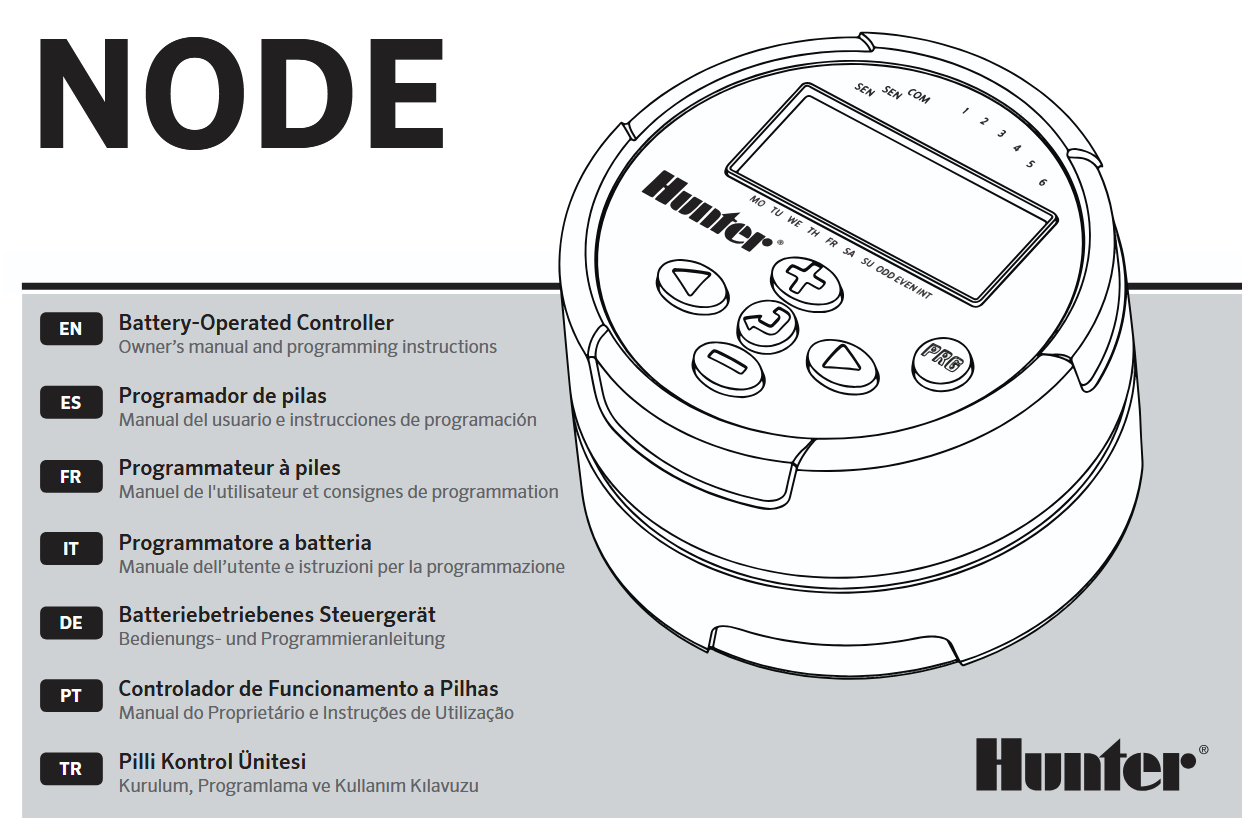

KARAKTERISTIK NÒD
- Simple push-button programming
- Single-station model (NODE-100) with DC latching solenoid. Single-, two-, four-, or six-station models are also available (solenoids not included).
- Large Liquid Crystal Display (LCD) with easy-to-understand icons
- Operates using at least one standard nine-volt alkaline battery (use two for extended battery life)
- Three programs (A, B, or C) with up to four start times each
- Run times from one minute to six hours
- Manual watering capabilities
- Battery-life indicator
- Wired rain sensor compatible
- Non-volatile memory retains all program information
- Seasonal Adjustment from 10–150%
- Easy Retrieve™ memory allows saving/retrieval of preferred program data
- Manual bypass of rain sensor
- Total Run Time Calculator shows total program irrigation time per program
KONPOZAN NÒD
Seksyon sa a bay yon souview kèk nan konpozan NODE yo. Nou pral diskite chak atik an plis detay pita. Sepandan, seksyon sa a ka itil pou nou familyarize nou ak diferan opsyon ki disponib yo.
Bouton kontwòl
 Bouton – Increases the selected flashing display
 Bouton – Decreases the selected flashing display
 Bouton – Selects programming function
 Bouton – Advances the selected flashing display back to the next item
 Bouton – Navigates the selected flashing display back to the previous item
 Bouton – Selects the program (A, B, or C)
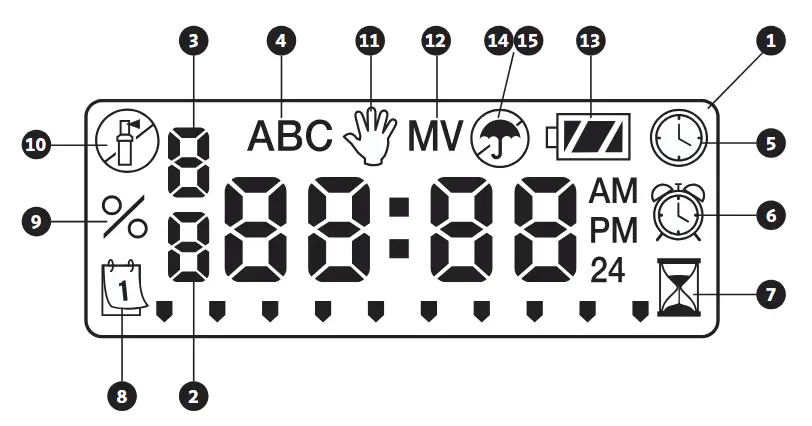
LCD Display
- Ekspozisyon prensipal – Indicates all program information
- Nimewo estasyon – Indicates the station number being programmed
- Start Time Number – Indicates the start timer number being programmed
- Pwogram – Indicates the program (A, B, or C)
 Current Time/Day – Indicates when current day/time is being set
 Kòmanse fwa – Indicates when start times are being set
 Kouri fwa – Indicates when Run Times are being set. Allows user to set run times from one minute to six hours.
 Jou Awozaj – Allows the user to select individual days to water or a selected number of days between watering (interval)
- % Ajisteman sezonye – Allows the seasonal adjustment to be programmed form 10–150% (default value is 100%)
 Sistèm Off – Indicates that watering is suspended
 Manyèl On/Off – Indicates when manual watering is programmed. Allows the user to activate the station manually.
- MV – Indicates that station one is set to master valve operation (only available on two-, four-, or six-station models)
 Estati batri – Indicates remaining battery life
 Parapli – Indicates the rain sensor is suspending irrigation
 Crossed Umbrella – Indicates the rain sensor has been manually bypassed
KONEKTE PIL LA/PIL YO
NODE a itilize youn oubyen de pil estanda nèf vòlt (ki pa enkli) pou fè tiyo yo fonksyone epi pwograme kontwolè a. Kontwolè a ka fonksyone swa avèk yon sèl pil nèf vòlt oubyen avèk de pil nèf vòlt. Nan kondisyon nòmal, lavi espere a se yon ane pou yon sèl pil epi dezan lè w ap itilize de pil nèf vòlt.
 REMAK: NODE a gen yon memwa ki pa volatil. Sa pèmèt ou retire pil la san pèdi enfòmasyon pwogram nan.

Pou enstale pil/pil yo
- Unscrew the rear body of the NODE body to gain access to the battery compartment.
- Insert the battery/batteries into the battery tray and connect to the controller using the battery connector.
- Make sure that no water is inside the battery compartment.
- Vise kò dèyè NODE a tounen sou mwatye devan an.
REMAK: Verifye ke makè sele a sou mwatye dèyè NODE a aliyen ak mwatye devan an, pou asire ke gen yon sele ki byen kreye.

ATACHE SOLENOID YO
NODE-100 la vini ak yon solenoid ki tache ak kontwolè a. NODE-100-LS la pa gen yon solenoid ladan l. Kontwolè milti-estasyon NODE-200, NODE-400, ak NODE-600 yo ka opere jiska de, kat, oswa sis solenoid, respektivman. Solenoid Hunter DC-latching yo (P/N 458200) ka fasilman enstale sou tout tiyo plastik Hunter yo.
REMAK: Sèvi ak solenoid DC ki gen koneksyon ant 9-11 VDC. Solenoid 24 VAC yo p ap fonksyone avèk NODE a.

Pou konekte solenoid DC yo ak NODE a
- Attach the black leads from each solenoid to the single common wire (black lead) coming from the NODE. Secure all wire connections with waterproof connectors.
- Attach one red wire from each solenoid to the corresponding station wire (red lead) from the NODE. The station numbers are identified on the face of the NODE. Secure all wire connections with waterproof connectors.
REMAK: Distans maksimòm fil ant solenoid la ak NODE a se 100′ (30 m) lè w ap itilize yon gwosè fil minimòm 18 AWG (1 mm).
MONTE NÒD LA
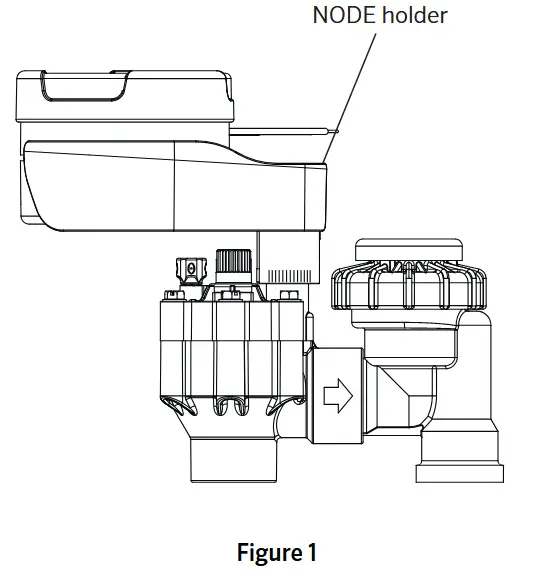
Ou ka monte NODE a fasilman sou nenpòt valv plastik Hunter. Yon klip montaj valv ki fèt espesyalman fè enstalasyon an fasil. Gen yon kouvèti kawotchou pwoteksyon pou anpeche pousyè akimile sou fas NODE a.
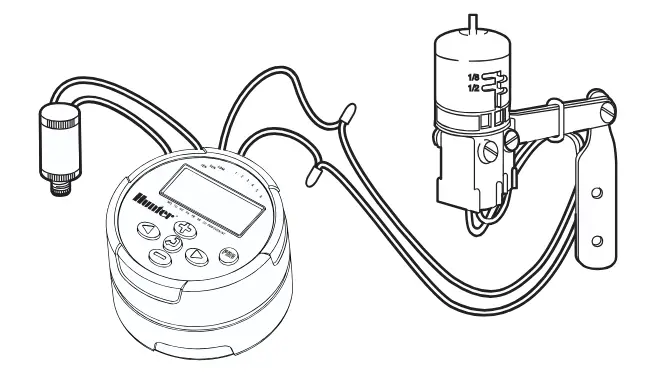
Pou monte NODE a sou yon valv (Figi 1)
- Screw the Hunter DC latching solenoid (P/N 458200) into the valve bonnet.
- Set the small open end of the NODE holder on top of the solenoid.
- Set the NODE controller into the large open end of the NODE holder.
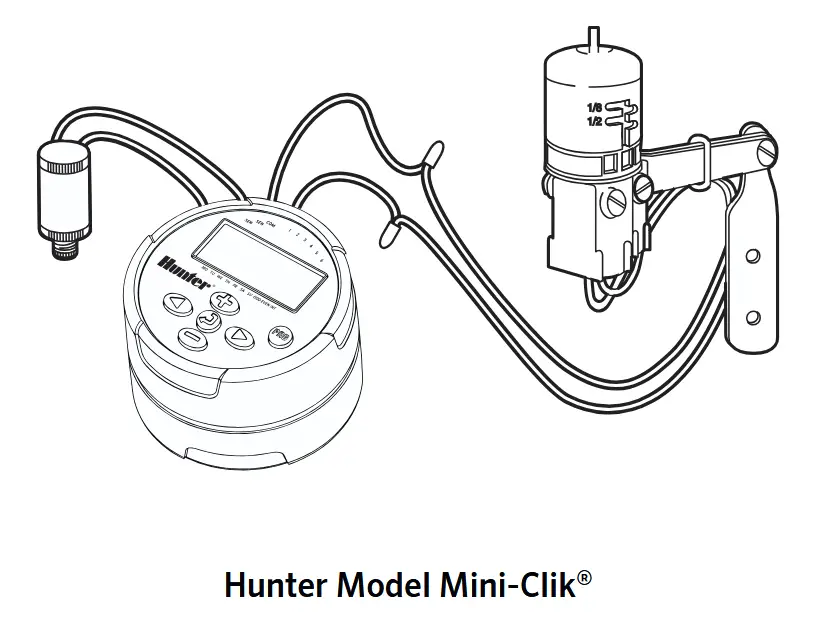
CONNECTING A WEATHER SENSOR
A Hunter Mini-Clik ® or Wired Rain-Clik® rain sensor can be connected to the NODE. The purpose of this sensor is to stop watering when weather conditions dictate.
NOTE: When the Wired Rain Sensor is interrupting the watering, the display will show the System Off icon , “OFF” and sou ekspozisyon an.
- Cut the yellow wire loop attached to the NODE at approximately the middle of the loop.
- Remove approximately ½” (13 mm) of insulation from each wire. Attach one yellow wire to each of the wires of the weather sensor. You can mount the rain sensor up to 100 ft (30 m) from the NODE controller (18 AWG/1 mm minimum wire size).
- Secure wire connections with waterproof connectors.
MÒD IDLE
Nòmalman, ekran NODE a montre lè a ak jou a, jou nan semèn nan, VM (si opsyon valv prensipal la aktive), ak endikatè lavi batri a. Apre yon ti peryòd inaktivite, ekran an ap etenn pou konsève batri a. Lè w peze nenpòt bouton, NODE a ap antre nan mòd inaktif.

MÒD KOURI
Lè kontwolè a ap opere yon pwogram, eleman ki parèt sou ekran an ap gen ladan nimewo estasyon an, lèt pwogram nan, tan fonksyònman ki rete a, ak ikòn rotor ki ap flache a.

PWOGRAMMAN
The NODE uses standard Hunter controller programming with three programs (A, B, or C) and four start times per program. On standard Hunter controllers a dial is used to scroll between the programming functions. However, on the NODE the  button is used to quickly and easily create the irrigation program. When programming, the flashing portion of the display can be changed by pressing the
  or
or  buttons. To change something that is not flashing, press the
  or
or  buttons until the desired item is flashing.
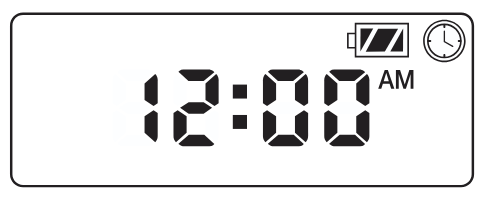
Mete dat ak lè
- Pouse a bouton jiskaske a
 ikòn parèt.
 - All four digits will be displayed representing the year. Use the or buttons to change the year. Press the button to proceed to setting the month.
- All four digits will be displayed with the two digits on the left representing the month flashing. Use the or buttons to change the month. Press the button to proceed to setting the day.
- Only the two digits on the right side will be displayed and flashing, representing the day. Press the or buttons to change the day. Press the button to proceed with changing the hour. Press the button to proceed to setting the time.
- The AM/PM/24-hour time setting is shown flashing. Press the or button to change the time setting to AM, PM, or 24-hour time. Press the button to proceed to setting the hour.
- All four numbers are shown with the two numbers on the left flashing, representing the hour. Use the or buttons to change the hour. Press the button to proceed to setting the minutes.
- All four numbers are shown with the two numbers on the right flashing, representing the minutes. Use the or buttons to change the minutes. Pressing the button will advance to the year setting at Step 2.
- Peze a button to proceed to the next programming function or allow controller to return to idle mode.
Fikse Lè Kòmansman Awozaj
- Peze a bouton jiskaske a ikòn parèt.
- The start time will be displayed flashing, along with the program letter (A, B, or C) and the start time number (1, 2, 3, or 4) in the upper left of the display. Up to 4 different start times can be set for each program.
- Sèvi ak la or buttons to change the start time for the program that is displayed. Each press of the button will change the start time in one-minute increments.
- Peze a button to add an additional start time to the program displayed. The start time number is shown in the upper left corner of the display.
- Peze a button to add start times to a different program.
- Peze a button to proceed to the next programming function or allow controller to return to idle mode.
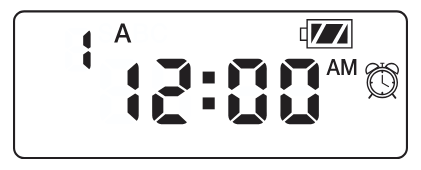
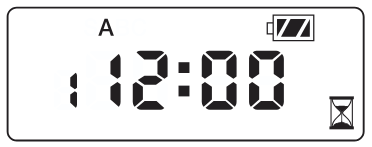
NOTE: After programming the run time for the last station press the button to display the total run time for the program.
Ajisteman Tan Kous yo
- Peze a bouton jiskaske a ikòn parèt.
- The run time will be displayed flashing. Also shown is the program letter (A, B, or C) and the active station number on the lower left side of the display. Press the or buttons to change the station run time from one minute to six hours.
- Peze a button to advance to the next station.
- Peze a button to add a run time to another program.
- Peze a button to proceed to the next programming function or allow controller to return to idle mode.
Fikse Jou Awozaj
- Peze a bouton jiskaske a ikòn parèt.
- The program letter (A, B, or C) will be displayed.
- Arrows point at the specific days of the week on which watering will occur. Press the or buttons to scroll though the days.
- Peze a button to activate that day for the program displayed, or the button to cancel watering for that day. The arrow will show on the watering days for the active program.
- Peze a button to set days to water for a different program, if desired.
- Peze a button to proceed to the next programming function or allow controller to return to idle mode.
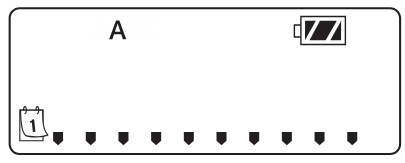
Chwazi jou pè/enpè pou wouze
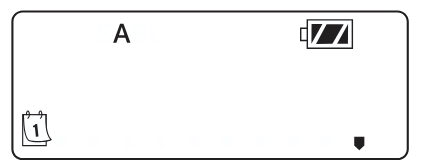
This feature uses numbered days of the month for watering instead of specific days of the week.
- Peze a bouton jiskaske a ikòn parèt.
- Peze a button until the cursor is above either ODD or EVEN on the display.
- Peze a button to select, or the button to cancel either ODD or EVEN days to water.
- Once ODD or EVEN mode is activated, it will be the only cursor shown on the display.
Selecting Interval Days to Water
- Peze a bouton jiskaske a ikòn parèt.
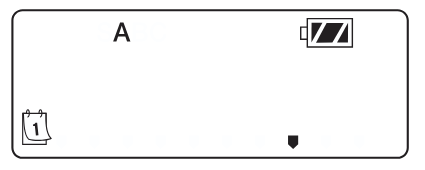
- Peze a button until the cursor is above INT sou ekspozisyon an.
- Peze a button and a 1 will be flashing, indicating the number of days between watering.
- Peze a or buttons to select the number of days between watering days (1 to 31).
Mete Ajisteman Sezon an
- Press the button until the is displayed.
- Press the or button to increase or decrease the seasonal adjustment value from the default 100% (down to a minimum of 10% or a maximum of 150%).
- The value programmed for seasonal adjustment will be applied to all irrigation programs and will immediately be reflected in the run times displayed. For exampPa egzanp, si yo pwograme tan fonksyònman 20 minit epi apre sa ajisteman sezon an chanje soti nan 100% a 50%, tan fonksyònman ki parèt yo ap 10 minit.

Fèmen Sistèm nan
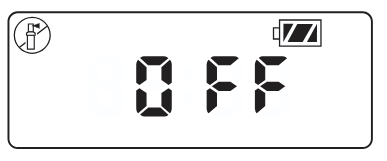
To turn your controller off, press the bouton jiskaske a icon ak OFF is displayed on screen. To return the controller to auto programming mode, press the button. The controller will immediately return to auto programming mode and will display the time and battery-life indicator.
Awozaj manyèl
Awozaj manyèl pèmèt itilizatè a teste chak estasyon oswa yon pwogram pou yon tan fonksyònman espesifik. Kondisyon detèktè metewolojik la (si yo itilize li) p ap pran an kont nan mòd sa a.
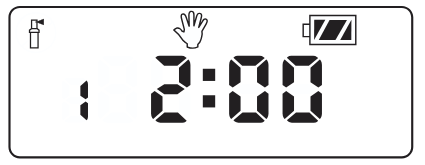
- Make sure the controller is in idle mode. Press and hold the bouton jiskaske a ikòn parèt.
- The station number will be displayed in the lower left side of the display along with the run time.
- Sèvi ak la epi buttons to select the desired station and the and buttons to set the manual watering time for the station shown.
- To manually activate a program, press the button. The program letter (A, B, or C) will show on the screen. If a different program is needed, press the bouton jiskaske pwogram ou vle a parèt.
- To stop the Manual Watering cycle, press the button until the time is reduced to zero.
- Peze a button to proceed to the next programming function or allow controller to return to idle mode.
REMAK:
- Peze a or buttons when a station is running in Manual Watering mode will modify the irrigation time for that station.
- Peze a button when a station is running in Manual Watering mode will stop irrigation on the current station and advance to the next station.
- Peze a button when a station is running in Manual Watering mode will stop irrigation on the current station and revert to the previous station.
Operasyon Capteur
The NODE is compatible with Hunter Clik-type rain sensors, including Mini-Clik® , Freeze-Clik, and Wired Rain-Click® , as well as many other interrupt-type devices/sensors that do not require power. Simply connect the sensor to the NODE controller by cutting the yellow wire loop and connecting to the sensor wires.
NOTE: NODE is not compatible with Hunter Wireless Rain-Clik ® or other weather devices that require 24 VAC power.
When the sensor is activated, it will suspend irrigation and the icon ap parèt sou ekspozisyon an.
KARAKTERISTIK PWOGRAMASYON AVANSE
Tout fonksyon pwogramasyon avanse yo kòmanse nan mòd inaktif la, ki montre lè a, jou nan semèn nan, ak endikatè lavi batri a sou ekran an. Si yon bagay ap flache sou ekran an, kontwolè a nan youn nan mòd pwogramasyon yo. Apre yon ti peryòd inaktivite, kontwolè a ap retounen nan mòd inaktif.
Capteur Bypass
- From the idle mode, press and hold the bouton jiskaske a ikòn parèt.
- The display will show the umbrella icon flashing and SOU.

- Peze a button to bypass the sensor. The display will show epi OFF to indicate the weather sensor is bypassed. The icon will show on the display during normal operation, indicating the controller is in bypass mode.
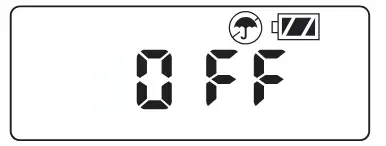
- To reactivate the weather sensor, press and hold the bouton jiskaske a icon is displayed. Press the button to return to normal sensor mode.
Fasil pou rekipere memwa
Fonksyon sa a pèmèt itilizatè a sove yon pwogram li prefere nan yon memwa pèmanan nan kontwolè a, ke li ka retabli nenpòt ki lè. Sa a se yon bon fason pou ranplase chanjman ki fèt yo, epi retounen nan orè pwogramasyon orijinal la.
Pou sove yon pwogram:
- Make sure that the controller is programmed with the preferred programming schedule.
- From idle mode, press and hold the epi button for five seconds to save the current program.
- The screen will show three dashed lines moving from left to right to indicate the current program is being saved to permanent memory. The display will flash FÈ lè pwosesis la fini.

Pou rekipere yon pwogram anrejistre:
- From idle mode, press and hold the epi bouton pou senk segonn.
- The screen will show three dashed lines moving from right to left to indicate the preferred program is being retrieved from memory.
The controller now has the preferred program as the current program. The display will flash FÈ lè pwosesis la fini.
REMAK: Fè atansyon lè w ap itilize memwa Easy Retrieve. Lè w ap sove done pwogram nan memwa avèk Easy Retrieve, sa ap pran enfòmasyon pwogram aktyèl la epi ranplase nenpòt sa ki sove nan memwa pèmanan an. Lè w ap sove done pwogram nan, asire w ke done pwogram aktyèl la se sa ou vle sove.
Setting Master Valve Operation
(NODE-200, NODE-400, & NODE-600 Only)
Modèl NODE milti-estasyon yo (NODE-200, NODE-400, ak NODE-600) ka pwograme avèk itilizasyon yon valv prensipal ki nòmalman fèmen. Lè w ap pwograme avèk valv prensipal la, w ap plase Estasyon 1 kòm valv prensipal la, sa ki efektivman fè w pèdi itilizasyon Estasyon 1 pou aktivasyon yon estasyon irigasyon.
- From the idle mode, press the bouton jiskaske a ikòn parèt.
- Program A will be displayed along with the active station number on the lower left. Make sure the active station showing is “1.” The run time will be shown.
- Peze a bouton yon fwa ak la MV icon will display on the screen and the time will disappear. Station 1 is now acting as the master valve and will not be available in other programming screens.
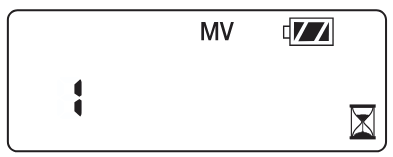
- When the master valve is activated, it will apply to all programs and the MV icon will stay displayed on the screen at all times.
Pwogramasyon Off (Jiska 99 jou)
Fonksyon sa a pèmèt itilizatè a sispann tout awozaj pwograme pou yon peryòd ki deziyen ant 1 ak 99 jou. Nan fen peryòd pwogramasyon an, kontwolè a ap reprann fonksyonman nòmal li.
- From idle mode, press the bouton jiskaske a icon is displayed. Wait two seconds until OFF is shown on the display. The controller is now in System Off mode.
- Peze a button and a blinking “1” will be displayed, indicating the number of days the controller will stay off. Program the off days as desired, up to 99 days maximum.
- The display will show the number of days remaining in the OFF peryòd.
- To interrupt the OFF period, press the button to return to the idle mode screen, showing the time of day and day of the week.
ENDIKASYON LAVI BATRI
Ou ka estime dire lavi batri ki rete a avèk endikatè lavi batri ki parèt sou ekran an. NODE a ka fonksyone swa avèk yon sèl batri nèf vòlt oswa avèk de batri nèf vòlt. Itilizasyon de batri nèf vòlt ap bay apeprè de fwa dire lavi batri a pase yon sèl batri nèf vòlt. Tablo endikatè lavi batri ki anba a montre yon estimasyon sou dire lavi batri ki rete a.
 Full: 100–60% remaining battery life
 Med: 60–25% remaining battery life
 Low: 25–0% remaining battery life
 Ranplase pil la imedyatman!
REINITIALIZASYON KONTROLÈ A
Reyajiste kontwolè a ap efase done pwogram aktyèl la epi rekòmanse kontwolè a. Sepandan, yon reyajisteman pa efase yon pwogram ki sove nan memwa pèmanan lè l sèvi avèk fonksyon Easy Retrieve memory a (gade paj 12) pou sove yon pwogram ou prefere.
- From idle mode, press and hold the , , ak kle.
- After two seconds the screen will go blank. Continue to hold the , , ak kle.
- 12:00 will flash on the display. Release the keys.
- The controller may show a countdown from 10 to 1 on the display, and then 12:00 am will be shown flashing when the reset is complete. The controller can now be reprogrammed.
GID DEPANN

SPECIFICATIONS
Dimansyon: 3 ½”(89 mm) diameter, 2 ½”(64 mm) high
Antre Capteur: Youn
Sous pouvwa: One nine-volt alkaline battery (use two for extended battery life). Activates DC latching solenoids operating 9-11VDC (Hunter PN 458200).
Tanperati opere: 0ºF a 140ºF (-17ºC a 60ºC)
Apwobasyon:
IP68
CE
FCC
C-tik
Dokiman / Resous
 | Kontwolè NODE ki mache ak pil |
Referans
- Manyèl itilizatèmanual.tools