
1. Enstalasyon
This section guides you through the initial setup of your CHUWI CoreBook X laptop.
1.1 Debale ak Premye Limen
- Retire laptop la ak tout akseswa yo nan anbalaj la avèk anpil atansyon.
- Connect the provided USB-C power adapter to the laptop's USB-C port (PD Charging/USB 2.0) and then to a power outlet.
- Open the laptop lid. The laptop may power on automatically or you may need to press the power button located on the keyboard.
- Swiv enstriksyon ki sou ekran an pou w konplete konfigirasyon inisyal Windows 11 Pro a, ki gen ladan seleksyon lang, koneksyon rezo a, ak kreyasyon kont itilizatè.
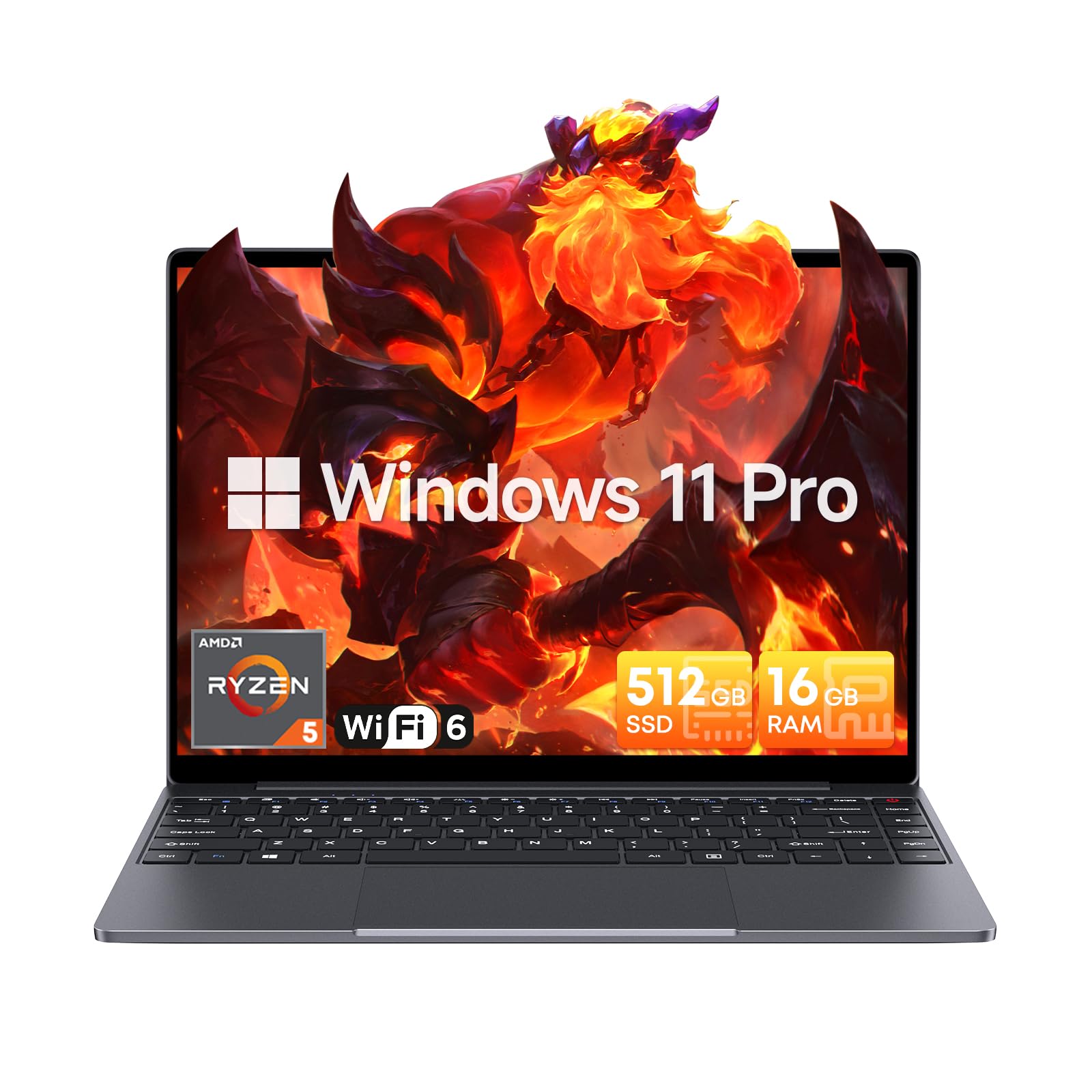
Image: The CHUWI CoreBook X laptop open on a desk, ready for use.
1.2 Konekte periferik
- Aparèy USB: Connect USB mice, keyboards, or external storage devices to the available USB 3.0 ports.
- Ekspozisyon ekstèn: Use the HDMI 1.4 port or the full-featured USB Type-C port to connect an external monitor.
- Aparèy odyo: Konekte kas ekoutè oswa oratè ekstèn yo nan priz odyo 3.5mm lan.
- Kat TF: Insert a TF card into the TF card slot for additional storage.

Imaj: Detaye view of the laptop's ports, including TF Card Slot, 3.5mm Headphone Jack, USB 3.0 Port, Lock Slot, USB Type-C (PD Charging/USB 2.0), HDMI 1.4, and Full-featured USB Type-C Port.
1.3 Network and Bluetooth Connection
- Wi-Fi 6: Pou konekte ak yon rezo san fil, klike sou ikòn Wi-Fi ki nan ba travay la, chwazi rezo w la epi antre modpas la.
- Bluetooth 5.2: To pair Bluetooth devices, go to Windows Settings > Bluetooth & devices, turn on Bluetooth, and select your device to pair.
2. Opere
This section covers the basic operation of your CHUWI CoreBook X laptop.
2.1 Jesyon pouvwa
- Pouvwa sou: Peze bouton pouvwa a.
- Mòd dòmi: Fèmen kouvèti a oswa chwazi "Dòmi" nan meni Start la.
- Fèmen: Chwazi "Fèmen" nan meni Start la.
- Rekòmanse: Chwazi "Rekòmanse" nan meni Kòmanse a.
2.2 Klavye ak Touchpad
- The laptop features a full-sized backlit keyboard with white illumination. Use the function keys (Fn) in combination with other keys for shortcuts like adjusting brightness, volume, or toggling the backlight.
- The large touchpad supports multi-touch gestures for navigation. Refer to Windows settings for customizing touchpad gestures.

Imaj: Yon gwo plan view of the laptop's backlit keyboard and large touchpad, highlighting its navigation features.
2.3 Ekspozisyon ak Odyo
- The 14-inch IPS display offers a 2160*1440 resolution. Adjust display settings (brightness, resolution, scaling) through Windows Display Settings.
- The laptop is equipped with stereo speakers. Volume can be controlled via the keyboard function keys or the Windows sound settings.
- An HD webcam is integrated for video conferencing.

Image: The laptop's 14-inch 2K IPS display showcasing vibrant colors and a comparison of 3:2 and 16:9 aspect ratios.
2.4 Videyo Plis paseview
Video: An official product video demonstrating various features and usage scenarios of the CHUWI CoreBook X laptop, including its performance, display, and connectivity options.
3. Antretyen
Bon antretyen asire lonjevite ak pèfòmans optimal laptop ou a.
3.1 Netwayaj
- Use a soft, lint-free cloth to clean the screen. For stubborn marks, dampen the cloth slightly with water or a screen-safe cleaner.
- Wipe the chassis and keyboard with a soft, dry cloth. Avoid using harsh chemicals or abrasive materials.
- Periodically use compressed air to clear dust from the vents to maintain efficient cooling.
3.2 Swen Batri
- Avoid fully discharging the battery frequently. Charge the laptop when the battery level is low.
- Store the laptop in a cool, dry place if not used for extended periods, with the battery charged to around 50-70%.
- Use only the original or certified compatible USB-C PD charger.
3.3 Amelyorasyon Depo ak Memwa
The laptop supports RAM and SSD upgrades.
- The 16GB DDR4 RAM can be expanded up to 64GB via 2 SODIMM slots.
- The 512GB PCIe SSD can be expanded up to 2TB using the M.2 2280 PCIe slot.
- A convenient detachable bottom cover allows for easier access to upgrade components without removing the entire back panel.

Image: The underside of the laptop with the detachable cover removed, revealing the dual-channel SO-DIMM slot for RAM upgrades.
NAN. Depanaj
Seksyon sa a bay solisyon pou pwoblèm komen ou ka rankontre.
4.1 Pwoblèm komen ak solisyon
- Laptop la pa limen:
- Asire w adaptè kouran an byen konekte ak laptop la ak yon priz kouran ki fonksyone.
- Verifye priz kouran an fonksyonèl.
- Eseye kenbe bouton pouvwa a pandan 10-15 segonn pou fè yon reset konplè.
- Pwoblèm ekspozisyon (pa gen imaj, li tranble):
- Ajiste klète ekran an lè l sèvi avèk kle fonksyon yo.
- Si yon monitè ekstèn konekte, eseye dekonekte li.
- Rekòmanse laptop la.
- Wi-Fi or Bluetooth connectivity problems:
- Ensure Wi-Fi/Bluetooth is enabled in Windows settings.
- Rekòmanse routeur/modèm ou a pou pwoblèm Wi-Fi.
- Remove and re-pair Bluetooth devices.
- Update network and Bluetooth drivers through Device Manager.
- Pèfòmans ralanti:
- Fèmen aplikasyon ki pa nesesè k ap fonksyone nan background nan.
- Tcheke pou mizajou Windows ak mizajou chofè yo.
- Asire w ke gen ase espas lib sou SSD a.
- Run a malware scan.
If you encounter issues not covered here or require further assistance, please refer to the Support section.
5. Espesifikasyon
Detailed technical specifications for the CHUWI CoreBook X laptop.

Image: An illustration of the AMD Ryzen 5 processor, highlighting its core count, threads, and clock speed.
| Karakteristik | Spesifikasyon |
|---|---|
| Non modèl | Corebook X |
| Processeur | AMD Ryzen 5 (6 Cores, 12 Threads, up to 4.3 GHz) |
| Grafik | AMD Radeon Graphics (1800MHz, Max 2GB Memory) |
| RAM | 16GB DDR4 (Expandable up to 64GB via 2 SODIMM slots) |
| Depo | 512GB PCIe SSD (Expandable up to 2TB via M.2 2280 PCIe slot) |
| Ekspozisyon | 14-inch IPS, 2160*1440 Resolution, 100% sRGB Color Gamut |
| Sistèm operasyon | Windows 11 Pro |
| Koneksyon | Wi-Fi 6 (802.11ax), Bluetooth 5.2 |
| Pò | USB Type-C (PD Charging/USB 2.0), USB 3.0, HDMI 1.4, Full-featured USB Type-C, 3.5mm Audio Jack, TF Card Slot, Lock Slot |
| Batri | 46.2Wh Lithium-Ion Battery, 65W USB-C PD Fast Charging |
| Klavye | Full-sized Backlit Keyboard with White Illumination |
| Touchpad | Large Touchpad, Multi-touch |
| Webkam | HD Webkam |
| Dimansyon | 12.2"L x 9"W x 0.67"Th (17mm thin) |
| Pwa | 2.2 liv (1.4kg) |
6. Garanti
The CHUWI CoreBook X laptop comes with a Garanti manifakti 1 zan.
This warranty covers defects in materials and workmanship under normal use. It does not cover damage caused by accidents, misuse, unauthorized repairs, or modifications. Please retain your proof of purchase for warranty claims.
7. Sipò
For technical assistance, warranty claims, or further inquiries, please contact CHUWI customer support.
- Sipò pou manifakti: Visit the official CHUWI websit pou resous sipò, FAQ, ak enfòmasyon pou kontakte yo.
- Sipò pou Vandè: If purchased through a retailer, you may also contact the seller for assistance.