1. Pwodwi souview
The Acer Connect M6E 5G Mobile Wi-Fi Hotspot is a portable device designed to provide high-speed 5G connectivity and secure Wi-Fi access. It is ideal for travel, remote work, and maintaining internet access for multiple devices without relying on public networks.
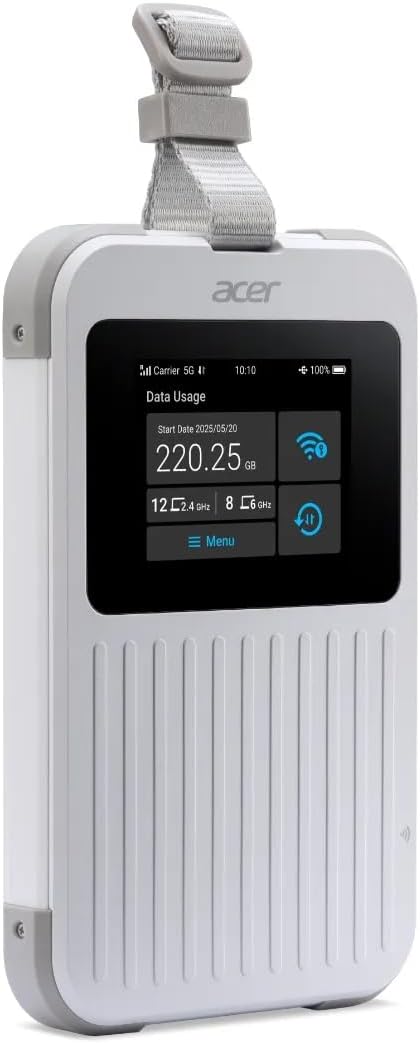
The Acer Connect M6E 5G Mobile Wi-Fi Hotspot, a compact and portable device designed for high-speed internet access on the go.
Karakteristik kle:
- Blazing Fast 5G Speeds: Enjoy ultra-low latency and high-speed internet for streaming, gaming, and work.
- Pòtab ak lejè: Compact design fits easily in your bag, making it ideal for travel and remote work.
- Secure Wi-Fi Anywhere: Protect your data with encrypted connections instead of using public hotspots.
- Long lavi batri: Stay connected for hours with a powerful 8000 mAh battery designed for all-day use.
- Sipò pou plizyè aparèy: Connect up to 20 devices simultaneously for seamless productivity and entertainment.
- Konsepsyon rezistan: MIL-STD 810H certified and IP68 water-resistant for enhanced durability.
- Tri-SIM Support: Supports physical SIM, Virtual SIM, and eSIM for broad country coverage.
- NFC Touch-to-Connect: Quick pairing with Android devices.
2. Ki sa ki nan bwat la
Upon unboxing your Acer Connect M6E, ensure all components are present:
- Acer Connect M6E 5G Mobile Wi-Fi Hotspot
- USB Kalite-C Chaje Kab
- Gid pou kòmanse rapid / Manyèl enstriksyon
3. Gid Enstalasyon
3.1. Chaje Aparèy la
Before initial use, fully charge your Acer Connect M6E hotspot.
- Konekte kab USB Kalite-C ki vini ak aparèy la nan pò chajman an.
- Branche lòt bout kab la nan yon adaptè kouran USB konpatib (pa enkli) oubyen nan yon pò USB òdinatè.
- The touchscreen display will indicate charging status. A full charge typically takes several hours.
3.2. Inserting a SIM Card (Optional)
The Acer Connect M6E supports physical SIM cards, virtual SIMs, and eSIMs. If using a physical SIM:
- Power off the device by pressing and holding the power button.
- Locate the SIM card slot, usually under a removable back cover or side tray.
- Insert your Nano-SIM card into the designated slot with the gold contacts facing down.
- Ensure the SIM card is securely seated.
- Replace any covers or trays.
3.3. Initial Power On and Connection
- Press and hold the power button until the Acer logo appears on the touchscreen.
- The device will boot up and automatically search for available 5G or 4G LTE networks.
- Once connected, the network status (e.g., 5G, 4G LTE) and signal strength will be displayed on the screen.
- The Wi-Fi network name (SSID) and password (Key) will be shown on the touchscreen.
- On your device (smartphone, laptop, tablet), search for the Wi-Fi network name displayed on the M6E.
- Antre modpas la pou konekte.
4. Operasyon Enstriksyon
4.1. Navigasyon ekran taktil
The 2.4-inch touchscreen allows for easy management of the hotspot's settings and information.
- Glise: Navigate through different information screens (e.g., data usage, connected devices, battery status).
- Tape: Select options or confirm actions.
4.2. Konekte plizyè aparèy

The Acer Connect M6E supports connections for up to 20 devices simultaneously, enabling seamless sharing of its high-speed Wi-Fi 6E network.
The M6E can support up to 20 devices simultaneously. To connect additional devices:
- Ensure the hotspot is powered on and has an active internet connection.
- On each device, go to Wi-Fi settings and select the M6E's SSID.
- Antre modpas Wi-Fi a lè w mande w.
4.3. NFC Touch-to-Connect (for Android Devices)
For compatible Android smartphones, you can quickly connect using NFC:
- Asire w ke NFC aktive sou aparèy Android ou a.
- Tap your Android device against the NFC area on the Acer Connect M6E.
- Follow the on-screen prompts to establish the Wi-Fi connection.
4.4. Karakteristik sekirite

Ensure your data is protected with enterprise-grade security features including WPA3 encryption, firewall, and VPN support, safeguarding your connections from public networks.
The Acer Connect M6E includes advanced security protocols to protect your data:
- WPA3 chifreman: Provides enhanced security for your Wi-Fi network.
- Built-in Firewall: Helps prevent unauthorized access to your connected devices.
- Sipò VPN: Allows for secure, encrypted connections over public networks.
- SIM Lock: Prevents unauthorized use of your SIM card.
4.5. USB Type-C Tethering
You can also connect a single device directly to the hotspot via USB for a stable, wired internet connection.
- Connect the Acer Connect M6E to your laptop or PC using a USB Type-C cable.
- On the hotspot's touchscreen, select the USB tethering option (if prompted).
- Your connected device should now have internet access via the hotspot.
5. Antretyen
To ensure the longevity and optimal performance of your Acer Connect M6E:
- Kenbe li pwòp: Siye aparèy la avèk yon twal mou epi sèk. Evite pwodui chimik ki agresif oswa materyèl abrazif.
- Mizajou lojisyèl: Regularly check for and install firmware updates to ensure the latest features and security patches. This can usually be done via the device's settings menu on the touchscreen or a connected web koòdone.
- Swen batri: Avoid extreme temperatures. Do not leave the device fully discharged for extended periods.
- Depo: Sere aparèy la nan yon kote ki fre, sèk lè li pa itilize.
NAN. Depanaj
6.1. Pa gen koneksyon entènèt
- Tcheke fòs siyal: Ensure the device is in an area with good 5G/4G LTE coverage.
- Kat SIM: Verify the SIM card is correctly inserted and active. Check your data plan status with your service provider.
- Rdemare: Turn the hotspot off and then on again.
- Anviwònman APN: If using a physical SIM, ensure the Access Point Name (APN) settings are correct for your carrier. These can usually be configured via the device's web koòdone.
6.2. Device Not Connecting to Wi-Fi
- Modpas ki kòrèk la: Verifye de fwa ke w ap antre modpas Wi-Fi ki kòrèk la.
- Limit Aparèy: Ensure you haven't exceeded the maximum number of connected devices (20).
- Rekòmanse: Restart both the hotspot and the device you are trying to connect.
6.3. Vitès ba
- Fòs siyal: Deplase nan yon zòn ki gen pi bon siyal.
- Aparèy ki konekte: Disconnect any unnecessary devices to free up bandwidth.
- Data Cap: Check if you have reached your data plan's high-speed limit.
- Entèferans: Rete lwen lòt aparèy elektwonik ki ta ka lakòz entèferans.
7. Espesifikasyon
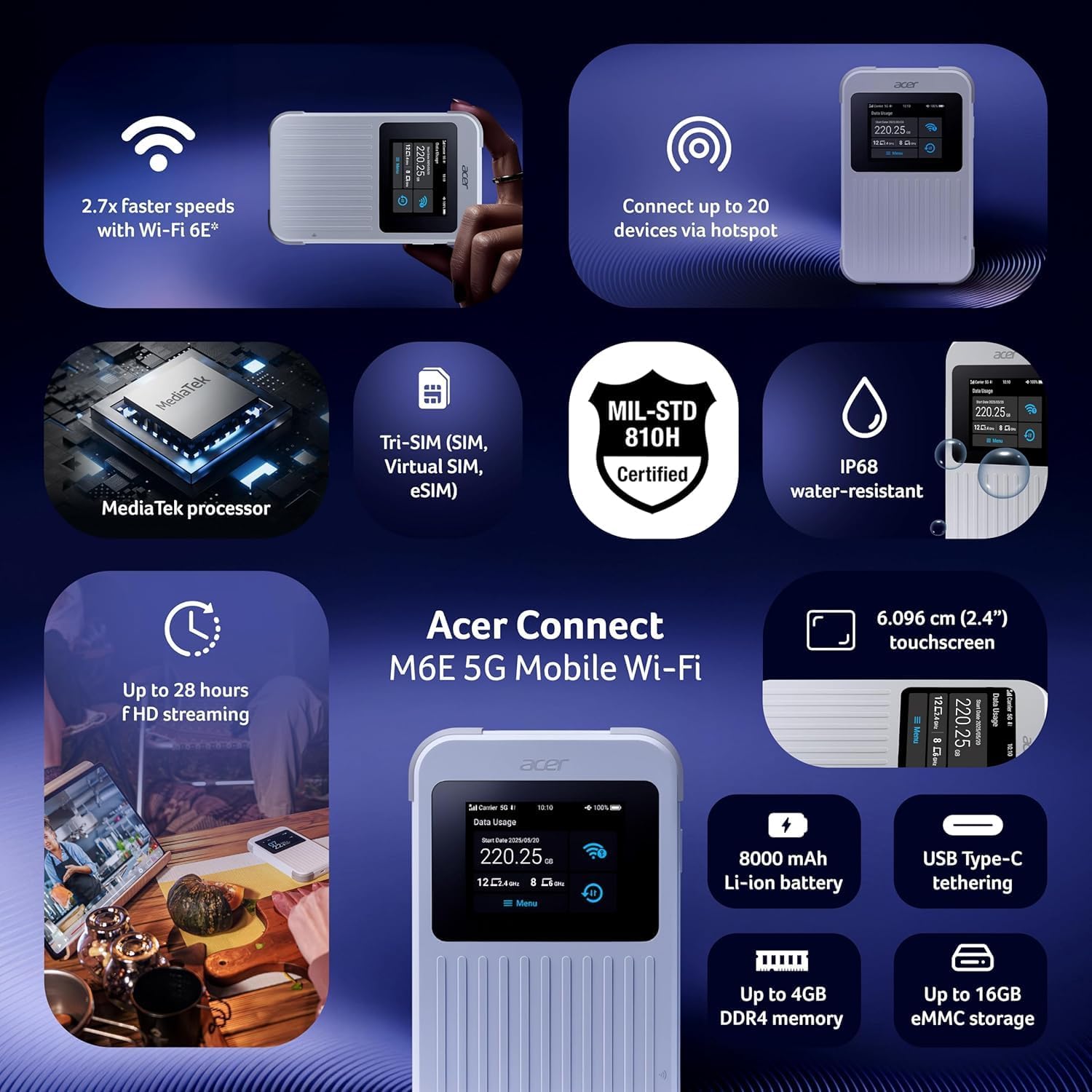
Yon souview of the Acer Connect M6E's capabilities, including MediaTek processor, Tri-SIM support (SIM, Virtual SIM, eSIM), MIL-STD 810H certification, IP68 water resistance, 2.4-inch touchscreen, 8000 mAh battery, USB Type-C tethering, up to 4GB DDR4 memory, and up to 16GB eMMC storage.
| Karakteristik | Detay |
|---|---|
| Non modèl | M6E |
| Koneksyon Teknoloji | 5G |
| Wireless Kominikasyon Creole | 802.11ac, 802.11ax (Wi-Fi 6E), 802.11b, 802.11g, 802.11n |
| Gwoup Gwoup Frekans | Doub-Band |
| Kapasite batri | 8000 mAh |
| Gwosè Touchscreen | 2.4 pous |
| Se solid | IP68 Water-Resistant, MIL-STD 810H Certified |
| Sipò SIM | Tri-SIM (Physical SIM, Virtual SIM, eSIM) |
| Karakteristik sekirite | Enterprise-Grade Security, WPA3, Firewall, VPN, SIM Lock |
| Karakteristik espesyal | Remote Access, NFC Touch-to-Connect |
| Aparèy konpatib | Òdinatè pèsonèl, Smartphone |
| Konpozan ki enkli | Hotspot |
8. Garanti ak sipò
Pou enfòmasyon sou garanti, sipò teknik, oswa demann sèvis, tanpri al gade sit ofisyèl Acer la. website or contact Acer customer service directly.
- Sipò sou entènèt: Vizite la Sipò Acer Websit for FAQs, drivers, and manuals.
- Kontakte Sèvis Kliyan: Gade anbalaj pwodwi w la oswa Acer la. websit pou enfòmasyon kontak rejyonal yo.
9. Lòt Resous
9.1. Imaj pwodwi yo

The 'Tap, Connect, Create' image highlights the M6E's NFC touch-to-connect, 8000 mAh battery for up to 28 hours of HD streaming, and USB Type-C tethering capabilities for charging and data sharing.
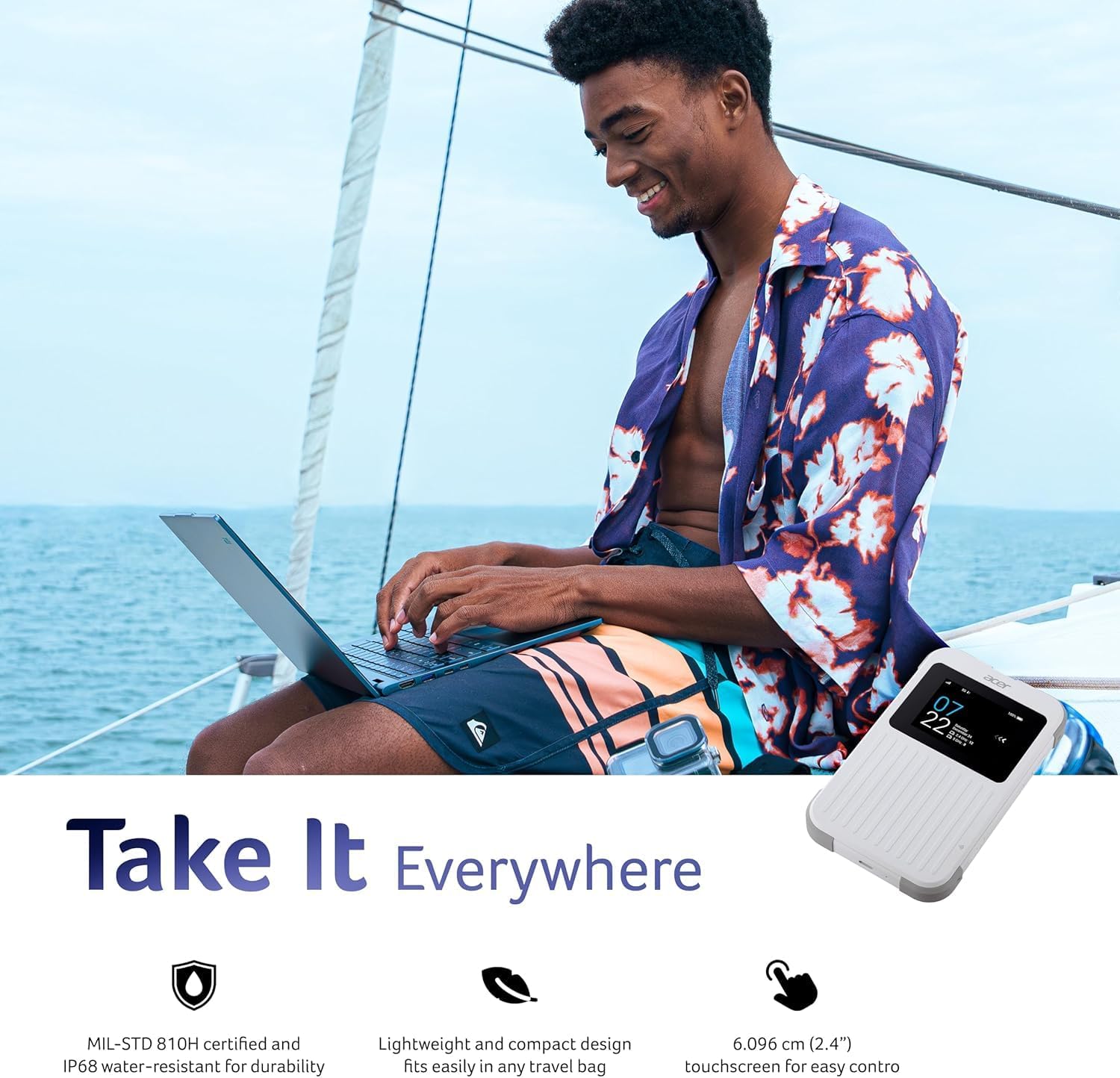
The 'Take It Everywhere' image emphasizes the M6E's MIL-STD 810H certification, IP68 water-resistant durability, lightweight design, and 2.4-inch touchscreen for easy control, making it suitable for any environment.
9.2. Related Videos
This video illustrates how a portable Wi-Fi hotspot provides a secure and private internet connection, offering an alternative to public Wi-Fi networks and simplifying eSIM management for global connectivity.
Discover the convenience of global travel Wi-Fi with this portable mobile hotspot, featuring 4G LTE and Wi-Fi 6 for fast and reliable internet access wherever you go.


