Entwodiksyon
This manual provides detailed instructions for setting up, operating, maintaining, and troubleshooting your GEEKOM GeekBook X14 Pro laptop. Please read this manual thoroughly before using your device to ensure proper functionality and longevity. Keep this manual for future reference.
Ki sa ki nan bwat la
Upon unboxing your GEEKOM GeekBook X14 Pro, verify that all the following items are included:
- GEEKOM GeekBook X14 Pro Laptop
- GEEKOM GeekBook X14 Pro Premium Packaging
- 65W PD GaN Fast Charger
- USB-C pou USB-C kab
- Docking Station
- Manyèl itilizatè

Pwodwi souview
The GEEKOM GeekBook X14 Pro is an ultra-light and thin laptop designed for professionals. It features a magnesium alloy unibody chassis, weighing only 999g and tapering to 6mm at its thinnest point.

Karakteristik kle:
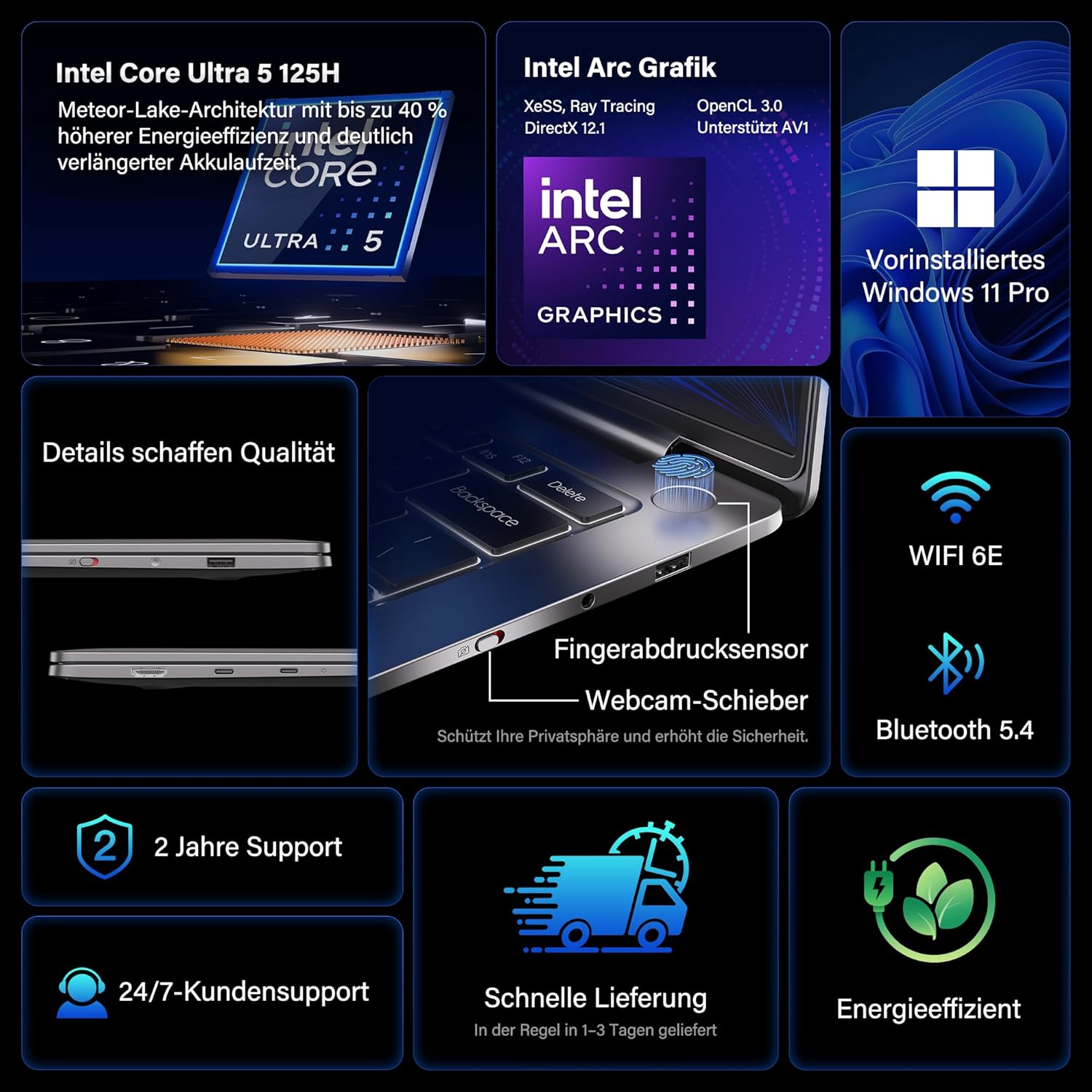
- Processeur: Intel Core Ultra 5 125H (14 cores, 18 threads, up to 4.5 GHz)
- Grafik: Intel Arc Graphics with Xe-LPG architecture
- Ekspozisyon: 14-inch 2.8K OLED (2880 x 1800) with 120Hz refresh rate, 100% DCI-P3, up to 450 nits brightness
- memwa: 32GB LPDDR5x RAM (7500 MT/s)
- Depo: 1TB PCIe 4.0 NVMe SSD
- Sistèm operasyon: Windows 11 Pro pre-enstale
- Koneksyon: 2x USB4 (40 Gbps), 1x USB 3.2 Gen 1 Type-A (5 Gbps), HDMI 2.0, Wi-Fi 6E, Bluetooth 5.4
- Sekirite: Fingerprint sensor in power button, physical webcam slider
- Odyo: DTS:X Ultra Audio
- Batri: 72 Wh, up to 16 hours battery life, 65W USB-C fast charging
- Refwadisman: GEEKOM IceBlade 2.0 cooling system with adjustable fan profiles

Pò ak konektè:
- 2x USB4 (40 Gbps)
- 1x USB 3.2 Gen 1 Type-A (5 Gbps)
- 1x HDMI 2.0
- 1x 3.5mm Audio Jack
- Power Input (via USB-C)

Enstalasyon
1. Premye Limen ak Chaje
- Connect the 65W PD GaN Fast Charger to a power outlet and then to one of the USB-C ports on your laptop.
- Kite laptop la chaje pou omwen 30 minit anvan premye itilizasyon an, oubyen jiskaske endikatè batri a montre ase chaj.
- Press the power button (integrated with the fingerprint sensor) to turn on the laptop.
2. Enstalasyon Windows 11 Pro
Swiv enstriksyon ki parèt sou ekran an pou konplete premye konfigirasyon Windows 11 Pro a. Sa gen ladan l:
- Chwazi rejyon ou ak layout klavye a.
- Konekte nan yon rezo Wi-Fi.
- Signing in with a Microsoft account or creating a local account.
- Setting up privacy settings.
3. Enstalasyon Capteur Anprent Dwèt
For enhanced security and quick login, set up the fingerprint sensor:
- Ale nan Anviwònman > Kont > Enskripsyon opsyon.
- Under "Ways to sign in," select Rekonesans anprent (Windows Hello) epi swiv enstriksyon yo pou anrejistre anprent dwèt ou yo.
Enstriksyon Operasyon
Ekspozisyon Karakteristik
The 14-inch 2.8K OLED display offers vibrant colors and sharp details. With a 120Hz refresh rate, scrolling and animations are smooth. The display covers 100% DCI-P3 color gamut and reaches up to 450 nits brightness, ensuring clear visibility in various lighting conditions.

Pèfòmans
Equipped with an Intel Core Ultra 5 125H processor, 32GB LPDDR5x RAM, and a 1TB PCIe 4.0 NVMe SSD, the GeekBook X14 Pro delivers efficient performance for demanding tasks, quick application launches, and seamless multitasking.

Koneksyon
The laptop supports Wi-Fi 6E for fast and stable wireless internet connections and Bluetooth 5.4 for connecting peripherals. The two USB4 ports offer high-speed data transfer (40 Gbps) and support up to three 4K external displays simultaneously via the included mini docking station or direct connection.
Odyo
Experience clear and spatial audio with DTS:X Ultra technology, enhancing your video calls, movies, and music playback.
Cooling System (GEEKOM IceBlade 2.0)
The GEEKOM IceBlade 2.0 cooling system ensures optimal performance even under sustained load. It features a quiet fan and a dual-heatpipe design to efficiently dissipate heat. You can switch between three intelligent fan profiles (Silent, Standard, Performance) by pressing Fn + P to balance noise and cooling efficiency.

Batri ak Chaje
The 72 Wh battery provides up to 16 hours of usage. The included 65W USB-C PD GaN fast charger can charge the battery up to 80% in approximately one hour, allowing for quick power-ups on the go.

Webcam Privacy Slider
For enhanced privacy, the laptop includes a physical slider to cover the webCam lè yo pa itilize.
Antretyen
Netwayaj
- Sèvi ak yon twal mou ki pa gen pousyè pou netwaye ekran an ak chasi a.
- Pou tach ki difisil pou retire, pase yon ti krasampen the cloth with water or a screen-safe cleaning solution.
- Evite itilize pwodui chimik ki agresif, materyèl abrazif, oswa imidite twòp.
- Asire w ke laptop la etenn epi debranche anvan ou netwaye li.
Mizajou lojisyèl
Regularly check for and install Windows updates and driver updates to ensure optimal performance, security, and compatibility. You can check for Windows updates via Anviwònman > Mizajou Windows.
Depanaj
Laptop la pa limen
- Asire w ke plato a byen konekte ak laptop la ak yon priz kouran ki fonksyone.
- Allow the laptop to charge for at least 30 minutes.
- Try a different power outlet or USB-C port if available.
Pwoblèm ekspozisyon
- If the screen is black, ensure the laptop is powered on and not in sleep mode. Press any key or the power button briefly.
- Check display settings in Windows if external monitors are not detected or showing incorrect resolution.
Pèfòmans Ralanti
- Fèmen aplikasyon ki pa nesesè k ap fonksyone nan background nan.
- Asire w ke Windows ak chofè yo ajou.
- Tcheke si gen ase espas depo lib sou SSD a.
- Monitor CPU/RAM usage in Task Manager to identify resource-intensive processes.
Pwoblèm Koneksyon
- Wi-Fi: Restart your router and the laptop. Ensure Wi-Fi is enabled in Windows settings.
- Bluetooth: Ensure Bluetooth is enabled and devices are in pairing mode. Remove and re-pair devices if issues persist.
- USB/HDMI: Ensure cables are securely connected. Test with different cables or ports if possible.
Pou plis asistans, gade seksyon Garanti ak Sipò a.
Espesifikasyon
| Karakteristik | Detay |
|---|---|
| Mak | GEEKOM |
| Non modèl | GeekBook X14 Pro |
| Nimewo Modèl | NX14CM |
| Koulè | Titàn gri |
| Faktè fòm | Ultra-portable and Ultra-light Notebook |
| Gwosè ekran | 14 pous |
| Rezolisyon ekran | 2.8K (2880 x 1800 pixels, 16:10) |
| Kalite processeur | Intel Core Ultra 5 125H |
| Vitès processeur | Jiska 4.5 GHz |
| Gwosè RAM | 32 GB |
| Teknoloji RAM | LPDDR5x |
| Vitès revèy memwa | 7500 MHz |
| Gwosè Disk Difisil | 1 TB |
| Kalite Disk Di | SSD (PCIe x4) |
| Koprosesè grafik | Intel Arc Graphics |
| Kalite san fil | 802.11ax (Wi-Fi 6E), Bluetooth 5.4 |
| Pò USB | 2x USB4, 1x USB 3.2 Gen 1 Type-A |
| Pò HDMI | 1 (HDMI 2.0) |
| Sistèm operasyon | Windows 11 Pro |
| Mwayèn lavi batri | Up to 16 Hours (72 Wh) |
| Pwa atik | 999g (Laptop only) |
| Karakteristik espesyal | Fingerprint sensor, Webcam privacy slider, DTS:X Ultra Audio, GEEKOM IceBlade 2.0 cooling, Mini docking station included |
Garanti ak sipò
The GEEKOM GeekBook X14 Pro comes with a 2-ane garanti. GEEKOM provides Sipò kliyan 24 sou 7, XNUMX jou sou XNUMX for any technical assistance or inquiries you may have.
For support, please visit the official GEEKOM websit la oubyen kontakte sèvis kliyan yo dirèkteman. Kenbe resi acha w la ak nimewo seri pwodwi a a pòte de men lè w ap kontakte sipò a.
The product undergoes extensive reliability testing, including thermal shock, vibration, humidity, and impact tests, to ensure durability and high quality.