1. Entwodiksyon
Thank you for choosing the OLIGHT Goshawk 1600 Underneath Mounted Rechargeable Bike Light Bundle with Gober 2 Safety Light. This manual provides detailed instructions for the safe and effective use, installation, and maintenance of your new lighting system. Please read this manual thoroughly before operation and retain it for future reference.
The Goshawk 1600 is a powerful bike headlight designed for optimal visibility and safety, featuring both low and high beam options. The Gober 2 is a versatile safety light offering multiple color and mode settings for enhanced visibility from various angles.
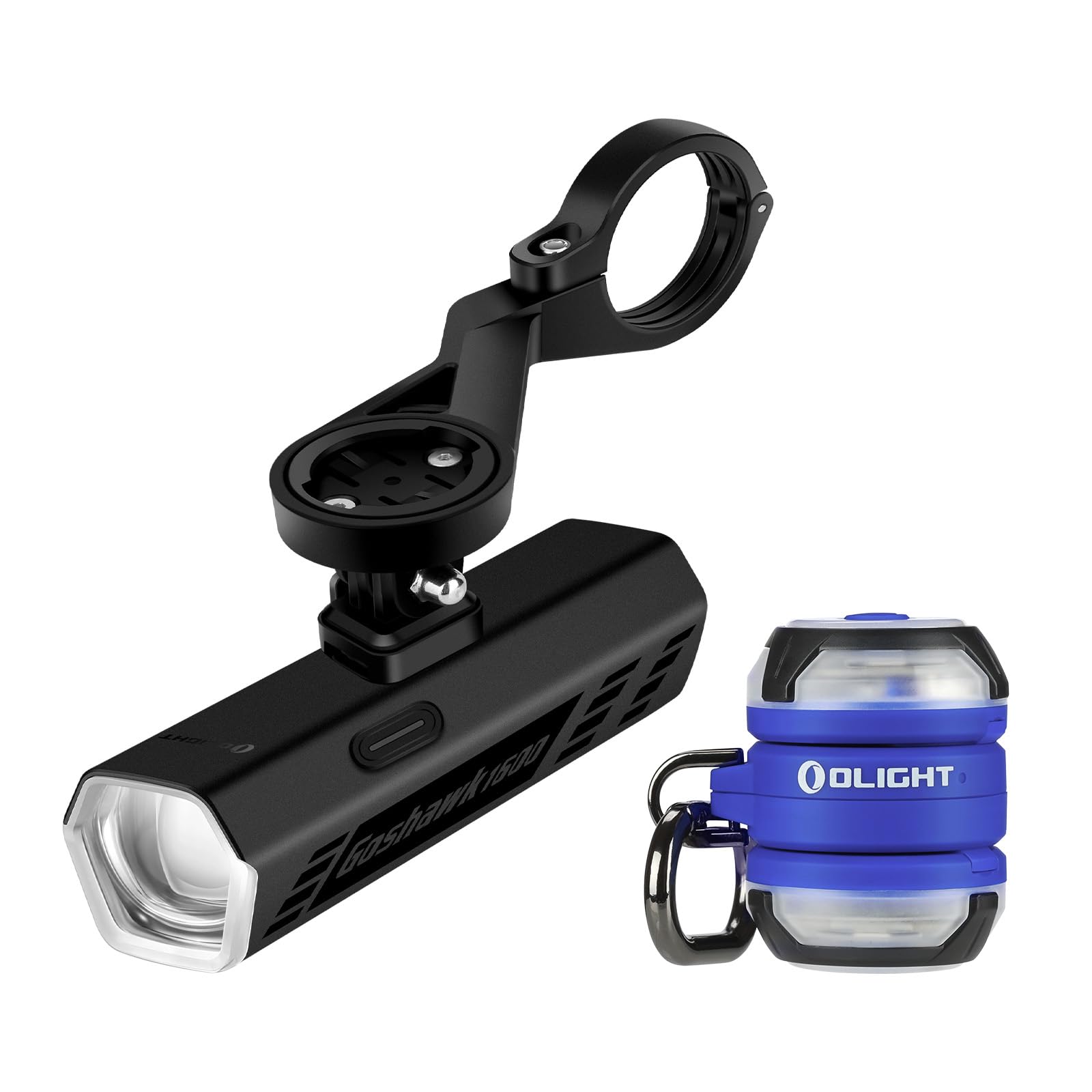
Image 1.1: OLIGHT Goshawk 1600 and Gober 2 components.
2. Pake kontni
- Goshawk 1600 Bike Light
- Under-bar Mounting System
- Wireless Remote Control
- Gober 2 Safety Light (x2)
- USB Chaje Kab
- Manyèl itilizatè
3. Goshawk 1600 Bike Light
3.1. Enstalasyon
The Goshawk 1600 features a sleek under-bar mounting design to keep your handlebar clear.
- Tache mòn lan: Secure the under-bar mounting system to your bicycle's handlebar. Ensure it is tightened firmly to prevent movement during rides.
- Install the Goshawk 1600: Slide the Goshawk 1600 light onto the quick-release system of the mount until it clicks securely into place.
- Pozisyon limyè a: Adjust the angle of the light to ensure optimal illumination of your path without causing glare to oncoming traffic.

Image 3.1: Under-bar mounting system for Goshawk 1600.

Image 3.2: Goshawk 1600 mounted on a bicycle.
3.2. Operasyon
The Goshawk 1600 offers powerful illumination and convenient control.
- Limen/Etenyen: Press and hold the main button on the light or the remote control to turn the light on or off.
- Chanje mòd: Short press the main button or the mode button on the remote to cycle through different brightness modes.
- Low Beam: Features a sharp cut-off line to prevent glare for oncoming traffic.
- Gwo gwo bout bwa: Provides extended coverage and distance for dark paths and fast-paced rides.
- Kontwòl Remote: Use the remote to instantly activate the brightest mode or change settings. The light remembers your last used setting.

Image 3.3: Goshawk 1600 Low Beam vs. High Beam.
3.3. Chaje
The Goshawk 1600 is rechargeable. Connect the provided USB charging cable to the charging port on the light and a suitable USB power source. The indicator light will show charging status.
4. Gober 2 Safety Light
4.1. Enstalasyon & Itilizasyon
The Gober 2 is designed for versatile attachment to enhance your visibility.
- baz mayetik: Securely attach the Gober 2 to any metal surface.
- Backpack Clip: Use the integrated clip for easy mounting on MOLLE gear, straps, or loops on backpacks, clothing, or pet collars.
- Air Tracker Tag Plas: Insert your Air Tracker Tag (not included) to track your gear.

Image 4.1: OLIGHT Gober 2 Safety Light.

Image 4.2: Two Gober 2 lights in use.
4.2. Operasyon
The Gober 2 offers multiple lighting options for various scenarios.
- Limen/Etenyen: Press and hold the single button to turn the light on or off.
- Chanje mòd: Short press the button to cycle through 4 modes: constant-on, flash, sync flash, and SOS.
- Anviwònman koulè: The Gober 2 has 6 color settings: red, green, blue, white, RGB chase, and alert. Refer to the specific product packaging for instructions on changing colors.
- Wireless Synchronization: Two Gober 2 lights can synchronize wirelessly. Change the mode or color on one, and the other will follow instantly.

Image 4.3: Gober 2 versatile lighting modes.

Image 4.4: Gober 2 simple control.
4.3. Chaje
The Gober 2 is rechargeable via its USB port. Connect it to a USB power source using the provided cable. A charging indicator will show when the battery is full.
5. Antretyen
- Netwayaj: Siye limyè yo ak yon twal mou,amp twal. Pa sèvi ak pwodui netwayaj abrazif oswa solvang.
- Depo: Store the lights in a cool, dry place when not in use. For prolonged storage, ensure the batteries are partially charged (around 50%) to maintain battery health.
- Swen batri: Recharge the lights regularly, even if not used frequently, to prevent deep discharge and extend battery life.
NAN. Depanaj
- Limyè pa limen: Asire w batri a chaje. Konekte l nan yon sous kouran epi tcheke endikatè chaj la.
- Remote Control Not Working (Goshawk 1600): Check if the remote's battery needs replacement. Ensure the remote is paired with the light (refer to specific pairing instructions if provided with the remote).
- Dim pwodiksyon limyè: The battery may be low. Recharge the light.
- Operasyon tanzantan: Check for loose connections or debris in the charging port. Ensure the light is securely mounted.
If issues persist, please contact OLIGHT customer support.
7. Espesifikasyon
Goshawk 1600 Bike Light
| Karakteristik | Detay |
|---|---|
| Maksimòm Sòti | 1600 Lumen |
| Kalite gwo bout bwa | Low Beam (cut-off), High Beam |
| Kontwòl | Integrated Button, Wireless Remote |
| Montaj | Under-bar Quick-release |
| Rechargeable | Wi |
Gober 2 Safety Light
| Karakteristik | Detay |
|---|---|
| Anviwònman koulè | Red, Green, Blue, White, RGB Chase, Alert |
| Mòd | Constant-on, Flash, Sync Flash, SOS |
| Montaj | Magnetic Base, Backpack Clip |
| Karakteristik espesyal | Wireless Sync, Air Tracker Tag Fant |
| Rechargeable | Wi |
8. Garanti ak sipò
OLIGHT products are manufactured with high-quality materials and craftsmanship. This product comes with a Garanti pou tout lavi, reflecting OLIGHT's commitment to quality and customer satisfaction.
For warranty claims, technical support, or any questions regarding your OLIGHT Goshawk 1600 and Gober 2 system, please visit the official OLIGHT websit la oubyen kontakte depatman sèvis kliyan yo dirèkteman. Kenbe resi acha w la pou validasyon garanti a.
OLIGHT Customer Service: www.olightstore.com/contact-us


