1. Entwodiksyon
Thank you for choosing the Nakamichi TW016 Wireless Earphones. This manual provides essential information for the proper use and maintenance of your device. Please read it thoroughly before use and keep it for future reference.
2. Pake kontni
Asire w tout atik yo prezan nan pakè a:
- Nakamichi TW016 Wireless Earphones (Left and Right)
- Ka chaje
- USB Chaje Kab
- Manyèl itilizatè
3. Pwodwi souview
The Nakamichi TW016 earphones are designed for comfort and high-quality audio. Each earbud weighs approximately 3g, providing a lightweight and secure fit for extended listening. The compact charging case allows for easy portability.

Image: Nakamichi TW016 Wireless Earphones and Charging Case. This image displays the white earbuds and their charging case, highlighting key features such as Bluetooth 5.4, 13mm dynamic drivers, clear calls, game mode, and 20-hour playback.
Karakteristik kle:
- Teknoloji Bluetooth 5.4: Ensures stable and efficient wireless connection with improved data transfer speed and reduced latency.
- 13mm chofè dinamik: Deliver balanced audio with deep bass and clear mid-high tones, supporting AAC codec for enhanced sound quality.
- Apèl men lib klè: Built-in microphones in both earbuds provide clear voice transmission by suppressing ambient noise.
- Mòd jwèt: Reduces audio-visual latency for a more immersive gaming experience.
- Lektur pwolonje: Up to 5 hours of listening on a single charge, with a total of 20 hours using the charging case.
- Konsepsyon kontra enfòmèl ant ak lejè: Each earbud weighs approximately 3g, and the charging case is small enough to fit in a pocket.
4. Enstalasyon
4.1 Premye Itilizasyon ak Chaje
Before first use, or if the earphones are new, please follow these steps:
- Retire fim pwoteksyon an ki sou kontak chaje yo sou tou de ekoutè yo.
- Mete tou de ekoutè yo tounen nan ka chaje a.
- Connect the charging case to a power source using the provided USB cable to fully charge the earphones and case.

Image: Earbuds with protective film being removed. This image illustrates the process of removing the protective film from the earbud charging contacts, which is necessary before initial use or charging.
4.2 Pairing ak yon Aparèy
To pair your Nakamichi TW016 earphones with a Bluetooth-enabled device:
- Asire ekoutè yo chaje.
- Louvri bwat chaje a epi retire tou de kas ekoutè yo. Y ap antre otomatikman nan mòd koneksyon.
- On your device (smartphone, tablet, PC), go to the Bluetooth settings.
- Chèche pou available devices and select "Nakamichi TW016" from the list.
- Yon fwa konekte, w ap tande yon son konfimasyon, epi kas ekoutè yo ap pare pou itilize.
5. Operasyon Enstriksyon
The Nakamichi TW016 earphones feature touch controls on each earbud. The following table outlines the various functions:
| Kategori Fonksyon | Aksyon | Kontwòl |
|---|---|---|
| Lèktur Klas Mizik | Jwe/Poz | Tap L/R earbud 2 times |
| Previous Track | Long press L/R earbud for 2 seconds | |
| Next Track | Long press L/R earbud for 2 seconds | |
| Jesyon Rele | Reponn Rele | Tap L/R earbud 1 time |
| Fini apèl | Tap L/R earbud 1 time | |
| Rejte apèl | Tap L/R earbud 2 times | |
| Kontwòl Volim | Volim leve | Tap R earbud 1 time |
| Volim desann | Tap L earbud 1 time | |
| Modes & Assistant | Game Mode / Music Mode Toggle | Tap L/R earbud 4 times |
| Aktive Asistan Vwa | Tap L/R earbud 3 times |
5.1 Mòd jwèt
The Game Mode significantly reduces audio-visual latency, providing a more synchronized and immersive experience for gaming. To activate or deactivate Game Mode, tap either earbud four times.

Image: Smartphone displaying a game with Nakamichi TW016 earbuds and case. This image demonstrates the use of the earphones during a gaming session, highlighting the Game Mode feature.
6. Chaje
The Nakamichi TW016 earphones offer up to 20 hours of total playback time with the charging case.
6.1 Chaje ekoutè yo
Place the earbuds into the charging case. They will automatically begin charging. The indicator lights on the case will show the charging status.
6.2 Chaje Bwat la
Connect the charging case to a USB power adapter (DC 5V/0.2A input) using the provided USB cable. The indicator lights will show the charging progress. A full charge of the case provides multiple charges for the earbuds.
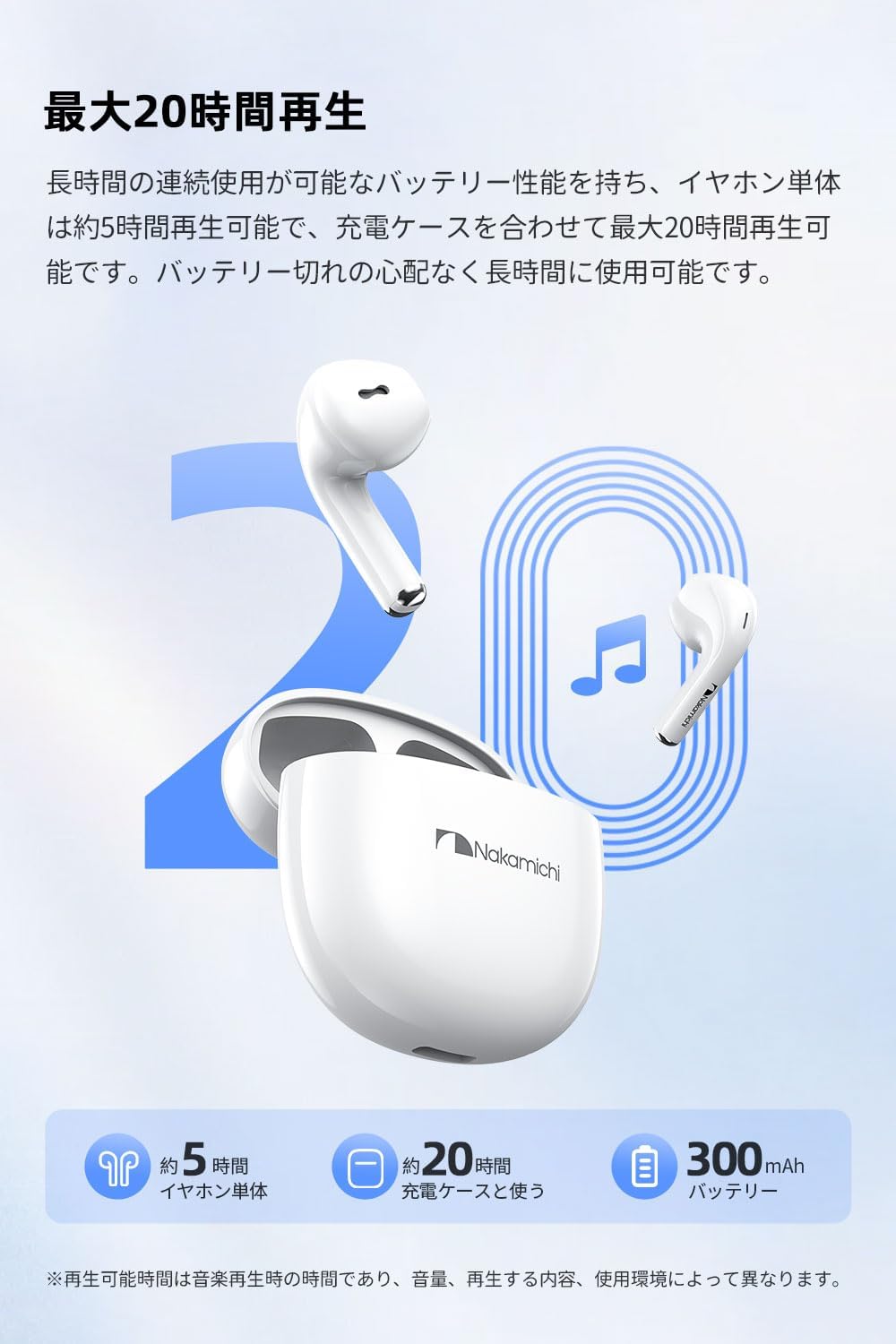
Image: Nakamichi TW016 Earbuds and Charging Case with 20-hour playback graphic. This image visually represents the extended battery life of the earphones and charging case, indicating approximately 5 hours for earbuds and 20 hours total with the case.
7. Espesifikasyon
| Karakteristik | Spesifikasyon |
|---|---|
| Nimewo Modèl | TW016 |
| Bluetooth vèsyon | 5.4 |
| Gwosè Chofè | 13mm chofè dinamik |
| Repons Frekans | 20Hz - 20kHz |
| Sansiblite | 117 dB |
| Enpedans | 32 Ohm |
| Pwa ekoutè (chak) | Apeprè. 3g |
| Total Weight (earbuds + case) | 40g |
| Lavi batri ekoutè | Apeprè. 5 èdtan |
| Tan total pou lèktur (ak bwat) | Apeprè. 20 èdtan |
| Chaje Antre Ka | DC 5V/0.2A |
| Chaje Ka Sòti | DC 5V/300mA |
| Kalite kontwòl | Kontwòl manyen |
| Aparèy konpatib | Konsòl jwèt, Tablèt, Odinatè Desktop, Laptop, Telefòn mobil |
8. Antretyen
Proper maintenance ensures the longevity of your earphones:
- Netwayaj: Sèvi ak yon twal mou epi sèk pou netwaye ekoutè yo ak bwat chaje a. Pa sèvi ak pwodui chimik ki agresif oswa materyèl abrazif.
- Kontak chaje: Netwaye kontak chaje yo sou tou de ekoutè yo ak anndan bwat la detanzantan avèk yon ti koton sèk pou asire chaj la byen fèt.
- Depo: When not in use, store the earphones in their charging case to protect them from dust and damage. Store in a cool, dry place.
- Evite dlo: Ekoutè sa yo pa enpèmeyab. Evite ekspoze yo a dlo, imidite, oswa tanperati ekstrèm.
NAN. Depanaj
Si ou rankontre nenpòt pwoblèm, gade solisyon komen sa yo:
- Pa gen pwoblèm son/koneksyon:
- Asire ke tou de ekoutè yo chaje.
- Asire w ke Bluetooth aktive sou aparèy ou an.
- Eseye dekonekte epi konekte kas ekoutè yo ak aparèy ou an ankò.
- Asire w ke ekoutè yo nan zòn Bluetooth aparèy ou an.
- Ekoutè pa chaje:
- Check if the protective film has been removed from the earbud charging contacts.
- Asire w ke ka chaje a chaje.
- Netwaye kontak chaje yo sou tou de ekoutè yo ak sou kouvèti a.
- Microphone Not Working Clearly:
- Asire w ke mikwofòn nan pa bloke.
- Check your device's audio input settings to ensure the earphones are selected.
- Eseye deplase nan yon anviwònman ki pi trankil.
- Kontwòl taktil yo pa reponn:
- Asire w dwèt ou yo pwòp epi sèk.
- Restart the earphones by placing them back in the case and taking them out again.
10. Garanti ak sipò
Nakamichi products are designed and manufactured to the highest quality standards. For warranty information and customer support, please refer to the warranty card included in your package or visit the official Nakamichi websit la. Kenbe prèv acha ou pou reklamasyon garanti.
For further assistance, please contact Nakamichi customer service through the contact information provided on our official websit la oubyen nan dokimantasyon pwodwi ou a.


