1. Entwodiksyon
Welcome to the LIGE DM6 Smartwatch user manual. This document provides essential information for the proper setup, operation, and maintenance of your new smartwatch. The LIGE DM6 is designed to enhance your daily life with features such as integrated GPS, a vibrant AMOLED display, Bluetooth calling, extensive sports tracking, and comprehensive health monitoring.
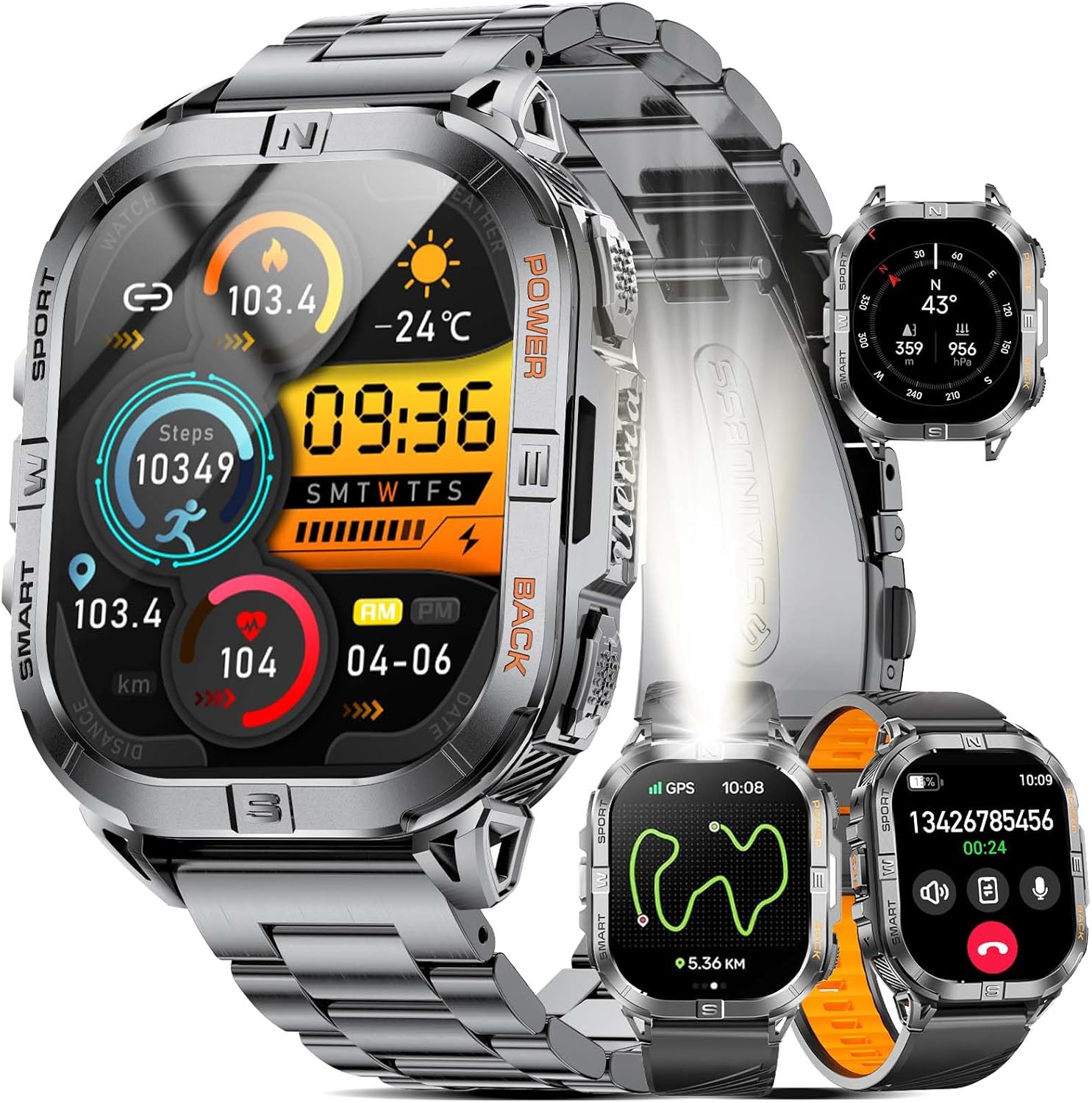
Image 1.1: LIGE DM6 Smartwatch showcasing its design and display capabilities.
2. Enstalasyon
2.1. Debale ak Konpozan
Lè w ap ouvri pake a, asire w ke tout konpozan sa yo prezan:
- LIGE DM6 Smartwatch
- Nerjaveèi asye braslè
- Silicone senti
- USB Chaje Kab
- Kalite-C chaje kab
- Zouti akseswa (pou ajisteman braslè)
- Manyèl itilizatè
2.2. Chaje mont entelijan an
Before initial use, fully charge your LIGE DM6 smartwatch. Connect either the USB or Type-C charging cable to the charging port on the back of the watch and to a compatible power source (e.g., computer USB port, wall adapter). A full charge typically takes approximately 2.5 hours.

Image 2.1: Charging the LIGE DM6 Smartwatch using the provided USB and Type-C cables.
2.3. Enstalasyon ak koneksyon aplikasyon an
To unlock the full potential of your LIGE DM6, download and install the companion application on your smartphone. The app is compatible with iOS 11.0 and above (iOS 13+ for calls) and Android 5.0 and above.
- Scan the QR code in the included manual or search for the app name (usually specified in the manual) in your phone's app store.
- Install the application and create an account if prompted.
- Pèmèt Bluetooth sou smartphone ou.
- Open the app, navigate to the device pairing section, and follow the on-screen instructions to connect your LIGE DM6 smartwatch.
- Grant all necessary permissions to the app for optimal functionality, including notifications and location services.
3. Operasyon Enstriksyon
3.1. Navigasyon debaz
The LIGE DM6 features a 2.13-inch AMOLED touchscreen and physical buttons for navigation:
- Ekran tactile: Swipe up, down, left, or right to access different menus, notifications, and quick settings. Tap to select items.
- Bouton fizik: Typically, one button serves as a power/back button, while others may provide quick access to sports modes or other functions. Refer to the specific button layout in your manual for exact functions.
3.2. Display Features and Watch Faces
The 2.13-inch AMOLED HD display offers a resolution of 410x502 pixels. You can customize your watch face through the companion app or directly on the watch to suit your style and display preferred information.

Image 3.1: Customizable watch faces and app interface on the LIGE DM6 AMOLED display.
3.3. Apèl ak Notifikasyon Bluetooth
With Bluetooth 5.3, the LIGE DM6 allows for stable and fast connections, enabling you to make and receive calls directly from your wrist. It also displays smart notifications from your connected smartphone.
- Fè apèl: Aksè nan lis nimewo telefòn nan oswa lis kontak yo sou mont ou a pou kòmanse yon apèl.
- Resevwa apèl: Lè yon apèl rive, ou ka reponn li oswa rejte li dirèkteman nan ekran mont lan.
- Notifikasyon: Incoming messages and alerts from various applications will be displayed on your watch. Swipe down from the top of the screen to view istwa notifikasyon ou an.
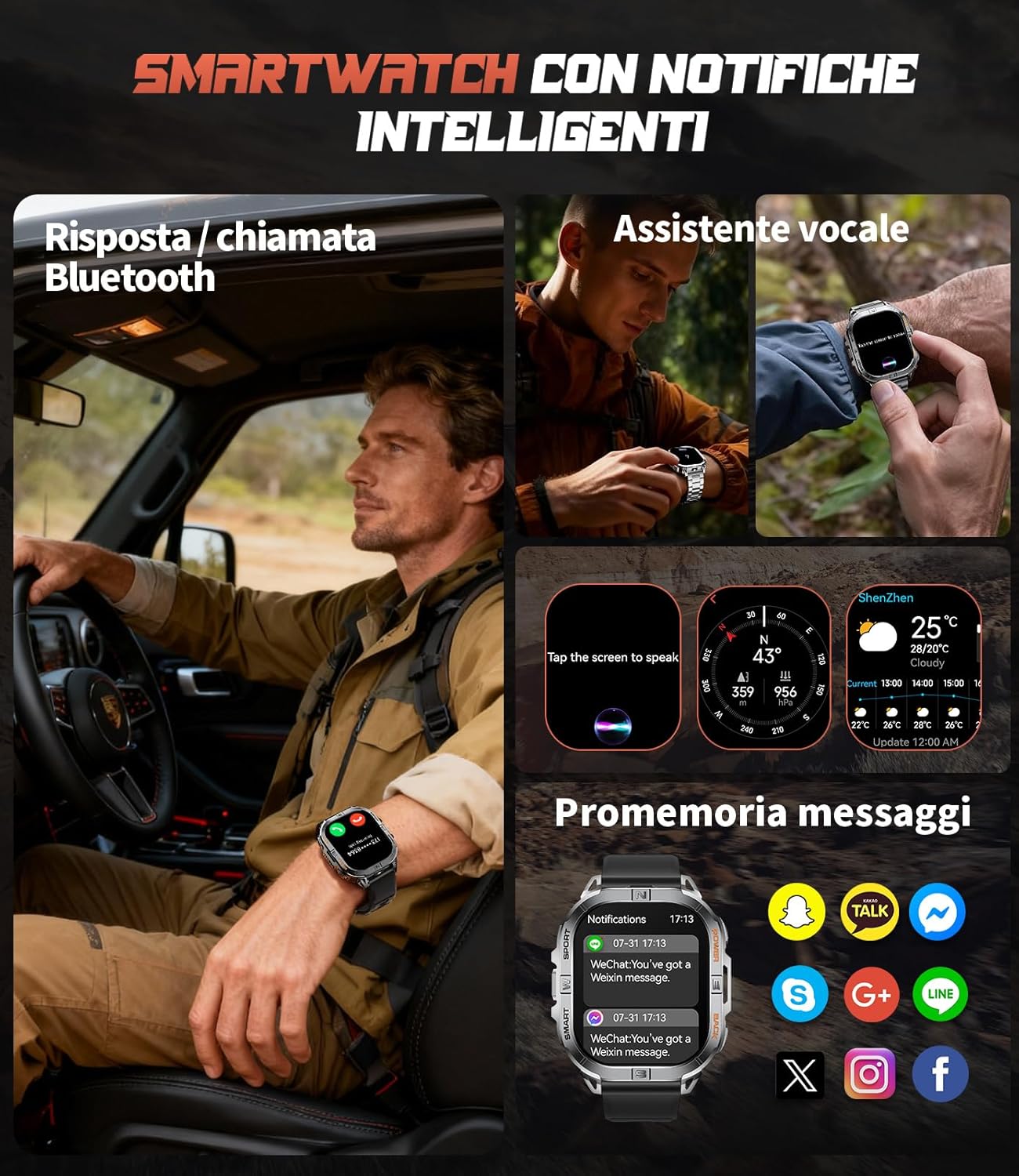
Image 3.2: Bluetooth calling and smart notification features in use.
3.4. GPS and Electronic Compass
The integrated GPS provides accurate positioning for outdoor activities, while the electronic compass helps you maintain direction. These features are particularly useful for trail running, hiking, and other adventures.
- Suivi GPS: When starting an outdoor sport mode, the watch will automatically activate GPS to record your route, distance, and pace.
- konpa: Access the compass function from the main menu to view your current heading.
- Baromèt ak Altimèt: The watch also includes a barometer to track atmospheric pressure changes and an altimeter to measure current altitude, providing comprehensive outdoor data.

Image 3.3: GPS tracking and compass functionality for outdoor activities.

Image 3.4: Outdoor assistant features including compass, altimeter, and barometer.
3.5. Dirije flach
The LIGE DM6 includes a built-in LED flashlight for convenience in low-light conditions. To activate, press and hold the designated button (refer to your specific manual for button assignment) for approximately 3 seconds. This feature is useful during night runs, camping, oswa pouvwa outages.
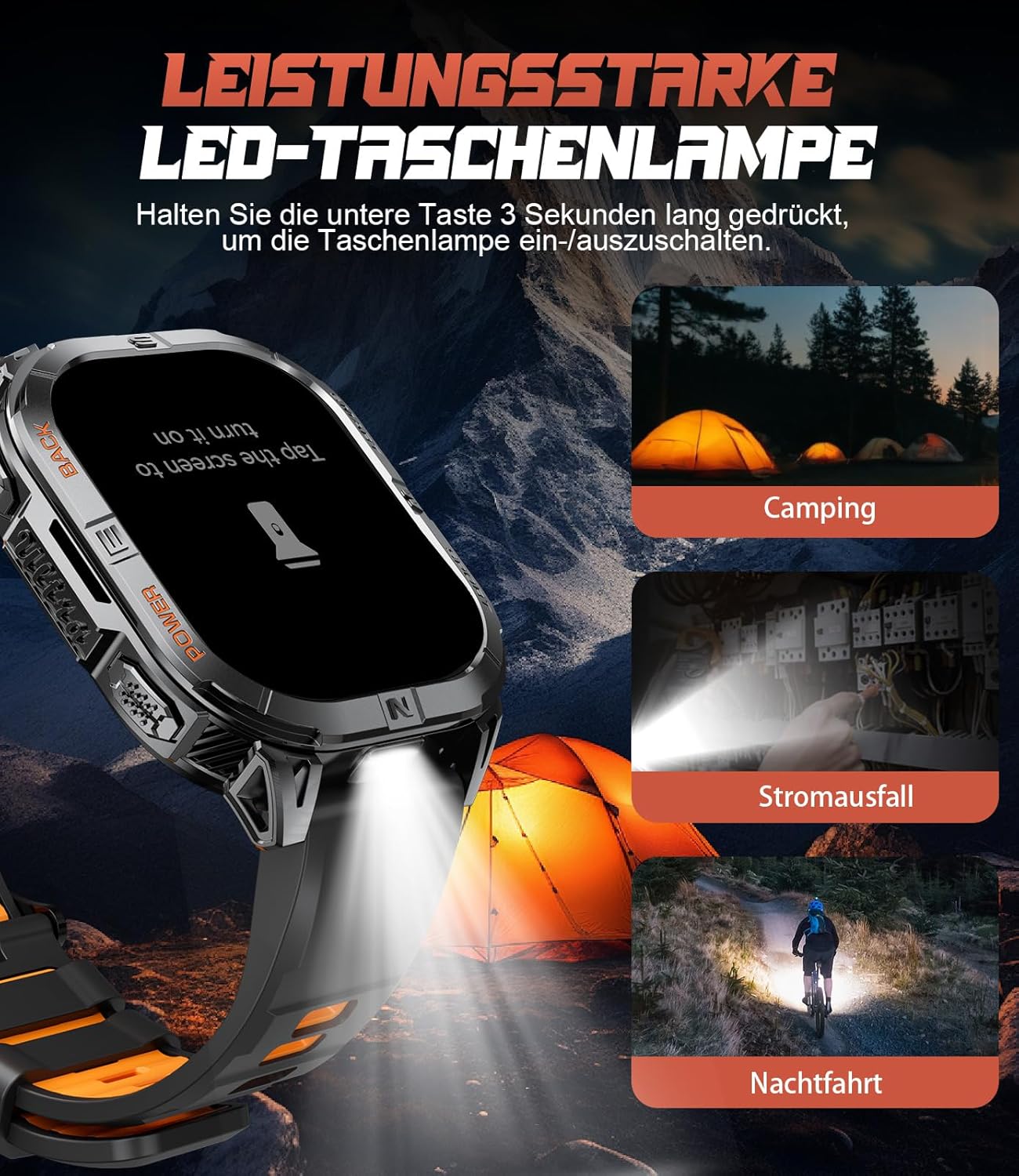
Image 3.5: The integrated LED flashlight in action.
3.6. Mòd Espò
The smartwatch supports over 170 sports modes, allowing you to accurately track various activities. Data such as steps, distance, calories burned, and heart rate are recorded and can be reviewed nan aplikasyon konpayon an.
- Activating a Sport Mode: Navigate to the sports menu on your watch, select your desired activity, and tap to start.
- Done Review: After completing an activity, save the data. You can view detailed statistics on the watch or in the companion app.

Image 3.6: Tracking multiple sports activities with the LIGE DM6.
3.7. Siveyans Sante
The LIGE DM6 provides continuous health monitoring features to help you stay informed about your well-being:
- Siveyans batman kè: Tracks your heart rate throughout the day and during workouts.
- Suivi dòmi: Kontwole modèl dòmi ou, tankou dòmi pwofon, dòmi lejè, ak lè ou reveye.
- Siveyans estrès: Bay enfòmasyon sou nivo estrès ou.
- Oksijèn nan san (SpO2): Mezire nivo saturation oksijèn nan san ou.
- Rapèl sedantèr: Avèti ou pou ou deplase si ou te inaktif pou twò lontan.
- Rapèl pou bwè dlo: Li ankouraje w rete idrate.

Image 3.7: Health and fitness management features of the smartwatch.
4. Antretyen
4.1. Rezistans dlo (IP68)
The LIGE DM6 smartwatch is IP68 waterproof, meaning it is resistant to dust and can withstand immersion in water up to 1.5 meters for up to 30 minutes. It is suitable for daily use, hand washing, and light rain. However, it is not recommended for hot showers, saunas, or diving, as steam and high water pressure can compromise the seals.
4.2. Netwayaj
To keep your smartwatch clean and functioning optimally:
- Siye ekran an ak kò a ak yon twal mou,amp, twal ki pa gen pèl.
- Avoid using harsh chemicals, abrasive materials, or strong detergents.
- Netwaye kontak chaj yo regilyèman pou asire chaj la byen fèt.
4.3. Swen batri
Pou pwolonje lavi batri 600mAh ou a:
- Evite tanperati ekstrèm.
- Do not let the battery completely drain for extended periods.
- Chaje mont lan regilyèman, menm si w pa ap itilize l tout tan.
NAN. Depanaj
If you encounter issues with your LIGE DM6 smartwatch, refer to the following common solutions:
| Pwoblèm | Solisyon posib |
|---|---|
| Gade pa limen | Asire w ke mont lan chaje nèt. Peze epi kenbe bouton pouvwa a pandan plizyè segonn. |
| Pa kapab asosye ak telefòn | Ensure Bluetooth is enabled on your phone. Restart both the watch and phone. Check app permissions. |
| Notifikasyon pa parèt | Verify notification permissions in the app and your phone's settings. Ensure the watch is connected via Bluetooth. |
| Done GPS ki pa egzak | Asire w ou nan yon zòn ouvè ki klè view of the sky. Allow the watch to acquire a GPS signal before starting an activity. |
| Kout lavi batri | Reduce screen brightness, disable unnecessary features (e.g., always-on display), and limit frequent GPS use. |
Si pwoblèm nan pèsiste, tanpri kontakte sèvis kliyan.
6. Espesifikasyon
Key technical specifications for the LIGE DM6 Smartwatch:
| Karakteristik | Detay |
|---|---|
| Modèl | DM6-A-FR |
| Ekspozisyon | 2.13-inch AMOLED Touch Screen (410x502 resolution) |
| Koneksyon | Bluetooth 5.3 |
| GPS | GPS entegre |
| Kapasite batri | 600 mAh Lityòm Polymère |
| Tipik lavi batri | Jiska 5 jou |
| Tan pou chaje | Apeprè. 2.5 èdtan |
| Rezistans dlo | IP68 |
| memwa | 512 MB |
| Konpatibilite | iOS 11.0+ (iOS 13+ for calls), Android 5.0+ |
| Pwa | 90 g |
| Karakteristik espesyal | LED Flashlight, Electronic Compass, Barometer, Altimeter, 170+ Sports Modes, Heart Rate, Sleep, Stress, SpO2 Monitoring, Bluetooth Calls, Smart Notifications, Find Phone, Alarm Clock, Camera Control, Calculator, Sedentary/Drink Reminders, Do Not Disturb Mode, Weather Forecast, Stopwatch, Pedometer, Timer, Music Control, Voice Assistant. |
7. Garanti ak sipò
The LIGE DM6 smartwatch comes with a 24-mwa garanti apati dat acha a. Garanti sa a kouvri domaj fabrikasyon ak pwoblèm ki rive akoz itilizasyon nòmal.
For any questions regarding accessories, quality issues, operational problems, or charging concerns, please contact our customer support. We offer 24-hour online support and aim to provide a solution within 24 hours of your inquiry.
Please refer to the contact information provided in your product packaging or on the official LIGE websit pou sipò.


