1. Entwodiksyon
This manual provides essential information for setting up, operating, and maintaining your Samsung Galaxy A17 5G smartphone. Please read this guide thoroughly to ensure proper use and to maximize your device's capabilities. The Samsung Galaxy A17 5G is an international version designed for global connectivity, featuring an immersive AMOLED display, a powerful camera system, and a long-lasting battery.
2. Ki sa ki nan bwat la
Upon unboxing your Samsung Galaxy A17 5G, verify that all components are present:
- Samsung Galaxy A17 5G Smartphone
- Adaptè kouran (chajè rapid 25W)
- USB kab (Tip-C)
- Gid demaraj rapid (ka varye selon rejyon an)

Image: Contents of the Samsung Galaxy A17 5G retail package, including the smartphone, USB Type-C cable, and 25W power adapter.
3. Enstalasyon
3.1. Layout aparèy
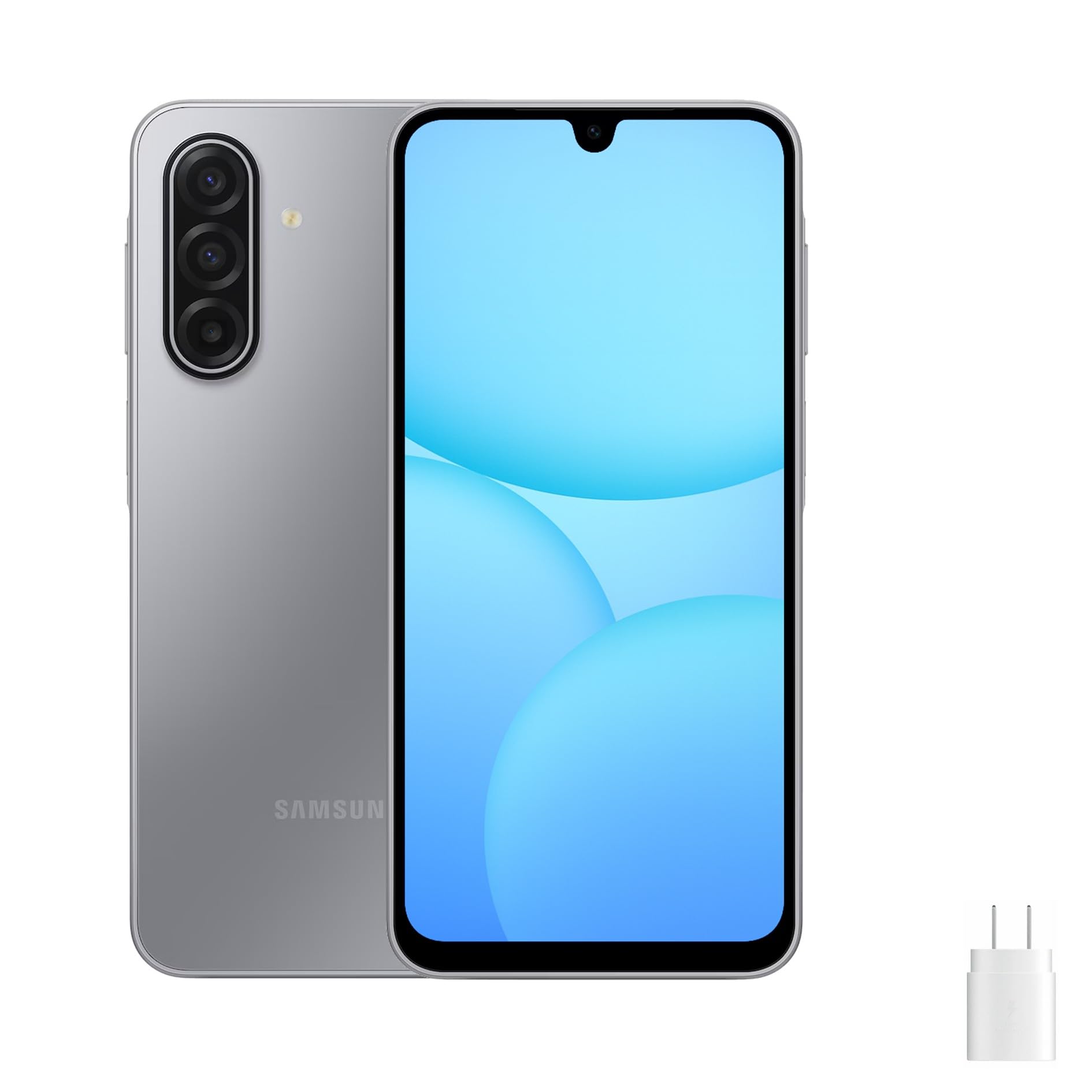
Image: Front, left, and right side views of the Samsung Galaxy A17 5G, illustrating the display, camera, volume buttons, power button, and SIM tray location.
3.2. Mete kat SIM lan ak kat MicroSD a
- Jwenn plato SIM lan sou bò aparèy ou an.
- Insert the ejection pin (not included) into the small hole on the SIM tray to open it.
- Place your Nano-SIM card(s) and/or microSD card into the tray with the gold contacts facing down. The Galaxy A17 5G supports Dual SIM or one SIM with a microSD card.
- Dousman pouse plato a tounen nan fant lan jiskaske li fè yon klik.
3.3. Premye Limen ak Konfigirasyon
- Peze epi kenbe bouton Pouvwa a jiskaske logo Samsung lan parèt.
- Swiv enstriksyon yo sou ekran an pou chwazi lang ou, konekte ak yon rezo Wi-Fi, epi konfigire kont Google ou.
- Transfer data from an old device if desired, using Samsung Smart Switch or Google's data transfer tools.
- Enstale fonksyon sekirite tankou yon kòd PIN, yon modèl, yon modpas, oswa yon rekonesans anprent dwèt.
4. Opere aparèy ou an
4.1. Ekspozisyon ak Navigasyon
The Galaxy A17 5G features a 6.7-inch FHD+ Super AMOLED display with a 90Hz refresh rate. This provides vibrant colors, deep blacks, and smooth scrolling. Navigate your device using touch gestures:
- Tape: Chwazi yon atik oubyen louvri yon aplikasyon.
- Glise: Defile nan ekran yo oswa lis yo.
- Zongle: Agrandi oswa diminye foto yo epi web paj.
- Long Press: Jwenn aksè nan meni kontèks yo oubyen deplase ikòn aplikasyon yo.
4.2. Karakteristik sekirite
Protect your device and data using the following security options:
- Capteur anprent: Located on the side power button for quick and secure unlocking.
- Rekonesans figi: Debloke aparèy ou an lè l sèvi avèk figi ou.
- PIN, Modèl, Modpas: Standard security methods for device access.
5. Karakteristik Kamera
The Galaxy A17 5G is equipped with a versatile camera system:
- 50MP Triple Rear Camera: Capture high-resolution photos with optical image stabilization (OIS) for steady shots. Includes wide-angle and depth sensors for various photographic effects.
- Kamera Devan 13MP: Ideal for clear selfies and high-quality video calls.
To access the camera, tap the Camera app icon. You can switch between photo, video, portrait, and other modes by swiping across the screen. Tap the shutter button to take a photo or start/stop video recording.
6. Koneksyon
Your Galaxy A17 5G supports various connectivity options:
- 5G ak 4G LTE: Enjoy fast mobile data speeds. This is an international version, compatible with most major U.S. GSM carriers like T-Mobile, Metro, and Mint Mobile. It is not compatible with Verizon or CDMA networks.
- Doub SIM: Use two SIM cards simultaneously for separate personal and work numbers, or for international travel.
- Wi-Fi: Konekte sou rezo san fil pou jwenn aksè a entènèt.
- Bluetooth: Konekte ak kas ekoutè san fil, oratè, ak lòt aparèy ki gen Bluetooth.
- USB Kalite-C: Pou chaje ak transfè done.
7. Jesyon batri
The device is powered by a 5000mAh battery, providing extended usage time. To charge your device:
- Connect the included USB Type-C cable to the phone's charging port.
- Connect the other end of the cable to the 25W fast charger power adapter.
- Ploge adaptè pouvwa a nan yon priz miray.
To optimize battery life, consider these tips:
- Diminye klète ekran an.
- Dezaktive Wi-Fi, Bluetooth, ak GPS lè w pa ap itilize yo.
- Fèmen aplikasyon ki pa itilize yo kouri nan background nan.
- Enable power-saving modes in Settings.
8. Antretyen
Bon swen asire lonjevite aparèy ou an:
- Netwayaj: Sèvi ak yon twal mou ki pa gen pousyè pou netwaye ekran an ak kò a. Evite pwodui chimik ki agresif.
- Mizajou lojisyèl: Tcheke epi enstale mizajou lojisyèl regilyèman pou asire pèfòmans ak sekirite optimal. Ale nan Anviwònman > Mizajou lojisyèl.
- Jesyon Depo: Netwaye sa ki pa nesesè detanzantan files ak aplikasyon pou libere espas depo.
- Kondisyon anviwònman: Evite ekspoze aparèy la nan tanperati ekstrèm, limyè solèy dirèk, oswa imidite twòp.
NAN. Depanaj
Si ou rankontre pwoblèm ak aparèy ou an, eseye solisyon komen sa yo:
9.1. Aparèy pa Limen
- Asire w batri a chaje. Konekte chajè a epi tann kèk minit anvan ou eseye limen l.
- Peze epi kenbe bouton Pouvwa a pou omwen 10 segonn pou fòse yon rekòmanse.
9.2. Pwoblèm koneksyon rezo
- Tcheke si kat SIM ou a byen mete.
- Verify that your device is within network coverage.
- Rekòmanse aparèy ou an.
- Ale nan Anviwònman > Koneksyon > Rezo mobil > Operatè rezo and select your network manually.
- Confirm compatibility with your carrier. This international model is primarily compatible with GSM carriers like T-Mobile in the U.S.
9.3. Aplikasyon ki bloke oswa ki bloke
- Fèmen epi relouvri aplikasyon an.
- Efase kach ak done aplikasyon an (Anviwònman > Aplikasyon > [Non Aplikasyon an] > Depo).
- Asire w ke aplikasyon an mete ajou nan dènye vèsyon li.
- Rekòmanse aparèy ou an.
9.4. Batri a ap dechaje byen vit
- Review itilizasyon batri nan Anviwònman > Swen batri ak aparèy > Batri pou idantifye aplikasyon ki konsome anpil enèji.
- Diminye klète ekran an ak tan ekran an ap detann.
- Disable background app refresh for non-essential apps.
10. Espesifikasyon
| Non modèl | Samsung Galaksi A17 5G |
| Nimewo Modèl | SM-A176B/DS |
| Ekspozisyon | 6.7-inch FHD+ Super AMOLED, 90Hz Refresh Rate |
| Processeur | Samsung Exynos 1330 |
| RAM | 8 GB |
| Depo Entèn | 256 GB (Ekspansib atravè microSD) |
| Kamera dèyè | 50MP Triple Camera with OIS |
| Kamera devan | 13MP |
| Batri | 5000mAh, chaje rapid 25W |
| Sistèm operasyon | Android 14 |
| Koneksyon | 5G, 4G LTE, Wi-Fi, Bluetooth, Dual SIM |
| Dimansyon | 20 x 10 x 8 pous (Pakè) |
| Pwa | 15 liv (Pwa atik) |
11. Garanti ak sipò
This Samsung Galaxy A17 5G is an international version. Please note the following regarding warranty and support:
- No U.S. Manufacturer Warranty: This device does not come with a U.S. manufacturer warranty.
- Seller Return Policy: Any warranty or return claims will be subject to the seller's return policy. Please refer to the purchase platform for details on the applicable return and refund policies.
For technical assistance or further information, you may visit the official Samsung support website for your region or contact the seller directly.