1. Entwodiksyon
This manual provides essential information for setting up, operating, maintaining, and troubleshooting your Thunderobot Storm 15 4050 Gaming Laptop. Please read it thoroughly to ensure optimal performance and longevity of your device.
Karakteristik kle:
- Processeur: Intel Core i7-13620H (10 Cores, up to 4.9 GHz)
- Grafik: NVIDIA GeForce RTX 4050 Laptop GPU
- memwa: 32GB DDR4 RAM (3200 MHz)
- Depo: SSD PCIe M.1 2TB
- Ekspozisyon: 15.6-inch Full HD (1920x1080) 165Hz, 100% sRGB, DC Dimming
- Sistèm operasyon: Windows 11 Kay
- Refwadisman: Advanced Frost Cooling System with multi-heat-pipe design and high-pressure turbine fan
- Klavye: Full-size backlit keyboard with numeric keypad
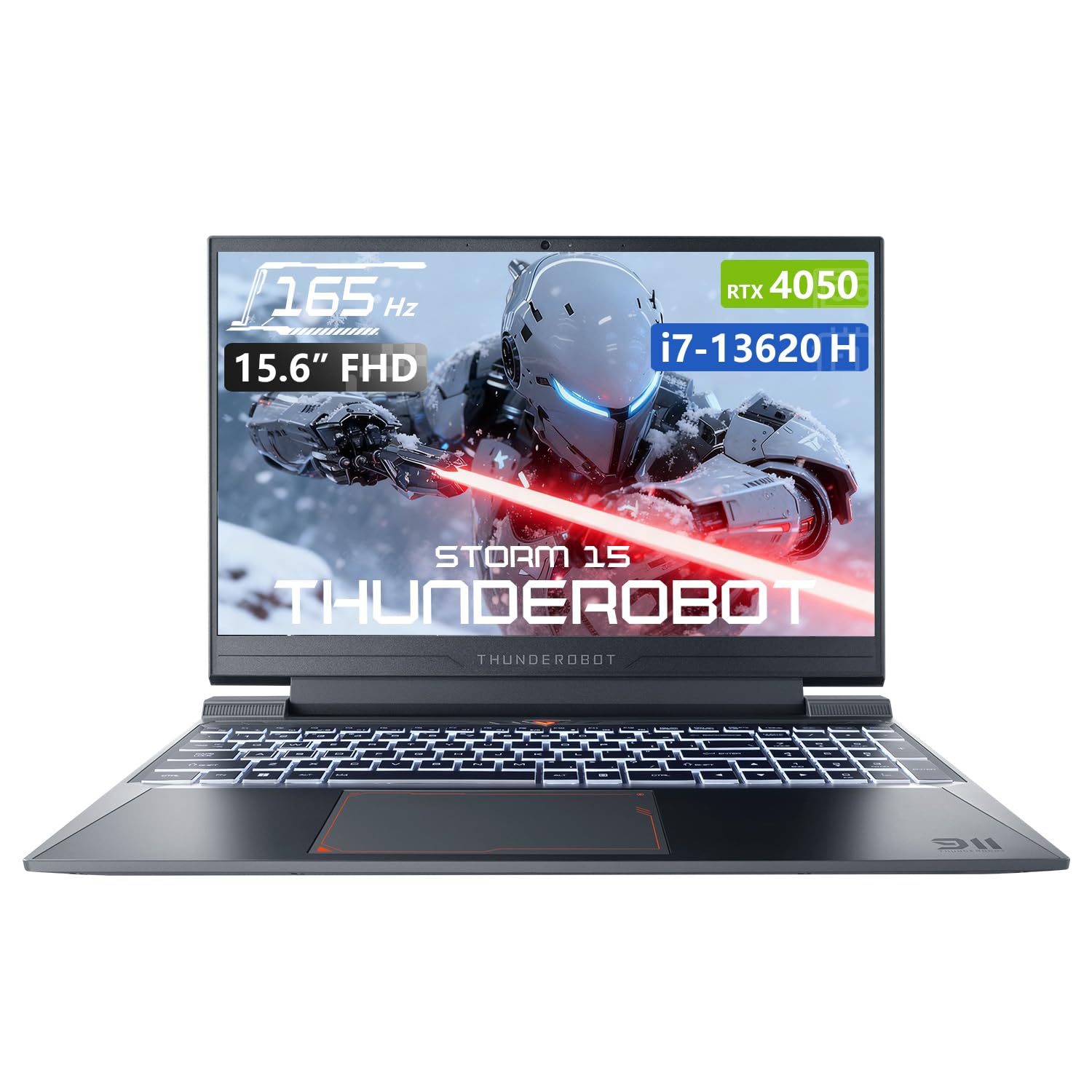
Image: The Thunderobot Storm 15 4050 Gaming Laptop, showcasing konsepsyon elegant li yo ak klavye ki eklere dèyè li.
2. Enstalasyon
2.1 Premye pouvwa sou
- Dekonpoze: Retire laptop la ak tout akseswa yo nan anbalaj la avèk anpil atansyon.
- Konekte pouvwa: Branche adaptè AC a nan pò kouran laptop la epi answit nan yon priz miray.
- Pouvwa sou: Louvri kouvèti laptop la epi peze bouton pouvwa a, ki anjeneral sitiye anlè klavye a oswa sou kote a.
- Premye konfigirasyon: Swiv enstriksyon ki sou ekran an pou konplete konfigirasyon Windows 11 Home la, ki gen ladan lang, rejyon, koneksyon rezo, ak kreyasyon kont itilizatè.
2.2 Konekte periferik
Your laptop is equipped with various ports for connecting external devices.

Image: Diagram illustrating the various ports and slots available on the Thunderobot Storm 15 laptop.
- Aparèy USB: Connect USB mice, keyboards, external drives, or other peripherals to the USB 3.1 Type-A ports or the USB 3.1 Gen 2 Type-C port.
- Ekspozisyon ekstèn: Use the HDMI port to connect an external monitor or TV.
- Rezo: Pou yon koneksyon entènèt filaire ki estab, branche yon kab Ethernet nan pò RJ-45 la.
- Odyo: Connect headphones or external speakers to the 3.5mm Combo Jack.
3. Kijan pou itilize òdinatè pòtab ou a
3.1 Ekspozisyon Karakteristik
The 15.6-inch Full HD display offers a 165Hz refresh rate for smooth visuals and 100% sRGB color gamut for accurate color reproduction. DC dimming technology helps reduce screen flickering.
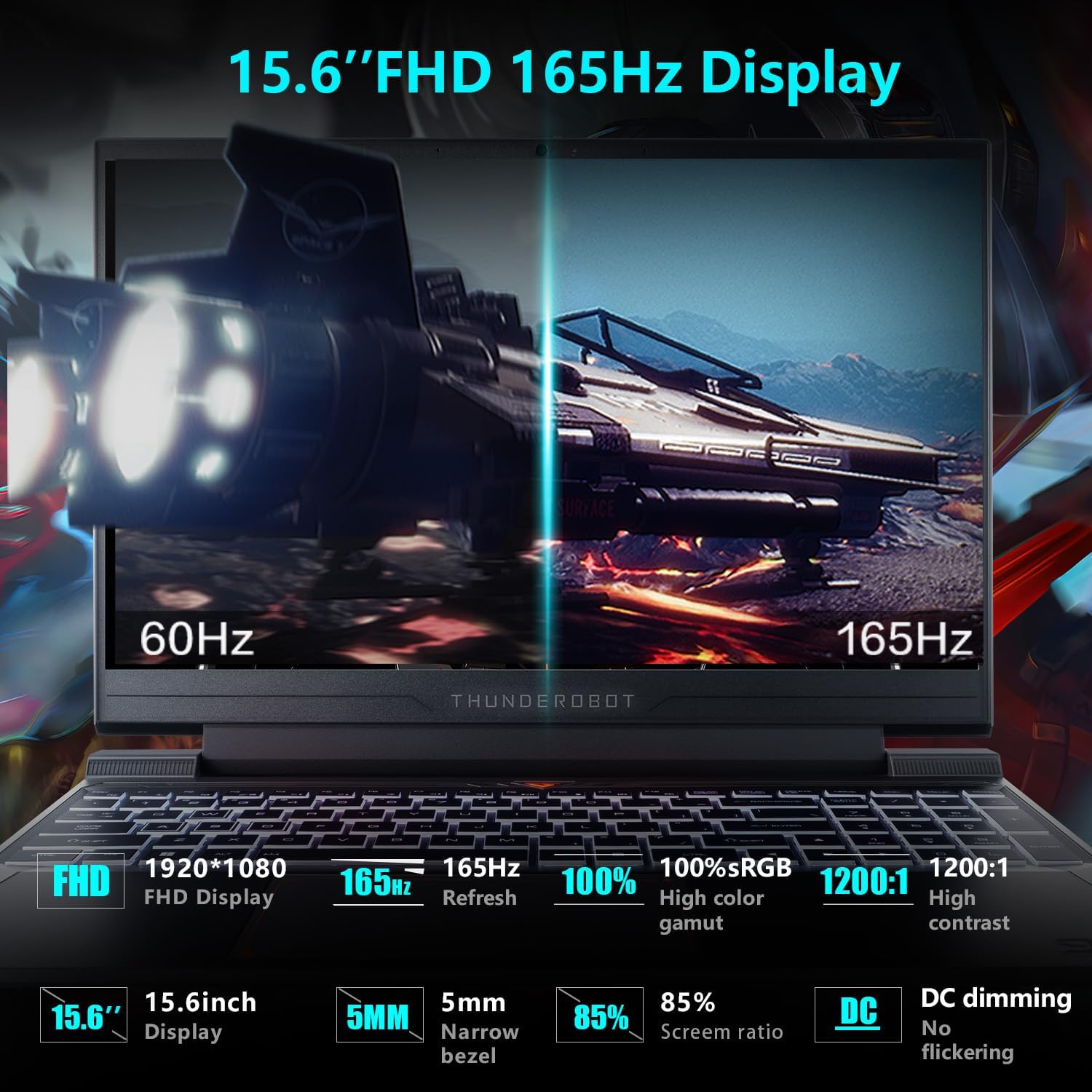
Image: Close-up of the 15.6-inch Full HD 165Hz display, highlighting its smooth motion capabilities.
3.2 Klavye ak Touchpad
The full-size backlit keyboard includes a numeric keypad for enhanced productivity and gaming. The anti-fingerprint surface helps maintain a clean appearance.
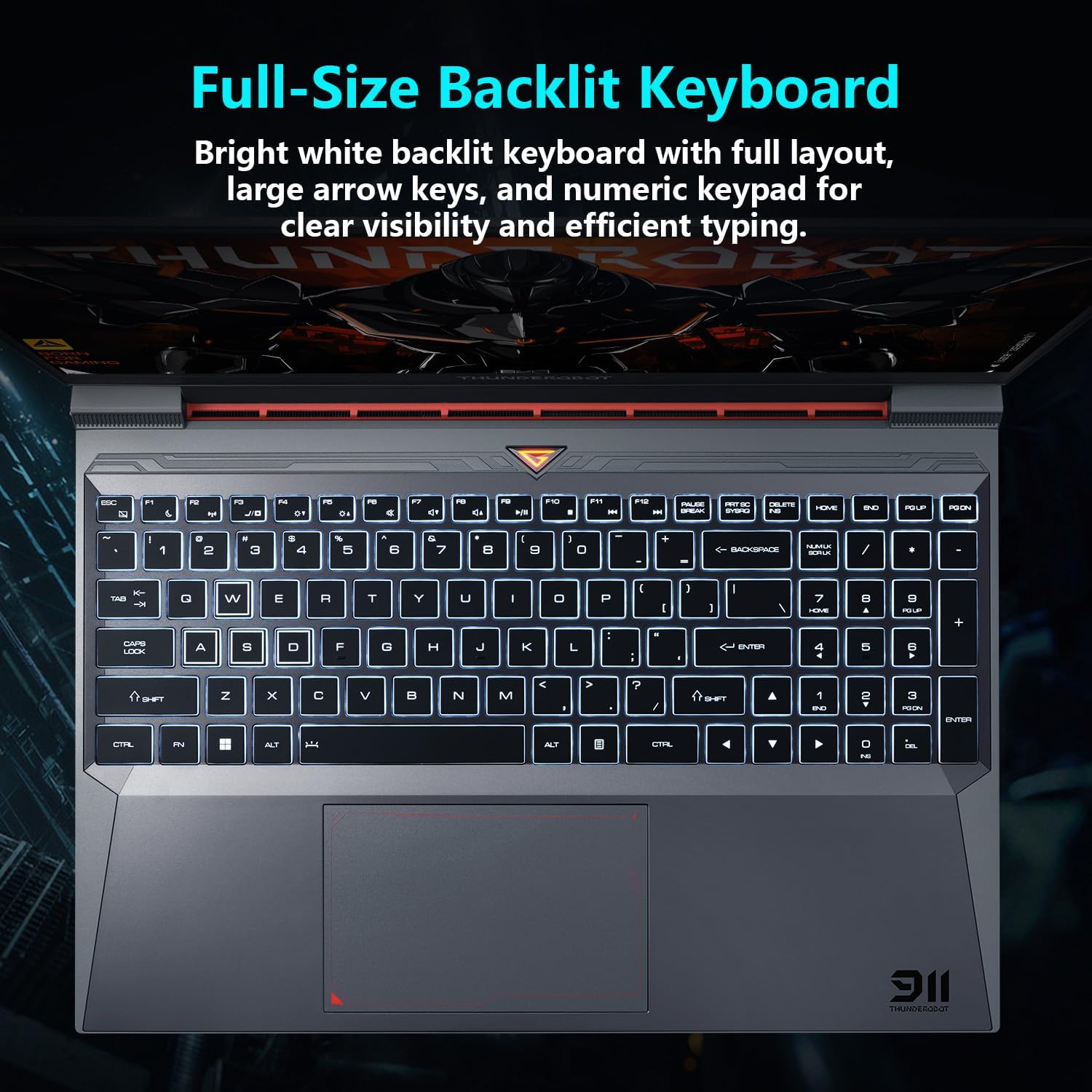
Imaj: View of the full-size backlit keyboard with its bright white backlighting and numeric keypad.
3.3 Sistèm Audio
Experience immersive sound with the laptop's professional sound certification and high-specification speaker design.
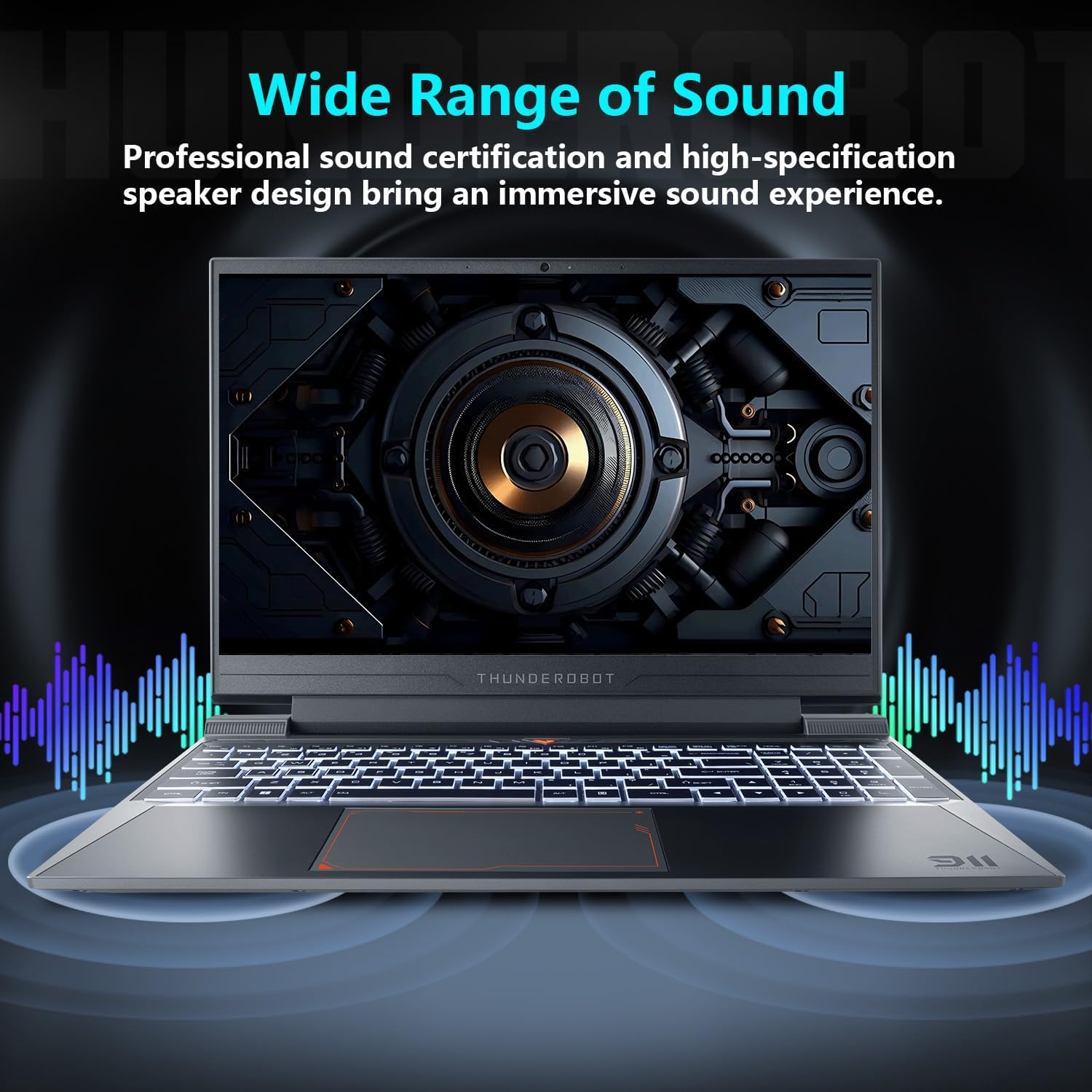
Image: Laptop displaying sound waves, illustrating its wide range of sound capabilities.
3.4 Sistèm refwadisman
The Advanced Frost Cooling System features multi-heat-pipe design (10mm/8mm composite pipes), a high-pressure turbine fan with 80 ultra-thin LCP blades, and 126 dense copper fins (28,000mm²) to ensure efficient heat dissipation. This design keeps critical components cool during intensive use.
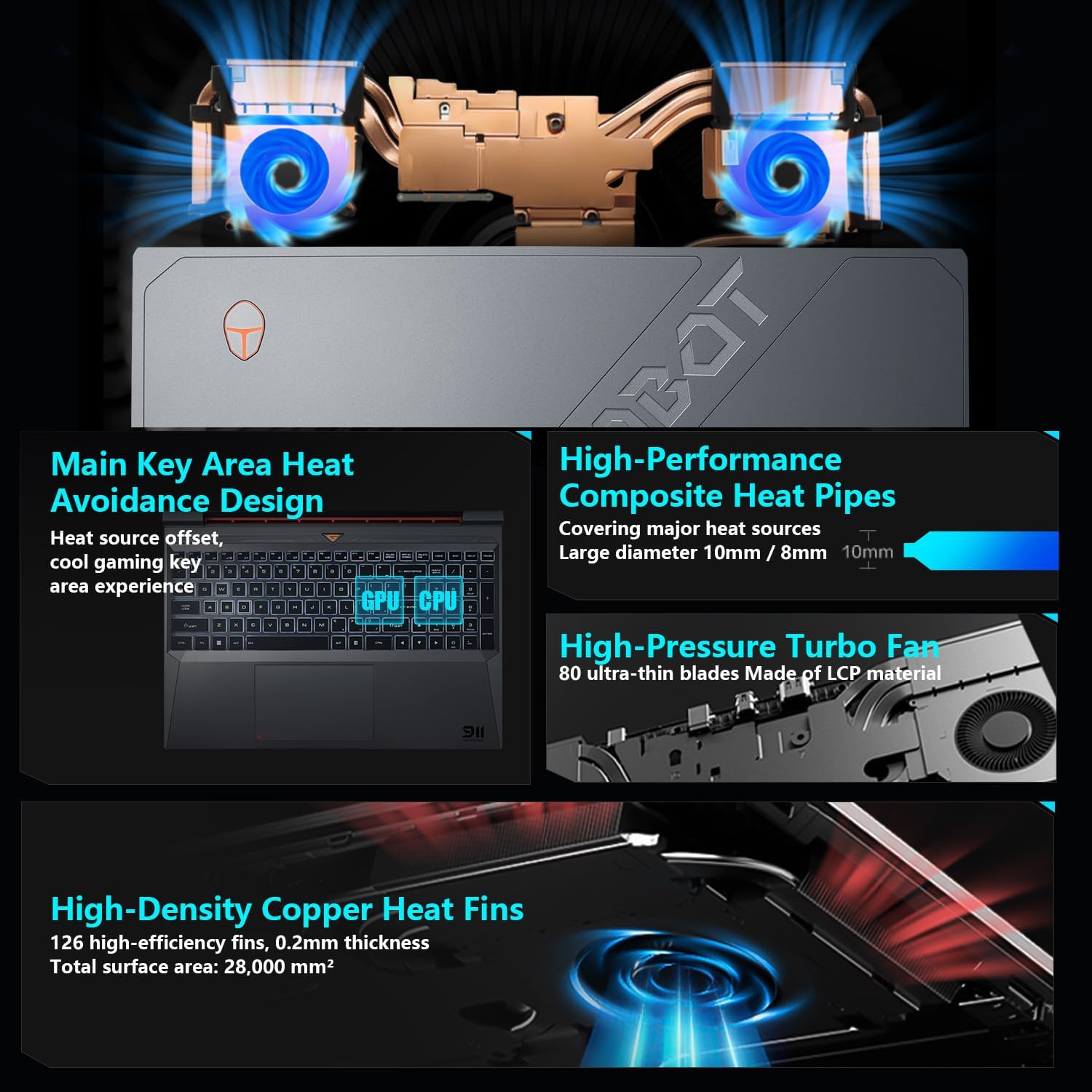
Image: Diagram showing the internal cooling system with heat pipes, fans, and copper fins.
3.5 Control Center Software
The Control Center software allows you to adjust and switch between various performance modes (e.g., Berserk mode, Game mode, Audio and Video Office mode) and customize fan speed and lighting settings. Access it by typing "Control Center" in the Windows search bar or using designated function keys.

Image: Screenshots of the Control Center software interface, showing options for performance modes, fan adjustment, and lighting controls.
4. Antretyen
4.1 Netwayaj
- Ekran: Sèvi ak yon twal mou, ki san pèl dampLave avèk dlo oswa yon pwodui netwayaj ekran. Evite pwodui chimik ki agresif.
- Klavye ak chasi: Use a soft cloth to wipe surfaces. Compressed air can be used to clear dust from between keys and vents.
- Vantilasyon: Regularly check and clean the cooling vents to prevent dust buildup, which can hinder airflow and performance.
4.2 Mizajou lojisyèl
Keep your operating system and drivers updated to ensure optimal performance and security. Windows Update will handle OS updates, and you can check the Thunderobot support website for the latest driver versions for your specific model.
NAN. Depanaj
5.1 Pwoblèm komen
- Laptop la pa limen: Ensure the AC adapter is securely connected to both the laptop and a working power outlet. Check if the power button is functioning correctly.
- Surchof: Ensure cooling vents are not blocked. Use the Control Center to adjust fan speeds. Consider using the laptop on a hard, flat surface to improve airflow.
- Pwoblèm ekspozisyon: If the screen is blank, try connecting an external monitor to check if the issue is with the laptop's display or the graphics output. Update graphics drivers.
- Pèfòmans ralanti: Check for background applications consuming resources. Ensure sufficient free storage space. Run a malware scan.
- Peripheral not detected: Ensure the peripheral is correctly plugged into the appropriate port. Try a different port or restart the laptop. Update relevant drivers.
5.2 Kontakte Sipò
If you encounter issues that cannot be resolved using this guide, please refer to the Thunderobot official support channels for assistance.
6. Espesifikasyon
| Karakteristik | Detay |
|---|---|
| Kanpe gwosè ekspozisyon ekran | 15.6 pous |
| Rezolisyon ekran | 1920 x 1080 piksèl |
| Rezolisyon ekran maksimòm | 1920x1080 piksèl |
| Processeur | Intel Core i7-13620H (4.9 GHz max turbo) |
| RAM | 32 GB DDR4 (3200 MHz) |
| Disk Drive | 1 TB SSD (PCIE x 4) |
| Koprosesè grafik | NVIDIA GeForce RTX 4050 Laptop GPU |
| Kalite san fil | 802.11ax, Bluetooth |
| Kantite USB 3.0 pò | 3 |
| Sistèm operasyon | Windows 11 Kay |
| Pwa atik | 12 liv |
| Dimansyon pwodwi | 14.12 x 10.14 x 0.94 pous |
| Koulè | Nwa |
| Karakteristik espesyal | Klavye retroeklere, klavye nimerik |

Image: Performance benchmarks comparing the RTX 4050 and Intel Core i7-13620H against previous generations.
7. Garanti ak sipò
Every Thunderobot laptop includes a 12-mwa garanti, ofri sipò ekspè, dyagnostik konplè, ak pyès orijinal si yon reparasyon nesesè. Anplis de sa, yon 90-jou garanti is provided on all warranty replacement parts, ensuring hassle-free repairs. Your complete satisfaction is our commitment.
For further support, please visit the official Thunderobot websit oswa kontakte sèvis kliyan yo.
Videyo: Yon finiview of the Thunderobot Storm 15 Laptop, showcasing karakteristik ak konsepsyon li yo.


