Entwodiksyon
This manual provides detailed instructions for the setup, operation, and maintenance of your LIGE EF21-I Smartwatch. Please read this manual thoroughly before using the device to ensure proper function and to maximize its features.
Enfòmasyon sou Sekirite
- Pa eseye demont oswa modifye mont lan.
- Kenbe mont lan lwen tanperati ekstrèm ak limyè solèy la dirèk.
- Avoid exposing the watch to strong impacts or drops.
- Do not use corrosive chemicals to clean the watch.
- This device is not a medical device. Health data is for reference only and should not be used for medical diagnosis or treatment.
- Ensure charging contacts are clean and dry before charging.
Kontni pake
Verifye ke tout atik yo prezan nan pakè ou a:
- LIGE EF21-I Smartwatch
- USB mayetik chaje kab
- Kalite-C chaje kab
- Manyèl itilizatè

Image: The package includes both a USB magnetic charging cable and a Type-C charging cable for versatile power options.
Gid Enstalasyon
1. Premye Chajman
Before first use, fully charge your smartwatch. Connect the magnetic charging cable to the charging contacts on the back of the watch and the USB end to a power adapter (not included) or a computer USB port. The watch display will show the charging status.

Image: The smartwatch connected to its magnetic charger, indicating its 800 mAh battery capacity.
2. Enstalasyon ak koneksyon aplikasyon an
To unlock all features, download and install the "Fit CloudPro" app on your smartphone.
- Scan the QR code in the manual or on the watch (if available) or search for "Fit CloudPro" in your phone's app store (compatible with Android 8.0+ and iOS 12.0+).
- Louvri aplikasyon an epi kreye yon kont oubyen konekte.
- Asire w ke Bluetooth aktive sou smartphone ou.
- Nan aplikasyon an, ale nan seksyon aparèy la epi chwazi "Ajoute Aparèy" oswa yon opsyon ki sanble.
- Select "EF21-I" from the list of available devices to pair.
- Swiv envit ki sou ekran yo pou konplete pwosesis kouple a.
Yon fwa li konekte, mont lan ap senkronize tan ak done yo ak telefòn ou.
Enstriksyon Operasyon
Navigasyon debaz
- Ekran manyen: Glise agoch/adwat, monte/anba pou navige nan meni ak fonksyon yo. Tape pou chwazi.
- Bouton bò: Typically, one button acts as a power/back button, while others may be customizable shortcuts. Refer to the on-screen prompts for specific functions.

Image: The 1.43-inch AMOLED display offers brilliant colors and a fluid, efficient user experience.
Fonksyon apèl Bluetooth
The EF21-I Smartwatch supports Bluetooth calls, allowing you to make and receive calls directly from your wrist.
- Ensure the watch is connected to your smartphone via Bluetooth.
- Access the "Call" or "Phone" function on your watch.
- You can use the dial pad, access your contacts, or view rele istwa.
- Advanced noise cancellation ensures clear audio during calls.
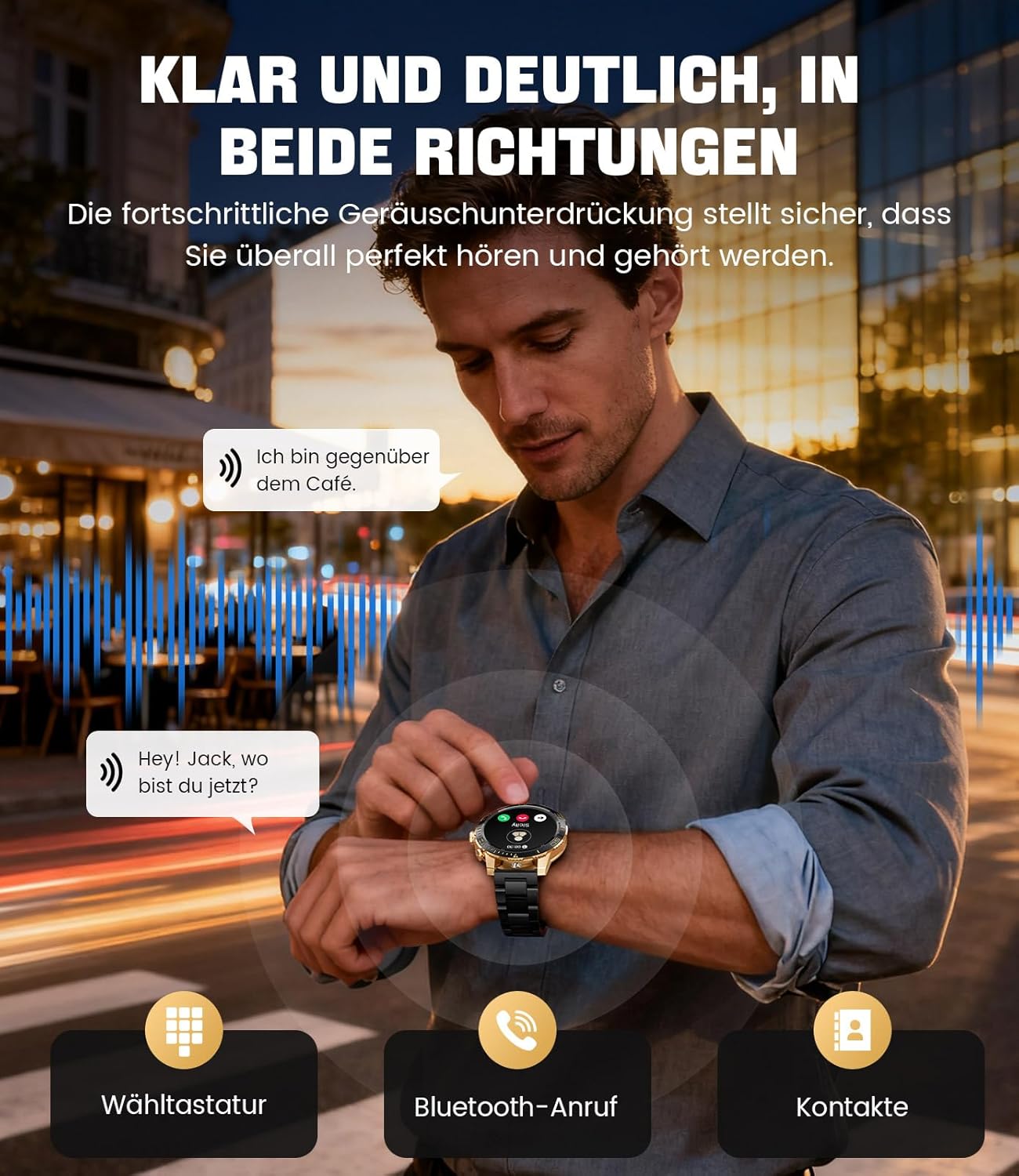
Image: The smartwatch allows clear two-way communication with advanced noise cancellation, featuring a dial pad, Bluetooth call option, and contacts access.
Notifikasyon
Receive real-time notifications from your smartphone apps directly on your watch.
- Enable app notifications in the "Fit CloudPro" app settings.
- The watch will display incoming calls, SMS, and messages from social media apps (e.g., Facebook, Twitter, Instagram, WhatsApp).
- A quick glance at your wrist allows you to stay informed discreetly.

Image: The smartwatch displays real-time notifications from various social media applications, keeping you informed discreetly.
Siveyans Sante
The EF21-I Smartwatch acts as your 24/7 health guardian, providing continuous monitoring of key health metrics.
- Batman kè: Li kontwole batman kè ou pandan tout jounen an.
- Oksijèn nan san (SpO2): Mezire nivo saturation oksijèn nan san ou.
- Suivi dòmi: Analyzes your sleep patterns, distinguishing between deep sleep, light sleep, and awake times.
- Siveyans estrès: Tracks stress levels.
- Rapèl sedantèr: Avèti ou pou ou deplase apre peryòd inaktivite.
View detailed health data and trends in the "Fit CloudPro" app.
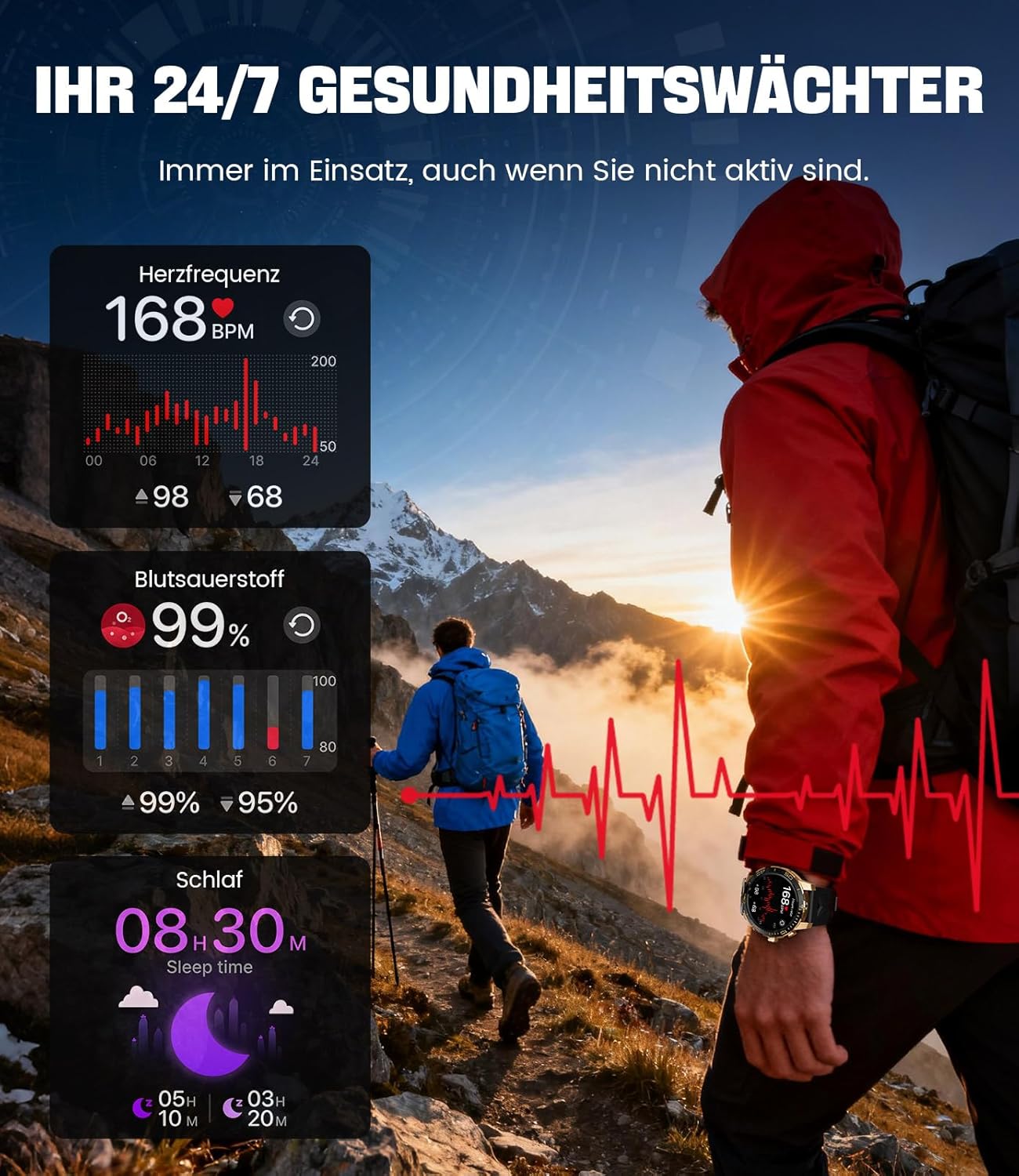
Image: The smartwatch functions as a 24/7 health guardian, monitoring heart rate, blood oxygen, and sleep patterns, even when you are not actively engaged in exercise.
Espò mòd
With over 200 sports modes, the watch helps you track your workouts and achieve your fitness goals.
- Chwazi mòd espò ou vle a nan meni mont lan.
- The watch records data such as heart rate, calories burned, and steps taken.
- Automatic recognition for walking, running, and cycling is supported.
- Review your activity data in the "Fit CloudPro" app for performance analysis.

Image: The smartwatch supports over 200 training modes, tracking heart rate, calories, and steps for various activities.
Customizable Montre figi
Pèsonalize mont entelijan ou a avèk yon varyete kadran mont.
- The watch comes with several pre-installed classic watch faces.
- Access over 200 additional designs through the "Fit CloudPro" app.
- You can also upload your own photos to create custom watch faces.
Karakteristik adisyonèl
- Pwedi metewolojik: Jwenn dènye nouvèl sou metewolojik an tan reyèl.
- Revèy Alam: Mete alam dirèkteman nan ponyèt ou.
- Kontwòl Kamera Remote: Use your watch to trigger your phone's camera.
- Flach: Activate a flashlight function on your wrist.
- Phone Locator: Find your misplaced smartphone using the watch.

Image: The smartwatch features a wrist flashlight function, providing illumination for outdoor activities.
Antretyen
Netwayaj
- Siye ekran an ak kò mont lan ak yon twal mou ki pa gen pousyè.
- Pou tach fè tèt di, dampRense twal la yon ti kras avèk dlo.
- Avoid using harsh chemicals, abrasive materials, or ultrasonic cleaners.
- Asire w ke kontak chaj yo pwòp epi san debri.
Rezistans dlo (IP68)
The LIGE EF21-I Smartwatch is IP68 water-resistant, meaning it can withstand immersion in water up to 1.5 meters for up to 30 minutes. It is suitable for daily use, hand washing, and swimming.
- Pa sèvi ak mont lan nan dlo cho, sona, oswa chanm vapè.
- Evite peze bouton anba dlo.
- After exposure to water, especially saltwater, dry the watch thoroughly.
Depanaj
Gade a pa limen
- Asire w ke mont lan chaje nèt. Konekte l nan plato a pou omwen 30 minit.
- Peze epi kenbe bouton pouvwa a pou plizyè segonn.
Unable to Pair with App
- Asire w ke Bluetooth aktive sou smartphone ou.
- Asire w ke mont lan chaje ase.
- Rekòmanse tou de smartphone ou ak smartwatch la.
- Try unpairing and re-pairing the device through the "Fit CloudPro" app.
- Check if the app has necessary permissions on your phone.
Done Sante ki pa egzak
- Asire w ke mont lan byen sere sou ponyèt ou, li pa twò lach ni twò sere.
- Netwaye detèktè ki sou dèyè mont lan.
- Evite twòp mouvman pandan mezi yo.
- Remember that health data is for reference and not for medical use.
Notifikasyon ki pa resevwa
- Verifye ke mont lan konekte ak telefòn ou atravè Bluetooth.
- Check notification settings in the "Fit CloudPro" app.
- Asire w ke paramèt notifikasyon telefòn ou an pèmèt aplikasyon an voye notifikasyon.
- Disable any battery optimization settings for the "Fit CloudPro" app on your phone.
Espesifikasyon
| Karakteristik | Detay |
|---|---|
| Mak | LIGE |
| Nimewo Modèl | EF21-I |
| Gwosè ekspozisyon | 1.43 pous |
| Kalite ekspozisyon | AMOLED |
| Kapasite batri | 800 mAh (lityòm-polymère) |
| Koneksyon | Bluetooth |
| Sistèm operasyon konpatibilite | Android 8.0+ ak iOS 12.0+ |
| Evalyasyon rezistans dlo | IP68 |
| Kapasite Depo memwa | 256 MB |
| Karakteristik espesyal | Weather forecast, Sedentary reminder, Alarm clock, Touch screen, Always-on display, Bluetooth calling, Heart rate monitor, SpO2 monitor, Sleep monitor, 200+ sports modes, Phone locator |
| GPS | GPS atravè telefòn entelijan |

Image: The smartwatch features impact resistance, indicated by a 'Military Grade Drop-Tested' badge.
Garanti ak sipò
Enfòmasyon sou Garanti
The product is supported by a 12-month warranty. Please retain your proof of purchase for warranty claims.
Sipò pou Kliyan
For technical assistance, troubleshooting, or warranty inquiries, please contact LIGE customer support. Refer to the contact information provided with your purchase or visit the official LIGE websit.