1. Entwodiksyon
Mèsi pou acha aasing the ENUOSUMA Mini Projector ENU41. This portable projector is designed to provide a versatile and immersive viewing experience for home entertainment, outdoor movies, and presentations. Featuring 4K 1080P support, WiFi 6, Bluetooth 5.0, and a 270-degree rotatable design, it offers flexibility and high-quality projection.
This manual provides essential information for setting up, operating, and maintaining your projector. Please read it thoroughly before use to ensure proper function and longevity of the device.
2. Enfòmasyon sou Sekirite
- Pa gade dirèkteman nan lantiy pwojektè a lè l ap limen.amp se sou.
- Asire bon vantilasyon alantou pwojektè a pou anpeche surchof.
- Sèvi ak adaptè pouvwa a sèlman ak aparèy la.
- Kenbe pwojektè a lwen dlo oswa lòt likid.
- Evite mete pwojektè a sou sifas ki pa estab.
- Pa eseye demonte oswa repare pwojektè a tèt ou. Kontakte pèsonèl sèvis kalifye.
- Kenbe soti nan atenn timoun yo.
3. Pake kontni
Verifye ke tout atik yo prezan nan pakè ou a:
- ENUOSUMA Mini Projector ENU41
- Kontwòl Remote
- Adaptè pouvwa
- Manyèl itilizatè
4. Pwodwi souview
The ENUOSUMA Mini Projector ENU41 is a compact and versatile device. Below are key features and components.

Image: The ENUOSUMA Mini Projector ENU41, demonstrating its compact and portable design, easily held in one hand.
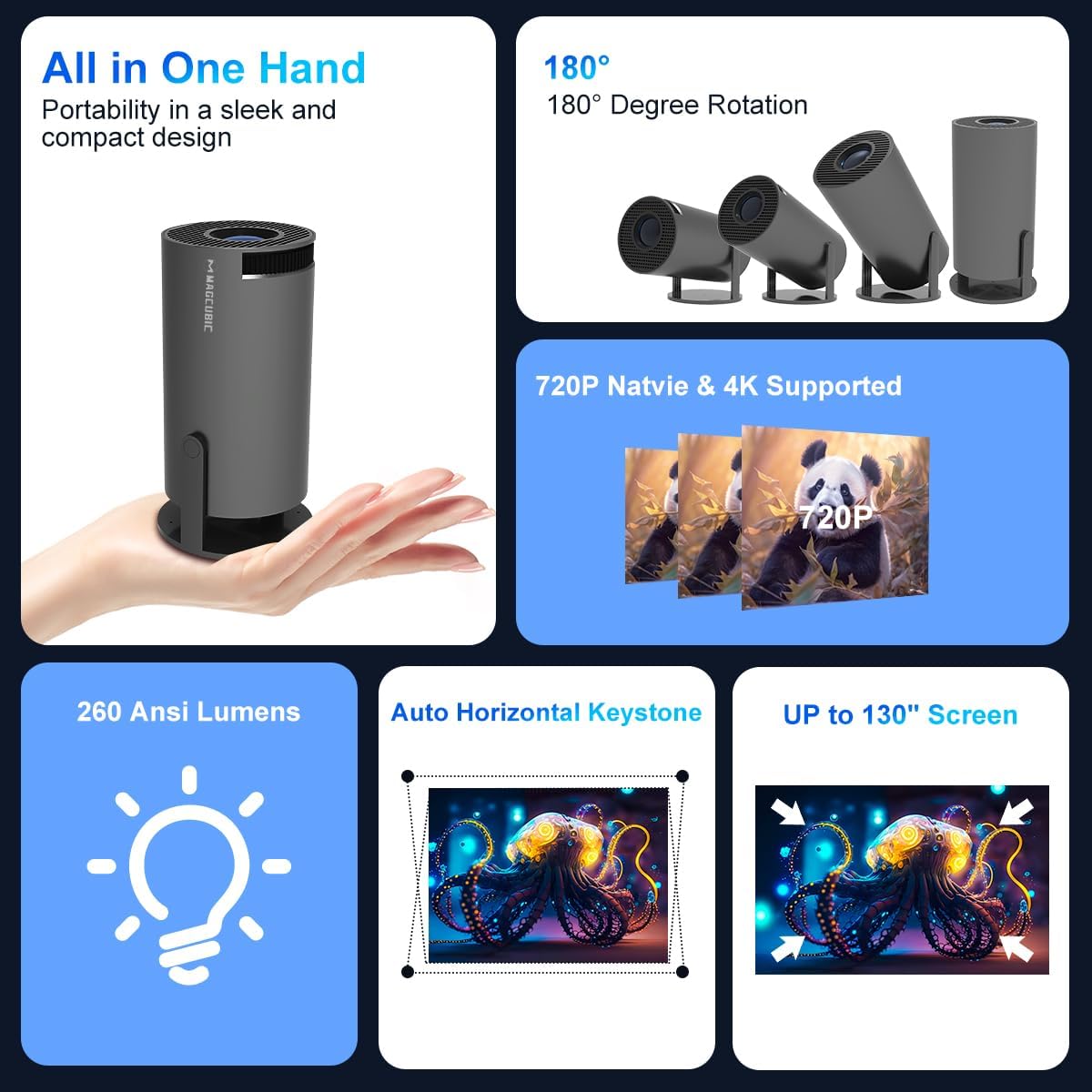
Imaj: Yon plis paseview of the projector's features, including its portability, 180-degree rotation capability, 720P native resolution with 4K support, 260 ANSI Lumens brightness, automatic horizontal keystone correction, and ability to project up to a 130-inch screen.
5. Enstriksyon Enstalasyon
5.1 Koneksyon pouvwa
- Konekte adaptè kouran an nan pò antre kouran pwojektè a.
- Ploge adaptè pouvwa a nan yon priz miray.
- Peze bouton pouvwa a sou pwojektè a oswa kontwòl remote pou limen aparèy la.
5.2 Placement and Projection
The projector features a 270-degree rotatable design, allowing for flexible placement and projection onto walls, ceilings, or floors.
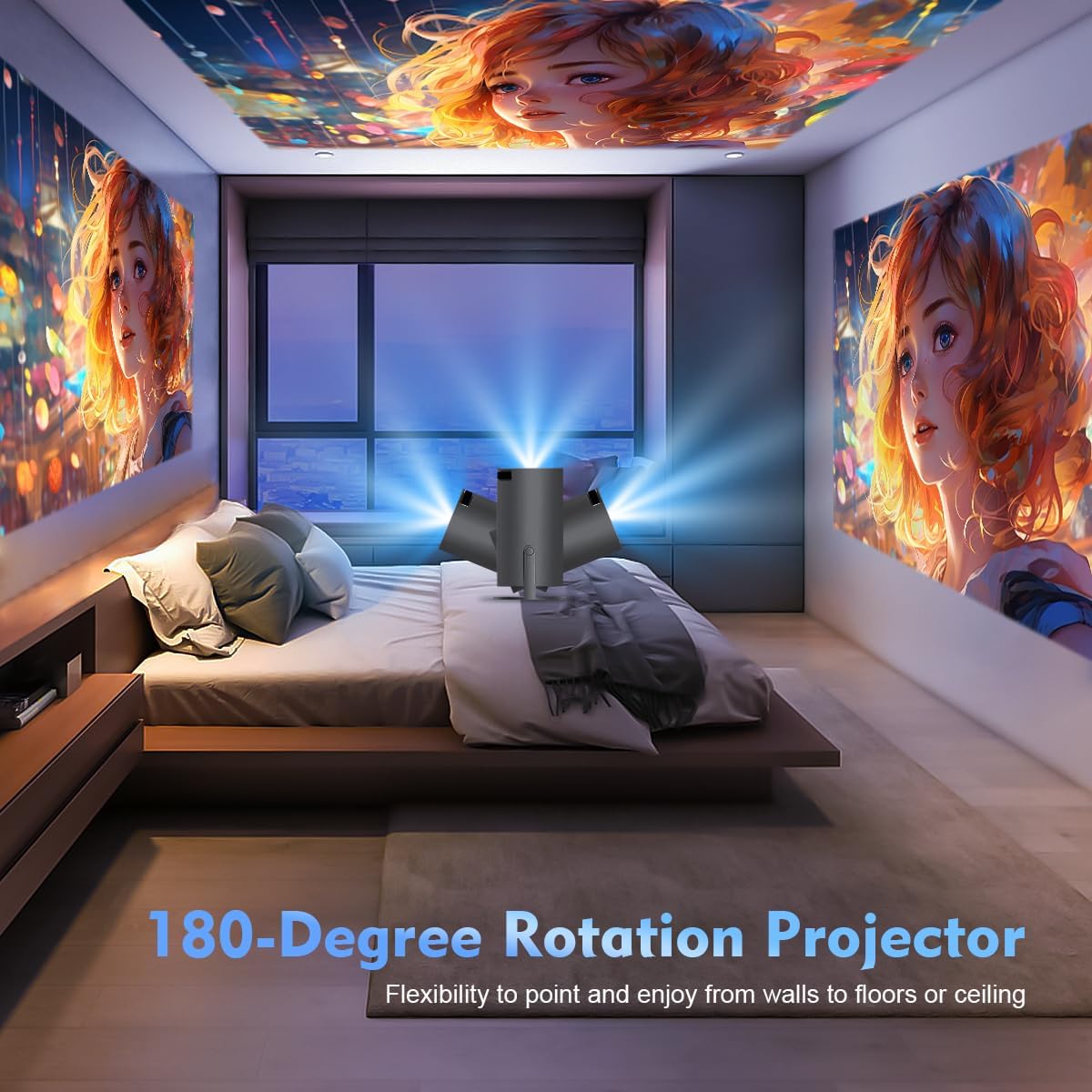
Image: The projector's 180-degree rotation feature, enabling projection onto various surfaces like walls, floors, or ceilings for versatile viewing.
Pou pi bon viewing, consider the projection distance and screen size:
- Ideyal la viewing distance for an 80-inch screen is approximately 1.6 meters.
- Pwojektè a sipòte gwosè ekran soti nan 40 a 130 pous.

Image: A visual guide to projection distances and corresponding screen sizes, indicating an optimal projection distance of 1.6m for an 80-inch display.
5.3 Koreksyon Fokus ak Keystone
The projector features automatic horizontal keystone correction and 4-point correction for a perfectly rectangular image.
- Automatic Keystone: The projector will automatically adjust the image shape horizontally.
- Konsantre manyèl: Rotate the focus ring on the projector lens to achieve a clear image.
- 4-Pwen koreksyon: Use the remote control to manually adjust each corner of the projected image for precise alignment if needed.

Image: Demonstration of the automatic horizontal keystone and 4-point correction features, ensuring a perfectly aligned and rectangular projection.
6. Operasyon Enstriksyon
6.1 Konekte Aparèy
The ENUOSUMA Mini Projector ENU41 supports various connectivity options:
- WiFi 6: Connect to your home network for online streaming and screen mirroring. Navigate to the network settings in the projector's menu to connect to a WiFi network.
- Bluetooth 5.0: Connect external Bluetooth speakers or headphones for enhanced audio. Access Bluetooth settings in the menu to pair devices. The projector can also function as a Bluetooth speaker for your phone.
- HDMI: Connect devices such as laptops, gaming consoles (PS5), Blu-ray players, or TV sticks using an HDMI cable. Select the HDMI input source from the projector's menu.
- DE: Connect older devices using an AV cable. Select the AV input source from the projector's menu.
6.2 Miroir ekran
Mirror content from your smartphone or tablet wirelessly using Miracast, Airplay, or DLNA.

Image: The projector's screen mirroring capabilities, supporting DLNA, Airplay, and Miracast for seamless content sharing from mobile devices.
- Ensure your mobile device and the projector are connected to the same WiFi network.
- Select the appropriate screen mirroring option (Miracast for Android, Airplay for iOS) from the projector's menu.
- Follow the instructions on your mobile device to initiate screen mirroring.
6.3 Sòti odyo
The projector has a built-in HiFi speaker. For a more immersive audio experience, connect external Bluetooth speakers.

Image: The projector's BT 5.0 and built-in HiFi speaker features, allowing convenient connection to external Bluetooth speakers for enhanced sound.
6.4 Fonksyon Zoom
The projector supports a 50% zoom function, allowing you to adjust the image size without moving the projector.
- Access the zoom settings in the projector's display menu.
- Adjust the zoom level using the remote control.
7. Antretyen
- Netwaye lantiy la: Sèvi ak yon twal mou ki pa gen pousyè, espesyalman fèt pou lantiy optik. Pa sèvi ak pwodui netwayaj abrazif.
- Netwayaj C aasing: Wipe the projector's exterior with a soft, dry cloth. For stubborn marks, use a slightly damp twal ak Lè sa a, sèk byen.
- Vantilasyon: Regularly check that the ventilation openings are not blocked by dust or debris. Use a soft brush or compressed air to clean them.
- Depo: Lè w pa itilize pwojektè a pou yon bon bout tan, sere l nan yon kote ki fre epi sèk, pwoteje kont pousyè ak tanperati ekstrèm.
NAN. Depanaj
- Pa gen pouvwa: Ensure the power adapter is securely connected to both the projector and the power outlet. Try a different outlet.
- Pa gen imaj: Check the input source selection. Ensure the connected device is powered on and sending a signal. Verify all cables are securely connected.
- Imaj flou: Adjust the manual focus ring on the lens. Ensure the projector is placed within the recommended projection distance.
- Image is Crooked: The projector has automatic horizontal keystone. If further adjustment is needed, use the 4-point correction feature via the remote control.
- Pa gen son: Check the volume settings on both the projector and the connected device. If using external speakers, ensure they are properly connected and powered on. Verify Bluetooth connection if applicable.
- Pwoblèm koneksyon WiFi: Ensure the projector is within range of your WiFi router. Re-enter the WiFi password carefully. Restart both the projector and the router.
- Kontwòl Remote pa travay: Check the batteries in the remote control and replace if necessary. Ensure there are no obstructions between the remote and the projector's IR receiver.
9. Espesifikasyon
| Karakteristik | Spesifikasyon |
|---|---|
| Mak | ENUOSUMA |
| Modèl | ENU41 |
| Dimansyon pwodwi | 10 x 5 x 10 cm |
| Pwa atik | 300 g |
| Kalite ekspozisyon | LCD |
| Rezolisyon natif natal | 1280 x 720 |
| Rezolisyon sipòte | 1920 x 1080 (4K sipòte) |
| Aspè rapò | 16:10 |
| Pwopòsyon Imaj Kontrèman | Segondè |
| Koneksyon Teknoloji | WiFi 6, Bluetooth 5.0, HDMI, AV |
| Aparèy konpatib | Laptops, Smartphones, Gaming Consoles, Blu-ray Players, Media Players |
| Karakteristik espesyal | Wi-Fi 6, Bluetooth 5.0, Portable, Rotatable Design |
| Kalite aliye | Tabletop mòn |
| Rafrechisman pousantaj | 600 Hz |
10. Garanti ak sipò
ENUOSUMA products are manufactured to high-quality standards. For warranty information, please refer to the warranty card included in your product packaging or visit the official ENUOSUMA websit.
For technical support, troubleshooting assistance, or service inquiries, please contact ENUOSUMA customer support through the contact information provided on our official websit entènèt la oswa platfòm acha ou a.
Please have your model number (ENU41) and purchase date ready when contacting support.