Entwodiksyon ak souview
The Westinghouse Roku TV 40 Inch FHD QLED Smart Television offers a superior viewing experience with its Full High Definition (FHD) Quantum Dot QLED display. This technology delivers richer colors, deeper contrast, and higher brightness, enhancing HDR performance and ensuring long-lasting color accuracy. The integrated Roku TV operating system provides instant access to a vast array of streaming content, including over 350 free live TV channels and thousands of popular streaming applications. Its edgeless design offers an immersive viewing experience, while Bluetooth 5.2 connectivity allows for seamless audio pairing with headphones or speakers. Content casting from mobile devices is made easy with the free Roku Mobile App or Apple AirPlay2.
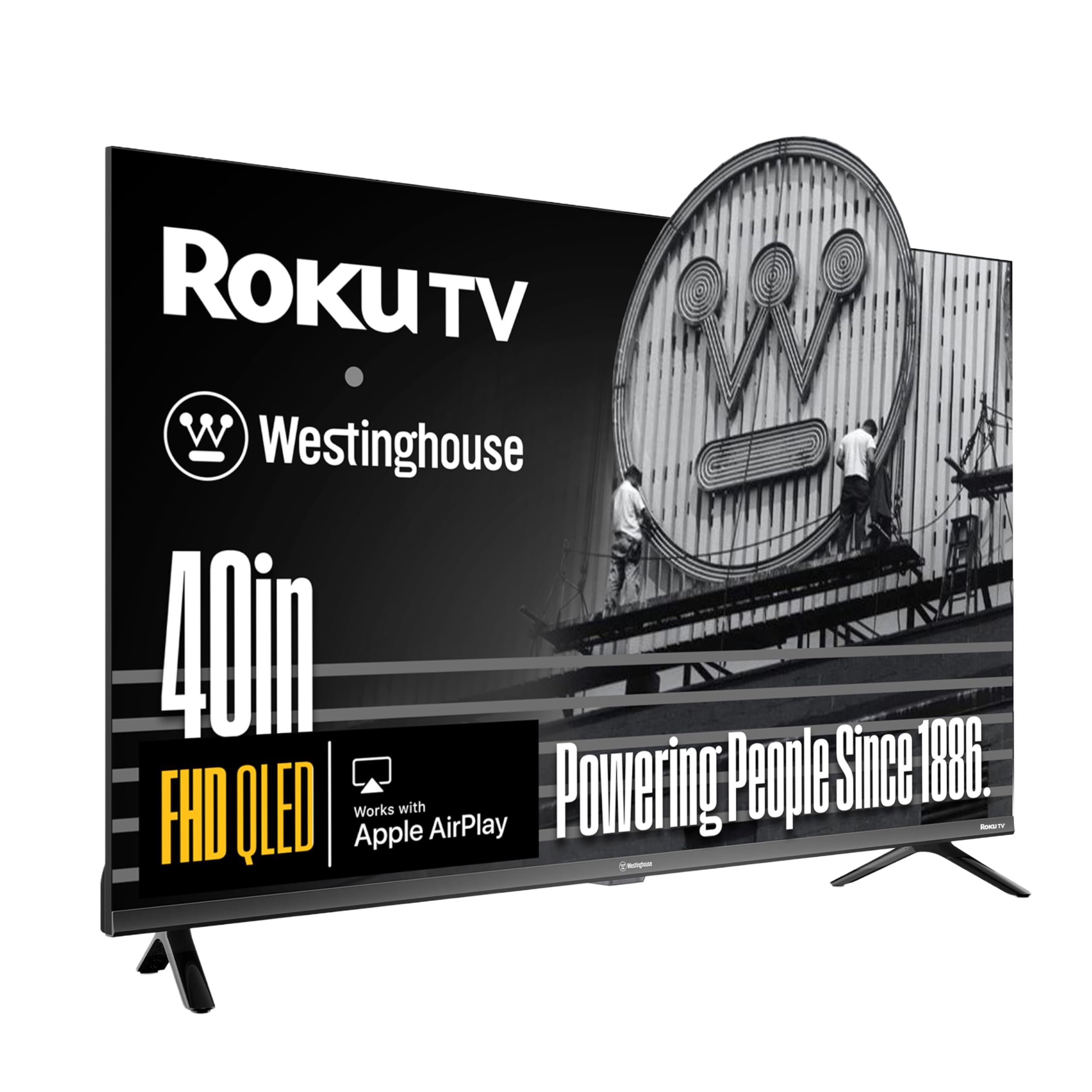
The Westinghouse 40 Inch QLED Roku TV, showcasing kapasite ekspozisyon vibran li yo.

Detail highlighting the QLED color technology for enhanced color accuracy and lifelike images.
Ki sa ki enkli
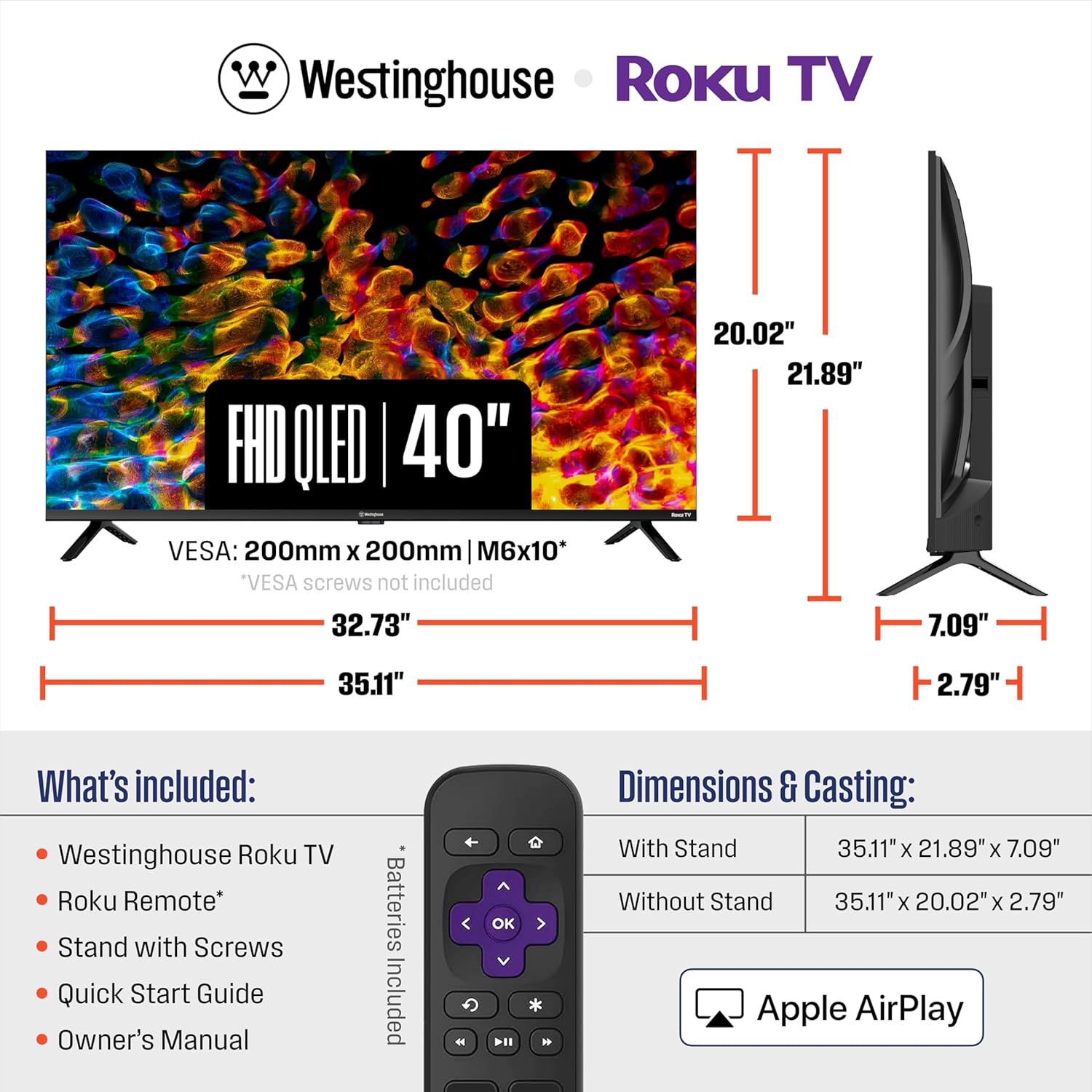
Your Westinghouse Roku TV package includes the following components:
- 40" QLED TV
- Kanpe
- Vis
- Vwa Remote
- Batri

Image illustrating the included components: the 40-inch QLED TV, stand, screws, voice remote, and batteries.
Enstalasyon
Enstale kanpe televizyon an
To install the TV stand, carefully place the TV screen-down on a soft, clean surface to prevent scratches. Align the stand legs with the screw holes on the bottom of the TV. Secure the legs using the provided screws. Ensure the stand is stable before placing the TV upright.
Konekte periferik
The Westinghouse Roku TV offers versatile connectivity options. Locate the input ports on the back or side of the TV. Connect your devices such as gaming consoles, soundbars, or Blu-ray players using the appropriate cables.
- HDMI Ports (ARC): For high-definition audio and video connections.
- Pò USB: Pou konekte aparèy depo USB yo.
- Videyo konpoze: Pou aparèy ki pi ansyen k ap itilize kab RCA.
- Odyo optik: For high-quality digital audio output to sound systems.
A view of the TV's rear panel, highlighting the HDMI, USB, and other connectivity ports.
Operating the Roku TV
Roku OS and Navigation
The Westinghouse Roku TV features a user-friendly interface powered by the Roku OS. Use the included voice remote to navigate through the home screen, access streaming channels, search for content, and adjust settings. The home screen provides quick access to your favorite apps and inputs.
This video demonstrates the user interface and navigation of the Westinghouse Roku TV, showcasing how to access various apps and inputs.

The Roku remote, featuring dedicated buttons for popular streaming services and voice control for easy navigation.
Difizyon ak Distribisyon
Enjoy a wide range of streaming content from pre-installed apps like Netflix, Prime Video, Disney+, Hulu, and YouTube TV. You can also cast videos, music, and photos directly from your phone or tablet to the TV using the free Roku Mobile App or Apple AirPlay2.

Illustration of content casting from a mobile device to the TV via Apple AirPlay.
Koneksyon Bluetooth
Utilize Bluetooth 5.2 to connect wireless headphones, speakers, or soundbars for a personalized audio experience. This feature allows for private listening or enhanced sound without disturbing others.

A user enjoying personal audio through Bluetooth headphones connected to the TV.
Espesifikasyon
| Karakteristik | Detay |
|---|---|
| Non mak | Westinghouse |
| Pwa atik | 15.02 liv |
| Dimansyon pwodwi | 21.89 x 7.09 x 35.11 pous |
| Batri | 2 Lityòm Ion pil obligatwa. (enkli) |
| Non koulè | Nwa |
| Karakteristik espesyal | Apple Airplay, Chromecast, Dolby Digital +, QLED, Wide Viewing Ang |
| Kanpe gwosè ekspozisyon ekran | 40 pous |
| Aspè rapò | 16:9 |
| Teknoloji ekspozisyon | QLED |
| Rezolisyon | FHD |
| Rafrechisman pousantaj | 60 Hz |
| Koneksyon Teknoloji | USB |
Antretyen
To ensure the longevity and optimal performance of your Westinghouse Roku TV, regular maintenance is recommended. Keep the screen clean by gently wiping it with a soft, dry, lint-free cloth. Avoid using harsh chemicals or abrasive cleaners. Ensure proper ventilation around the TV to prevent overheating. Periodically check for and install software updates through the Roku TV settings menu to access the latest features and security enhancements.
Depanaj
If you encounter issues with your Westinghouse Roku TV, try the following basic troubleshooting steps:
- Pa gen pouvwa: Asire w kòd kouran an byen branche nan televizyon an ak nan yon priz elektrik ki fonksyone. Eseye yon lòt priz.
- Pa gen imaj/son: Verify that the correct input source is selected. Check all cable connections (HDMI, AV, etc.) for looseness. Restart the TV by unplugging it for 60 seconds and plugging it back in.
- Pwoblèm koneksyon rezo: Go to the TV's network settings and ensure Wi-Fi is enabled and connected to your home network. Try restarting your router.
- Remote pa reponn: Ranplase pil yo nan telekòmand lan. Asire w pa gen okenn obstak ant telekòmand lan ak televizyon an.
Pou plis detay sou depanaj, gade resous sipò sou entènèt yo oubyen kontakte sèvis kliyan.
Enfòmasyon sou Garanti
Your Westinghouse Roku TV is covered by a manufacturer's warranty. Please refer to the warranty card included in your product packaging or visit the official Westinghouse websit la pou tèm espesifik, kondisyon, ak detay sou anrejistreman. Kenbe prèv acha ou pou reklamasyon garanti.
Sipò pou Kliyan
For further assistance, technical support, or service inquiries regarding your Westinghouse Roku TV, please visit the Westinghouse Electronics support website or contact their customer service hotline. Contact information can typically be found on the manufacturer's websit la oubyen nan dokimantasyon pwodwi ou a.