1. Entwodiksyon
Mèsi pou acha aasing the GOBOULT Bassbox X20 Bluetooth Speaker. This manual provides essential information for setting up, operating, and maintaining your device. Please read it carefully before use to ensure optimal performance and longevity.

Imaj 1.1: Devan view of the GOBOULT Bassbox X20 Bluetooth Speaker.
2. Pake kontni
Ensure all items are present in the package. If any item is missing or damaged, please contact customer support.
- GOBOULT Bassbox X20 Soundbar
- Manyèl Itilizatè (dokiman sa a)
- Kat Garanti
- Chaje kab (Tip-C)
Note: The product features integrated bass drivers, referred to as 'Subwoofer' in some listings, which are part of the main soundbar unit.
3. Pwodwi souview
3.1 Karakteristik kle
- 20W Bass Boosted Sound: Delivers clear and dynamic audio with enhanced bass.
- Chofè dinamik doub: Provides balanced sound across all frequencies.
- Jiska 6 èdtan tan jwe: Batri dire pi lontan pou lekti odyo kontinyèl.
- Teknoloji Bluetooth 5.4: Asire yon koneksyon san fil ki estab e rapid.
- Multi-Connectivity Options: Supports Bluetooth, AUX, TF Card, and USB input.
- Konsepsyon pòtab: Kontra enfòmèl ant ak lejè pou transpò fasil.
- Fonksyon True Wireless Stereo (TWS): Connect two Bassbox X20 speakers for a stereo experience.
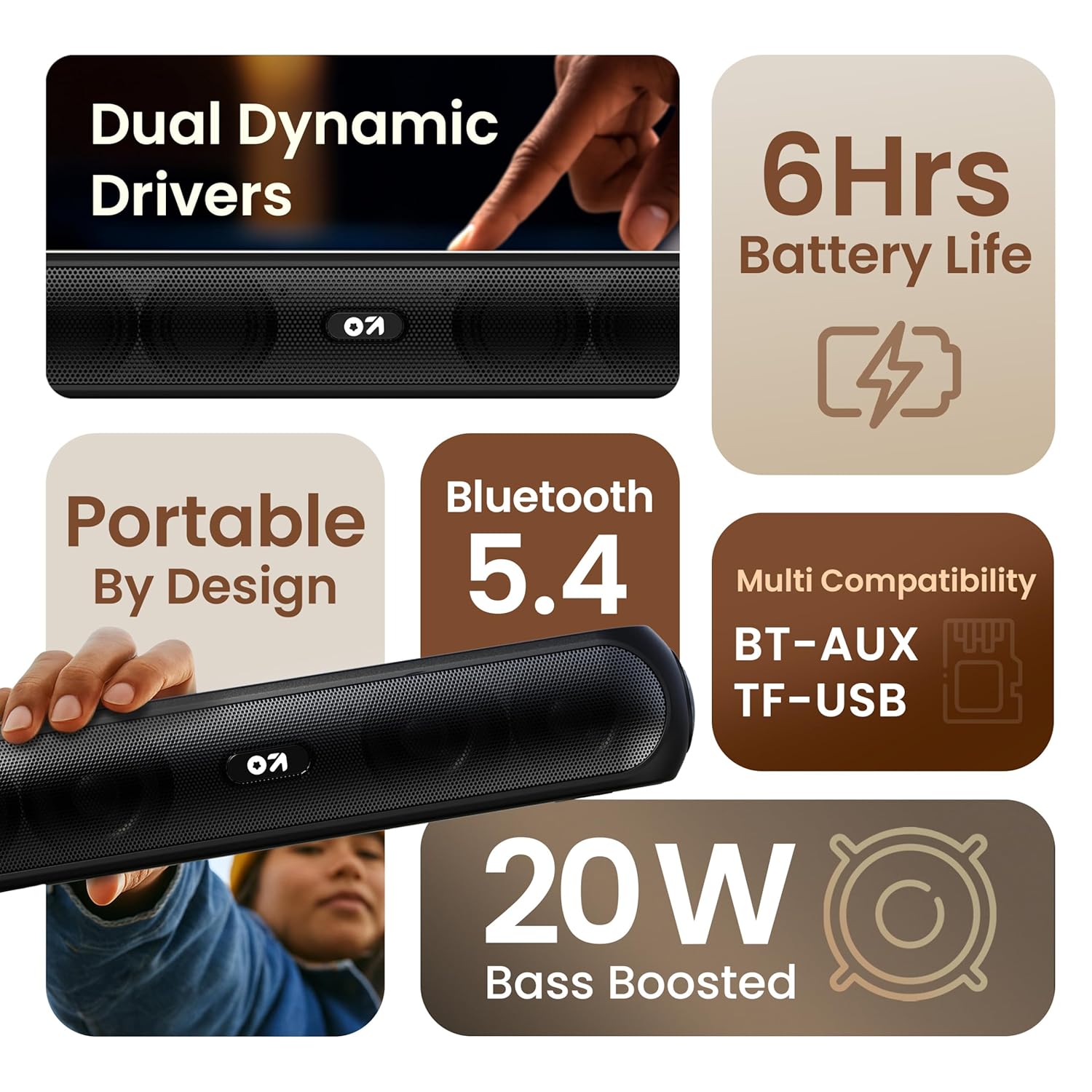
Imaj 3.1: Plis paseview of the speaker's main features.
3.2 Kontwòl ak Pò
Familiarize yourself with the control buttons and input ports on your speaker.
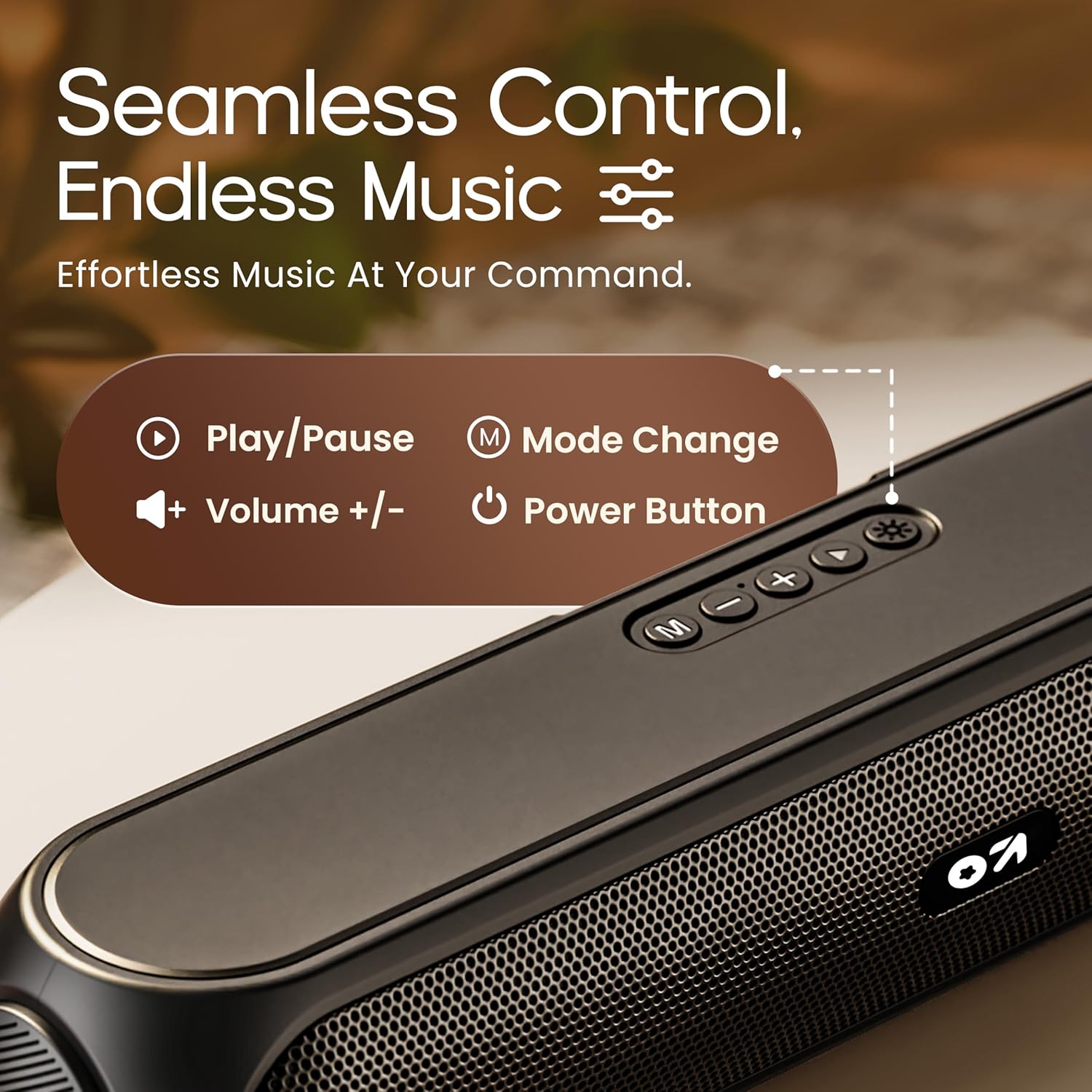
Image 3.2: Top control panel with Play/Pause, Volume, Mode, and Power buttons.
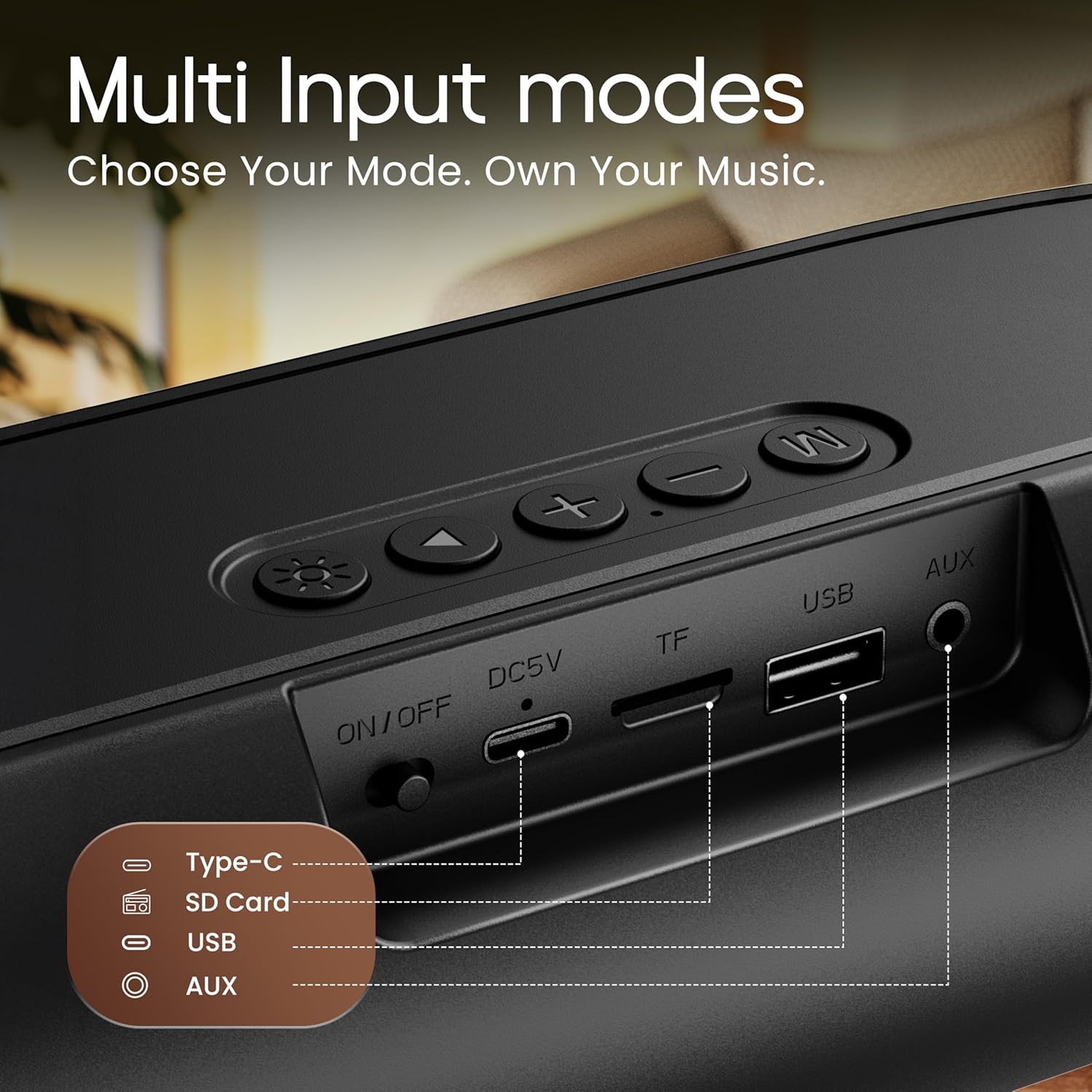
Image 3.3: Rear input panel showing Type-C, TF Card, USB, and AUX ports, along with the ON/OFF switch.
- Bouton pouvwa: Press and hold to power on/off. Short press to change LED light modes (if applicable).
- Bouton mòd (M): Peze yon ti kras pou chanje ant mòd Bluetooth, AUX, Kat TF, ak USB.
- Bouton jwe/poz: Peze yon ti kras pou jwe oswa pou mete odyo a sou poz.
- Volim moute (+): Peze yon ti kras pou ogmante volim nan. Peze lontan pou pwochen mizik la.
- Volim desann (-): Peze yon ti kras pou diminye volim nan. Peze lontan pou ale nan mizik anvan an.
- Kalite-C Port: Pou chaje oratè a.
- TF Kat plas: Insert a TF (MicroSD) card for direct audio playback.
- Pò USB: Insert a USB drive for direct audio playback.
- Pò AUX: Konekte aparèy odyo ekstèn yo atravè yon kab odyo 3.5mm.
- ON / OFF switch: Entèriptè prensipal pou pouvwa aparèy la.
4. Enstalasyon
4.1 Chaje Oratè a
Before first use, fully charge the speaker. Use the provided Type-C charging cable.
- Connect the Type-C end of the charging cable to the speaker's Type-C port.
- Connect the USB-A end of the charging cable to a 5V USB power adapter (not included) or a computer's USB port.
- Limyè endikatè chaj la ap limen. Li pral etenn oswa chanje koulè yon fwa li fin chaje nèt.
Yon chaj konplè pran apeprè 2-3 èdtan epi li bay jiska 6 èdtan tan lekti.
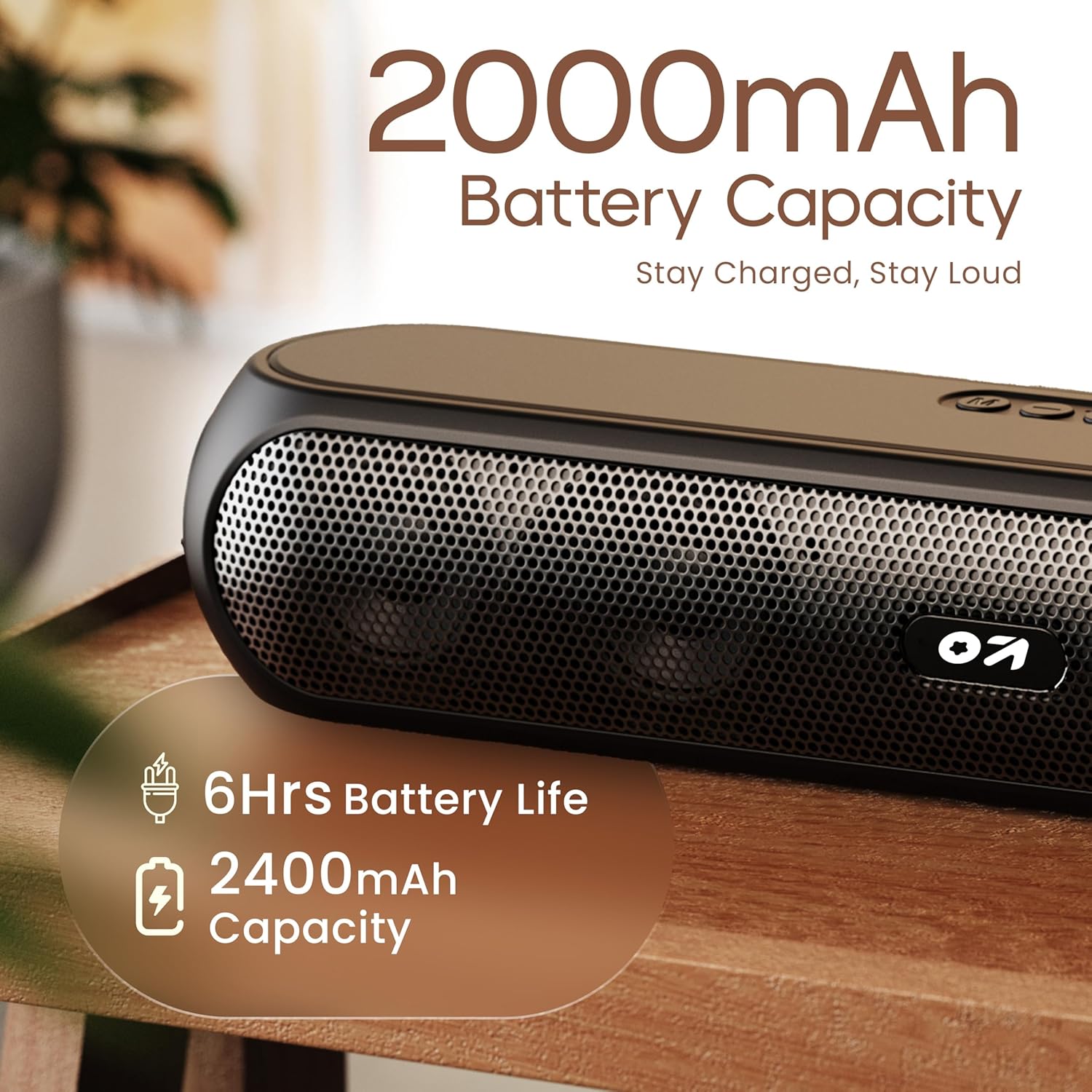
Image 4.1: Battery capacity and estimated playtime.
4.2 Power On/Off
- To power on, slide the ON/OFF switch to the 'ON' position, then press and hold the Power button on the top panel until the indicator light turns on.
- Pou etenn li, peze epi kenbe bouton Power la jiskaske limyè endikatè a etenn.
4.3 Bluetooth Pairing
After powering on, the speaker will automatically enter Bluetooth pairing mode if no other device is connected. The Bluetooth indicator will flash.
- Ensure the speaker is powered on and in Bluetooth mode (indicator flashing).
- Sou aparèy ou an (telefòn entelijan, tablèt, òdinatè pòtab), aktive Bluetooth epi chèche aparèy ki disponib yo.
- Select "GOBOULT Bassbox X20" from the list of devices.
- Once connected, the speaker will emit a confirmation sound, and the Bluetooth indicator will stop flashing and remain solid.
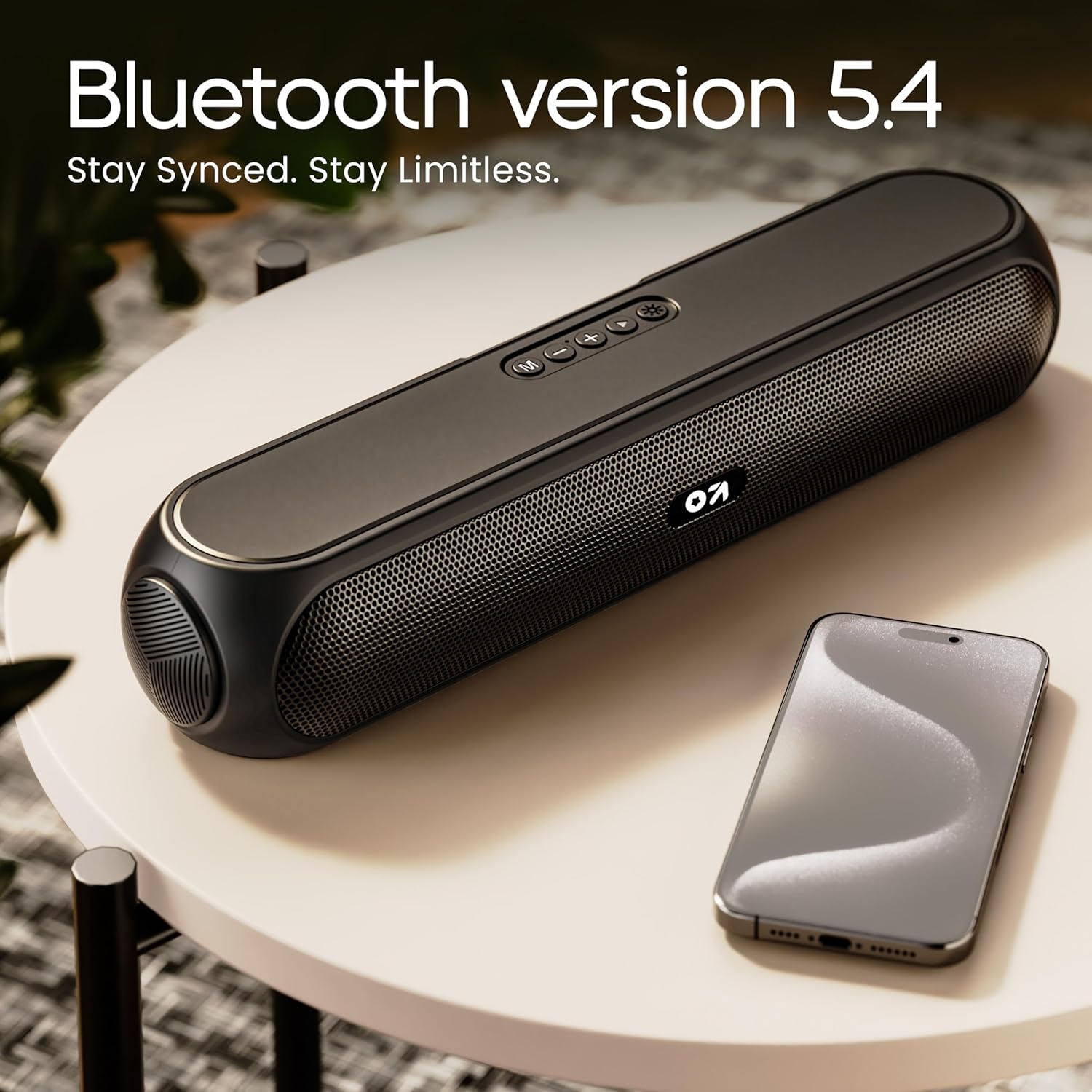
Image 4.2: Bluetooth 5.4 connectivity for seamless pairing.
4.4 Vrèman san fil stereo (TWS) koneksyon
The TWS function allows you to connect two GOBOULT Bassbox X20 speakers for a stereo sound experience.
- Ensure both Bassbox X20 speakers are powered on and not connected to any Bluetooth device.
- On one speaker (this will be the primary speaker), double-press the Mode (M) button. It will emit a sound indicating it's searching for another TWS speaker.
- The second speaker will automatically connect to the primary speaker. Once connected, both speakers will emit a confirmation sound.
- Kounye a, konekte aparèy ou a ak oratè prensipal la atravè Bluetooth jan sa dekri nan Seksyon 4.3. Odyo a ap jwe an stereo nan tou de oratè yo.
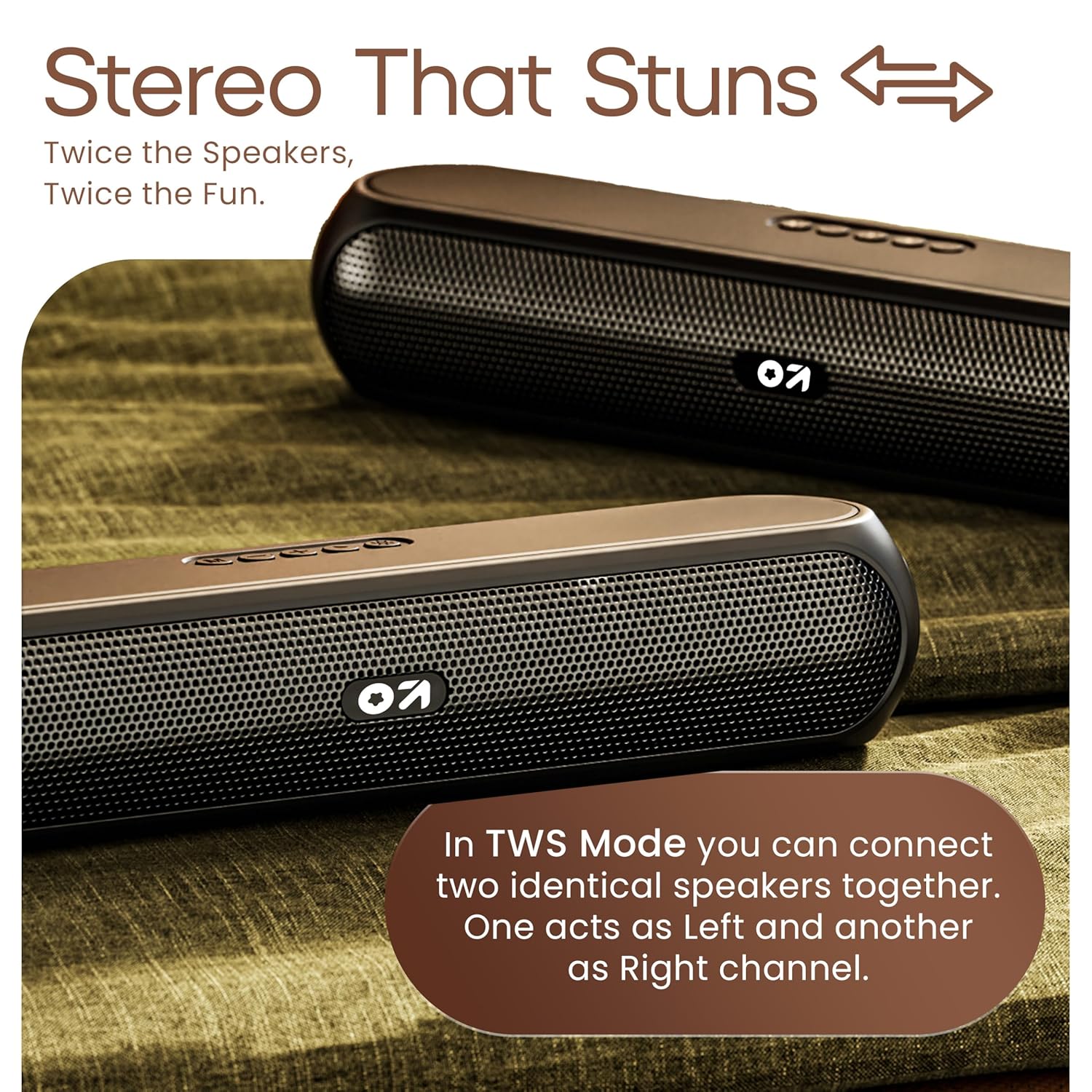
Image 4.3: TWS mode for connecting two speakers.
5. Operasyon
5.1 Chanje mòd
Peze a Mòd (M) button to cycle through available input modes: Bluetooth, AUX, TF Card, and USB.
5.2 Bluetooth mòd
After successful pairing (Section 4.3), you can stream audio wirelessly from your connected device. Use the speaker's volume controls or your device's volume controls to adjust the sound level.
5.3 AUX Mode
- Konekte yon bout kab odyo 3.5mm (pa enkli) nan pò AUX oratè a.
- Konekte lòt bout la nan priz pwodiksyon odyo aparèy ekstèn ou an (pa egzanp, yon lektè MP3, yon òdinatè).
- Peze a Mòd (M) button until the speaker enters AUX mode.
- Control playback and volume from your external device or the speaker's controls.
5.4 Kat TF / Mòd USB
- Insert a TF (MicroSD) card or a USB drive containing audio files nan pò respektif la sou oratè a.
- The speaker will automatically switch to TF Card or USB mode and begin playing audio. If not, press the Mòd (M) bouton an pou chwazi mòd ki kòrèk la.
- Sèvi ak kontwòl oratè a pou jwe/mete sou poz, sote mizik, epi ajiste volim nan.
6. Antretyen
- Keep the speaker away from water, moisture, and extreme temperatures. While water-resistant, it is not waterproof.
- Netwaye oratè a avèk yon twal mou epi sèk. Pa sèvi ak pwodui netwayaj abrazif oswa solvan.
- Evite jete oswa soumèt oratè a nan gwo enpak.
- Lè w pa itilize oratè a pou yon bon bout tan, sere l nan yon kote ki fre epi sèk epi chaje l detanzantan pou batri a rete an bon eta.
NAN. Depanaj
| Pwoblèm | Kòz posib | Solisyon |
|---|---|---|
| Oratè a pa limen. | Low battery. Main power switch off. | Chaje oratè a. Asire w ke switch ON/OFF la nan pozisyon 'ON'. |
| Pa ka konekte atravè Bluetooth. | Speaker not in pairing mode. Device Bluetooth off. Too far from speaker. | Ensure speaker is in Bluetooth pairing mode (flashing indicator). Enable Bluetooth on your device. Move device closer to speaker (within 10 meters). |
| Pa gen son. | Volume too low. Incorrect mode selected. Cable not connected properly (AUX). | Increase volume on speaker and device. Press 'M' button to select correct input mode. Reconnect AUX cable securely. |
| Koneksyon TWS la echwe. | Speakers already connected to other devices. | Disconnect both speakers from any Bluetooth devices before attempting TWS pairing. Ensure both speakers are Bassbox X20 models. |
8. Espesifikasyon
| Karakteristik | Detay |
|---|---|
| Non modèl | Bassbox X20 |
| Kalite Oratè | Pòtab Bluetooth Oratè |
| Sortie pouvwa | 20 Watts |
| Bluetooth vèsyon | 5.4 |
| Gamme Bluetooth | Jiska 10 mèt (33 pye) |
| Opsyon Koneksyon | Bluetooth, Auxiliary (3.5mm), USB, TF Card |
| Kalite batri | Lityòm Polymère |
| Lavi batri | Jiska 6 èdtan (nan 70% volim) |
| Port chaje | Type-C (DC5V) |
| Dimansyon pwodwi | 89D x 38W x 68H Milimèt |
| Pwa atik | 655 gram |
| Nivo rezistans dlo | Water Resistant (not waterproof) |
| Konpozan ki enkli | X20 Soundbar, User Manual, Warranty Card, Charging Cable |
9. Garanti ak sipò
The GOBOULT Bassbox X20 Bluetooth Speaker comes with a Garanti manifakti 1 ane apati dat acha a. Garanti sa a kouvri domaj fabrikasyon ak atizan konn fè nan itilizasyon nòmal.
For warranty claims, technical support, or any inquiries, please refer to the contact information provided on your warranty card or visit the official GOBOULT websit.
Tanpri konsève resi acha ou a kòm prèv acha pou rezon garanti.


