1. Enstriksyon Sekirite Enpòtan
Please read and understand all safety instructions before using the projector. Keep this manual for future reference.
- Vantilasyon: Do not block the projector ventilation holes. Blocking them can cause the internal components to overheat and may lead to fire. Ensure sufficient space around the projector for proper airflow.
- Estabilite: When placing the projector, ensure it is on a stable, flat surface to prevent it from falling.
- Objè etranje: Do not allow objects or liquids to enter the projector. This can cause dangerous voltage points to be touched, resulting in fire or electric shock.
- Câbles: When placing the power cord and connecting cables, arrange them carefully to prevent people from tripping and falling.
- Chalè: Do not bring the projector close to fire or other heat sources to avoid fire.

Image: The bottom of the WOLFANG WP06 Mini Projector packaging, displaying important safety warnings regarding ventilation, foreign objects, and cable placement.
2. Pake kontni
Verifye ke tout atik yo prezan nan pakè ou a:
- WOLFANG WP06 Mini Projector (x1)
- Remote Kontwòl (x1)
- Kab pouvwa (x1)
- HDMI kab (x1)
- Manyèl itilizatè (x1)

Image: The top of the WOLFANG WP06 Mini Projector retail box, featuring the brand logo and a line drawing of the projector.
3. Pwodwi souview
The WOLFANG WP06 Mini Projector is designed for portability and ease of use, featuring a compact form factor and versatile projection capabilities.
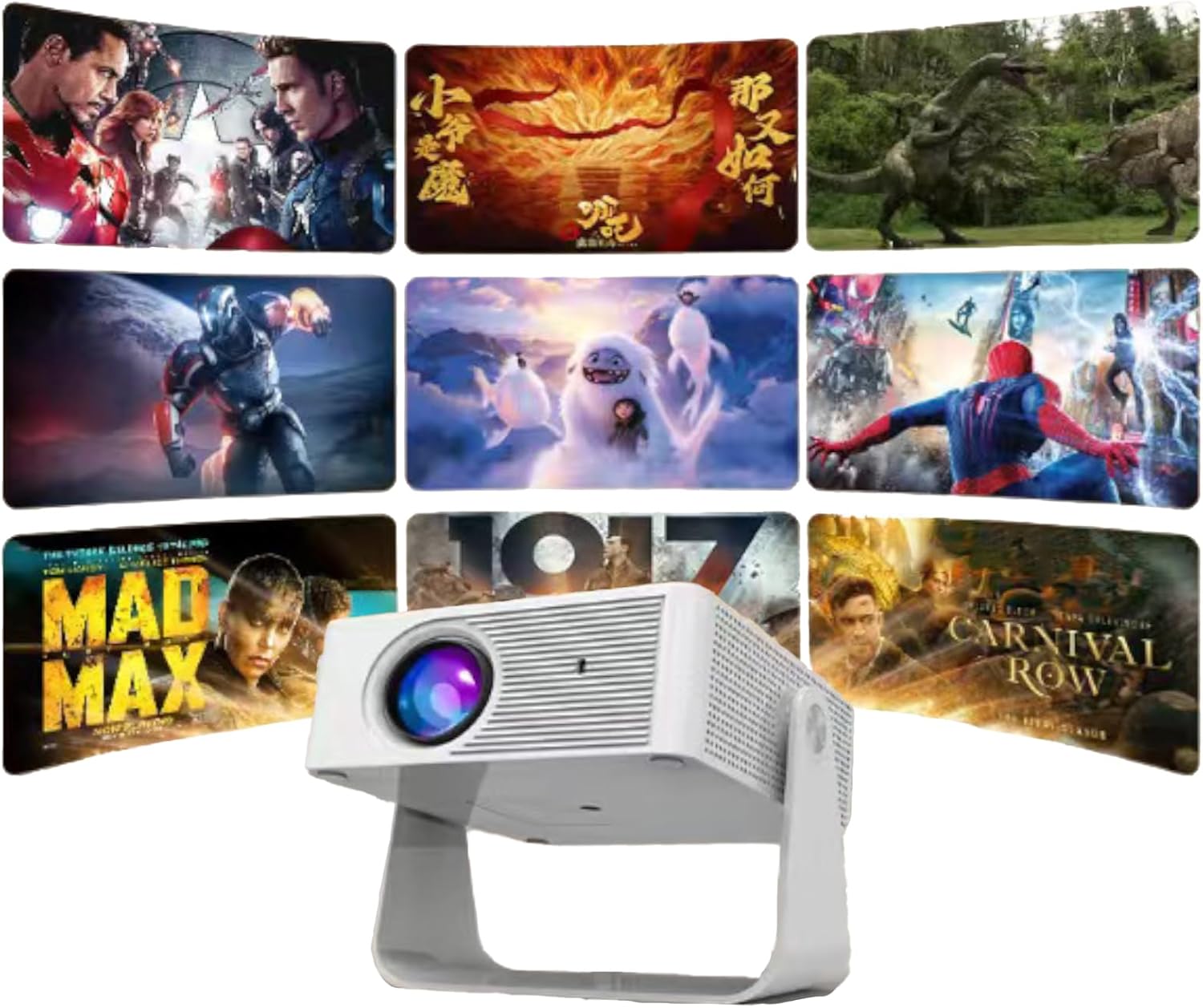
Imaj: Yon fasad view of the WOLFANG WP06 Mini Projector, showcasinlantiy li yo ak konsepsyon kontra enfòmèl ant li yo.
Karakteristik kle:
- Konsepsyon kontra enfòmèl ant: Palm-sized dimensions (4.8 x 3.7 x 3.4 inches) and lightweight (320g) for portability.
- Sipò ki ka vire 360°: Integrated stand allows for flexible projection angles and multiple mounting options (ceiling, wall, tabletop, tripod).
- 1080P Support: Supports 1080P image quality for clear visuals.
- Koreksyon Auto Vertical Keystone: Automatically adjusts vertical image distortion for a properly rectangular picture.
- 50% Zoom Function: Allows for lossless image size reduction from 100% to 50%.
- Eye Care Lens: Features an improved lens designed to reduce harmful blue light.
- Operasyon ki ba bri: Innovative cooling technology minimizes fan noise.
- Koneksyon miltip: HDMI, USB, and wired screen mirroring for iOS/Android devices.

Imaj: Yon bò view of the WOLFANG WP06 Mini Projector packaging, illustrating key features such as easy projection adjustment, mini size, and multiple input options.
4. Enstalasyon
4.1 Plasman
Position the projector on a stable surface or mount it according to your preference. The integrated 360° rotating stand allows for flexible angle adjustments. For ceiling or wall mounting, utilize the 1/4" screw holes located at the bottom of the projector.
4.2 Koneksyon pouvwa
- Konekte kab kouran ki vini ak li a nan pò antre kouran pwojektè a.
- Branche lòt bout kab kouran an nan yon priz elektrik ki apwopriye.
4.3 Premye pouvwa sou
Peze bouton pouvwa a sou pwojektè a oswa sou kontwòl remote la pou limen aparèy la. Pwojektè a pral kòmanse sekans demaraj li.
5. Operasyon Enstriksyon
5.1 Koreksyon Fokus ak Keystone
- Ajisteman konsantre: Vire bag konsantre a sou lantiy pwojektè a jiskaske imaj la parèt byen file epi klè.
- Koreksyon Auto Vertical Keystone: The projector features automatic vertical keystone correction. If the image appears trapezoidal vertically, the projector will automatically adjust it to a rectangular shape.
5.2 Screen Mirroring (iOS and Android)
- Aparèy iOS: Connect your iOS device directly to the projector using a Lightning/USB-C to USB cable. No additional HDMI adapter is required for this method.
- Aparèy Android: Android devices can be connected via an HDMI adapter or a Chromecast wireless adapter.
- Nòt sou sèvis difizyon an: Due to HDCP copyright restrictions, direct screen mirroring of content from streaming services like Netflix, Prime Video, and Hulu may not be supported. It is recommended to use a TV stick or Chromecast for these platforms.
5.3 Konekte Aparèy Ekstèn yo
The projector is equipped with HDMI and USB ports for connecting various external devices.
- HDMI Port: Connect laptops, TV sticks, gaming consoles (e.g., PS5), DVD players, or other HDMI-enabled devices using the provided HDMI cable. Select the HDMI input source on the projector.
- Pò USB: Connect USB storage devices for media playback or use for wired mobile phone screen projection.
- Oratè ekstèn: External speakers can be connected via the HDMI port (if the speaker supports HDMI ARC) or potentially via a dedicated audio output port if available (check projector for specific port).
5.4 Fonksyon Zoom
The projector supports a lossless zoom function, allowing you to reduce the image size from 100% down to 50%. This is useful for adjusting the projection size without moving the projector, especially in smaller spaces.

Image: The WOLFANG WP06 Mini Projector projecting multiple movie scenes onto a wall, demonstrating its multimedia capabilities.
6. Antretyen
6.1 Netwayaj
- Lantiy: Sèvi ak yon twal mou ki pa gen pousyè, espesyalman fèt pou lantiy optik, pou netwaye lantiy pwojektè a dousman. Evite materyèl abrazif oswa pwodui chimik ki agresif.
- Eksteryè: Siye deyò pwojektè a avèk yon twal mou epi sèk. Pa sèvi ak pwodui netwayaj likid dirèkteman sou aparèy la.
- Vantilasyon: Periodically check and gently clean the ventilation openings to ensure they are free from dust and debris, maintaining optimal airflow.
6.2 Depo
When not in use, store the projector in a cool, dry place, away from direct sunlight and extreme temperatures. If storing for an extended period, consider placing it in its original packaging or a protective case to prevent dust accumulation and damage.
NAN. Depanaj
- Pa gen pouvwa: Ensure the power cable is securely connected to both the projector and the power outlet. Check if the power outlet is functional.
- Pa gen imaj: Verify that the correct input source is selected on the projector. Check all cable connections (HDMI, USB) to external devices. Ensure the lens cap is removed.
- Imaj flou: Adjust the focus ring on the lens. Ensure the projection surface is flat and the projector is at an appropriate distance.
- Image Distorted (not rectangular): The projector has auto vertical keystone correction. If issues persist, try repositioning the projector.
- Pa gen son: Check the volume settings on both the projector and the connected source device. If using external speakers, ensure they are properly connected and powered on.
- Kontwòl Remote pa travay: Ensure the batteries in the remote control are correctly inserted and not depleted. Point the remote directly at the projector's IR receiver.
8. Espesifikasyon
| Karakteristik | Spesifikasyon |
|---|---|
| Mak | WOLFANG |
| Modèl | WP06 |
| Teknoloji ekspozisyon | LCD |
| Kalite ekspozisyon | LED, LCD |
| Rezolisyon natif natal | 1920 x 1080 Pixels (1080P FHD Supported) |
| Imaj klète | 16000 Lumen (Marketing term, actual ANSI lumens may vary) |
| Aspè rapò | 16:9 |
| Rafrechisman pousantaj | 60 Hz |
| Koneksyon Teknoloji | Wired mobile phone screen projection, USB, HDMI |
| Entèfas Materyèl | HDMI, USB |
| Aparèy konpatib | Laptops, smartphones, TV sticks, gaming consoles, media players |
| Karakteristik espesyal | 2025 Eye Care Lens, 360° Rotating Stand, 50% Zoom, Auto Vertical Keystone Correction, Innovative Cooling Technology |
| Faktè fòm | Pòtab |
| Kalite aliye | Ceiling Mount, Wall Mount, Tabletop Mount |
| Dimansyon pwojektè | 4.8 x 3.7 x 3.4 pous |
| Pwojektè Pwa | 320 g |
| Dimansyon pake | 19.2 x 16.8 x 7.6 cm |
| Pwa pake | 620 g |

Image: A visual comparison demonstrating the enhanced clarity of a 1080P image versus a 720P image, highlighting the projector's display capabilities.
9. Garanti ak sipò
WOLFANG is committed to providing quality products and customer service.
- Garanti: The WOLFANG WP06 Mini Projector comes with a 2-year repair warranty.
- Sipò teknik: Yo bay sipò teknik pou tout lavi pou pwodui sa a.
Enfòmasyon pou kontakte:
For any questions, suggestions, or support needs, please contact WOLFANG through the following channels:
- Imèl: sipò.vc@wolfang.co
- Websit: www.wolfang.co
- YouTube: WOLFANG Official (for unboxing and operation videos)
- WhatsApp: +86 19527121389
- Instagbelye mouton: Ofisyèl WOLFANG
- Facebook: WOLFANG Projector

Imaj: Yon bò view of the WOLFANG WP06 Mini Projector packaging, listing various contact methods for customer support and warranty information.


