1. Entwodiksyon
Welcome to the user manual for your new Caydo Automatic i Cord Knitting Machine Pro. This device is designed to simplify and accelerate the creation of i-cords for various craft projects. Please read this manual thoroughly before operation to ensure proper use and longevity of your machine.
2. Pake kontni
Verifye ke tout atik ki nan lis anba a yo enkli nan pakè ou a:
- Knitting Machine (1)
- Yarn Guide (1)
- Adaptè pouvwa (1)
- Spare Hooks (8)
- Crochet Hook (1)
- Sewing Needles (1)
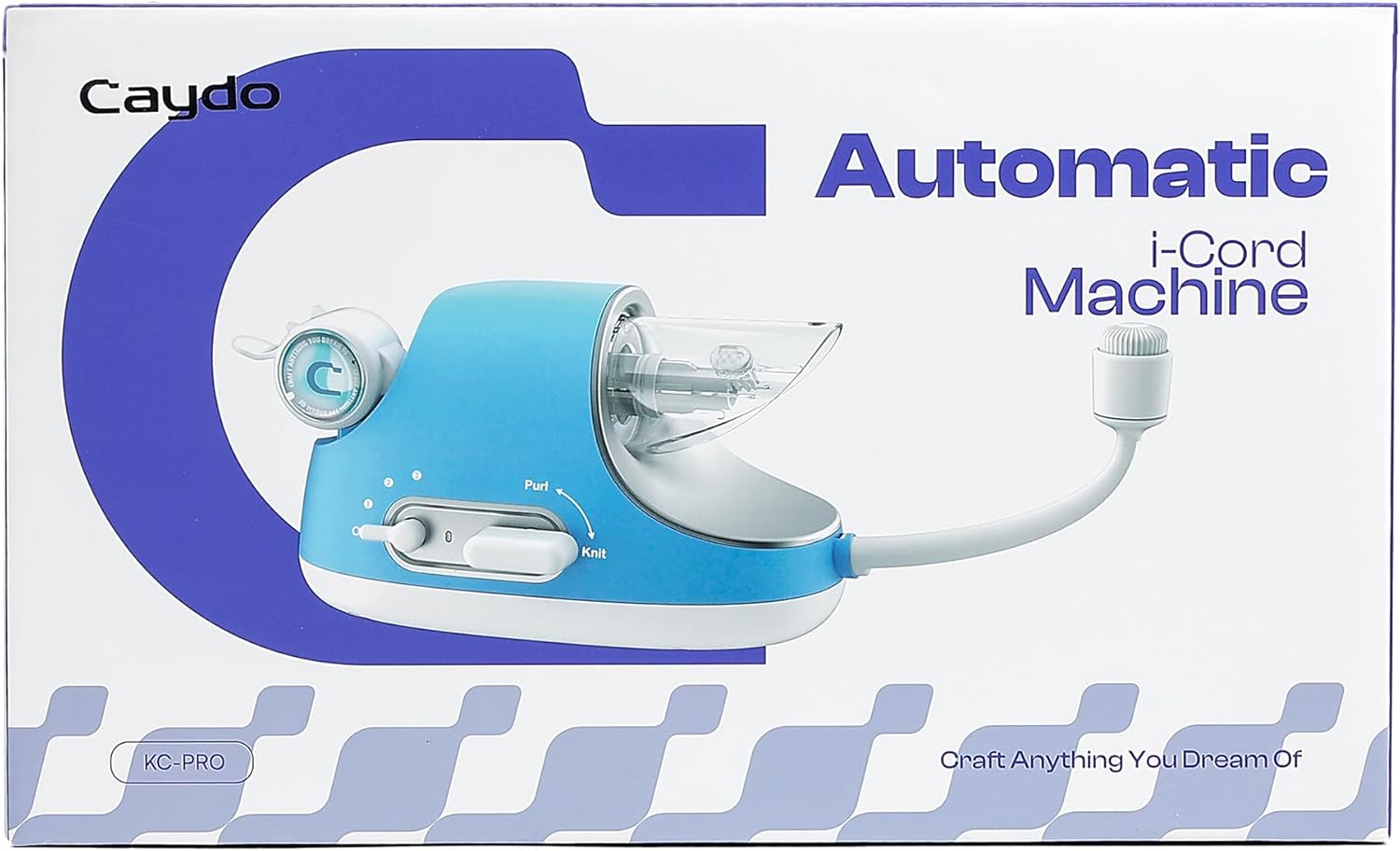
Description: An image displaying the Caydo Automatic i Cord Knitting Machine Pro alongside its accessories, including the power adapter, yarn guide, spare hooks, crochet hook, and sewing needles.
3. Enstalasyon
3.1 Premye Asanblaj
- Install the Yarn Guide: Securely attach the yarn guide arm to the machine using the provided screw.

Description: A hand is shown using a screwdriver to attach the white yarn guide arm to the side of the blue knitting machine.
- Koneksyon pouvwa: Connect the power adapter to the machine and a suitable power outlet. Ensure the machine's switch is in the "Off" position before plugging in.
3.2 Yarn Selection
The Caydo Automatic i Cord Knitting Machine Pro is compatible with yarn diameters between 1.3mm and 2.8mm. Proper yarn selection is crucial for optimal performance.
- Recommended Yarn Weights:
- Fine (Weight 2): Sport, Baby (WPI 12-18)
- Light (Weight 3): DK, Light Worsted (WPI 11-15)
- Medium (Weight 4): Worsted, Afghan, Aran (WPI 9-12) - Note: Ensure it is a thin #4 worsted weight yarn.
- Unsuitable Yarn Types: Bulky, Fluff, Yarn with Hole, Too Fine Yarn. These types may cause tangles or skipped stitches.

Description: A chart illustrating recommended yarn weights (Fine, Light, Medium) with corresponding common names and WPI (wraps per inch), along with examples of unsuitable yarn types (Cotton Blend, Fluff, Bulky, Yarn with Hole, Too Fine).
4. Operasyon Enstriksyon
4.1 Mete fil nan machin nan
- Fil Inisyal: Guide the yarn through the yarn guide and into the transparent knitting machine channel.

Description: A hand guides yellow yarn through the white yarn guide arm and into the transparent knitting mechanism of the blue machine using a blue threading tool.
- Hook Preparation: Turn the Knit/Purl switch to the "Knit" position. Manually turn the white knob on the side of the machine to ensure all hooks are open and ready to catch the yarn.

Description: A hand is shown manually turning the white knob on the side of the machine to prepare the hooks for knitting, with the switch set to 'Knit'.
- Yarn Placement on Hooks: Using the provided crochet hook, carefully catch the yarn on the first hook, skip the second, catch on the third, and skip the fourth. Ensure one yarn strand is positioned under the tongue of the first hook and one is inside the tongue.
4.2 Starting the Knitting Process
- Initial Pull: Gently pull the yarn emerging from the front of the machine to maintain slight tension.
- Pouvwa sou: Turn the power switch to speed 1. After approximately 10 seconds, you can release the yarn, and the machine will continue knitting automatically.

Description: A hand holds the knitted yellow i-cord emerging from the machine while another hand operates the power switch, set to speed 1.
- Ajiste vitès: The machine offers three adjustable speeds (30cm/min, 45cm/min, 60cm/min). Select the desired speed using the speed selector switch located on the machine.

Description: A close-up of the machine's speed settings (1, 2, 3) corresponding to 30cm/min, 45cm/min, and 60cm/min, highlighting its speed capabilities.

Description: The blue knitting machine is shown with a coiled yellow i-cord. The speed selector switch is visible, indicating three speed options.
4.3 Finishing the i-Cord
Once your i-cord reaches the desired length, turn the machine off. Cut the yarn, leaving a tail of sufficient length. Manually turn the knob to release the loops from the hooks. Use the provided sewing needle to thread the yarn tail through the open loops to secure the end, preventing unraveling.

Description: A blue automatic i-cord knitting machine is shown producing a pink i-cord, with various colorful yarn balls in the background, emphasizing its hands-free operation.
4.4 Karakteristik kle
- Konsepsyon itilizatè-zanmitay: Features auto-guiding wheels for stable i-cord production, a tension spring to prevent yarn vibration, and a transparent cover for easy monitoring.
- Pwisan motè: Ensures stable knitting without knots, jams, or skipped stitches.
- Konstriksyon dirab: Made from premium ABS+POM material for enhanced durability and a longer lifespan.

Description: A collage of images highlighting user-friendly features: iCord Guide Wheel for automatic transfer, 17mm wide wheel to prevent slipping, Yarn Guide for tension, and a Transparent Cover to monitor progress.

Description: An X-ray view of the machine's internal gears and motor, illustrating its powerful and stable transmission structure, with speed indicators (30cm/min, 45cm/min, 60cm/min).

Description: A close-up of the machine's components, highlighting the durable ABS+POM material used in its construction.
5. Antretyen
5.1 Netwayaj
Regularly clean the machine to prevent yarn fibers from accumulating, which can affect performance. Use compressed air or a soft brush to remove dust and lint from the knitting mechanism.
5.2 Lubrification
Apply a small amount of the provided grease to moving parts as needed to ensure smooth operation. Refer to the manual for specific lubrication points.
NAN. Depanaj
If you encounter issues such as skipped stitches, tangles, or the machine bogging down, refer to the detailed tutorials provided.
- Konsilte manyèl la: The included manual contains clear instructions and diagrams for common issues.
- Didacticiel Videyo: Scan the QR code in the manual or visit the official Caydo website for step-by-step video guides.
- Sèvis Kliyan: If problems persist, contact Caydo customer service for further assistance.
6.1 Pwoblèm komen ak solisyon yo:
Sote pwen:
- Ensure yarn tension is consistent.
- Check that the yarn is correctly threaded through all hooks.
- Verify yarn compatibility (avoid bulky or too fine yarns).
Yarn Tangles:
- Ensure the yarn ball is free-flowing and not snagging.
- Use a yarn holder or place the yarn on the floor to allow it to unwind smoothly.
Machine Slows Down/Stops:
- Check for yarn jams or knots within the mechanism.
- Asire w adaptè pouvwa a byen konekte.
- Verify yarn compatibility; very thick yarns can strain the motor.
6.2 Official Troubleshooting Videos:
Deskripsyon: Videyo sa a bay yon apèsi jeneral souview of the Caydo iCord Maker Tool for Fast DIY Craft Project, demonstrating its basic operation and potential uses.
Description: This video demonstrates the Auto iCord Knitter Pro in action, highlighting its efficiency for DIY handicraft creation and showing various projects made with the machine.
7. Espesifikasyon
| Karakteristik | Detay |
|---|---|
| Nimewo Modèl | KC-PRO |
| Mak | Kaydo |
| Dimansyon pwodwi | 12.99 x 4.33 x 5.12 pous (4.33"P x 13.38"L x 5.12"H) |
| Pwa atik | 1.89 liv |
| Manifakti | Kaydo |
| Anviwònman vitès | 3 levels (30cm/min, 45cm/min, 60cm/min) |
| Materyèl | Durable ABS+POM Plastic |
8. Garanti ak sipò
For warranty information, product support, or any inquiries, please refer to the contact details provided in your product packaging or visit the official Caydo websit.
9. Additional Tips for Crafting
The Caydo Automatic i Cord Knitting Machine Pro is a versatile tool that can be used for a wide range of creative projects. Its automatic operation allows you to produce long lengths of i-cord quickly, freeing up time for other creative tasks.
- Pwojè kreyatif: Use the i-cords for making headbands, bracelets, decorative trims, small baskets, or even shaping them with craft wire for custom designs.
- Efficient Production: The automatic operation allows you to produce long lengths of i-cord quickly, freeing up time for other creative tasks.
- Ide kado: The machine comes in exquisite packaging, making it an ideal gift for yarn craft enthusiasts.

Description: A collage of various craft projects made with i-cords, including cacti, gingerbread figures, a headband, a pillow, a cake, and a small basket, showcasing the machine's versatility.

Description: A crafter is shown working with the i-cord machine, surrounded by colorful yarn and finished i-cord projects like bracelets and decorative items.

Description: The i-cord machine is shown on a desk, producing a yellow i-cord, with a person and a dog in the background, symbolizing reclaimed time for relaxation.

Description: A collage of people happily receiving and using the i-cord machine as a gift, emphasizing its appeal to craft lovers.

Description: A smiling woman holds the packaged i-cord machine, surrounded by colorful yarn and various i-cord craft projects, highlighting its suitability as a gift.
Description: A vertical video showcasing various creative projects that can be made with the Caydo iCord Machine, such as headbands, decorative items, and small figures.


