1. Entwodiksyon
This manual provides detailed instructions for the proper use and maintenance of your LIGE Smart Watch FV6-B2. Please read this manual thoroughly before using the device to ensure optimal performance and longevity.
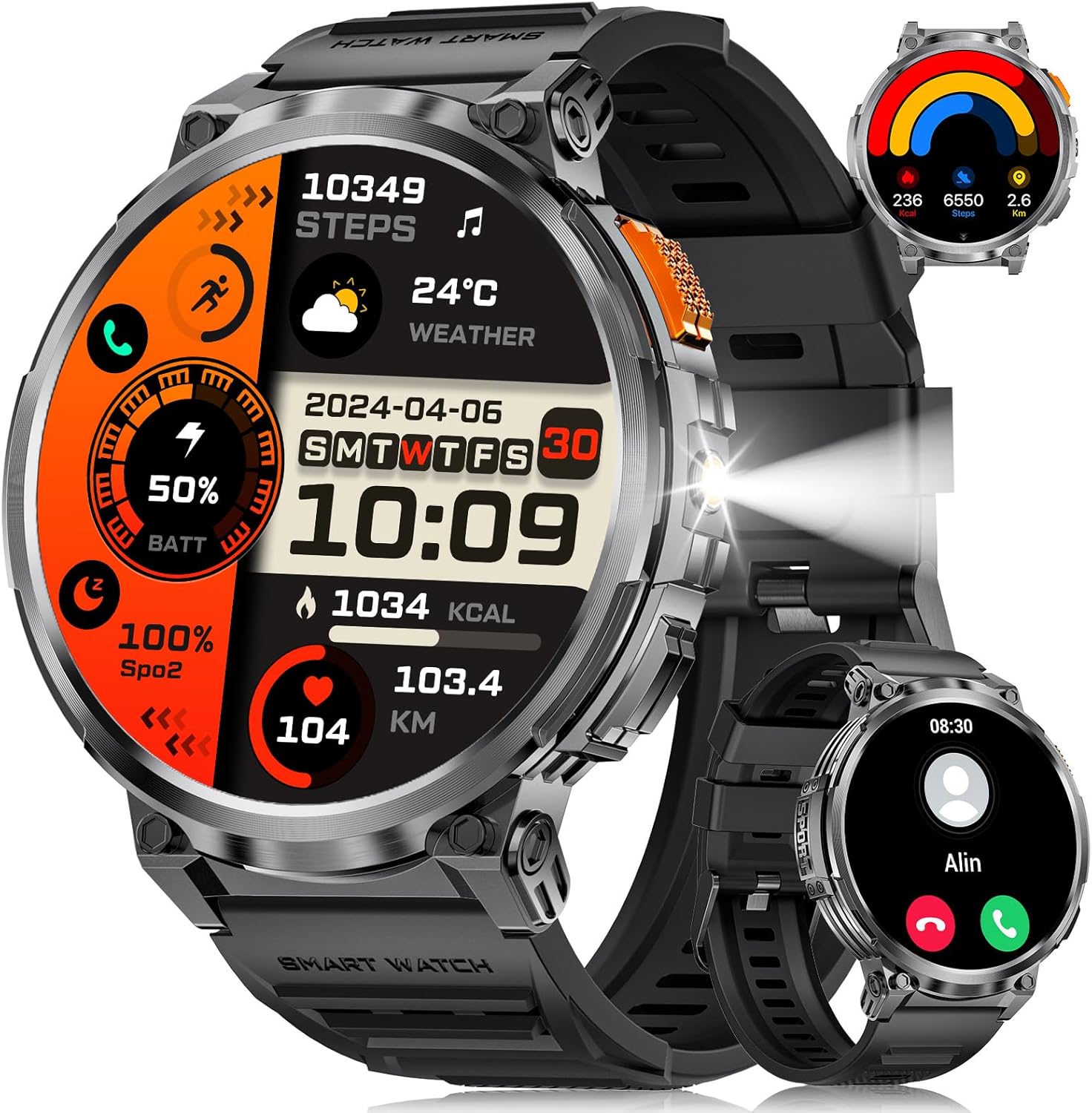
Imaj 1.1: LIGE Smart Watch FV6-B2 displaying various health and activity metrics.
2. Pake kontni
Verifye ke tout atik yo prezan nan pakè a:
- 1 x LIGE Smart Watch FV6-B2
- 1 x Watch Strap (pre-installed or separate)
- 1 x kab chaje
- Accessories and Extension Tools (for strap adjustment, if applicable)
- 1 x Manyèl Itilizatè (dokiman sa a)
3. Gid Enstalasyon
3.1 Premye chaj
Before first use, fully charge your smartwatch. Connect the provided charging cable to the watch and a compatible USB power source. A full charge typically takes approximately 2.5 hours. The watch features a 730mAh battery, providing extended usage time.

Imaj 3.1: Smartwatch connected to its charging cable, highlighting the 730mAh battery.
3.2 Enstalasyon ak koneksyon aplikasyon an
To unlock the full functionality of your LIGE Smart Watch FV6-B2, download and install the companion application on your smartphone. The watch is compatible with Android 4.4 and iOS 8.0 or above. Refer to the quick start guide or packaging for the specific app name and QR code.
- Scan the QR code provided in the watch packaging or search for the app in your smartphone's app store.
- Enstale aplikasyon an sou smartphone ou.
- Louvri app a epi swiv enstriksyon ki sou ekran an pou kreye yon kont oswa konekte.
- Pèmèt Bluetooth sou smartphone ou.
- Within the app, search for your LIGE Smart Watch FV6-B2 and initiate the pairing process.
- Konfime demann koneksyon an sou tou de smartphone ou ak smartwatch la.
For visual guidance, a connection video may be available. Check the product page or manufacturer's websit pou plis enfòmasyon.
4. Operasyon Enstriksyon
4.1 Navige nan Entèfas la
The LIGE Smart Watch FV6-B2 features a 1.85-inch HD display with a 360x360 resolution and a highly responsive touch interface. Navigate through menus and functions with simple swipes and taps.
- Glise anlè/desann: Defile nan notifikasyon yo oswa opsyon meni yo.
- Glise agoch/dwat: Jwenn aksè rapid a widjèt oswa diferan kadran mont.
- Tape: Chwazi yon atik oubyen louvri yon aplikasyon.
- Bouton bò: Typically used to return to the home screen, power on/off, or access the app list.

Imaj 4.1: Detaye view of the 1.85-inch HD display.
4.2 Apèl ak Notifikasyon Bluetooth
Once paired with your smartphone, the watch supports Bluetooth calling and displays notifications.
- Fè/Reponn Apèl: Use the built-in microphone and speaker to handle calls directly from your wrist. Access the dial keypad or call records on the watch.
- Notifikasyon mesaj: Receive alerts for incoming messages from various applications (e.g., SMS, social media).

Imaj 4.2: Bluetooth calling and notification features on the smartwatch.
4.3 Siveyans Sante
The watch utilizes advanced biosensor technology for continuous health tracking.
- Siveyans batman kè: Mezire batman kè ou pandan tout jounen an.
- Siveyans tansyon: Bay lekti tansyon.
- Siveyans dòmi: Tracks your sleep patterns, including deep and light sleep stages. View detailed sleep reports in the companion app.

Imaj 4.3: Sleep monitoring interface on the smartwatch.
4.4 Mòd Espò ak Suivi Aktivite
The watch supports over 120 sports modes to track your physical activities.
- Mòd entegre: Access over 20 pre-installed exercise modes.
- Mòd pèsonalize: Add over 100 additional sports modes via the app (e.g., running, badminton, baseball).
- Tracking Metrics: Records training history, speed, rhythm, heart rate, and steps to help plan and improve exercise efficiency.

Imaj 4.4: Plis paseview of multiple sports tracking modes.
4.5 Fonksyon adisyonèl
The LIGE Smart Watch FV6-B2 includes several utility features:
- Pwedi tan
- Asistan vwa
- Revèy
- Kronomètr
- Pedomètr
- Music Control Playback
- Kontwòl Photo
- Rapèl dlo pou bwè
- Multi-language Switching
- Suivi Sante Fanm yo
- Ajisteman klète
- Pa deranje mòd
- Mete yon modpas
- Raise Hand to Turn On Screen
- Built-in Flashlight (range up to 20m)

Imaj 4.5: Multifunctional interface showing various features.
Over 200 watch desktop faces can be downloaded and switched. You can also customize the watch face with your favorite pictures.
5. Antretyen
5.1 Rezistans dlo
The LIGE Smart Watch FV6-B2 has an IP68 waterproof rating. This means it is protected against dust ingress and can withstand immersion in water up to 1.5 meters for up to 30 minutes. It is suitable for use in rainy conditions, during sweating, or while showering. However, it is not recommended for diving or high-pressure water activities.

Imaj 5.1: Smartwatch demonstrating its IP68 waterproof capability.
5.2 Netwayaj ak swen
- Netwaye mont lan ak braslè a regilyèman avèk yon twal mou,amp twal.
- Evite itilize pwodui chimik ki fò, pwodui netwayaj abrazif, oswa solvan, paske sa yo ka domaje fini ak sele mont lan.
- Asire w ke kontak chaj yo pwòp epi sèk anvan ou chaje yo pou anpeche yo koroze.
- Sere mont lan nan yon kote ki fre epi sèk lè w pa ap itilize li.
NAN. Depanaj
6.1 Watch Will Not Turn On
- Chaje mont lan lè l sèvi avèk kab yo bay la pou omwen 10 minit.
- If it still does not turn on, press and hold the side button for 10 seconds to force a restart.
- If the issue persists, charge the watch fully for 2.5 hours.
- If the watch still does not power on after these steps, contact customer support.
6.2 Watch Stopped Working Suddenly
- Restart the watch by pressing and holding the side button for 10 seconds.
- Asire w ke mont lan chaje ase.
- If the problem continues, consider resetting the watch via the settings menu: Settings > System > Reset. Note that a reset will erase all data on the watch.
- Si pwoblèm nan kontinye, kontakte sipò kliyan.
6.3 Pwoblèm koneksyon (Bluetooth)
- Ensure Bluetooth is enabled on both your smartphone and the smartwatch.
- Make sure the watch is within the Bluetooth range of your smartphone (typically 10 meters or 33 feet).
- Rekòmanse tou de smartphone ou ak smartwatch la.
- Unpair and re-pair the watch through the companion app.
- Check if the companion app is running in the background and has necessary permissions.
7. Espesifikasyon
| Karakteristik | Detay |
|---|---|
| Nimewo Modèl | FV6-B2 |
| Gwosè ekspozisyon | 1.85 pous |
| Rezolisyon ekspozisyon | 360x360 piksèl |
| Kapasite batri | 730 mAh (Lityòm Polymè) |
| Tan pou chaje | Apeprè. 2.5 èdtan |
| Itilizasyon tipik Dire lavi batri a | 15+ jou |
| Lavi Batri An Sibstiti | 50+ jou |
| Evalyasyon rezistans dlo | IP68 |
| Koneksyon | Bluetooth |
| OS konpatib | Android 4.4 ak pi wo a, iOS 8.0 ak pi wo a |
| Sistèm operasyon | AsteroidOS |
| Kapasite Depo memwa | 128 MB |
| Pwa atik | 8.8 ons |
| Dimansyon pake | 8.07 x 3.78 x 0.87 pous |
8. Garanti ak sipò
8.1 Enfòmasyon sou Garanti
Specific warranty details are not provided in the available product information. Please refer to the warranty card included in your product packaging or contact the manufacturer directly for comprehensive warranty terms and conditions.
8.2 Sipò pou Kliyan
Should you encounter any issues or have questions regarding your LIGE Smart Watch FV6-B2, please contact our customer support team. We aim to respond to all inquiries within 24 hours.
For support, please visit the official LIGE websit la oubyen gade enfòmasyon kontak ki nan anbalaj pwodwi a.
9. Videyo pwodwi ofisyèl yo
No official product videos from the seller were found in the provided data for this model. Please check the product's online listing or the manufacturer's websit pou nenpòt resous videyo ki disponib.


