1. Entwodiksyon
Mèsi pou acha aasing the THOMSON 50-inch UHD LED Smart TV. This manual provides essential information for the safe and efficient use of your television. Please read it thoroughly before operating the device and retain it for future reference.
Enstriksyon Sekirite Enpòtan
- Li tout enstriksyon yo anvan ou sèvi ak televizyon an.
- Kenbe enstriksyon sa yo pou referans nan lavni.
- Obsève tout avètisman ki sou aparèy la ak nan enstriksyon yo fonksyone.
- Swiv tout enstriksyon yo.
- Pa sèvi ak aparèy sa a toupre dlo.
- Netwaye sèlman ak yon twal sèk.
- Pa bloke okenn ouvèti vantilasyon. Enstale li dapre enstriksyon manifakti a.
- Pa enstale tou pre okenn sous chalè tankou radyatè, rejis chalè, recho, oswa lòt aparèy (tankou amplifiers) ki pwodui chalè.
- Pwoteje kòd elektrik la pou yo pa mache oswa kwense, sitou nan priz, resipyan konvenyans, ak pwen kote yo sòti nan aparèy la.
- Itilize sèlman atachman/akseswa manifakti a espesifye.
- Deploge aparèy sa a pandan tanpèt zèklè oswa lè li pa itilize pou yon peryòd tan ki long.
- Refere tout sèvis yo bay pèsonèl sèvis kalifye. Reparasyon nesesè lè aparèy la domaje nenpòt fason, tankou kòd kouran oswa ploge domaje, likid koule oswa objè tonbe nan aparèy la, aparèy la te ekspoze a lapli oswa imidite, li pa fonksyone nòmalman. , oswa li te tonbe.
2. Ki sa ki nan bwat la
Tanpri verifye ke tout konpozan yo prezan epi yo an bon kondisyon:
- Adaptè pouvwa
- Pouvwa kab
- Kontwòl Remote
- Kanpe
- Manyèl Itilizatè (dokiman sa a)
3. Enstalasyon
3.1 Asanblaj Sipò a
Carefully place the TV screen-down on a soft, flat surface to prevent damage. Attach the stand feet to the designated slots on the bottom of the TV using the provided screws. Ensure they are securely fastened.

Image: This diagram illustrates the physical dimensions of the television, including its width, height, and depth, as well as the footprint of the stand. The screen diagonal is 126 cm (50 inches).
3.2 Konekte pouvwa
Connect the power adapter to the TV's power input, then plug the power cable into a suitable wall outlet. The TV will enter standby mode.
3.3 Premye Limen ak Premye Enstalasyon
Press the power button on the remote control or the TV to turn it on. Follow the on-screen instructions to complete the initial setup, which typically includes:
- Seleksyon lang
- Koneksyon rezo (Wi-Fi oswa Ethernet)
- Koneksyon oswa kreyasyon kont Fire TV
- Channel scanning for the triple tuner (DVB-C/S2/T2)
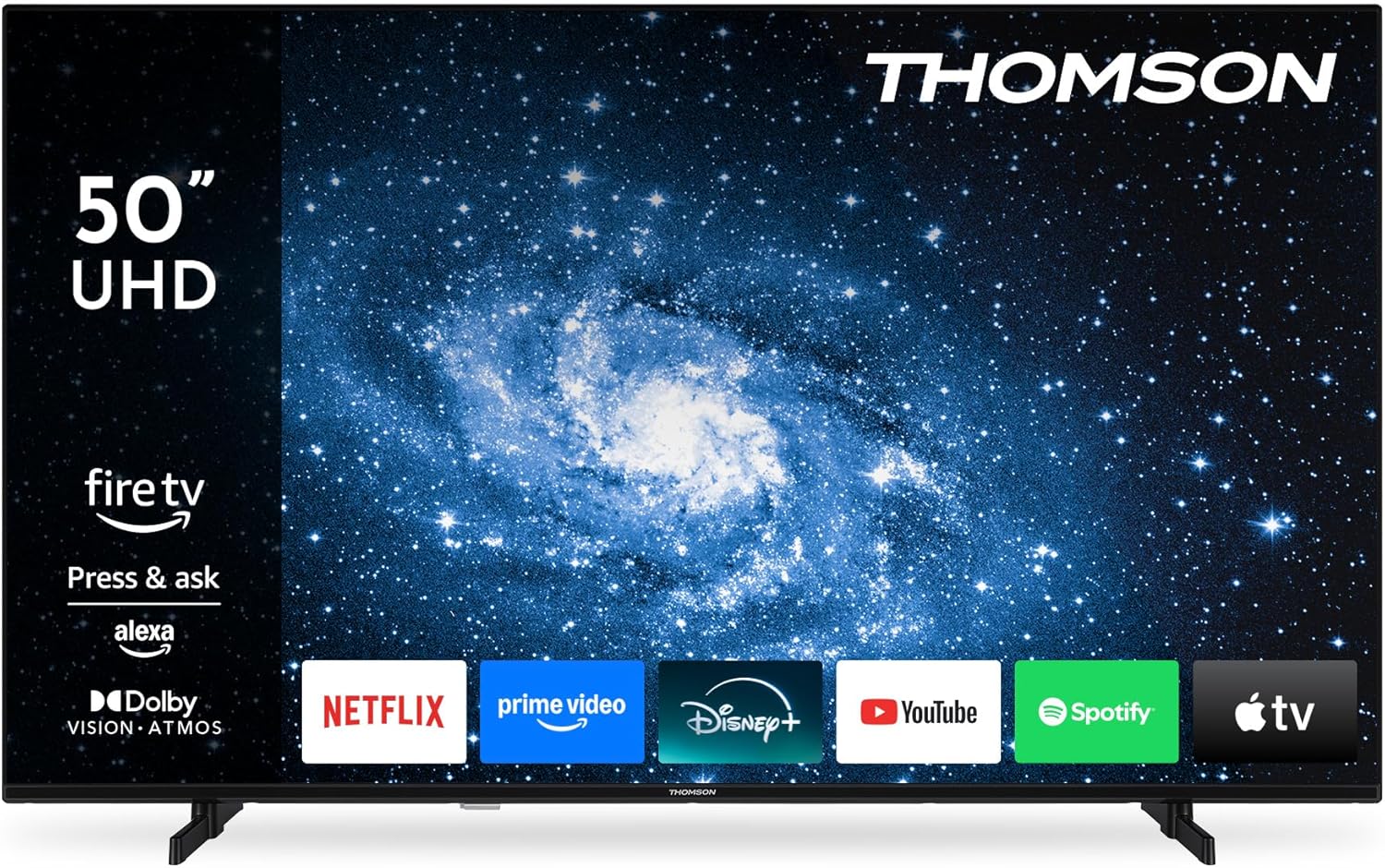
Imaj: Devan an view of the Thomson 50-inch TV, showcasing its display with the Fire TV operating system interface and various streaming application icons.
3.4 Enstalasyon kontwòl remote
The included Bluetooth remote control is pre-paired. If re-pairing is needed, follow the instructions in the Fire TV settings menu.

Image: This image displays the remote control, emphasizing its ergonomic design and the dedicated buttons for popular streaming services and the Alexa voice assistant.
4. Opere televizyon ou
4.1 Entèfas Fire TV
Navigate the Fire TV interface using the remote control's directional pad. The home screen provides access to your favorite streaming services, apps, and live TV. You can create multiple user profiles for personalized recommendations and settings.
4.2 Kontwòl Vwa Alexa
Press the Alexa button on your remote control and speak your commands. Alexa can search for content, launch apps, control playback, and manage compatible smart home devices.
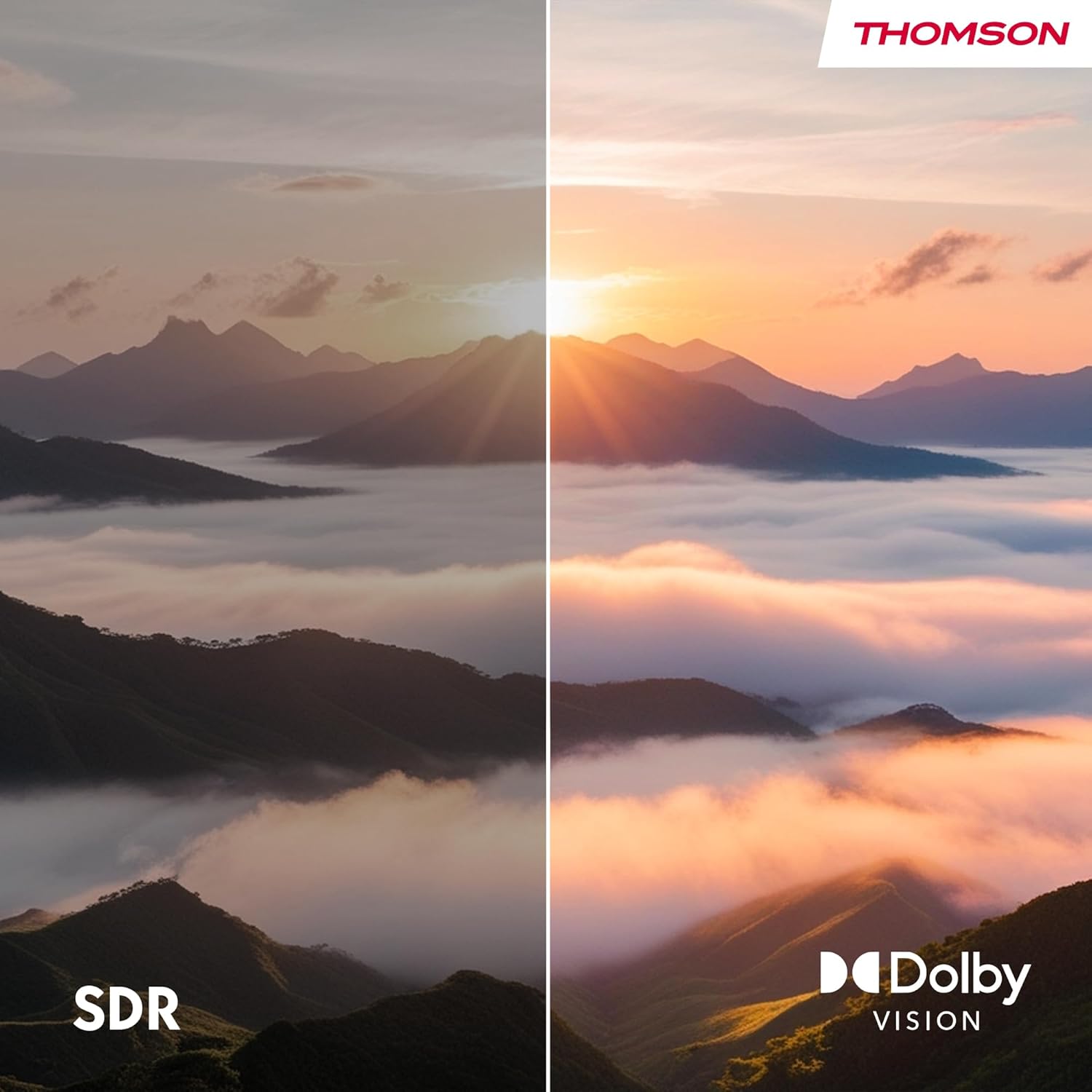
Image: This image demonstrates the Alexa voice control feature, showing various commands that can be used to interact with the TV and smart home devices.
4.3 Apple AirPlay
With Apple AirPlay, you can stream content directly from your iPhone, iPad, or Mac to your TV. Ensure both your Apple device and the TV are connected to the same Wi-Fi network. Select the AirPlay icon on your Apple device and choose your Thomson TV from the list of available devices.

Image: This image illustrates the AirPlay functionality, showing how content from an iOS device can be cast wirelessly to the television.
4.4 Triple Tuner (DVB-C/S2/T2)
The integrated triple tuner allows you to receive signals via cable (DVB-C), satellite (DVB-S2), and terrestrial antenna (DVB-T2) without the need for an external set-top box. Access live TV channels through the Fire TV interface.
4.5 Smart Home Dashboard
The integrated Smart Home Dashboard provides centralized control over your connected smart home devices directly from your TV.
5. Koneksyon
Your TV offers various connectivity options for external devices:

Image: This diagram details the various input and output ports located on the rear panel of the television.
| Port | Deskripsyon |
|---|---|
| HDMI 2.1 (x3) | Connect high-definition devices such as Blu-ray players, game consoles, or set-top boxes. Supports 4K resolution. |
| USB 2.0 (x2) | Konekte aparèy depo USB yo pou lekti medya oswa mizajou lojisyèl. |
| LAN (Ethernet) | Pou yon koneksyon entènèt filaire. |
| Antèn (RF) | Connect a terrestrial antenna for DVB-T2 channels. |
| Satellite (F-type) | Connect a satellite dish for DVB-S2 channels. |
| CI+ Fant | Insert a CI+ module and smart card for encrypted digital TV channels. |
| Audio Out | Connect to an external audio system. |
| Ekoutè | Konekte kas ekoutè pou tande prive. |
| Bluetooth 5.0 | Wireless connection for compatible devices like soundbars or headphones. |
| Wi-Fi | Wireless internet connectivity. |
6. Antretyen
6.1 Netwaye televizyon an
- Toujou debranche televizyon an anvan ou netwaye li.
- Sèvi ak yon twal mou epi sèk pou siye ekran an ak kabinè a.
- For stubborn marks on the screen, use a screen cleaning solution specifically designed for TVs, applied to a cloth, not directly to the screen.
- Pa sèvi ak pwodui netwayaj abrazif, sir, oswa solvan.
6.2 Mizajou lojisyèl
Your TV may receive automatic software updates via the internet. Ensure your TV is connected to the internet to receive the latest features and security enhancements. You can also manually check for updates in the Fire TV settings menu.
NAN. Depanaj
Si ou rankontre pwoblèm ak televizyon ou an, gade tablo ki anba a pou pwoblèm komen ak solisyon yo:
| Pwoblèm | Kòz posib | Solisyon |
|---|---|---|
| Pa gen pouvwa | Kòd kouran an dekonekte; pa gen kouran nan priz la. | Tcheke koneksyon kòd kouran an; teste priz la ak yon lòt aparèy. |
| Pa gen imaj, men gen son | Incorrect input source selected; faulty cable connection. | Press the 'Input' button on the remote to select the correct source; check HDMI/AV cable connections. |
| Pa gen son, men imaj la la | Volim nan ba oswa twò ba; pwoblèm sistèm odyo ekstèn. | Unmute or increase volume; check audio cables to external system. |
| Remote kontwòl pa travay | Batteries depleted; remote not paired. | Replace batteries; re-pair the Bluetooth remote in TV settings. |
| Pa ka konekte ak Wi-Fi | Modpas ki pa kòrèk; pwoblèm routeur; televizyon an twò lwen routeur la. | Verifye modpas Wi-Fi a; rekòmanse routeur la; pwoche televizyon an oubyen itilize Ethernet. |
| Pwoblèm kalite imaj (pa egzanp, imaj twoub, defòme) | Low-quality source; incorrect display settings. | Ensure source content is high resolution; adjust picture settings (brightness, contrast, sharpness). |
| Alexa voice control not responding | Microphone blocked; remote not paired; internet connection issue. | Ensure nothing is covering the remote's microphone; re-pair remote; check internet connection. |
8. Espesifikasyon
Below are the technical specifications for the THOMSON 50UF4S35 TV:
| Karakteristik | Spesifikasyon |
|---|---|
| Nimewo Modèl | 50UF4S35 |
| Gwosè ekran | 50 pous (126 cm) |
| Teknoloji ekspozisyon | UHD LED LCD |
| Rezolisyon | 4K (3840 x 2160 piksèl) |
| Aspè rapò | 16:9 |
| Rafrechisman pousantaj | 50 Hz |
| Koneksyon | Bluetooth 5.0, Ethernet, HDMI (x3), USB (x2), Wi-Fi |
| Teknoloji Audio | Dolby Atmos |
| Teknoloji Videyo | HDR10, Dolby Vision |
| Sistèm operasyon | Televizyon dife |
| Kontwòl vwa | Alexa entegre |
| Distribisyon san fil | Apple AirPlay |
| Tuner | DVB-C (Cable), DVB-S2 (Satellite), DVB-T2 (Terrestrial) |
| Dimansyon (W x H x P) | 112 x 69 x 9 cm (san kanpe) |
| Pwa | 13 kg |
| Klas efikasite enèji | E |
| Konsomasyon Enèji (SDR) | 54 kWh/1000h |
| Konsomasyon Enèji (HDR) | 104 kWh/1000h |
For detailed product information and energy label, please refer to the EPREL database: https://eprel.ec.europa.eu/qr/2349217

Image: Visual comparison demonstrating the enhanced color and contrast provided by Dolby Vision compared to Standard Dynamic Range (SDR).

Image: This image depicts the immersive audio experience provided by Dolby Atmos, with sound appearing to surround the viewèr.

Image: The EU Energy Label for the television, indicating its energy efficiency class and power consumption for both SDR and HDR content.

Image: A section of the product data sheet in German, providing detailed technical specifications and energy information.
9. Garanti ak sipò
9.1 Enfòmasyon sou Garanti
This product is covered by a manufacturer's warranty. For specific details regarding warranty terms and conditions, please refer to the documentation provided with your purchase or contact the manufacturer directly. Standard consumer rights regarding defective or damaged products apply.
9.2 Sipò pou Kliyan
For technical assistance, troubleshooting, or warranty inquiries, please contact the manufacturer:
- Manifakti: StreamVIEW GMBH
- Websit: www.streamview.com
- Imèl: kontak@difizyonview.com
- Telefòn: +4318900066


