Entwodiksyon
This manual provides instructions for the Monster Persona 4th ANC Active Noise Canceling Headphones. Please read this manual thoroughly before using the product to ensure proper operation and to understand its features.

Image: Monster Persona 4th ANC Headphones in white, showcasing konsepsyon jeneral la.
Enfòmasyon sou Sekirite
Obsève règ sekirite sa yo pou evite domaje aparèy la oswa blese tèt ou:
- Pa ekspoze kas ekoutè yo nan tanperati oswa imidite ekstrèm.
- Evite lage kas ekoutè yo oswa soumèt yo a gwo enpak.
- Pa demonte oswa eseye repare kas ekoutè yo tèt ou.
- Clean the headphones with a soft, dry cloth. Do not use harsh chemicals.
- Tande pwolonje nan nivo volim wo ka lakòz domaj nan tande.
Kontni pake
Verifye ke tout atik yo prezan nan pakè a:
- 1x Monster Persona 4th ANC Headphones
- 1x Kalite-C Chaje Kab
- 1x Aux Kab
- 1x manyèl itilizatè

Image: Contents of the product box, including the headphones, charging cable, aux cable, and user manual.
Pwodwi souview ak Kontwòl
Familyarize w ak konpozan kas ekoutè yo ak bouton kontwòl yo.

Image: Diagram illustrating the location and function of the control buttons on the headphones.
- Volim +: Press once to increase volume. Long press for 2 seconds for next song.
- Volim -: Press once to decrease volume. Long press for 2 seconds for previous song.
- Bouton pouvwa:
- SOU: Long peze pou 3 segonn.
- OFF: Long peze pou 5 segonn.
- Jwe/Poz: Peze yon fwa.
- Reponn/Ranje apèl la: Peze yon fwa.
- Rejte apèl: Long peze pou 2 segonn.
- Asistan vwa: Long peze pou 2 segonn.
- ANC Switching Modes: Press once to cycle through modes (Active Noise Canceling, Transparency, Standard).
Enstalasyon
Chaje kas ekoutè yo
Anvan premye itilizasyon an, chaje kas ekoutè yo nèt.
- Konekte kab chaje Kalite-C a nan pò chaje ki sou kas ekoutè a.
- Konekte lòt bout kab la nan yon sous kouran USB (pa egzanp, yon adaptè miray, yon pò USB òdinatè).
- Limyè endikatè a ap montre eta chaj la. Yon chaj konplè pran apeprè 2 èdtan.
Yon chaj 10 minit bay apeprè 5 èdtan lekti.

Image: Visual representation of the headphone's battery life and fast charging capability.
Power On/Off
- Pou limen: Long peze bouton pouvwa a pou 3 segonn.
- Pou etenn: Long peze bouton pouvwa a pou 5 segonn.
Pè Bluetooth
Pou konekte kas ekoutè ou yo ak yon aparèy atravè Bluetooth:
- Asire w ke kas ekoutè yo etenn.
- Long press the Power button for 3 seconds to power on and enter pairing mode (indicator light will flash).
- Sou aparèy ou an (telefòn entelijan, tablèt, òdinatè), aktive Bluetooth epi chèche aparèy ki disponib yo.
- Chwazi "Monster Persona 4th ANC" nan lis aparèy yo.
- Yon fwa konekte, limyè endikatè a ap sispann flache.

Image: Close-up of the internal Bluetooth 6.0 chip, indicating advanced wireless connectivity.
Koneksyon Multi-Point
The headphones support connecting to two Bluetooth devices simultaneously.
- Connect the headphones to the first device as described in the Bluetooth Pairing section.
- Dekonekte Bluetooth sou premye aparèy la tanporèman.
- Connect the headphones to the second device.
- Rekonekte Bluetooth la sou premye aparèy la. Kas ekoutè yo ta dwe konekte ak tou de aparèy yo kounye a.

Image: Headphones connected simultaneously to a smartphone and a laptop, demonstrating multi-point connection.
Koneksyon branche
To use the headphones with a wired connection:
- Connect the included Aux Cable to the 3.5mm audio jack on the headphones.
- Connect the other end of the Aux Cable to your audio source's 3.5mm output.
Note: The wired connection on mobile devices only supports Type-C port input and output if using a Type-C to 3.5mm adapter (not included).
Opere
Music Playback and Volume
- Jwe/Poz: Peze bouton pouvwa a yon fwa.
- Pwochen chante: Long press Volume + for 2 seconds.
- Chante Previous: Long press Volume - for 2 seconds.
- Ogmante Volim: Press Volume + once.
- Diminye Volim: Press Volume - once.
Jesyon Rele
- Reponn/Kwoke: Peze bouton pouvwa a yon fwa.
- Rejte apèl: Long peze bouton pouvwa a pou 2 segonn.
Asistan vwa
- Aktive Asistan Vwa: Long peze bouton pouvwa a pou 2 segonn.
Sound Modes (ANC, Transparency, Standard)
The headphones offer three listening modes:
- Active Noise Canceling (ANC) Mode: Diminye bri anbyen.
- Mòd transparans: Pèmèt ou tande anviwònman ou pandan w ap koute odyo.
- Mòd estanda: Balanced sound for everyday listening without noise cancellation or transparency.
To switch between modes, press the ANC Switching Modes button once.
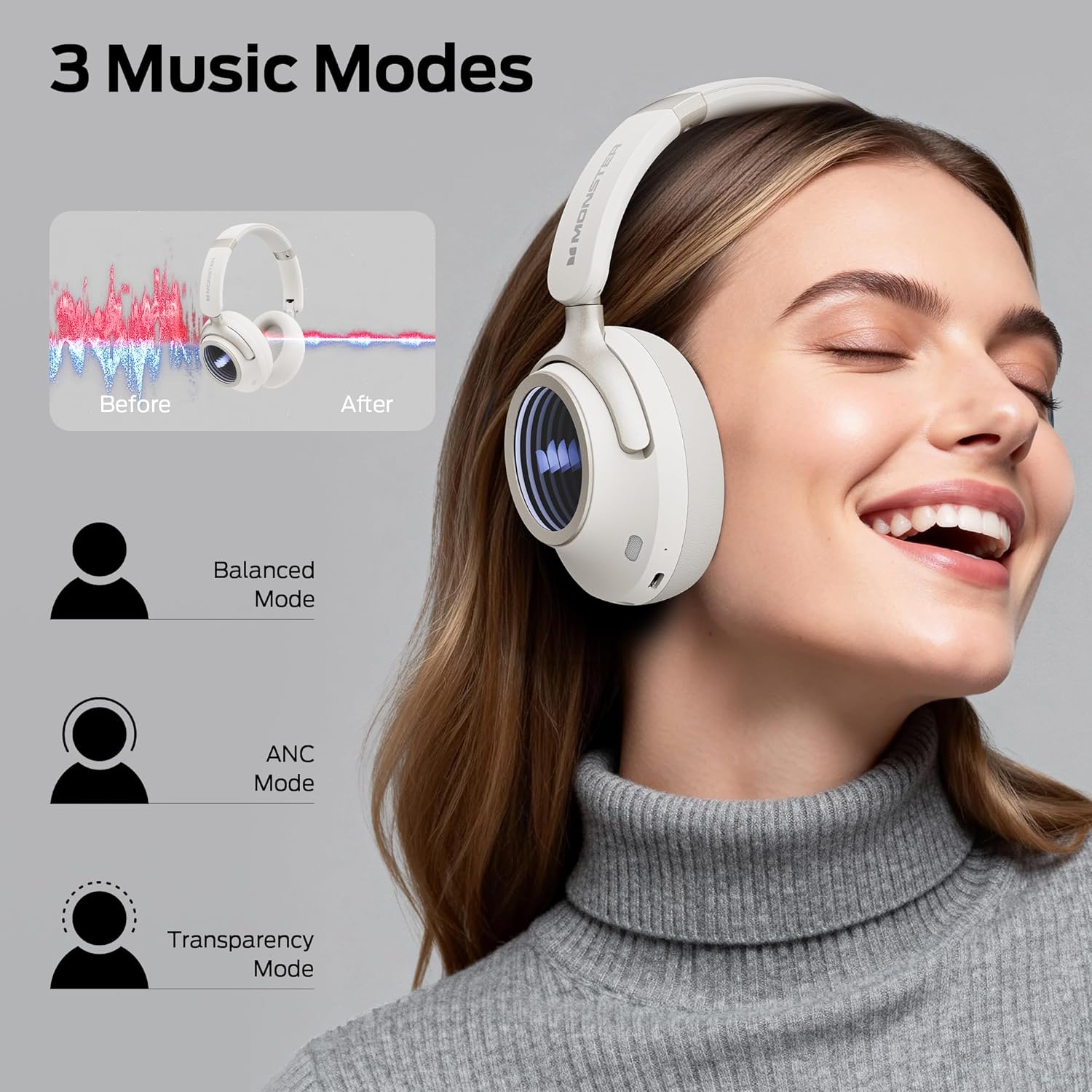
Image: Illustration of the three available music modes: Balanced, ANC, and Transparency, with a user demonstrating the headphones.
Mete kas ekoutè yo
Adjust the headband and earcups for a comfortable and secure fit. The earcups rotate for flexible adjustments.

Image: Close-up of an earcup, highlighting the breathable cushion design for comfort.

Image: Diagrams showing the dimensions of the headphones for both wireless and wired configurations.
Antretyen
- Netwayaj: Use a soft, dry, lint-free cloth to clean the headphones. Do not use liquid cleaners or aerosols.
- Depo: Lè w pa ap itilize kas ekoutè yo, sere yo nan yon kote ki fre epi sèk, lwen limyè solèy dirèk ak tanperati ekstrèm. Design pliyan an pèmèt ou sere yo yon fason konpak.
- Swen batri: Pou konsève lavi batri a, chaje kas ekoutè yo regilyèman, menm si ou pa itilize yo souvan. Evite dechaje batri a nèt pandan yon bon bout tan.
Depanaj
| Pwoblèm | Solisyon |
|---|---|
| Kas ekoutè yo pa limen. | Ensure the headphones are charged. Connect to a power source using the Type-C cable. |
| Pa ka konekte atravè Bluetooth. | Ensure headphones are in pairing mode (flashing indicator light). Turn off and on Bluetooth on your device. Forget previous pairings and try again. Ensure headphones are within range. |
| Pa gen son oswa volim nan ba. | Check headphone and device volume levels. Ensure headphones are properly connected (Bluetooth or wired). Try restarting both devices. |
| Active Noise Canceling (ANC) is not effective. | Ensure ANC mode is activated. Check that the earcups form a good seal around your ears. ANC is most effective against low-frequency sounds. |
| Mikwofòn nan pa fonksyone pandan apèl yo. | Ensure the headphones are connected via Bluetooth. Check your device's audio input settings to confirm the headphones are selected as the microphone. |
Espesifikasyon
| Karakteristik | Detay |
|---|---|
| Non modèl | Monster Persona 4yèm ANC |
| Koneksyon Teknoloji | Filaire, San fil (Bluetooth 6.0) |
| Ekoutè Jack | 3.5mm Jack |
| Teknoloji kominikasyon san fil | Bluetooth |
| Materyèl | Kui, Plastik |
| Tan pou chaje | 2 èdtan |
| Lavi Mwayèn Batri | 70 èdtan (ANC etenn), 50 èdtan (ANC aktive) |
| Kalite kontwòl | Kontwòl bouton |
| Pwa atik | 0.2 Kilogram |
| Nivo rezistans dlo | Dlo rezistan |
| Distans Fonksyònman maksimòm | 33 pye |
| Kontwòl bri | Anile aktif bri |
| Faktè fòm | Sou Zòrèy |
| Dimansyon pwodwi | 17.4 x 8 x 19.5 cm |
Garanti ak sipò
Pwodwi Monster yo fèt epi fabrike selon pi wo estanda kalite yo. Pou enfòmasyon sou garanti a ak sipò kliyan, tanpri al gade kat garanti ki enkli nan pake w la oswa vizite sit ofisyèl Monster la. websit la. Kenbe prèv acha ou pou reklamasyon garanti.
Si ou rankontre nenpòt pwoblèm ki pa kouvri nan manyèl sa a, tanpri kontakte sèvis kliyan pou jwenn asistans.


