Entwodiksyon
This manual provides detailed instructions for the setup, operation, and maintenance of your DAREU EK60 HE 60% Rapid Trigger Gaming Keyboard and DAREU A950 PRO Lightweight Wireless Gaming Mouse Combo. Please read this manual thoroughly before use to ensure optimal performance and longevity of your devices.

Image: The DAREU EK60 HE 60% gaming keyboard and DAREU A950 PRO wireless gaming mouse, presented together as a combo.
Gid Enstalasyon
Keyboard (DAREU EK60 HE)
- Konekte klavye a: Connect the provided USB-C cable to the keyboard and then to an available USB port on your computer. The keyboard is plug-and-play.
- Install Software/Web Chofè: For advanced customization (Rapid Trigger settings, key remapping, macros, RGB lighting), download the official DAREU software or access the web driver from the DAREU official websit. La web driver supports macOS.
Mouse (DAREU A950 PRO)
- Chaje: Before first use, fully charge the mouse using the provided Type-C cable. A full charge takes approximately 30-40 minutes. A 15-minute charge can provide up to 90% battery.
- Koneksyon mòd:
- 2.4G san fil: Insert the 4KHz wireless receiver into a USB port on your computer. Turn on the mouse. The mouse will automatically connect.
- Bluetooth (BT): Turn on the mouse and activate Bluetooth pairing mode (refer to mouse specific button/switch if available). On your computer, search for Bluetooth devices and select "DAREU A950 PRO" to pair.
- Type-C Wired: Connect the mouse directly to your computer using the Type-C cable. This also charges the mouse.
Operasyon ak karakteristik
DAREU EK60 HE Keyboard Features

Imaj: Yon plis paseview highlighting key features of the DAREU EK60 HE keyboard, including magnetic switches, custom software, 8000Hz polling rate, DKS support, 0.01mm rapid trigger, 60% compact layout, 16 million RGB colors, hot-swappable design, USB-C wired connection, and programmable macros.
- Rapid Trigger Technology: The EK60 HE features DAREU's proprietary D.H.A+ algorithm for rapid trigger functionality. This allows for instant key actuation and reset based on movement rather than a fixed actuation point.
- Aksyon reglabl: Customize the rapid trigger actuation range from 0.2mm to 3.5mm via the software. This allows for precise control over keystroke sensitivity.
- Presizyon: Equipped with Hall Effect magnetic switches, offering 0.01mm accuracy for consistent and reliable input.

Image: Visual representation comparing a regular switch to a rapid trigger switch, demonstrating the instant reset capability of rapid trigger technology, with examples from games like Valorant, CSGO, Osu!, and Apex Legends.
- To Sondaj 8000Hz: Experience ultra-low latency with an 8000Hz polling rate, providing a 0.125ms response time.
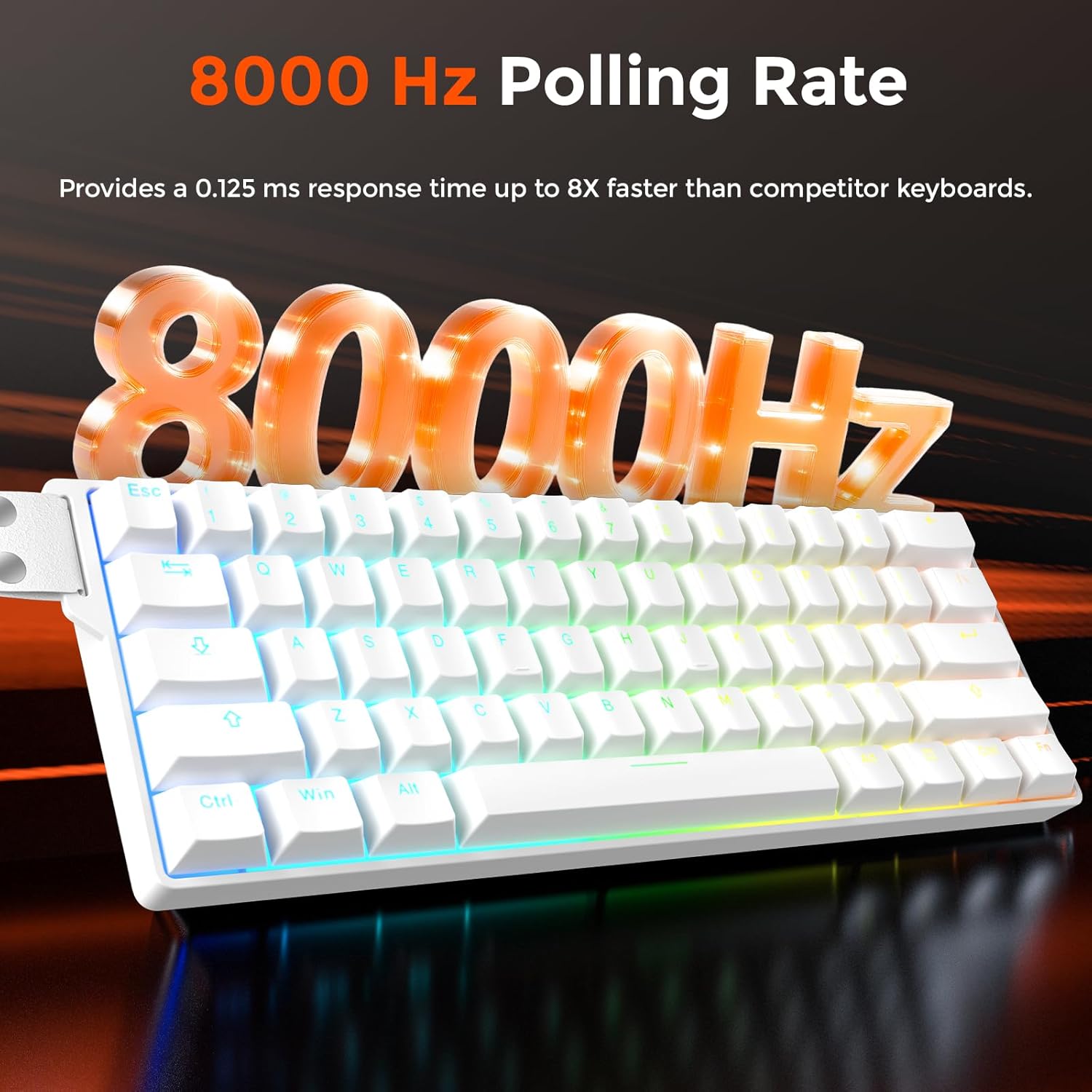
Image: A visual emphasizing the 8000Hz polling rate of the keyboard, indicating a 0.125ms response time.
- Customization Software/Web Chofè: Utilize the DAREU software or web driver to:
- Configure DKS (Dynamic Key Stroke), MT (Mod-Tap), TGL (Toggle), and SOCD (Simultaneous Opposite Cardinal Directions) settings.
- Remap keys and program custom macros.
- Customize RGB lighting with 16.8 million colors and 15 preloaded effects.
- 60% Konsepsyon Kontra enfòmèl ant: The compact layout saves desk space while retaining essential keys for gaming.

Image: The DAREU EK60 HE keyboard showcasing its 60% compact design on a desk, illustrating how it saves space.
DAREU A950 PRO Mouse Features
- PAW3395 Optical Sensor: Equipped with a high-performance PAW3395 optical sensor for accurate tracking.

Imaj: Yon imaj detaye view of the DAREU A950 PRO mouse highlighting the PAW3395 optical sensor and its specifications: 26000 DPI, 650 IPS, and 50G acceleration.
- To Sondaj 4000Hz: The mouse supports a 4000Hz polling rate with its 4KHz receiver, sending signals to the computer every 0.25ms.

Image: The DAREU A950 PRO mouse connected to its 4KHz wireless receiver, illustrating the 4000Hz report rate.
- Konsepsyon ki lejè: Weighing only 55g, the mouse is designed for agile movement and comfortable handling.

Imaj: Yon eksplozyon view of the DAREU A950 PRO mouse, demonstrating its internal components and lightweight construction, emphasizing its 55g weight.
- Kailh Black GM8.0 Switches: Equipped with durable Kailh Black GM8.0 mouse switches for reliable clicks.
- Koneksyon miltip: Supports 2.4G wireless, Bluetooth, and Type-C wired connections for versatility.
Antretyen
- Netwayaj: Sèvi ak yon twal mou epi sèk pou netwaye sifas klavye a ak sourit la. Pou pousyè tè ki difisil pou retire, yon ti kras twal mouye.amp Ou ka itilize yon twal ak savon dou, pou asire pa gen likid ki antre nan aparèy yo.
- Evite likid: Keep both devices away from liquids to prevent damage.
- Depo: Sere aparèy yo nan yon kote ki fre epi sèk lè w pa itilize yo pou yon bon bout tan.
- Swen kab: Avoid bending or twisting the cables excessively to prevent internal damage.
Depanaj
Keyboard Issues
- Klavye a pa reponn:
- Asire w kab USB-C a byen konekte ak klavye a ak òdinatè a.
- Eseye konekte nan yon pò USB diferan sou òdinatè w lan.
- Rekòmanse òdinatè w lan.
- Ekleraj RGB pa travay:
- Check the software/web driver settings to ensure RGB lighting is enabled and configured correctly.
- Asire w klavye a ap resevwa ase kouran.
- Rapid Trigger Not Functioning as Expected:
- Verify that the DAREU software/web driver is installed and updated to the latest version.
- Adjust the actuation point settings within the software.
Mouse Issues
- Mouse Not Responding (Wireless):
- Asire w ke sourit la chaje.
- Verify the 2.4G receiver is properly inserted into a USB port.
- If using Bluetooth, ensure the mouse is in pairing mode and correctly paired with your computer.
- Try connecting the mouse via the Type-C cable to check if it works in wired mode.
- Inconsistent Tracking:
- Netwaye detèktè optik ki anba sourit la.
- Asire w ke w ap itilize sourit la sou yon sifas ki apwopriye (pa egzanp, yon tapi sourit).
- Check for any obstructions around the sensor.
- Batri Vide byen vit:
- Asire w ke sourit la byen chaje anvan w itilize li.
- Reduce the polling rate if possible through software, as higher polling rates consume more power.
Espesifikasyon
DAREU EK60 HE Keyboard
| Karakteristik | Detay |
|---|---|
| Chanje Kalite | Hall Effect Magnetic Switches |
| Actuation Range | 0.2 - 3.5 mm (Adjustable) |
| Pousantaj biwo vòt | 8000 Hz |
| Layout | 60% Konpak |
| Koneksyon | USB-C branche |
| RGB ekleraj | 16.8 Million Colors, 15 Effects |
| Sipò lojisyèl | DAREU Software / Web Driver (macOS compatible) |
| Karakteristik kle | Rapid Trigger, DKS, MT, TGL, SOCD, Programmable Macros |

Image: Detailed specifications for the DAREU Fire Magnetic Switch, including initial pressure (38±5 gf), bottom pressure (45±5 gf), bottoming flux (475±50 Gs), actuation range (0.2-3.5 mm), clicks lifespan (100 million cycles), initial flux (80±20 Gs), and a force-travel diagram.
DAREU A950 PRO Mouse
| Karakteristik | Detay |
|---|---|
| Capteur | Capteur optik PAW3395 |
| DPI | Jiska 26000 DPI |
| Tracking vitès | 650 ONSÈY |
| Akselerasyon | 50G |
| Pousantaj biwo vòt | 4000 Hz (with 4KHz receiver) |
| Chanjman | Kailh Black GM8.0 |
| Pwa | 55g |
| Koneksyon | 2.4G Wireless, Bluetooth, Type-C Wired |
| Tan pou chaje | Approx. 30-40 minutes for full charge |
Garanti ak sipò
For warranty information and technical support, please refer to the official DAREU website or contact DAREU customer service directly. Keep your proof of purchase for warranty claims.
Official DAREU Websit: www.dareu.com


