Entwodiksyon
This manual provides detailed instructions for the Redragon S156 Wireless Gaming Keyboard and Mouse combo. This product offers versatile connectivity, customizable features, and ergonomic design for an enhanced computing experience. Please read this manual thoroughly before use to ensure proper operation and to maximize the product's capabilities.
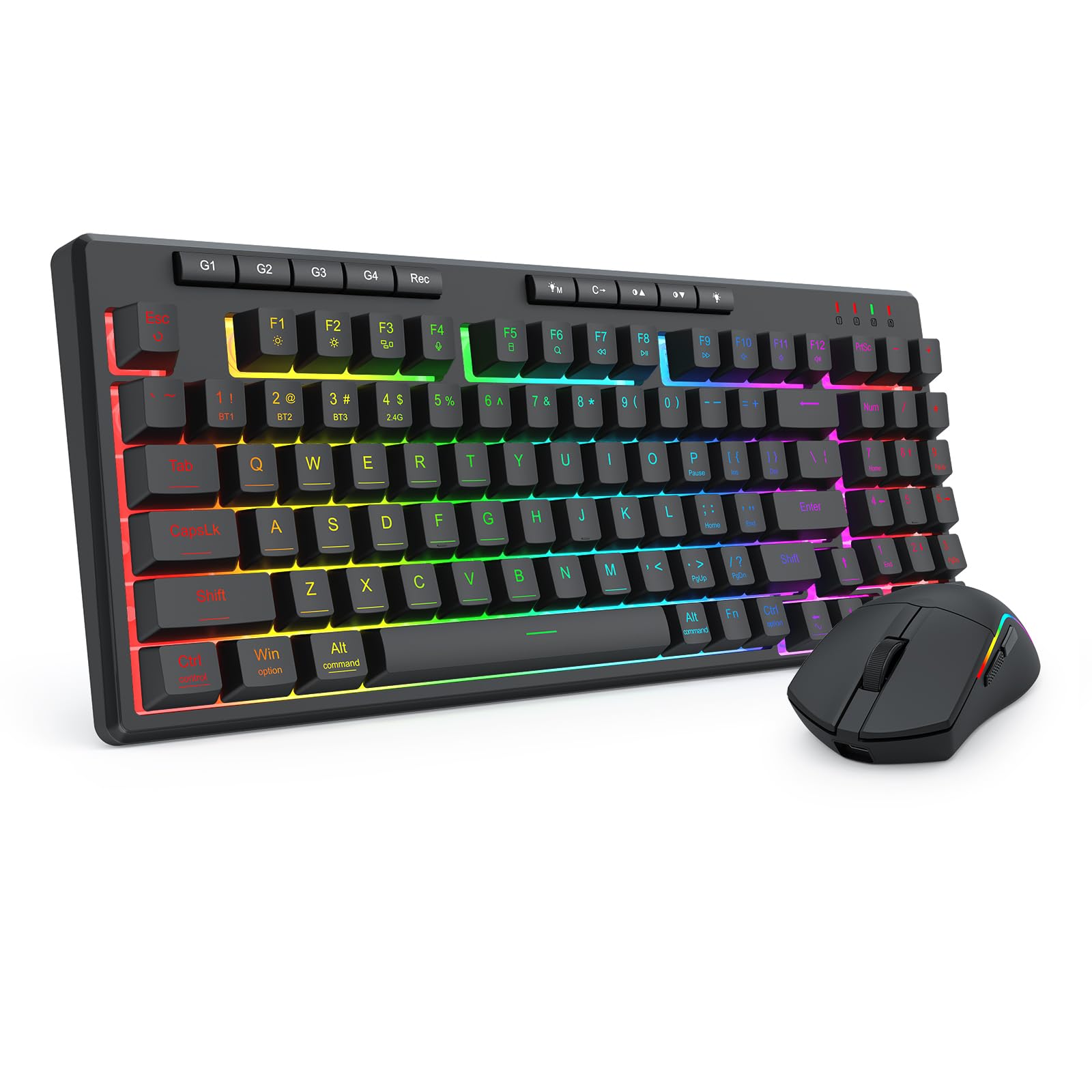
Figure 1: Redragon S156 Keyboard and Mouse in a typical gaming setup.
Kontni pake
Before proceeding with setup, please verify that all items are present in your package:
- Redragon S156 Wireless Gaming Keyboard
- Redragon S156 Wireless Gaming Mouse
- 2.4GHz USB Reseptè
- USB-C Chaje Kab
- Manyèl Itilizatè (dokiman sa a)

Figure 2: Contents included with the Redragon S156 product.
Enstalasyon
Chaje Aparèy yo
Ensure both the keyboard and mouse are fully charged before initial use. Connect the provided USB-C cable to the charging port on each device and to a powered USB port on your computer or a USB wall adapter. The charging indicator will show status (refer to device for specific light behavior).
Connectivity Options (Tri-Mode)
The Redragon S156 supports three connection modes: 2.4GHz Wireless, Bluetooth (BT1/BT2/BT3), and Wired (USB-C).

Figure 3: Tri-mode connectivity options for multiple devices.
2.4GHz Wireless Koneksyon
- Jwenn reseptè USB 2.4GHz la.
- Ploge reseptè a nan yon pò USB ki disponib sou òdinatè w lan.
- Limen klavye a ak sourit la. Yo ta dwe konekte otomatikman ak reseptè a.
Bluetooth Koneksyon
The keyboard and mouse can connect to up to three different Bluetooth devices (BT1, BT2, BT3).
- Turn on the keyboard/mouse and switch to a desired Bluetooth channel (e.g., BT1).
- Activate Bluetooth on your device (PC, Mac, smartphone, tablet).
- Chèche pou new Bluetooth devices and select "Redragon S156 Keyboard" or "Redragon S156 Mouse" from the list.
- Swiv nenpòt envit ki sou ekran pou konplete koupi.
Wired USB-C Connection
Connect the USB-C cable directly from the keyboard/mouse to your computer's USB port. The devices will function in wired mode and charge simultaneously.

Figure 4: Mouse connectivity options.

Figure 5: Mouse connected via USB-C for wired operation and charging.
Enstriksyon Operasyon
Fonksyon klavye
Rgb ekleraj
The keyboard features multiple built-in RGB lighting modes and effects. Use the dedicated keys (often Fn + specific keys) to cycle through modes, adjust brightness, and change colors. Refer to the keyboard's function key legends for specific controls.

Figure 6: Keyboard lighting customization options.

Figure 7: Keyboard software interface for backlight customization (Windows only).
Macro Keys (G1-G4)
The keyboard includes dedicated macro keys (G1-G4) for instant command execution. These can be programmed directly on the keyboard without software.
- Peze a [Rek] button to start macro recording.
- Peze youn nan la [G1-G4] keys to select a profile pou anrejistreman.
- Tape sekans kle ou vle anrejistre a.
- After finishing the macro key recording, press [Rek] ankò pou sove makro a.

Figure 8: On-the-fly macro recording instructions.
Fonksyon sourit
DPI Ajisteman
The mouse features adjustable DPI settings up to 10000 DPI for precision control. Use the dedicated DPI button on the mouse to cycle through preset DPI levels.
Bouton pwogramasyon ak pèsonalizasyon RGB
The mouse buttons and RGB lighting can be customized using the Redragon software. This software allows for adjusting DPI, polling rate, assigning macros, and customizing RGB effects.

Figure 9: Customizable gaming mouse buttons.

Figure 10: Mouse software for customization (Windows only; not supported in Bluetooth mode).
Antretyen
Netwayaj
To maintain optimal performance, regularly clean your keyboard and mouse. Use a soft, dry cloth to wipe surfaces. For stubborn dirt, a slightly damp Ou ka itilize yon twal ki gen savon dou, pou asire w pa gen likid ki antre nan aparèy la. Evite pwodui chimik ki agresif oswa materyèl abrazif.
Lavi batri ak chaje
The keyboard features a 4000mAh battery, offering extended use. The mouse provides up to 200 hours of battery life on a full charge. For best battery longevity, avoid fully discharging the devices frequently. Recharge when the low battery indicator appears.

Figure 11: Keyboard battery capacity and estimated usage time.

Figure 12: Mouse ultra-long battery life indication.
Depanaj
Pwoblèm Koneksyon
- Aparèy la pa konekte: Ensure the device is powered on and in the correct connection mode (2.4GHz, BT1/2/3). For 2.4GHz, ensure the USB receiver is securely plugged in. For Bluetooth, ensure your host device's Bluetooth is enabled and the pairing process is completed.
- Koneksyon tanzantan: Move the devices closer to the receiver/host device. Avoid sources of interference such as other wireless devices or large metal objects. Ensure devices are charged.
Klavye/Sourit pa reponn
- Tcheke nivo batri a epi rechaje si sa nesesè.
- Try switching to wired mode using the USB-C cable to rule out wireless issues.
- Rekòmanse òdinatè w lan.
- For the keyboard, ensure it is not in a locked mode (e.g., Num Lock, Caps Lock, Scroll Lock indicators).
RGB ekleraj pa travay
- Ensure the backlight is turned on and brightness is adjusted.
- Cycle through different lighting modes to see if any work.
- If using software, ensure it is running and settings are applied correctly.
Espesifikasyon
| Karakteristik | Detay |
|---|---|
| Mak | Redragon |
| Modèl | S156 |
| Koneksyon Teknoloji | 2.4G Wireless, Bluetooth (BT1/BT2/BT3), USB-C Wired |
| Kalite klavye | Mechanical Feel Membrane Keyboard |
| Kle klavye | 94-key layout, 4 Macro Keys (G1-G4) |
| Klavye ekleraj | RGB Backlit (multiple modes) |
| Batri klavye | 4000mAh |
| DPI sourit | Jiska 10000 DPI (reglabl) |
| Pwa sourit | 61g (Ultra-lightweight) |
| Lavi Batri Sourit la | Jiska 200 èdtan |
| Aparèy konpatib | Laptop, PC, Telefòn entelijan, Tablèt |
| Sistèm operasyon konpatibilite | Windows, Mac |
| Materyèl | Plastik |
| Pwa atik | 2.16 liv (konbine) |
| Dimansyon pake | 15.12 x 8.86 x 2.01 pous |

Figi 13: Dimansyon klavye a.

Figure 14: Keyboard height.
Garanti ak sipò
Enfòmasyon sou Garanti
Redragon products are covered by a limited warranty against defects in materials and workmanship. The specific warranty period may vary by region and product. Please retain your proof of purchase for warranty claims.
Sipò pou Kliyan
For technical assistance, troubleshooting, or warranty inquiries, please visit the official Redragon website or contact their customer support team. Contact information can typically be found on the Redragon websit la oubyen sou anbalaj pwodwi a.


