1. Entwodiksyon
The EKIY EC17 is a 2-in-1 wireless adapter designed to convert your car's wired Apple CarPlay or Android Auto system into a wireless one. This device features 6GHz WiFi and Bluetooth 5.4 for stable connectivity, a Cortex A9 processor for smooth performance, and an aluminum alloy casing with 4-way heat dissipation for optimal operation. Its compact design and tempered glass finish integrate seamlessly into your vehicle's interior, providing convenient access to navigation, music, and communication apps without the need for cables.
2. Pake kontni
Tanpri verifye ke tout atik yo prezan nan pakè ou a:
- 1 x EKIY EC17 Wireless CarPlay & Android Auto Adapter
3. Gid Enstalasyon
3.1 Pre-kondisyon
- Your vehicle must have a factory-installed wired Apple CarPlay or Android Auto system. Third-party installations are not supported.
- For Wireless CarPlay: iPhone running iOS 10 or above.
- For Wireless Android Auto: Android phone running Android 11.0 or above.
3.2 Metòd Koneksyon
The EC17 adapter supports two primary connection types:
- Koneksyon USB-A: If your car has a standard USB-A port, plug the adapter directly into the port.
- Koneksyon USB-C: If your car has a USB-C port, use a USB-A to USB-C adapter (not included) to connect the EC17 adapter.

Figure 3.2: Connection methods for the EKIY EC17 adapter.
3.3 Pwosesis Pairing
Follow these steps to establish a wireless connection:
- Ensure your vehicle's engine is running and the infotainment system is active.
- Plug the EKIY EC17 adapter into the car's USB port that supports wired CarPlay or Android Auto.
- On your car's infotainment screen, the adapter interface should appear.
- Sou telefòn entelijan ou an, aktive Bluetooth ak Wi-Fi.
- Chèche pou the adapter's Bluetooth name (usually displayed on the car screen or adapter itself) and pair your phone.
- Once paired via Bluetooth, your phone will automatically connect to the adapter's Wi-Fi for data transfer, enabling Wireless CarPlay or Android Auto.
- Confirm the connection on your car's screen.
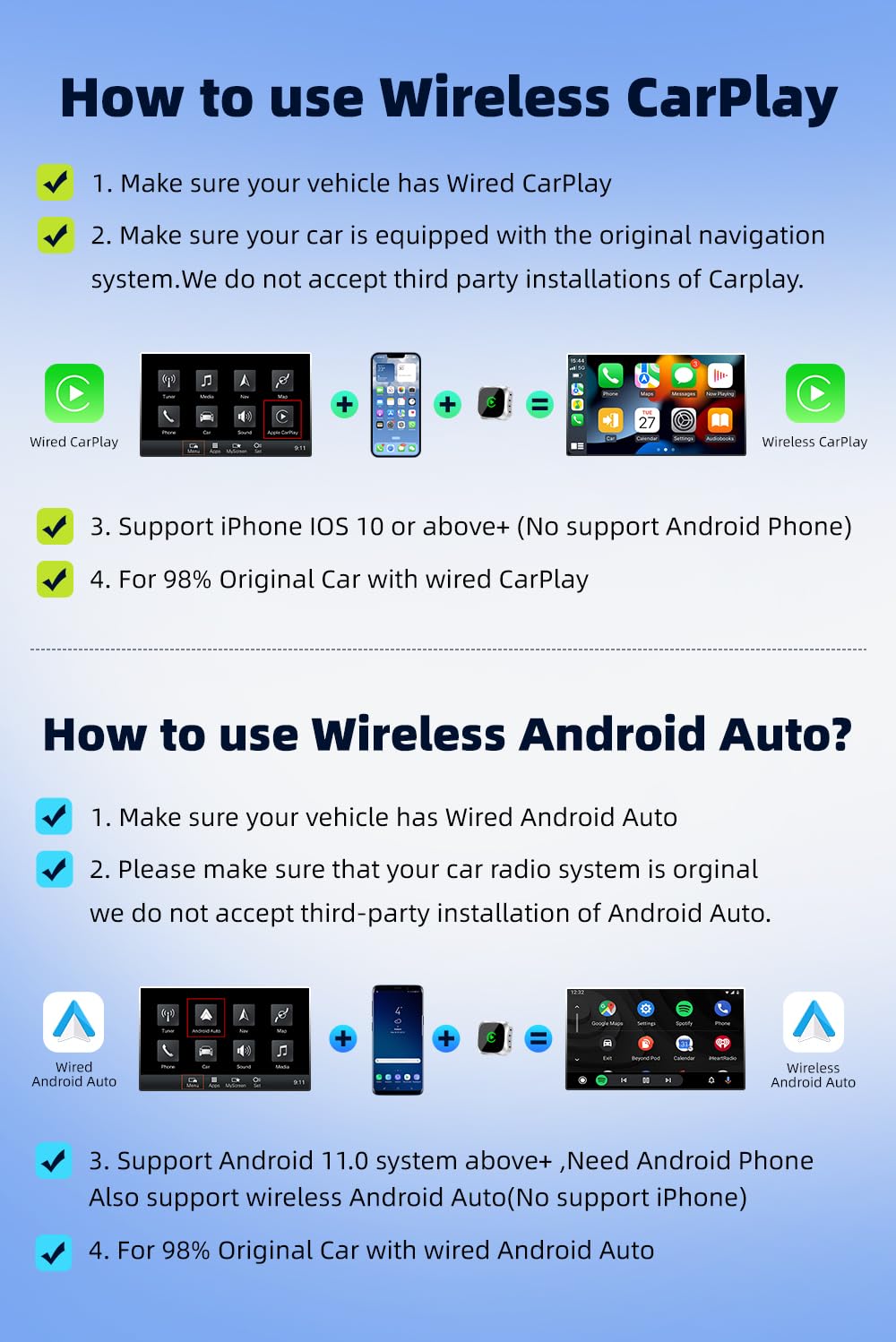
Figure 3.3: Step-by-step guide for Wireless CarPlay and Android Auto setup.
3.4 Konpatibilite
The EKIY EC17 adapter is designed to be compatible with approximately 98% of car models that come with original wired CarPlay or Android Auto functionality. This includes a wide range of manufacturers such as Audi, Toyota, Hyundai, Porsche, Ford, Honda, Mazda, Mitsubishi, Nissan, Suzuki, KIA, Volkswagen, Skoda, Lexus, Benz, Chevrolet, Jeep, Citroen, and Peugeot.

Figure 3.4: Car model compatibility overview.
4. Operasyon Enstriksyon
4.1 Itilizasyon CarPlay san fil / Android Auto
Once successfully connected, your car's infotainment screen will display the Wireless CarPlay or Android Auto interface, mirroring your smartphone's compatible applications. You can access various apps including navigation (Google Maps, Apple Maps), music streaming (Spotify, Apple Music), messaging, and more.
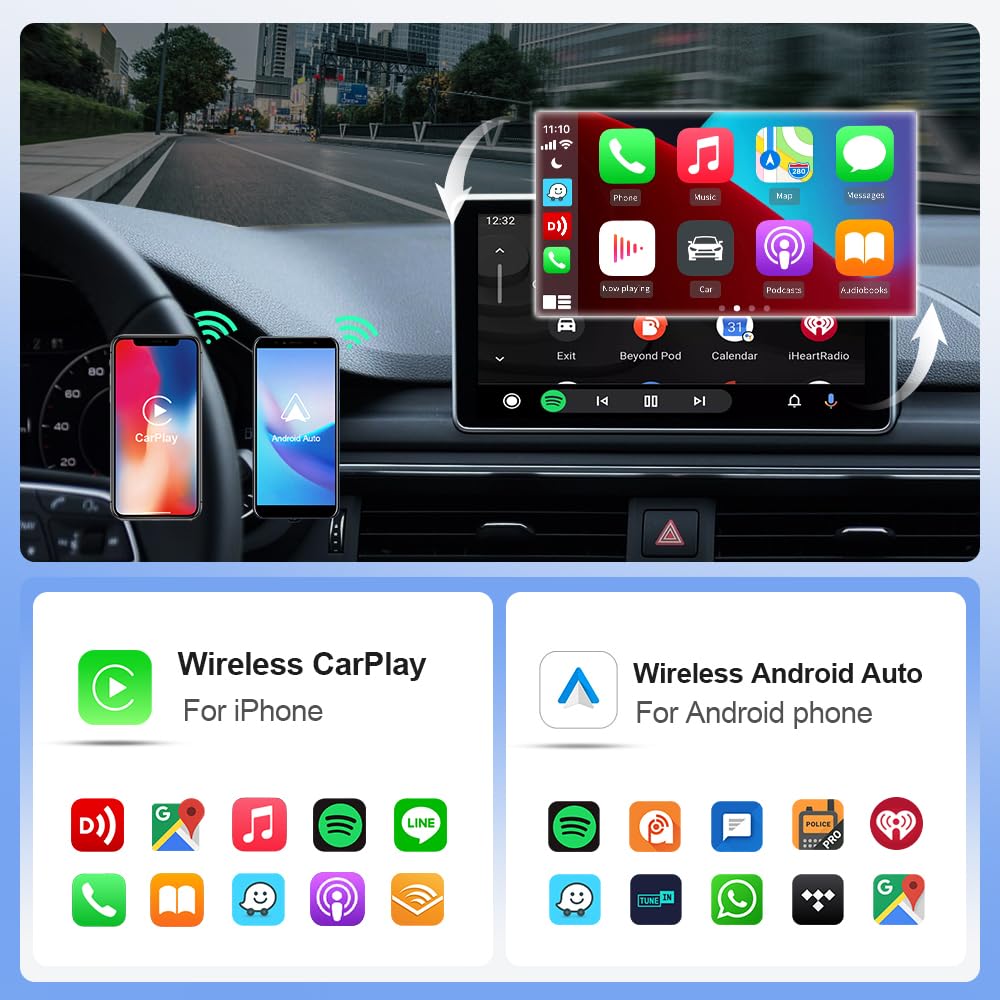
Figure 4.1: Wireless CarPlay and Android Auto interfaces with app examples.
4.2 Metòd kontwòl
The EKIY EC17 adapter maintains compatibility with your car's original control mechanisms, allowing for a familiar user experience:
- Kontwòl volan: Use your car's steering wheel buttons to navigate menus, adjust volume, and manage calls.
- Kontwòl bouton: Utilize the car's central control knob for precise menu selection and navigation.
- Kontwòl vwa: Activate voice assistants (Siri for CarPlay, Google Assistant for Android Auto) using your car's voice command button for hands-free operation.
- Kontwòl ekran manyen: Interact directly with the infotainment screen for app selection and input, if your car supports touch functionality.

Figure 4.2: Supported control methods for the adapter.
5. Antretyen
To ensure the longevity and optimal performance of your EKIY EC17 adapter, follow these simple maintenance guidelines:
- Netwayaj: Gently wipe the adapter's surface with a soft, dry cloth. Avoid using liquid cleaners or abrasive materials.
- Depo: Lè w pa itilize adaptè a pou yon bon bout tan, sere l nan yon kote ki fre epi sèk, lwen limyè solèy dirèk ak tanperati ekstrèm.
- Dissipasyon chalè: The adapter features an aluminum alloy casing with ventilation openings for heat dissipation. Ensure these openings are not obstructed to prevent overheating.

Figure 5.1: EKIY EC17 adapter with heat dissipation features.
NAN. Depanaj
If you encounter issues with your EKIY EC17 adapter, please refer to the following common solutions:
- No Connection / Frequent Disconnections:
- Ensure your car's wired CarPlay/Android Auto system is functioning correctly.
- Verify that Bluetooth and Wi-Fi are enabled on your smartphone.
- Try unplugging the adapter and plugging it back in.
- Restart your car's infotainment system and your smartphone.
- Check for any firmware updates for the adapter (refer to support section for details).
- Repons ki pran reta oubyen ki pran reta:
- Ensure your smartphone has a strong Wi-Fi signal from the adapter.
- Close unnecessary applications on your smartphone to free up resources.
- Tcheke pou wè si gen entèferans ki ka soti nan lòt aparèy san fil.
- Surchof adaptè:
- Ensure the ventilation openings on the adapter are not blocked.
- Avoid placing the adapter in direct sunlight or enclosed spaces.
- If overheating persists, disconnect the adapter and allow it to cool down before re-connecting.
- Audio Issues (e.g., unclear calls):
- Check your phone's audio settings and ensure the correct output is selected.
- Verify your car's microphone is functioning properly.
- Ensure there are no other Bluetooth devices interfering with the connection.
Si etap sa yo pa rezoud pwoblèm nan, tanpri kontakte sèvis kliyan.
7. Espesifikasyon
| Karakteristik | Detay |
|---|---|
| Mak | EKIY |
| Modèl | EC17 |
| Dimansyon pwodwi | 2.3 x 0.5 x 2.3 cm |
| Pwa atik | 50 g |
| Koneksyon | 6GHz Wi-Fi, Bluetooth 5.4 |
| Processeur | Cortex A9 |
| Materyèl | Aluminium, Tempered Glass |
| Aparèy konpatib | Smartphones (iPhone iOS 10+, Android 11.0+) |
| Itilizasyon espesifik | Car Infotainment System (Wireless CarPlay & Android Auto) |
| Kalite Connector | USB Type A, USB Type C (with adapter) |
| Peyi orijin | Lachin |
8. Enfòmasyon sou Garanti
Tanpri gade anbalaj pwodwi a oswa enfòmasyon détayan an. website for specific warranty terms and conditions. Generally, electronic products come with a limited manufacturer's warranty covering defects in materials and workmanship under normal use. Keep your proof of purchase for warranty claims.
9. Sipò pou Kliyan
For technical assistance, troubleshooting, or any product-related inquiries, please contact our customer support team:
- Telefòn: 06282844320
- Manifakti: EKIY

Figure 9.1: EKIY Support Center contact information.


