1. Entwodiksyon
This manual provides essential information for setting up, operating, maintaining, and troubleshooting your Lenovo ThinkPad E16 G3 laptop. Please read this guide thoroughly to ensure proper use and to maximize the performance and longevity of your device. Keep this manual for future reference.
2. Pake kontni
Verifye ke tout atik yo prezan nan anbalaj pwodwi ou a:
- Lenovo ThinkPad E16 G3 Laptop
- Adaptè kouran AC ak kòd kouran
- Gid Quick Start
- Enfòmasyon sou sekirite ak garanti
Si gen nenpòt atik ki manke oswa ki domaje, kontakte revantè ou a oswa sipò Lenovo imedyatman.
3. Pwodwi souview
The Lenovo ThinkPad E16 G3 is a powerful and versatile laptop designed for productivity and everyday computing. It features a 16-inch WUXGA display, an AMD Ryzen 5 processor, 16GB of DDR5 RAM, and a 512GB SSD, running on Windows 11 Pro.
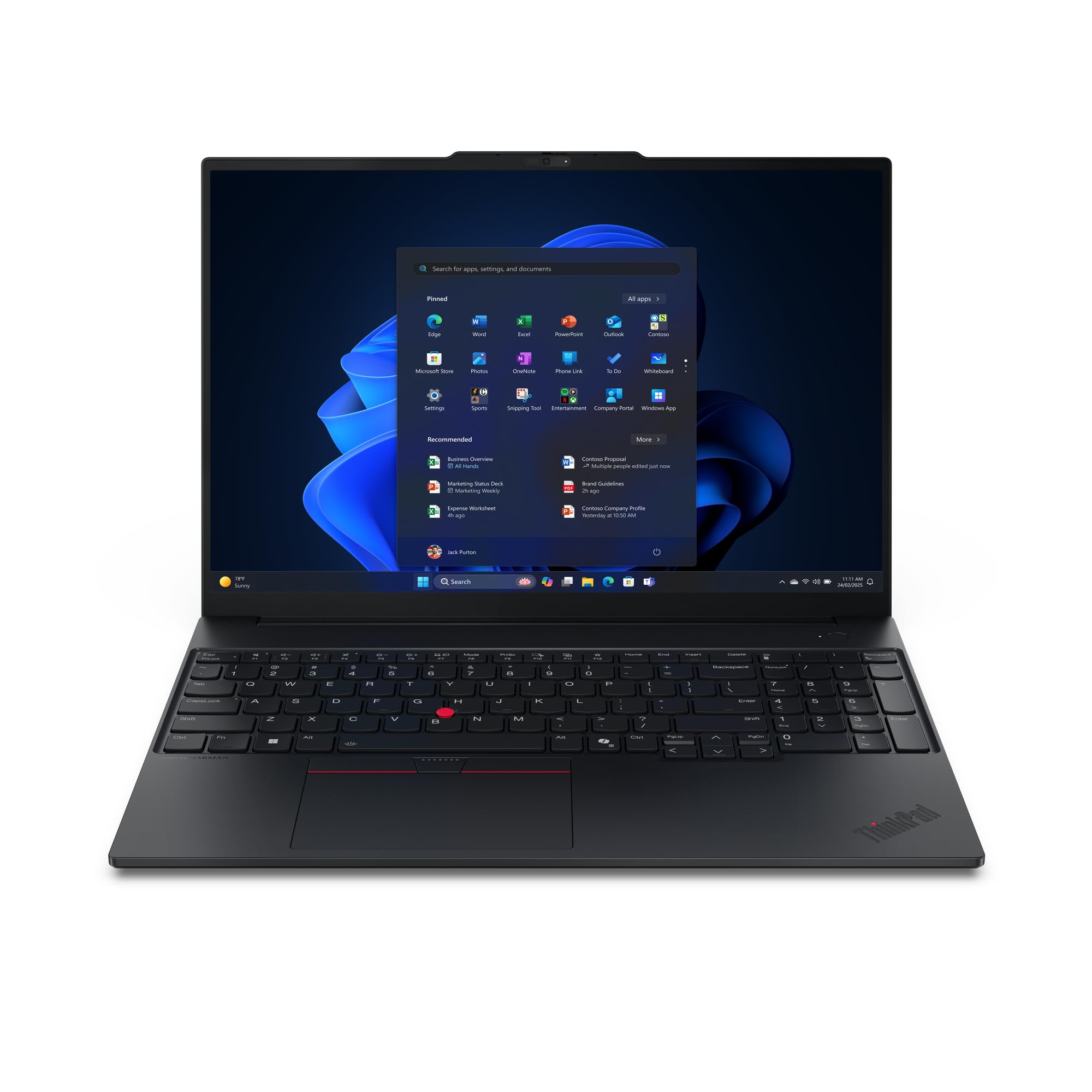
Imaj 3.1: Devan view of the Lenovo ThinkPad E16 G3 Laptop, showcasing its 16-inch display and keyboard.
Key components include the display, keyboard, touchpad, power button, various ports (USB, HDMI, audio jack), and cooling vents. Familiarize yourself with the layout for optimal use.
4. Enstalasyon
4.1 Premye pouvwa-sou
- Konekte adaptè pouvwa a: Plug the AC power adapter into the laptop's power port and then into a wall outlet.
- Louvri Ekspozisyon an: Carefully lift the display lid.
- Pouvwa sou: Press the power button, usually located above the keyboard or on the side. The power indicator light will illuminate.
- Enstalasyon Windows: Swiv enstriksyon ki sou ekran an pou w konplete konfigirasyon inisyal Windows 11 Pro a, ki gen ladan seleksyon lang, koneksyon rezo a, ak kreyasyon kont itilizatè.
4.2 Konekte periferik
You can connect external devices such as a mouse, keyboard, external monitor, or USB drives to the available ports on your laptop. Refer to the specifications section for a list of available ports.
5. Operasyon Enstriksyon
5.1 Jesyon pouvwa
- Pouvwa sou: Peze bouton pouvwa a.
- Fèmen: Klike sou bouton Kòmanse a, answit sou Pouvwa > Fèmen.
- Rekòmanse: Klike sou bouton Kòmanse a, answit sou Pouvwa > Rekòmanse.
- Dòmi: Fèmen kouvèti a oubyen klike sou bouton Start la, answit sou Power > Dòmi.
5.2 Klavye ak Touchpad
The laptop features a full-sized keyboard and a precision touchpad. Use the touchpad for navigation, clicking, and multi-touch gestures. Refer to Windows settings for customizing touchpad sensitivity and gestures.
5.3 Koneksyon san fil
Pou konekte ak yon rezo Wi-Fi:
- Klike sou ikòn Wi-Fi a nan ba travay la.
- Chwazi rezo ou vle a nan lis la.
- Antre modpas rezo a si yo mande.
- Klike sou Konekte.
6. Antretyen
6.1 Netwaye òdinatè pòtab ou a
- Ekran: Sèvi ak yon moso twal mou, ki san pèl dampLave avèk dlo oswa yon pwodui netwayaj ekran. Pa flite likid dirèkteman sou ekran an.
- Klavye ak chasi: Sèvi ak yon twal mou epi sèk. Pou pousyè tè ki difisil pou retire, yon ti kras mouye.amp Ou ka itilize yon twal ki gen yon solisyon savon dou, pou asire ke pa gen likid ki antre nan ouvèti yo.
- Vantilasyon: Periodically clean dust from the cooling vents using compressed air to prevent overheating.
6.2 Swen Batri
Pou pwolonje lavi batri:
- Evite tanperati ekstrèm.
- Pa dechaje batri a nèt souvan.
- Si w ap sere laptop la pou yon bon bout tan, asire w ke batri a chaje a apeprè 50-60%.
6.3 Mizajou lojisyèl
Regularly update your operating system and drivers to ensure optimal performance and security. Windows Update can be accessed via Anviwònman > Mizajou Windows.
NAN. Depanaj
Seksyon sa a adrese pwoblèm komen ou ka rankontre ak laptop ou a.
7.1 Pa gen pouvwa
- Asire w ke adaptè AC a byen konekte ak laptop la ak yon priz kouran ki fonksyone.
- Tcheke si priz kouran an ap fonksyone lè w branche yon lòt aparèy ladan l.
- Eseye yon priz kouran diferan.
7.2 Pwoblèm ekspozisyon
- Ekran vid: Press the Fn key + F7 (or the appropriate function key with a display icon) to toggle display output.
- Dim ekran: Adjust brightness using the function keys (e.g., Fn + F5/F6).
- External Monitor Not Detected: Ensure the cable is properly connected. Press Fn + F7 to cycle through display modes.
7.3 Pwoblèm koneksyon Wi-Fi
- Ensure Wi-Fi is enabled (check the Wi-Fi icon in the taskbar).
- Rekòmanse routeur ou ak modèm ou.
- Kouri depanaj rezo Windows la (Anviwònman > Rezo ak entènèt > Anviwònman rezo avanse > Depanaj rezo).
7.4 Pèfòmans Ralanti
- Fèmen aplikasyon ki pa nesesè k ap fonksyone nan background nan.
- Tcheke epi enstale nenpòt mizajou Windows ki annatant.
- Ensure your storage (SSD) is not critically full.
- Fè yon eskanè viris.
8. Espesifikasyon
| Karakteristik | Detay |
|---|---|
| Mak | Lenovo |
| Nimewo Modèl | 21ST0046GE |
| Seri | ThinkPad |
| Kalite processeur | AMD Ryzen 5 |
| Kantite processeurs | 1 |
| Gwosè RAM enstale a | 16 GB (DDR5) |
| Gwosè Disk Disk | 512 GB SSD |
| Gwosè ekspozisyon | 16 pous |
| Rezolisyon | 1920 x 1200 piksèl (WUXGA) |
| Kat grafik | Entegre |
| Sistèm operasyon | Windows 11 Pro |
| Kalite san fil | 802.11ac, 802.11ax, 802.11n |
| Koulè | Nwa |
| Pwa atik | 2.72 Kilogram |
| Dimansyon | 46.5 x 32 x 8.5 cm |
9. Garanti ak sipò
9.1 Pwodwi Garanti
Your Lenovo ThinkPad E16 G3 laptop comes with a standard manufacturer's warranty. Please refer to the separate warranty document included in your package for specific terms, conditions, and duration of coverage. Keep your proof of purchase for warranty claims.
9.2 Sipò teknik
For technical assistance, driver downloads, or service inquiries, please visit the official Lenovo support website or contact their customer service. You will typically need your product's model number (21ST0046GE) and serial number for support.
Lenovo Sipò Websit: support.lenovo.com


