Entwodiksyon
This user manual provides comprehensive instructions for the Bigme B6 Color E-reader. Please read this manual carefully before using the device to ensure proper operation and to maximize its features. Keep this manual for future reference.
Pwodwi souview
Karakteristik kle
- Ekspozisyon: 6-inch color E-paper display (1448 x 1072 pixels) designed for an eye-friendly reading experience. Features blue light zero and flicker-free technology, certified by TÜV Rheinland for comfortable reading.
- Memwa ak Depo: Equipped with 4GB RAM and 64GB internal storage, allowing for the storage of numerous e-books and documents.
- Sistèm operasyon: Li fonksyone sou Android 14, sa ki bay aksè a yon pakèt aplikasyon.
- Processeur: Features an Octa-core CPU for quick response and efficient performance.
- Konsepsyon: Slim, compact, and lightweight black body for easy portability.
- Limyè devan: 36-level adjustable front light for comfortable reading in various lighting conditions.
- Koneksyon: Supports Bluetooth and Wi-Fi for seamless data transfer and online access.
- File Konpatibilite: Supports over 19 e-book formats including PDF, TXT, EPUB, EPUB3, HTML, HTM, AZW3, FB2, DOC, DOCX, MOBI, OEB, CBR, RPC, RPC, RTF, DJVU, ZIP.
- Sipò pou liv odyo: Allows for audiobook playback.
Kontni pake
The Bigme B6 Color E-reader package includes the following items:
- Bigme B6 Color E-reader Main Unit
- Ka Pwoteksyon
- Manyèl Itilizatè (dokiman sa a)

Imaj: Devan ak dèyè view of the Bigme B6 Color E-reader. The device is black and features a slim design.

Image: Illustration of the Bigme B6 Color E-reader package contents, including the device, protective case, and user manual.
Enstalasyon
Premye chaj
Before first use, fully charge your Bigme B6 E-reader. Connect the device to a power source using the provided USB cable. The charging indicator will show the charging status.
Power On/Off
- Pou limen: Press and hold the power button located on the side/top of the device until the screen lights up.
- Pou etenn: Press and hold the power button until a power-off menu appears on the screen. Select "Power Off".
- Pou dòmi/reveye: Briefly press the power button to put the device into sleep mode or wake it up.
Inisyal Enstalasyon Sòsye
Upon first power-on, the device will guide you through an initial setup wizard. This typically includes:
- Seleksyon lang
- Koneksyon rezo Wi-Fi
- Paramèt dat ak lè
- Account login (optional, for app stores or cloud services)
Swiv envit ki sou ekran yo pou konplete konfigirasyon an.
Enstriksyon Operasyon
Navigasyon ak Entèfas
The Bigme B6 features an intuitive touch interface. Navigate through menus and content by tapping, swiping, and pinching on the screen.
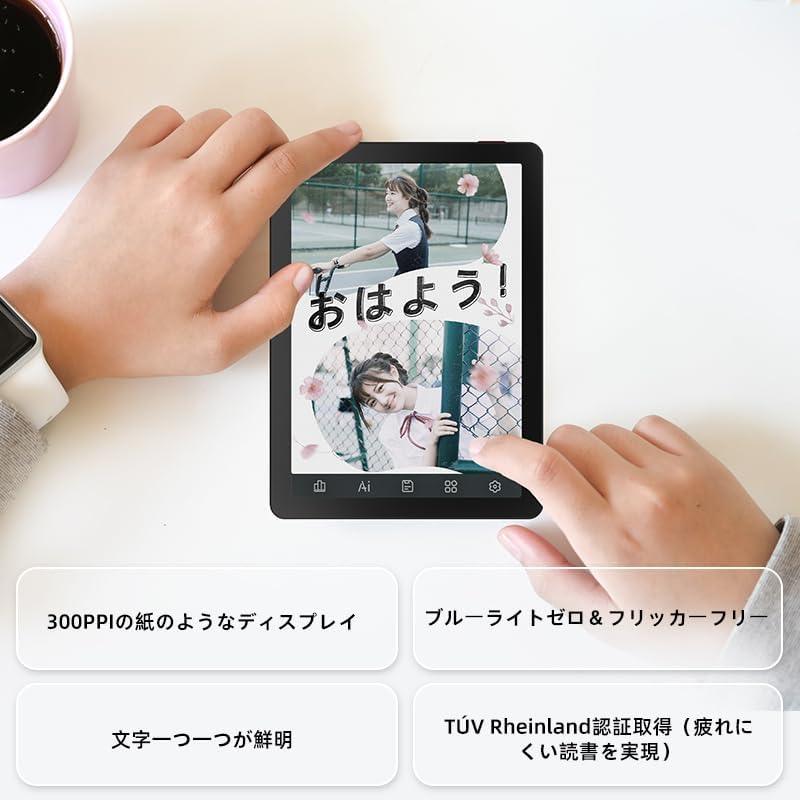
Image: A hand holding the Bigme B6 E-reader, highlighting its display features such as 300PPI, blue light zero, and clear text rendering.

Image: The Bigme B6 E-reader displaying its interface with customizable touch buttons at the bottom of the screen.
Lekti E-liv
- Ouvèti Liv: Tap on a book cover from your library to open it.
- Vire Paj: Tap the left or right side of the screen, or swipe horizontally, to turn pages.
- Adjusting Font/Light: Tap the center of the screen to bring up the reading menu. From here, you can adjust font size, font style, line spacing, and the 36-level front light.
- Souliyaj ak Nòt: Press and hold on text to select it. Options for highlighting, adding notes, or looking up definitions will appear.
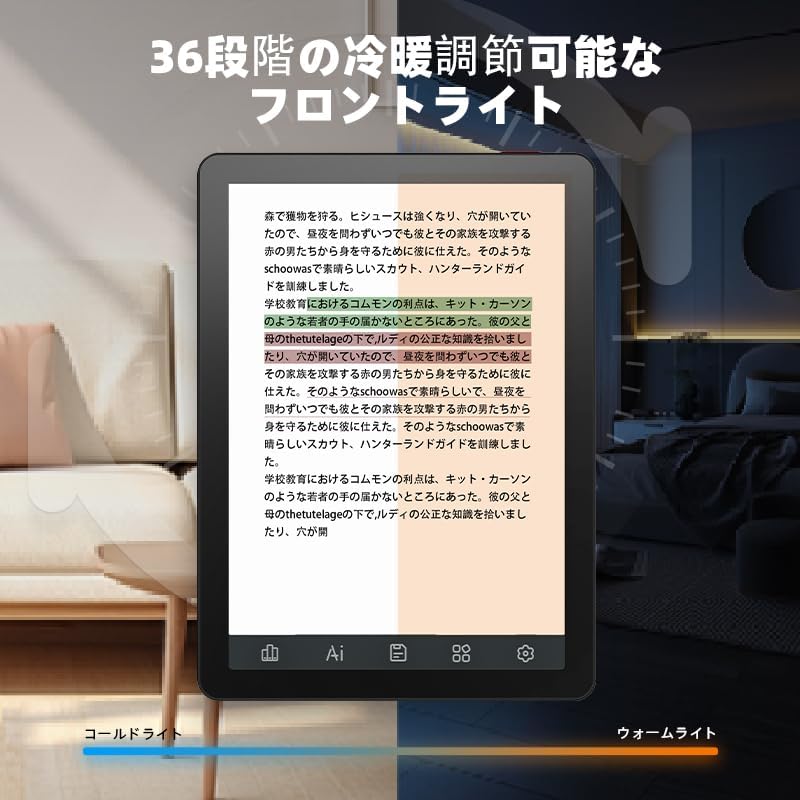
Image: The Bigme B6 E-reader displaying text with an illustration of adjustable front light levels, from cold light to warm light.

Image: The Bigme B6 E-reader displaying text with color elements, demonstrating the ability to read in color and highlight content.
Jere Bibliyotèk ou a
The device supports various e-book formats, allowing you to expand your library without complex file konvèsyon.

Image: The Bigme B6 E-reader displaying its storage capacity of 4GB RAM and 64GB, indicating it can store tens of thousands of books.

Image: The Bigme B6 E-reader displaying a list of supported e-book formats, emphasizing its ability to expand the library without file konvèsyon.
Connectivity and Data Transfer
- Wi-Fi: Connect to Wi-Fi networks for downloading books, browsing the internet, and syncing data. Go to Settings > Wi-Fi to manage connections.
- Bluetooth: Pair with Bluetooth headphones or speakers for listening to audiobooks. Go to Settings > Bluetooth to manage devices.
- Transfè USB: Connect the device to a computer using a USB cable to transfer files dirèkteman.

Image: The Bigme B6 E-reader next to a pair of headphones, illustrating its audiobook functionality.

Image: The Bigme B6 E-reader shown alongside a laptop, demonstrating seamless data synchronization capabilities.
Antretyen
Netwaye Aparèy la
- Sèvi ak yon twal mou, ki pa gen pèl pou netwaye ekran an ak kò aparèy la.
- Do not use abrasive cleaners, alcohol, or chemical solvents, as these can damage the screen or finish.
- Avoid spraying cleaners directly onto the screen. Apply to the cloth first.
Depo
- Sere aparèy la nan yon kote ki fre epi sèk, lwen limyè solèy dirèk ak tanperati ekstrèm.
- When not in use for extended periods, ensure the device is charged to about 50% to preserve battery health.
Mizajou lojisyèl
Periodically check for software updates to ensure optimal performance and access to new features. Updates can usually be found in the device's settings menu under "System Update" or "About Device".
Depanaj
Pwoblèm komen ak solisyon yo
| Pwoblèm | Kòz posib | Solisyon |
|---|---|---|
| Aparèy pa limen | Batri fèb; Sistèm nan kraze | Charge the device for at least 30 minutes. If still unresponsive, perform a forced restart by holding the power button for 10-15 seconds. |
| Ekran an pa reponn | Glitch lojisyèl tanporè | Rekòmanse aparèy la. Asire w ekran an pwòp epi sèk. |
| Pa ka konekte ak Wi-Fi | Incorrect password; Router issue; Device Wi-Fi off | Double-check the Wi-Fi password. Restart your router. Toggle Wi-Fi off and on in device settings. |
| Books not appearing in library | Unsupported format; Incorrect file kote | Ensure the book format is supported (refer to specifications). Verify files are in the correct folder on the device. |
If you encounter issues not listed here or if the suggested solutions do not resolve the problem, please contact Bigme customer support.
Espesifikasyon
| Karakteristik | Detay |
|---|---|
| Non modèl | JP-B6 |
| Gwosè ekspozisyon | 6 pous |
| Teknoloji ekspozisyon | E-Ink, Color E-paper |
| Rezolisyon ekspozisyon | 1448 x 1072 piksèl |
| RAM | 4GB |
| Depo Entèn | 64GB |
| Sistèm operasyon | Android 14 |
| Processeur | Octa-core CPU (Mediatek) |
| Koneksyon | Bluetooth, fil |
| Koulè | Nwa |
| Dimansyon pwodwi | 15.66 x 13.86 x 0.58 cm |
| Pwa atik | 215 gram |
| Konpozan ki enkli | User Manual, Protective Case, E-reader main unit |
Garanti ak sipò
For warranty information and customer support, please refer to the documentation included with your purchase or visit the official Bigme websit la. Kenbe prèv acha ou pou reklamasyon garanti.
Resous sou entènèt:
- Bigme Official Websit: www.bigme.com
- For further assistance, contact your retailer or the Bigme customer service team.


