1. Entwodiksyon
The Google Pixel 9a with Gemini is an advanced Android smartphone designed by Google. It integrates the Gemini AI assistant to enhance productivity and creativity. This device features a high-quality camera for exceptional photos, an all-day battery, and a durable design, supported by 7 years of software updates.
2. Kòmanse
2.1. Ki sa ki nan bwat la
- Telefòn selilè Google Pixel 9a
- 1m kab USB-C (USB 2.0)
- SIM Plato Ejector
2.2. Aparèy souview
Familiarize yourself with the physical components of your Pixel 9a smartphone.
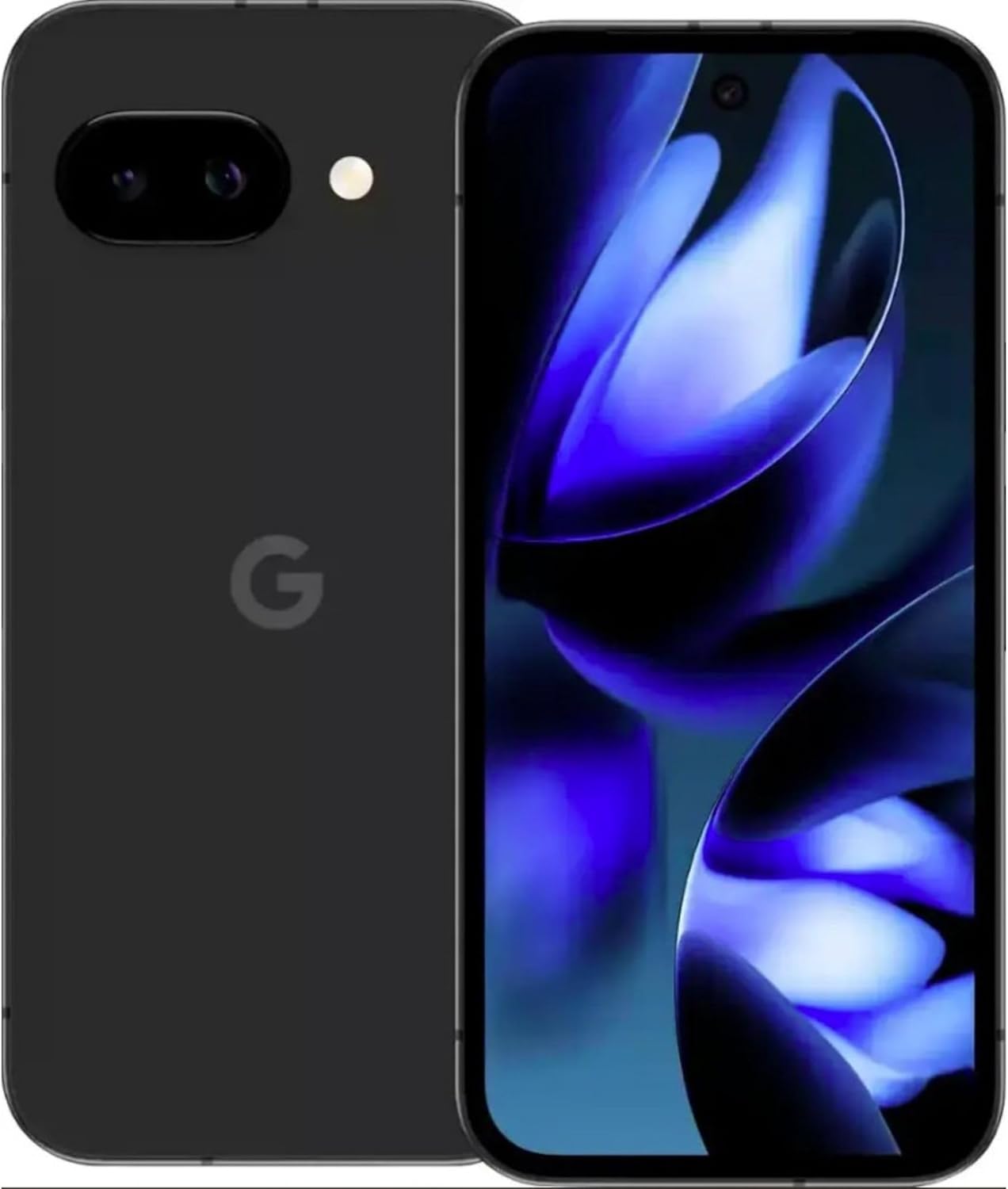
Imaj: Devan ak dèyè view of the Google Pixel 9a smartphone, showcasing ekran an ak modil kamera dèyè a.

Imaj: Bò kote view of the Google Pixel 9a, highlighting the power and volume buttons, and the SIM card tray.

Image: Clear back view of the Google Pixel 9a, showing the camera bar and Google logo.
2.3. Inisyal Enstalasyon
- Mete kat SIM: Use the provided SIM tray ejector tool to open the SIM tray. Insert your nano-SIM card into the tray and reinsert it into the phone.
- Pouvwa sou: Peze epi kenbe bouton pouvwa a ki sitiye sou kote aparèy la jiskaske logo Google la parèt.
- Swiv Enstriksyon ki sou Ekran yo: The phone will guide you through the initial setup process, including connecting to Wi-Fi, signing in with your Google account, and setting up security features.
- Transfè Done: If you are upgrading from another device, follow the prompts to transfer your data, apps, and settings.
3. Kijan pou w itilize Pixel 9a ou a
3.1. Navigasyon ak Entèfas
The Pixel 9a runs on Android 15. Navigate using gestures or the traditional three-button navigation bar, configurable in Settings > System > Gestures.
3.2. Karakteristik Kamera
The Pixel 9a features an advanced camera system. Access the camera app from the home screen or by double-pressing the power button.
- Mòd Foto: Switch between various modes like Portrait, Night Sight, Panorama, and more.
- AI Photo Editing: Utilize built-in AI features for enhanced photo editing, including Magic Eraser and Photo Unblur, directly within the Google Photos app.
3.3. Asistan IA Gemini
Gemini is integrated into your Pixel 9a to assist with various tasks.
- Aktivasyon: Activate Gemini by saying "Hey Google" or by long-pressing the power button (if configured).
- Kapasite: Use Gemini for quick information retrieval, setting reminders, controlling smart home devices, drafting messages, and more.
3.4. Jesyon batri
The Pixel 9a is equipped with an all-day battery. To optimize battery life:
- Batri Adaptatif: Enable Adaptive Battery in Settings > Battery > Adaptive Battery.
- Ekonomize batri: Use Battery Saver mode for extended usage when needed.
- Chaje san fil: The device supports wireless charging. Place it on a compatible Qi-certified wireless charger.
- Chaje rapid: Utilize a compatible fast charger for quicker power replenishment.
3.5. Karakteristik sekirite
Your Pixel 9a includes robust security measures.
- Degaje anprent: Set up your fingerprint for secure and quick unlocking.
- Debloke figi: Configure face unlock for convenient access.
- Mizajou regilye: Google provides 7 years of security updates to protect your device from emerging threats.
3.6. Koneksyon
The Pixel 9a supports various connectivity options:
- 5G: Connect to 5G networks for faster data speeds (carrier dependent).
- Wi-Fi 6e: Enjoy enhanced Wi-Fi performance with Wi-Fi 6e compatibility.
- Bluetooth 5: Connect to Bluetooth accessories like headphones and smartwatches.
- NFC: Sèvi ak NFC pou peman san kontak epi pou konekte rapidman ak aparèy konpatib.
- Doub SIM: Aparèy la sipòte fonksyonalite Doub SIM.
4. Swen ak Antretyen
- Netwayaj: Sèvi ak yon twal mou ki pa gen pousyè pou netwaye aparèy ou an. Evite materyèl abrazif oswa pwodui chimik ki agresif.
- Rezistans dlo ak pousyè: The Pixel 9a is water and dust resistant. However, this is not a permanent condition and resistance might decrease as a result of normal wear. Do not intentionally submerge the device.
- Mizajou lojisyèl: Enstale mizajou sistèm yo regilyèman pou asire pèfòmans ak sekirite optimal.
- Jesyon Depo: Netwaye sa ki pa nesesè detanzantan fileak aplikasyon pou kenbe vitès aparèy la epi libere espas depo.
NAN. Depanaj
If you encounter issues with your Pixel 9a, consider the following common solutions:
- Aparèy pa reponn: Peze epi kenbe bouton pouvwa a pandan apeprè 30 segonn pou fòse yon rekòmanse.
- Aplikasyon an ap kraze: Clear the app's cache and data in Settings > Apps > [App Name] > Storage > Clear Cache/Clear Data. If the issue persists, uninstall and reinstall the app.
- Drenaj batri: Check battery usage in Settings > Battery to identify apps consuming excessive power. Adjust settings or restrict background activity for those apps.
- Pwoblèm Koneksyon: Aktive epi dezaktive Wi-Fi oubyen Bluetooth. Pou pwoblèm selilè, asire w kat SIM ou byen antre epi kontakte operatè w la si sa nesesè.
- Pwoblèm lojisyèl: Ensure your device is running the latest software version. A factory reset (Settings > System > Reset options > Erase all data) can resolve persistent software problems, but remember to back up your data first.
6. Espesifikasyon teknik
| Karakteristik | Spesifikasyon |
|---|---|
| Non modèl | Google Pixel 9a |
| Nimewo Modèl Atik | GXQ96 |
| Sistèm operasyon | Android 15 |
| Modèl CPU | Google Tensor G4 |
| CPU vitès | 3.1 GHz |
| Gwosè memwa RAM enstale | 8 GB |
| Kapasite Depo memwa | 128 GB |
| Gwosè ekran | 6.3 pous |
| Rezolisyon | 1080 x 2400 |
| Evalyasyon pouvwa batri | 4300 mAh |
| Tan pou pale nan telefòn | 16 èdtan |
| Koneksyon teknoloji | 5G + Wifi 6e + Bluetooth 5, Bluetooth, NFC, USB, Wi-Fi |
| Karakteristik espesyal | Dual SIM, Fast Charging Support, Gemini AI Assistant, Water & Dust Resistant, Wireless Charging |
| Dimansyon pwodwi | 2.88 x 6.09 x 0.35 pous |
| Pwa atik | 6.6 ons (186 gram) |
| Koulè | Black (Obsidian) |
| Manifakti | |
| Wireless Carrier | Debloke |
7. Regulatory and Safety Information
For detailed regulatory compliance, safety, and warranty information, please refer to the official Google Pixel support website or the documentation included with your device. Adhere to all local regulations regarding electronic device usage and disposal.
8. Garanti ak sipò
Your Google Pixel 9a is covered by Google's standard warranty. For warranty claims, technical support, or service inquiries, please visit the official Google Pixel Support website or contact Google customer service directly. Keep your proof of purchase for warranty validation.


