1. Entwodiksyon
Thank you for choosing the Jesebang S75 Wireless Earbuds. These earbuds are designed to provide a high-quality audio experience with advanced features such as Bluetooth 5.4 connectivity, Environmental Noise Cancellation (ENC) for clear calls, IPX7 waterproofing, and a secure over-ear hook design, making them ideal for sports and active lifestyles. This manual provides detailed instructions for setup, operation, and maintenance to ensure optimal performance and longevity of your device.
2. Ki sa ki nan bwat la
Tanpri verifye sa ki nan pake a pou asire w tout atik yo la:
- S75 Wireless Earbuds (2 units)
- Portable Charging Case (1 unit)
- Kab chaje USB-C (1 inite)
- Silicone Earplugs (S / M / L sizes, 3 pairs)
- Manyèl Itilizatè (dokiman sa a)

Image: Contents of the Jesebang S75 Wireless Earbuds package.
3. Enstalasyon
3.1 Chaje ekoutè yo ak bwat la
Before first use, fully charge the earbuds and the charging case. The charging case features a dual LED digital display to show the battery levels of both the case and individual earbuds.
- Konekte kab chaje USB-C ki vini ak aparèy la nan pò chaje ki sou bwat la epi nan yon sous kouran USB.
- The LED display on the charging case will illuminate to indicate charging status. The numbers will increase as the case charges, and the earbud battery indicators will show their charging progress.
- Once fully charged, the display will show '100' for the case and full battery icons for the earbuds. A full charge typically takes approximately 2 hours.

Image: Charging the S75 Earbuds and Case with LED display.
3.2 Konekte ak Aparèy ou an
The S75 earbuds feature one-step auto-pairing for convenience.
- Pwen inisyal: Louvri bwat chaje a. Ekoutè yo ap limen otomatikman epi antre nan mòd koneksyon.
- Sou aparèy ou an (telefòn entelijan, tablèt, elatriye), aktive Bluetooth epi chèche aparèy ki disponib yo.
- Select "S75" from the list of found devices to connect. You will hear a voice prompt confirming the connection.
- Rekoneksyon otomatik: After the first successful pairing, the earbuds will automatically reconnect to the last paired device when you open the charging case.

Image: One-step auto-pairing process for Jesebang S75 Earbuds.
Videyo: Yon finiview of the Jesebang S75 Wireless Earbuds, demonstrating features like battery life, Bluetooth 5.4, sound quality, ENC, IPX7 waterproofing, ergonomic earhooks, and smart touch control. This video illustrates the product's key functionalities and design.
4. Itilizasyon ekoutè yo
4.1 Mete ekoutè yo
The S75 earbuds are designed with soft, elastic earhooks for a secure and comfortable fit, especially during physical activity.
- Choose the silicone earplugs (S, M, L) that best fit your ear canal for optimal sound and comfort.
- Dousman mete ekoutè a nan kanal zòrèy ou.
- Adjust the earhook to rest securely over and behind your ear. Ensure a snug fit to prevent movement during exercise.

Image: Proper wearing of Jesebang S75 Earbuds with earhooks.
4.2 Kontwòl taktil entelijan
The S75 earbuds feature highly sensitive touch sensors for easy control of music, calls, and voice assistant functions.
| Aksyon | Fonksyon |
|---|---|
| One Click (L/R) | Jwe/Poz mizik |
| Short Tap (L/R) | Reponn/Fen Apèl |
| Long Tap (L/R) | Rejte apèl |
| One Click Tap R | Volim leve |
| One Click Tap L | Volim desann |
| Tap Long 2s L | Previous Track |
| Tape Long 2s R | Next Track |
| Triple Click (L/R) | Aktive Asistan Vwa |
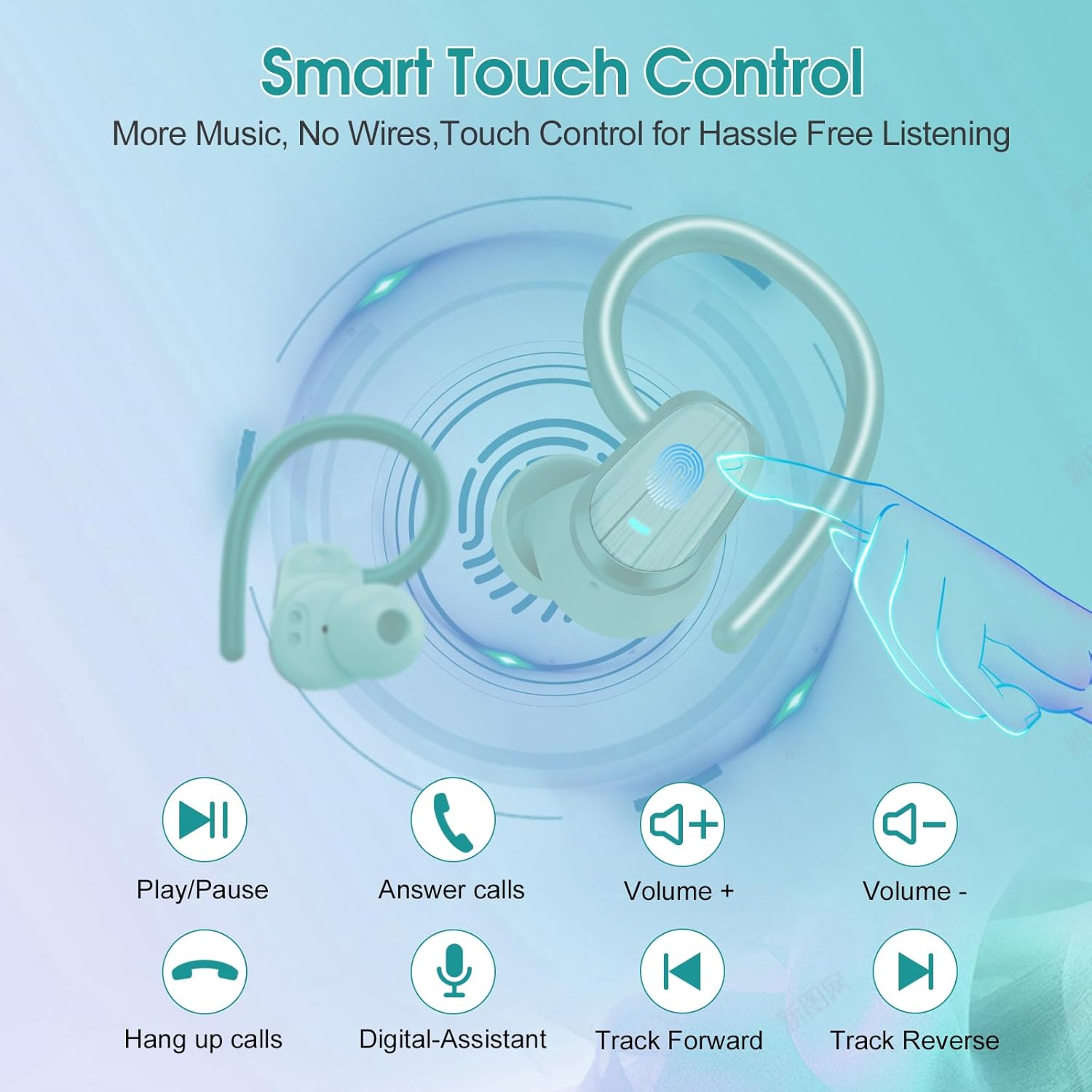
Image: Smart Touch Control functions on the S75 Earbuds.
5. Antretyen
5.1 Enpèmeyab (IPX7)
The S75 earbuds are rated IPX7 waterproof, meaning they can withstand immersion in water up to 1 meter for 30 minutes. This makes them suitable for workouts, running, and protection against sweat and rain.
- Do not intentionally submerge the earbuds for extended periods or in depths greater than specified.
- Asire w ke pò a chaje sèk anvan ou chaje pou anpeche domaj.
5.2 Netwayaj
Netwayaj regilye ede kenbe kalite son ak ijyèn.
- Sèvi ak yon twal mou, sèk, ki pa gen pousyè pou siye ekoutè yo ak bwat chaje a.
- Remove the silicone earplugs and clean them with mild soap and water. Ensure they are completely dry before reattaching.
- Evite itilize materyèl abrazif, alkòl, oswa pwodui netwayaj chimik.
NAN. Depanaj
If you encounter any issues with your Jesebang S75 earbuds, please refer to the following common solutions:
| Pwoblèm | Solisyon |
|---|---|
| Ekoutè pa asosye | Ensure earbuds are charged. Turn off and on your device's Bluetooth. Forget "S75" in your device's Bluetooth settings and re-pair. |
| Se yon sèl ekoutè k ap travay | Place both earbuds back in the charging case, close the lid, wait a few seconds, then open the lid again. This should reset the connection between them. |
| Volim ki ba oswa kalite son ki pa bon | Adjust volume on both your device and earbuds. Ensure earplugs are correctly sized and seated in your ear canal. Clean any debris from the earbud speakers. |
| Ka chaje pa chaje | Tcheke kab USB-C a ak adaptè kouran an. Asire w pò chajman an pwòp epi li pa gen debri ladan l. |
| Ekoutè yo pa chaje nan ka a | Ensure the charging contacts on both the earbuds and the case are clean and dry. Verify the charging case itself has sufficient battery. |
7. Espesifikasyon
Key technical specifications for the Jesebang S75 Wireless Earbuds:
- Non modèl: S75
- Koneksyon Teknoloji: San fil (Bluetooth)
- Bluetooth vèsyon: 5.4
- Gamme Bluetooth: 15 mèt
- Kalite chofè odyo: Chofè dinamik
- Gwosè chofè odyo: 14.2 Milimèt
- Nivo rezistans dlo: IPX7 ki enpèmeyab
- Plasman Zòrèy: Sou Zòrèy
- Faktè fòm: Nan Zòrèy
- Lavi batri (koutè): Jiska 10 èdtan (yon sèl chaj)
- Tan total pou jwe (ak bwat chaje a): Jiska 50 èdtan
- Tan pou chaje: Approximately 2 hours (for full charge)
- Pwa atik: 3.17 ons
- Manifakti: Dongguan Huien Teknoloji Elektwonik Co., Ltd
8. Garanti ak sipò
Your Jesebang S75 Wireless Earbuds come with a standard return policy of 30 days from the date of purchase for refunds or replacements, as per Amazon's policy. For specific warranty details beyond this period, please refer to the information provided by the manufacturer or contact Jesebang customer support directly.
For further assistance, technical support, or inquiries, please visit the official Jesebang store on Amazon or contact their customer service channels.
Magazen sou entènèt: Jesebang Store


