1. Entwodiksyon
Mèsi pou acha aasing the Hiwill A51 Dolby Atmos 5.1ch Soundbar System. This manual provides essential information for setting up, operating, and maintaining your soundbar system to ensure optimal performance and longevity. Please read this manual thoroughly before use and retain it for future reference.
2. Enfòmasyon enpòtan sou sekirite
Pou diminye risk chòk elektrik, dife, oswa domaj nan aparèy la, tanpri obsève prekosyon sekirite sa yo:
- Pa ekspoze aparèy sa a lapli oswa imidite.
- Pa mete objè ki ranpli ak likid, tankou vaz, sou aparèy la.
- Pa bloke okenn ouvèti vantilasyon. Enstale li dapre enstriksyon manifakti a.
- Pa enstale tou pre okenn sous chalè tankou radyatè, rejis chalè, recho, oswa lòt aparèy (tankou amplifiers) ki pwodui chalè.
- Pwoteje kòd elektrik la pou yo pa mache oswa kwense, sitou nan priz, resipyan konvenyans, ak pwen kote yo sòti nan aparèy la.
- Itilize sèlman atachman/akseswa manifakti a espesifye.
- Deploge aparèy sa a pandan tanpèt zèklè oswa lè li pa itilize pou yon peryòd tan ki long.
- Refere tout sèvis yo bay pèsonèl sèvis kalifye. Reparasyon nesesè lè aparèy la domaje nenpòt fason, tankou kòd kouran oswa ploge domaje, likid koule oswa objè tonbe nan aparèy la, aparèy la te ekspoze a lapli oswa imidite, li pa fonksyone nòmalman. , oswa li te tonbe.
3. Pake kontni
Tanpri verifye ke tout atik ki nan lis anba a yo enkli nan pakè ou a:
- Hiwill A51 Soundbar
- Filè Subwoofer
- 2x Wired Surround Speakers
- Pouvwa kab
- Gid Quick Start
- Remote Control (with battery included)
- Kat Garanti
- HDMI kab
4. Pwodwi souview
4.1 Eleman Sistèm
The Hiwill A51 system consists of a main soundbar unit, a wired subwoofer, and two wired surround speakers.
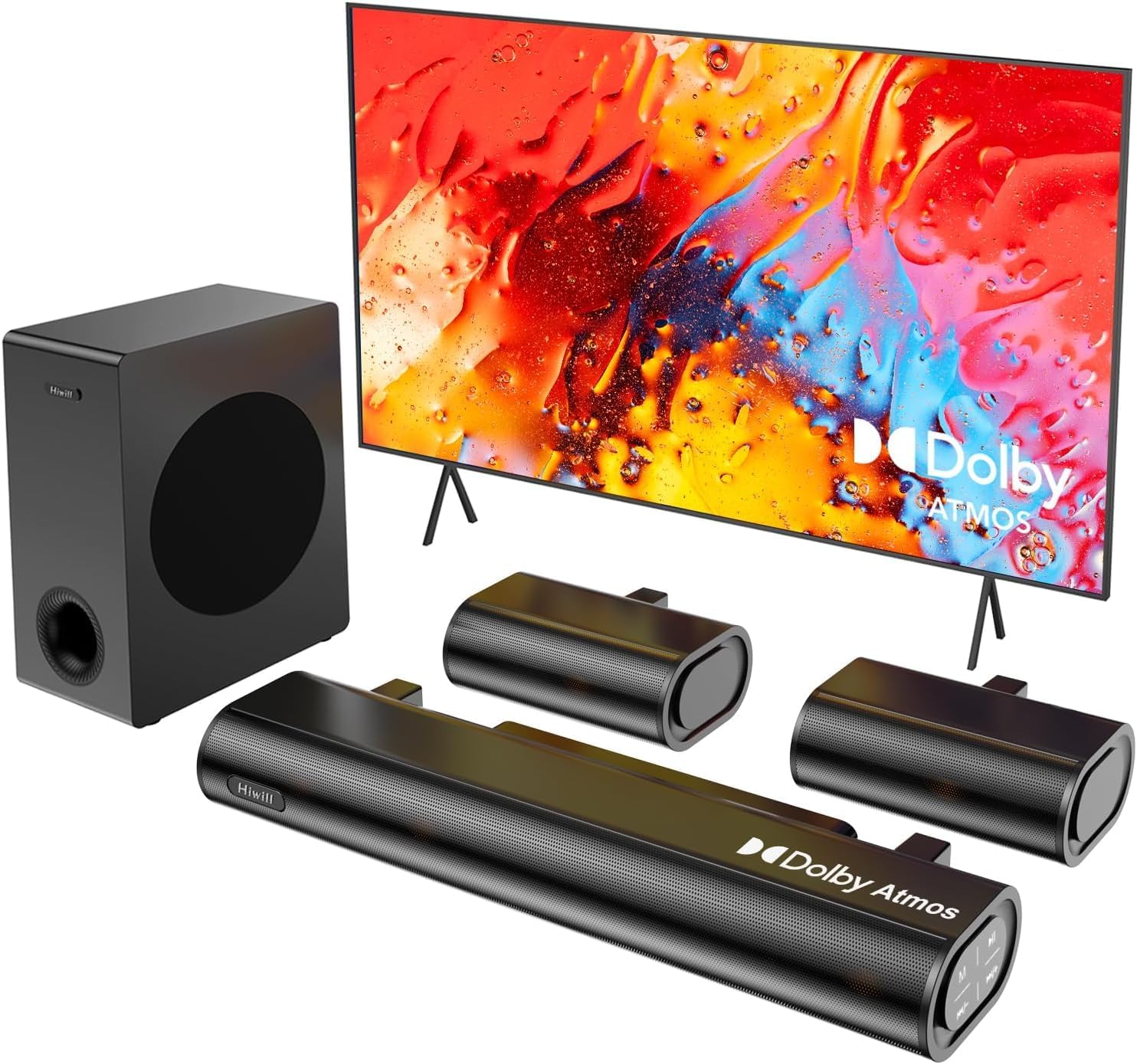
Figure 4.1: Hiwill A51 Soundbar System Components
4.2 Soundbar Features
The soundbar features multiple input ports for versatile connectivity and an integrated display for status information.

Figure 4.2: Soundbar Rear Panel Connections
4.3 Speaker Driver Construction
The system utilizes high-quality speaker drivers with aluminum-magnesium alloy diaphragms and copper shorting rings for enhanced audio clarity and reduced interference.

Figure 4.3: Speaker Driver Internal Components
5. Enstalasyon
5.1 Koneksyon Fizik
Follow these steps to connect your Hiwill A51 Soundbar System:
- Place the soundbar in front of your television, ensuring it does not obstruct the TV's remote sensor.
- Position the wired subwoofer on the floor, ideally near the soundbar.
- Connect the two wired surround speakers to the designated ports on the soundbar or subwoofer as per the connection diagram.
- Connect the soundbar to your TV using one of the recommended connection methods (HDMI eARC is preferred).
- Konekte kab kouran an nan ba son an epi answit nan yon priz kouran.

Figure 5.1: Typical 5.1ch Sound System Setup
5.2 Plasman Oratè
Proper placement of the surround speakers is crucial for an immersive audio experience. The system supports independent 12-level adjustment for rear speaker volume.
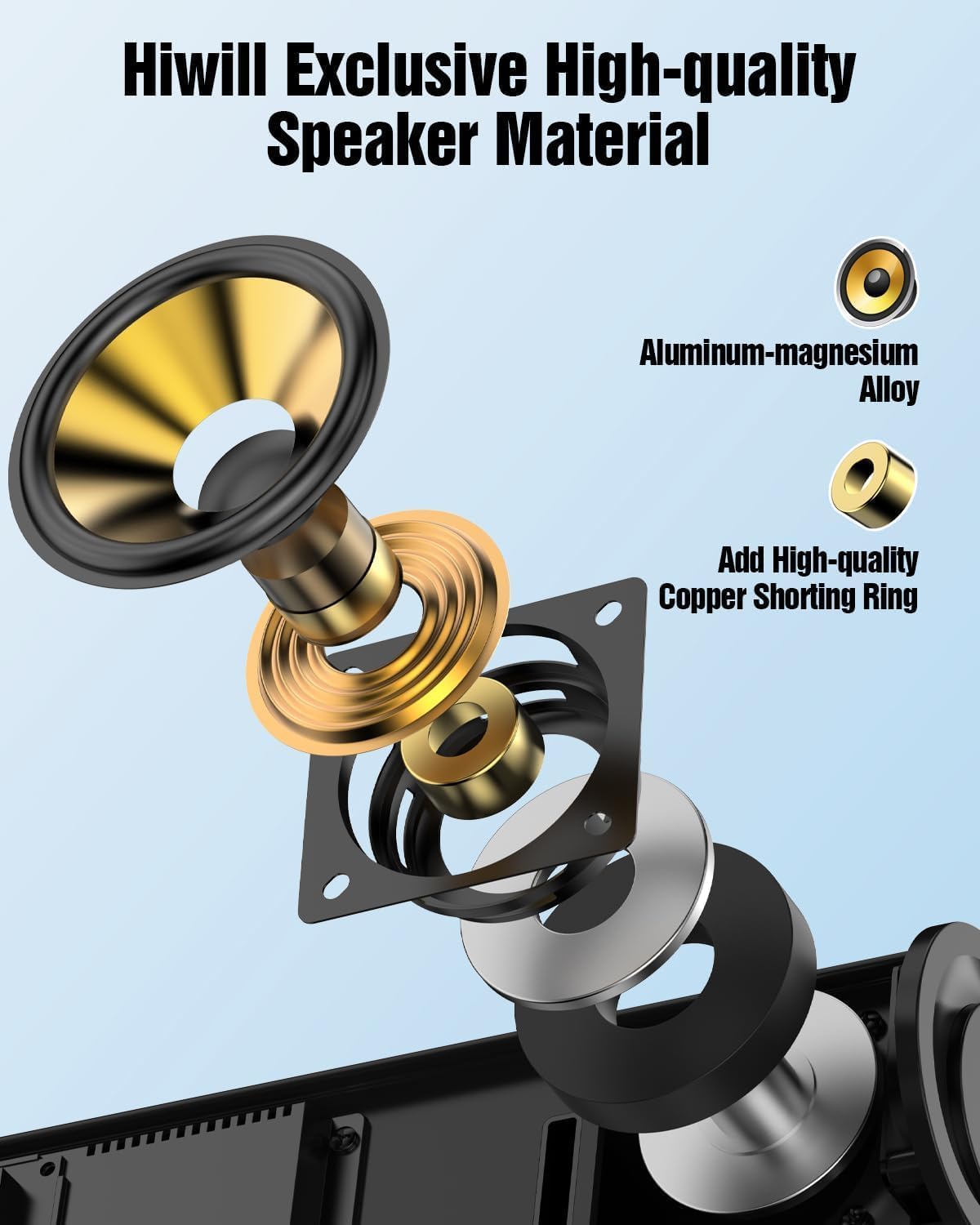
Figure 5.2: Rear Surround Speaker Placement and Adjustment
5.3 Metòd Koneksyon
The Hiwill A51 offers multiple connectivity options. HDMI eARC is recommended for the best audio quality and Dolby Atmos support.
| Karakteristik | HDMI eARC | HDMI ARC |
|---|---|---|
| Non konplè | Enhanced Audio Return Channel | Audio Retounen Chèn |
| Bandwidth | Jiska 37 Mbps | Jiska 1 Mbps |
| Sipò fòma odyo | Uncompressed audio (e.g., Dolby Atmos/Dolby TrueHD/DTS:X/PCM 7.1/DTS-HD Master Audio) | Compressed audio (e.g., Dolby Digital/DTS/PCM 2.0 (stereo)) |
| Sipò chanèl | Up to 7.1 channels, even 32 channels (e.g., Dolby Atmos) | Jiska 5.1 chanèl |
| Kalite Audio | High-resolution audio (e.g., 24-bit/192kHz) | Standard-definition audio |
| Latansi | Very low (optimized lip-sync) | Higher (may affect lip-sync) |
| Aparèy konpatibilite | Requires HDMI 2.1 or later | Requires HDMI 1.4 or later |
| Kondisyon pou kab | High-speed HDMI cable (package has included) | Creole kab dmi |
For optimal performance, use the connection method that best suits your TV and content:
| Metòd Koneksyon | Kalite Audio | Supports Dolby Atmos | Recommendation Rating |
|---|---|---|---|
| HDMI eARC | Best (uncompressed high-res audio) | Totalman sipòte | ★★★★★ |
| HDMI ARC | Good (compressed audio) | Partially supported* | ★★★★☆ |
| Optik | Fair (compressed audio) | Pa sipòte | ★★★☆☆ |
| Bluetooth | Fair (wireless transmission) | Pa sipòte | ★★☆☆☆ |
| AUX | Poor (stereo audio) | Pa sipòte | ★☆☆☆☆ |
*Partially supports means that HDMI ARC can only support Atmos transmitted via Dolby Digital Plus, but not Dolby TrueHD Atmos.
6. Operasyon Enstriksyon
6.1 Operasyon debaz
- Limen/Etenyen: Peze bouton pouvwa a sou ba son an oswa sou kontwòl remote la.
- Kontwòl Volim: Use the Volume Up/Down buttons on the soundbar or remote.
- Seleksyon Antre: Press the 'Input' button on the remote or soundbar to cycle through HDMI eARC, Optical, Bluetooth, and AUX inputs.
6.2 Kontwòl Remote
The included remote control provides full functionality for your soundbar system, including independent adjustment for bass, surround sound, and treble.
Figi 6.1: Aranjman kontwòl remote la
6.3 mòd EQ
Select from various EQ modes to optimize your audio experience for different content types:
- PureSound: Provides a balanced, uncolored audio profile.
- fim: Enhances dialogue and dynamic range for cinematic content.
- Mizik: Optimizes for musical playback with rich bass and clear highs.
- Nouvèl: Focuses on vocal clarity for news broadcasts and spoken content.

Figure 6.2: Soundbar Display with EQ Modes
6.4 Ajisteman Bass
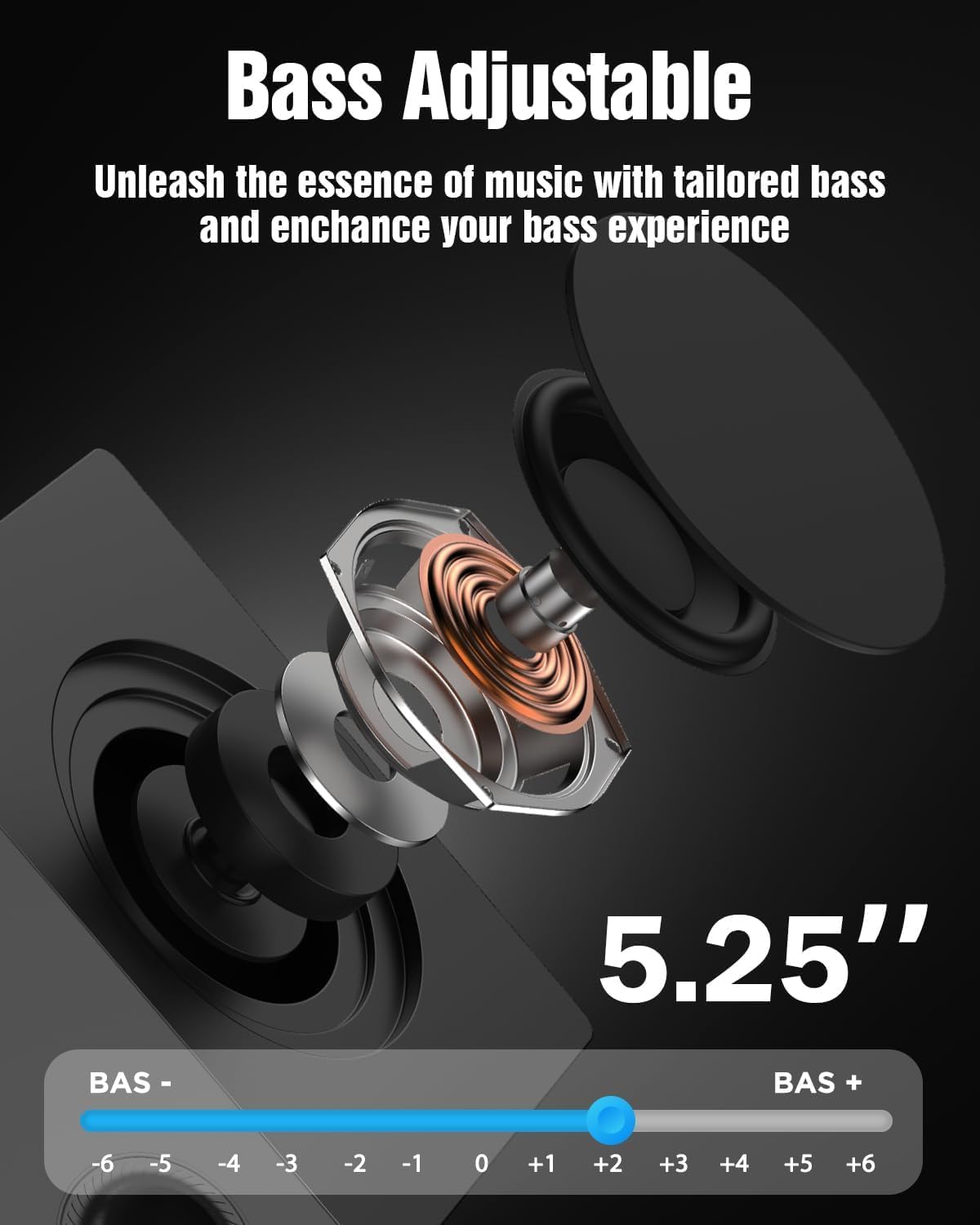
The subwoofer's bass level can be adjusted to your preference using the remote control. This allows you to tailor the low-frequency response to your listening environment and content.

Figure 6.3: Bass Level Adjustment
6.5 Mizajou mikrolojisyèl
New firmware versions may be released to enhance performance, add features, or address issues. Please contact Hiwill support for information on available firmware upgrades and instructions on how to apply them.

Figure 6.4: Firmware Upgrade Benefits
7. Antretyen
7.1 Netwayaj
Pou kenbe aparans ak pèfòmans sistèm soundbar ou a an bon eta:
- Siye sifas yo ak yon twal mou epi sèk.
- Pa sèvi ak pwodui netwayaj abrazif, sir, oswa solvan paske yo ka domaje fini an.
- Asire w ke inite a dekonekte anvan w netwaye.
7.2 Depo
Si w ap sere aparèy la pou yon bon bout tan, debranche l nan priz kouran an epi sere l nan yon kote ki fre epi sèk, lwen limyè solèy dirèk ak tanperati ekstrèm.
NAN. Depanaj
If you encounter issues with your Hiwill A51 Soundbar System, refer to the table below for common problems and solutions.
| Pwoblèm | Kòz posib | Solisyon |
|---|---|---|
| Pa gen pouvwa | Kab kouran an pa konekte; Priz kouran an pa aktif | Asire w ke kab kouran an byen konekte; Teste priz la ak yon lòt aparèy. |
| Pa gen son | Incorrect input selected; Volume too low; Mute activated; Incorrect TV audio settings | Select correct input source; Increase volume; Deactivate mute; Check TV audio output settings (e.g., PCM, Bitstream). |
| No sound from surround speakers | Surround speakers not connected; Surround volume too low; Source content is stereo | Ensure surround speakers are properly connected; Increase surround speaker volume via remote; Note that some content may not have discrete surround channels. |
| Pwoblèm appariement Bluetooth | Device too far; Soundbar not in pairing mode; Interference | Move device closer; Put soundbar into Bluetooth pairing mode; Avoid other wireless devices. |
| Remote kontwòl pa travay | Battery depleted; Obstruction; Remote sensor blocked | Replace battery; Remove obstructions; Ensure remote is pointed at the soundbar's sensor. |
If the problem persists after trying these solutions, please contact Hiwill customer support.
9. Espesifikasyon
Below are the technical specifications for the Hiwill A51 Dolby Atmos 5.1ch Soundbar System:
| Karakteristik | Detay |
|---|---|
| Non modèl | A51 |
| Kalite Oratè | Soundbar with Wired Subwoofer and Wired Surround Speakers |
| Konfigirasyon chanèl son antoure | 5.1 |
| Karakteristik espesyal | Dolby Atmos Soundbar |
| Koneksyon Teknoloji | Auxiliary, Bluetooth, HDMI (eARC), Optical, USB |
| Teknoloji kominikasyon san fil | Bluetooth |
| Oratè maksimòm pwodiksyon pouvwa | 380 Watts |
| Repons Frekans | 45 Hz |
| Dimansyon pwodwi (Soundbar) | 16.93"D x 2.36"W x 4.45"H |
| Pwa atik | 13.22 liv (sistèm total) |
| Materyèl | Metal or High-Quality Plastic |
| Koulè | Nwa |
| Manifakti | Hiwill |
10. Garanti ak sipò
10.1 Enfòmasyon sou Garanti
This product comes with a limited manufacturer's warranty. Please refer to the included Warranty Card for specific terms, conditions, and duration of coverage. Retain your proof of purchase for warranty claims.
10.2 Sipò pou Kliyan
For technical assistance, troubleshooting beyond this manual, or warranty inquiries, please contact Hiwill customer support. Contact details can typically be found on the Warranty Card or the official Hiwill websit.


