1. Entwodiksyon
Thank you for choosing the Parsonver G01 GPS Smart Watch. This manual provides essential information for the proper setup, operation, and maintenance of your device. Please read it carefully to ensure optimal performance and longevity of your smartwatch.

Image: The Parsonver G01 Smart Watch displayed with various outdoor activity scenes, highlighting its versatile use.
2. Pake kontni
Lè w ap ouvri pake a, verifye si tout bagay yo la:
- 1x Parsonver G01 Smart Watch
- 1x Magnetic Charging Cable
- 1x manyèl itilizatè

Image: An illustration detailing the package contents, including the smartwatch, charging cable, and user manual.
3. Gid Enstalasyon
3.1 Chaje mont entelijan an
Before initial use, fully charge your Parsonver G01 Smart Watch. The device features a 520mAh battery, providing extended usage time.
- Konekte kab chaje mayetik la ak kontak chaje yo sou dèyè mont lan.
- Branche bout USB-A kab la nan yon adaptè kouran USB estanda (pa enkli) oubyen nan pò USB yon òdinatè.
- Ekran mont lan ap endike eta chaj la. Yon chaj konplè anjeneral pran apeprè 2 èdtan.

Image: The smartwatch connected to its magnetic charging cable, illustrating the charging process and battery life indicators.
3.2 Enstalasyon ak koneksyon aplikasyon an
To unlock the full functionality of your smartwatch, download and install the companion application on your smartphone.
- Scan the QR code provided in the quick start guide or search for "Glory Fit" in your smartphone's app store (compatible with iOS 9.0/Android 5.0 or above).
- Install the "Glory Fit" application.
- Louvri app a epi swiv enstriksyon ki sou ekran an pou kreye yon kont oswa konekte.
- Asire w ke Bluetooth aktive sou smartphone ou.
- In the app, navigate to the device pairing section and select your Parsonver G01 Smart Watch from the list of available devices.
- Konfime demann koneksyon an sou telefòn entelijan ou ak sou mont lan.
4. Operasyon Enstriksyon
4.1 Navigasyon debaz
The Parsonver G01 features a 1.95-inch HD touchscreen for intuitive interaction.
- Glise anlè/desann: Jwenn aksè nan paramèt rapid oswa notifikasyon.
- Glise agoch/dwat: Navige nan widjèt yo ak fonksyon prensipal yo.
- Tape: Chwazi yon atik oubyen konfime yon aksyon.
- Peze bouton bò a: Retounen nan ekran prensipal la oubyen limen/etenn aparèy la.
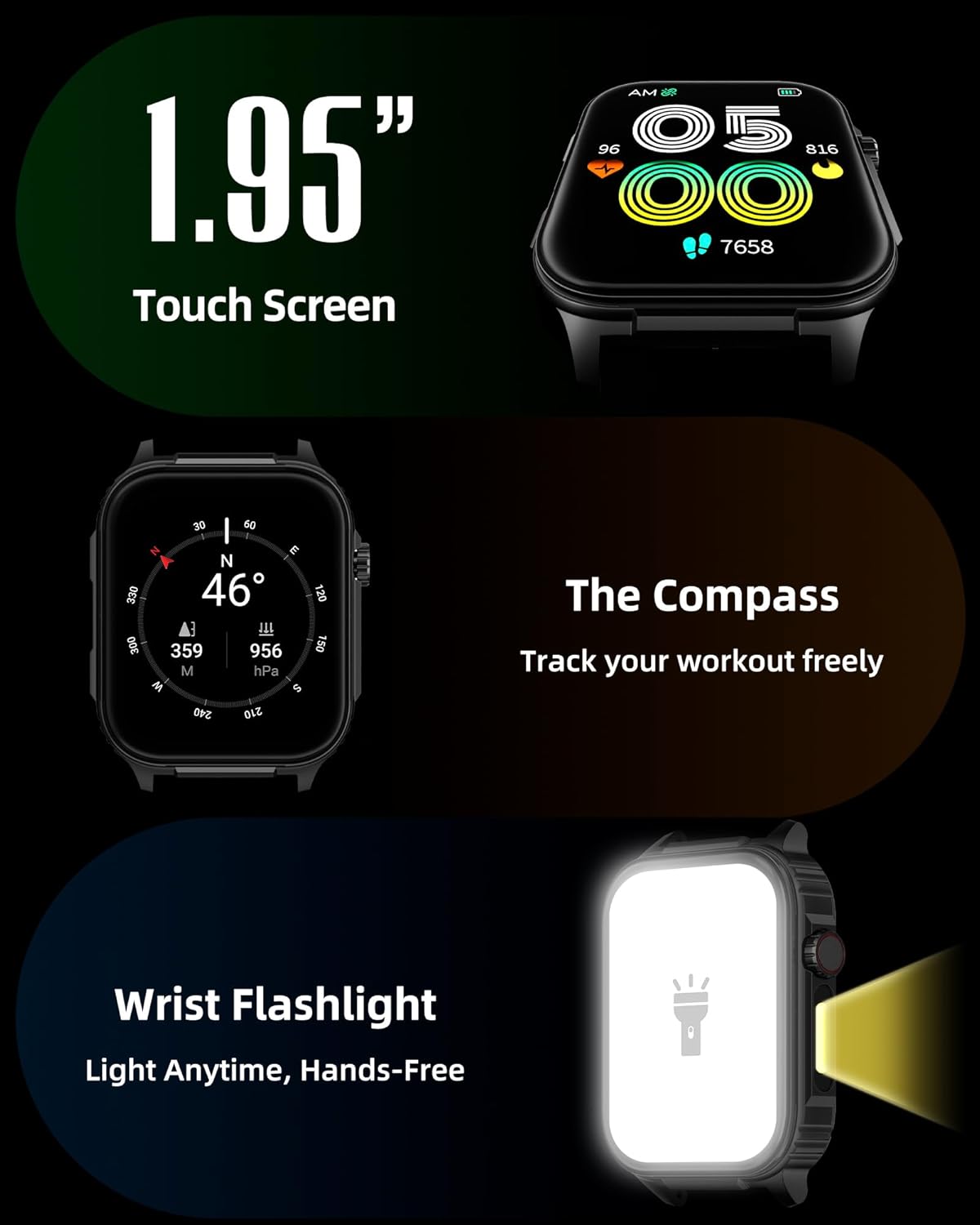
Imaj: Yon imaj detaye view of the smartwatch screen, illustrating its 1.95-inch size, along with icons for compass and flashlight functions.
4.2 Apèl Bluetooth ak Notifikasyon Entelijan
Stay connected by making and receiving calls directly from your wrist and receiving instant notifications.
- Fè apèl: Once paired via Bluetooth 5.3, access the call function on your watch to dial numbers or select contacts.
- Resevwa apèl: Incoming calls will display on the watch screen, allowing you to answer or reject them.
- Notifikasyon: The watch provides vibration alerts for SMS, WhatsApp, Facebook, and other app notifications. Note: Direct replies from the watch are not supported.

Image: A man on a mountain trail interacting with his Parsonver G01 Smart Watch to manage a Bluetooth call, with notification icons floating above.

Image: The smartwatch screen showing incoming messages and app notifications, demonstrating its smart notification feature.
4.3 Watch Faces
Personalize your watch with over 400 available watch faces or create your own custom designs.
- Access the watch face market through the "Glory Fit" app.
- Browse and download various styles, from classic to modern.
- Use the DIY function to upload custom photos and create unique watch faces.

Imaj: Ekran mont entelijan an ap parèt.asing a variety of watch face designs, illustrating the customization options.
4.4 Built-in GPS and Compass
Track your outdoor activities and navigate with precision, even without your phone.
- Suivi GPS: The built-in GPS accurately records your route, distance, and pace during outdoor workouts like running, hiking, and cycling. Ensure you are in an open area for optimal GPS signal acquisition.
- konpa: Utilize the integrated compass for navigation and orientation during your adventures.

Image: A cyclist wearing the Parsonver G01 Smart Watch, with the watch display showing GPS tracking data and a map.

Image: Hikers on a mountain trail, with the smartwatch displaying compass and GPS navigation features.
4.5 ki ap dirije flach
The integrated LED flashlight provides convenient illumination when needed.
- Access the flashlight function from the quick settings menu or a dedicated shortcut.
- The flashlight provides hands-free lighting for various situations.

Image: The smartwatch with its LED flashlight illuminated, demonstrating its utility in dark environments.
4.6 Espò mòd
The watch supports over 100 built-in sports modes to track your physical activities.
- Select your desired sport from the activity menu.
- The watch will track metrics such as calories burned, steps, distance, and heart rate in real-time.
- Examples include running, cycling, yoga, hiking, football, and more.

Image: An athlete tying shoelaces, with the smartwatch displaying various sports tracking metrics like steps, calories, distance, and heart rate.

Image: A visual representation of the smartwatch's extensive range of over 100 built-in sports modes, including running, football, and cycling.
4.7 Siveyans Sante
The Parsonver G01 provides comprehensive health monitoring features to help you maintain a healthy lifestyle.
- Siveyans batman kè: Suivi batman kè kontinyèl 24 sou 24, 7 jou sou 7.
- Siveyans oksijèn nan san (SpO2): Track your blood oxygen levels in real-time.
- Siveyans dòmi: Analize dòmitages (deep, light, awake) to provide insights into your sleep quality.
- Siveyans Estrès ak Atitid: Ede ou konprann epi jere nivo estrès ou yo.
- Rapèl sedantèr: Li ankouraje w pou w deplase apre peryòd inaktivite.
- Egzèsis pou respire: Guided breathing sessions to help reduce stress.
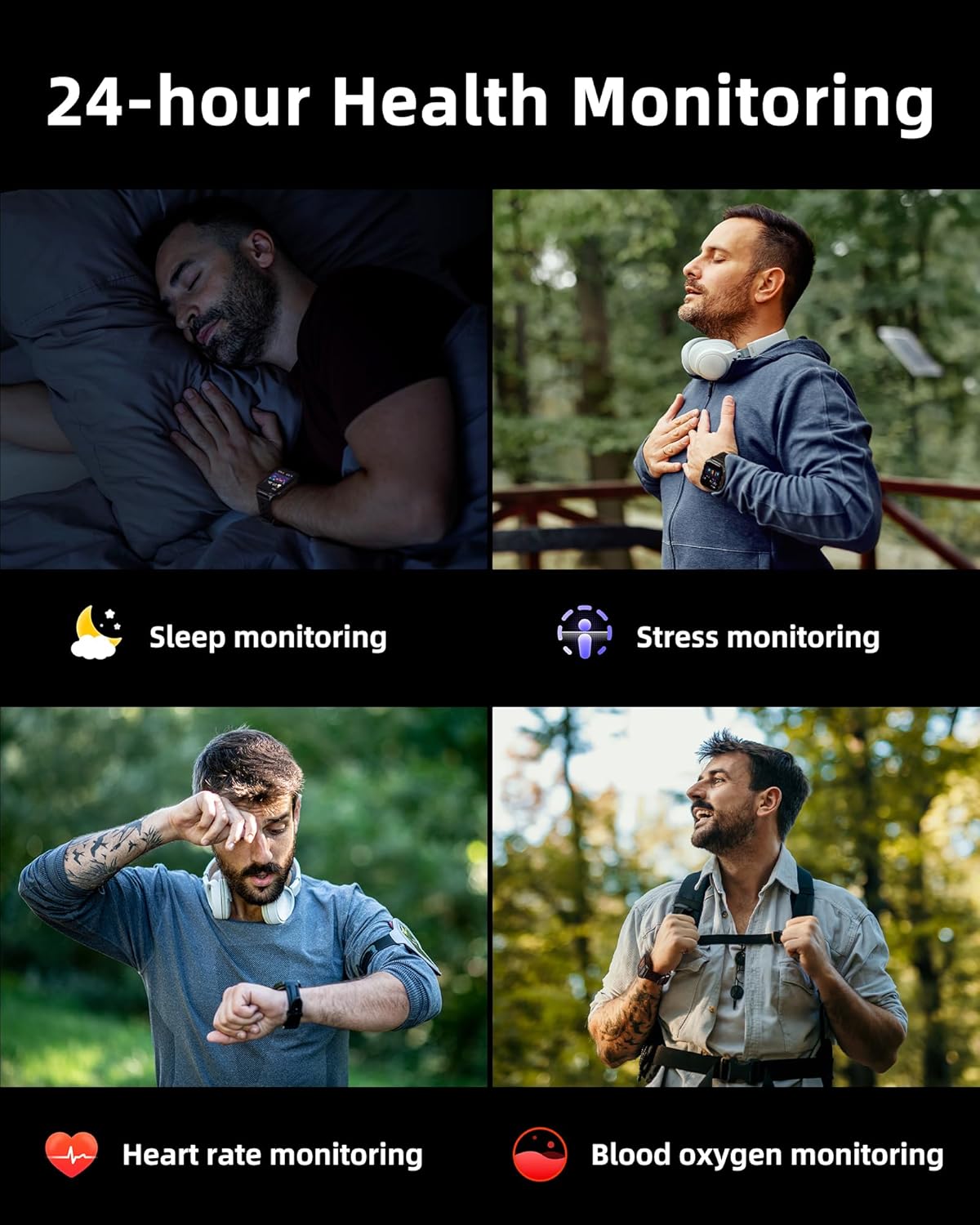
Image: A collage illustrating the smartwatch's 24-hour health monitoring capabilities, including sleep, stress, heart rate, and blood oxygen tracking.

Image: A man sleeping, with the smartwatch on his wrist, and a graphic showing detailed sleep analysis data.
4.8 Lòt Fonksyon Pratik
The Parsonver G01 includes a variety of additional features to assist with daily tasks:
- Revèy Alam: Set multiple alarms.
- Revèy ak kronomèt: Pou yon tan egzak.
- Kalkilatris: Fonksyon aritmetik debaz yo.
- Kalandriye: View dat ak orè.
- Kontwòl Mizik: Play, pause, skip tracks on your connected phone.
- Pwedi metewolojik: Jwenn dènye nouvèl sou metewolojik an tan reyèl.
- Asistan vwa: Kominike avèk asistan vokal telefòn ou an.
- Kontwòl Kamera Remote: Deklanche kamera telefòn ou a adistans.
- Jwenn telefòn: Jwenn telefòn entelijan ou ki pèdi a.
- Leve-pou-Reveye: Aktive ekran an otomatikman lè ou leve ponyèt ou.

Image: A display of various practical functions on the smartwatch, including alarm, timer, stopwatch, calculator, calendar, music control, and weather.
5. Antretyen
5.1 Rezistans dlo
The Parsonver G01 Smart Watch has an IP68 waterproof rating, meaning it is resistant to dust and can withstand immersion in water up to 1.5 meters for 30 minutes. It is suitable for daily splashes, hand washing, and light rain.
Nòt enpòtan:
- The IP68 rating does not make the watch suitable for swimming, showering, or sauna use. Exposure to hot water, steam, or high-pressure water jets may compromise the water resistance.
- Evite peze bouton anba dlo.
- If the watch gets wet, dry it thoroughly before charging or using the touchscreen.

Image: A hand wearing the smartwatch under running water, illustrating its IP68 waterproof capabilities for everyday use.
5.2 Netwayaj ak swen
- Netwaye mont lan ak braslè a regilyèman avèk yon twal mou epi sèk.
- Si sa nesesè, sèvi ak yon ti kras damp twal la avèk savon dou, apresa rense l epi seche l byen.
- Evite itilize pwodui chimik ki fò, pwodui netwayaj abrazif, oswa solvan, paske sa yo ka domaje fini ak konpozan mont lan.
- Kenbe kontak chaje yo pwòp epi san debri pou asire yon chajman kòrèk.
NAN. Depanaj
If you encounter issues with your Parsonver G01 Smart Watch, refer to the following common solutions:
- Mont lan pa limen: Asire w ke mont lan chaje nèt. Konekte l nan plato a pou omwen 30 minit.
- Pa ka konekte ak telefòn entelijan an:
- Asire w ke Bluetooth la aktive sou telefòn ou ak sou mont lan.
- Asire w ke mont lan nan zòn Bluetooth telefòn ou an.
- Rekòmanse mont lan ak telefòn ou an.
- Check if the "Glory Fit" app has necessary permissions on your phone.
- Inaccurate GPS data:
- Asire w ou nan yon zòn deyò ouvè ki klè. view nan syèl la pou pi bon resepsyon satelit.
- Allow sufficient time for the watch to acquire a GPS signal before starting an activity.
- Screen lights up during sleep: This can be caused by wrist movements activating the raise-to-wake feature. You may be able to disable or adjust the sensitivity of the raise-to-wake feature in the watch settings or the companion app.
- Kout lavi batri:
- Frequent use of GPS, Bluetooth calls, and continuous health monitoring can consume more battery.
- Reduce screen brightness or shorten screen-on time.
- Dezaktive notifikasyon ki pa nesesè yo.
- Compass inaccuracy: Calibrate the compass if available in the watch settings or app. Ensure no strong magnetic fields are nearby.
If the issue persists, consult the FAQ section within the "Glory Fit" app or contact customer support.
7. Espesifikasyon
| Karakteristik | Spesifikasyon |
|---|---|
| Nimewo Modèl | G01 |
| Gwosè ekran | 1.95 pous |
| Kalite ekspozisyon | Full Touch Screen HD |
| Kapasite batri | 520 mAh Lityòm Polymère |
| Itilizasyon tipik Dire lavi batri a | 7-10 jou |
| Tan sibstiti | Jiska 40 jou |
| Tan pou chaje | Approx. 2 Hours (Magnetic Fast Charging) |
| Koneksyon | Bluetooth 5.3 |
| Sistèm operasyon konpatibilite | iOS 9.0 / Android 5.0 or above |
| Evalyasyon rezistans dlo | IP68 |
| Karakteristik entegre | GPS, Compass, LED Flashlight |
| Siveyans Sante | Heart Rate, Blood Oxygen, Sleep, Stress, Mood |
| Espò mòd | 100+ |
| Pwa atik | 47 gram (1.66 ons) |
| Kapasite Depo memwa | 256 MB |
8. Garanti ak sipò
Parsonver is committed to providing reliable products and dedicated customer support. For any questions, technical assistance, or warranty inquiries, please refer to the contact information provided with your purchase or visit the official Parsonver websit.


