1. Entwodiksyon
Thank you for choosing the WOLFBOX X3 Dash Cam and USB C ACC Hardwire Kit. This manual provides detailed instructions for the installation, operation, and maintenance of your new dash cam system. The WOLFBOX X3 offers a dual-camera setup with 2.5K 60FPS front recording and 1080P 30FPS rear recording, enhanced by a STARVIS 2 IMX675 sensor for clear footage in various lighting conditions. It also features 5.8GHz Wi-Fi, GPS, and Advanced Driver Assistance System (ADAS) functions to enhance your driving experience and safety.
2. Pake kontni
Tanpri verifye ke tout atik ki nan lis anba a yo enkli nan pakè ou a:
- WOLFBOX X3 Front Dash Cam
- Kamera dèyè
- USB C ACC Hardwire Kit (11.48 ft)
- GPS Module (integrated or separate)
- Various Fuse Taps (Mirco, Mini, Small, Medium)
- Pry Zouti
- Manyèl itilizatè
- Mounting Pwodwi pou Telefòn
- 64GB MicroSD Card (if included in specific package)

Imaj: Plis paseview of the WOLFBOX X3 Dash Cam, rear camera, hardwire kit, 64GB SD card, and a smartphone displaying the WOLFBOX app interface.
3. Pwodwi souview
3.1 Karakteristik Kamera Dash la
- Anrejistreman Doub: Front 2.5K (2560*1440P) at 60fps and Rear 1080P at 30fps.
- STARVIS 2 IMX675 Sensor: Enhances low-light performance and reduces image noise.
- 5.8GHz Wi-Fi: For faster and more stable video transfers to the WOLFBOX app.
- GPS entegre: Records vehicle speed and location data.
- Sistèm ADAS entelijan: Advanced Driver Assistance System for proactive hazard alerts.
- Ekran manyen: Intuitive interface for easy control and settings adjustment.

Image: Illustrates the WOLFBOX X3's dual recording capabilities, showing 2.5K 60FPS for the front camera and 1080P 30FPS for the rear camera, emphasizing ultra-smooth video.
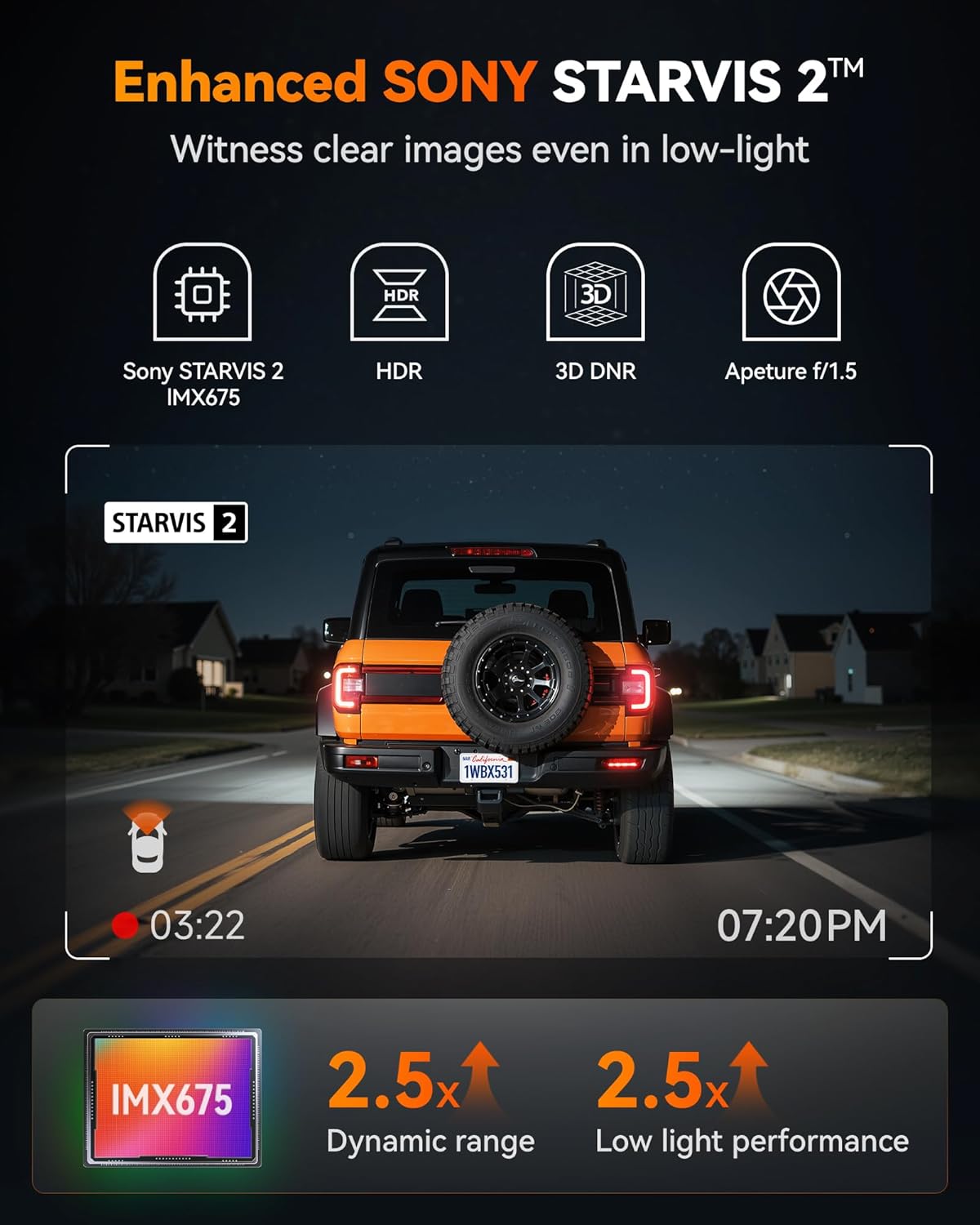
Image: Highlights the Enhanced SONY STARVIS 2 IMX675 sensor, detailing its benefits for clear images in low-light conditions, improved dynamic range, and low light performance.
3.2 Hardwire Kit Features
- Kapasite laj: 11.48 ft cable, 5A steady output.
- Voltage Antre: Supports 12V-24V vehicle power.
- Adjustable Protection Voltage: Three levels (12.4V, 12V, 11.6V) to prevent vehicle battery drain.
- USB-C pò: Compatible with the WOLFBOX X3 and other Type-C powered devices.

Image: Displays the WOLFBOX USB C ACC Hardwire Kit, including the main cable with a voltage display, various fuse taps, and a pry tool for installation.
4. Enstalasyon ak Enstalasyon
4.1 Mete Kat MicroSD
- Asire w ke kamera tablodbò a etenn.
- Insert the MicroSD card (Class 10 or higher, up to 256GB recommended) into the designated slot until it clicks.
- Format the MicroSD card via the dash cam's settings menu upon first use.
4.2 Dash Cam Mounting
- Kamera devan: Chwazi yon kote sou vit machin ou an ki pa bloke je ou. view, tipikman dèyè dèyè aview mirror. Clean the area thoroughly. Attach the mounting bracket to the windshield, then slide the dash cam onto the bracket.
- Kamera dèyè: Monte kamera dèyè a sou vit machin dèyè a, pou asire yon vizyon klè. view. Route the cable neatly along the headliner and pillar trim to the front dash cam.
4.3 Hardwire Kit Installation
The hardwire kit provides continuous power for parking monitoring and protects your vehicle's battery from draining.
- Idantifye bwat fizib la: Locate your vehicle's fuse box (refer to your vehicle's owner's manual).
- Connect ACC Wire (Red): Use one of the provided fuse taps to connect the red ACC wire to a fuse that is only powered when the ignition is on (e.g., radio, cigarette lighter).
- Connect B+ Wire (Yellow): Use another fuse tap to connect the yellow B+ wire to a fuse that has constant power (e.g., hazard lights, interior lights).
- Connect GND Wire (Black): Securely attach the black GND wire to a metal bolt or screw on the vehicle's chassis for a ground connection.
- Route Câbles: Neatly route all cables along the vehicle's interior trim using the pry tool to conceal them.
- Konekte ak Dash Cam: Plug the USB-C end of the hardwire kit into the dash cam's power input.

Image: Illustrates the different types of fuse taps provided (Mirco, Mini, Small, Medium) to ensure compatibility with various vehicle fuse boxes. Each tap includes a slot for the original fuse and a new fuse for the dash cam.
4.4 Ajiste Volimtage Pwoteksyon
The hardwire kit features a switch to adjust the battery protection voltage. This prevents the dash cam from draining your car battery when the ignition is off.
- 12.4V: Highest protection, cuts power if battery drops to 12.4V.
- 12V: Medium protection, cuts power if battery drops to 12V.
- 11.6V: Lowest protection, cuts power if battery drops to 11.6V.
Adjust the switch on the hardwire kit from left to right to select your desired protection voltage nivo.
5. Operasyon Enstriksyon
5.1 Pouvwa Limen/Etenn ak Anrejistreman
- Kamera tablodbò a ap limen otomatikman epi li pral kòmanse anrejistre lè yo limen kontak machin ou an.
- It will automatically power off when the ignition is turned off (or enter parking mode if hardwired).
- Recordings are saved in a loop, overwriting the oldest files when the MicroSD card is full, unless locked.
5.2 Operasyon Touch Screen
Navigate the dash cam's settings and features by tapping the icons on the touch screen. Common functions include: video playback, settings menu, Wi-Fi toggle, and emergency recording.
5.3 Wi-Fi and GPS Functionality
- Wi-Fi: Enable Wi-Fi on the dash cam via the touchscreen. Download the WOLFBOX app on your smartphone. Connect your phone to the dash cam's 5.8GHz Wi-Fi network. This allows for faster video transfers, live preview, and settings adjustments.
- GPS: The built-in GPS module automatically records your vehicle's speed and location. This data is embedded into video files ak kapab viewed via the WOLFBOX app or compatible PC software.

Image: Demonstrates the 5.8GHz Wi-Fi and GPS capabilities of the WOLFBOX X3, showing a smartphone connected to the dash cam app with map data and speed information, highlighting fast data transfer.
5.4 Sistèm Asistans Chofè Avanse (ADAS)
The WOLFBOX X3 features ADAS technology to provide real-time alerts for potential road hazards.
- Avètisman Kolizyon Devan (FCW): Avèti ou si w ap apwoche yon machin twò vit.
- Avètisman Depa Liy (LDW): Avètisman an fèt si machin ou an kite liy li san l pa bay siyal.
- Stop & Go: Notifies you when the vehicle in front of you starts moving after a stop.
These features can be enabled or disabled in the dash cam's settings menu.

Image: Illustrates the Advanced Driver Assistance System (ADAS) features, including Forward Collision Warning, Lane Departure Warning, and Stop & Go, showing how the system detects and alerts drivers to potential hazards.
6. Antretyen
6.1 Jesyon Kat MicroSD
- Regularly format the MicroSD card (at least once a month) to ensure optimal performance and prevent data corruption.
- Replace the MicroSD card every 6-12 months, as continuous overwriting can degrade its lifespan.
6.2 Netwayaj
- Use a soft, dry cloth to clean the dash cam's screen and lenses.
- Evite itilize pwodui netwayaj abrazif oswa solvang.
6.3 Mizajou Firmware
Tcheke ofisyèl WOLFBOX la website or app periodically for firmware updates. Updates can improve performance, add new features, or fix bugs. Follow the provided instructions carefully when updating firmware.
NAN. Depanaj
- Kamera Dash la pa limen:
Check power connection. Ensure the hardwire kit is correctly installed and receiving power. Verify the vehicle's ignition is on. - Recording Errors/Corrupted Files:
Format the MicroSD card. Try a different, high-quality MicroSD card. Ensure the card is Class 10 or higher. - Pwoblèm koneksyon Wi-Fi:
Ensure Wi-Fi is enabled on the dash cam. Restart both the dash cam and your smartphone. Ensure you are connecting to the correct 5.8GHz network. - GPS Not Recording Data:
Asire w ke kamera tablodbò a gen yon vizyon klè. view of the sky. Verify GPS functionality is enabled in settings. - ADAS Alerts Not Functioning:
Ensure ADAS features are enabled in the settings. Calibrate the camera if necessary (refer to specific instructions in the dash cam's menu). Ensure the windshield is clean and free of obstructions. - Hardwire Kit Draining Battery:
Ajiste voltage protection level on the hardwire kit to a higher setting (e.g., 12.4V). Ensure the B+ wire is connected to a constant power source and the ACC wire to an ignition-switched source.
8. Espesifikasyon
| Karakteristik | Detay |
|---|---|
| Rezolisyon kamera devan | 2.5K (2560 * 1440P) @ 60fps |
| Rezolisyon kamera dèyè | 1080P @ 30fps |
| Capteur Imaj | STARVIS 2 IMX675 |
| Wi-Fi frekans | 5.8GHz |
| GPS | Built-in (records speed and location) |
| Karakteristik ADAS yo | Forward Collision Warning, Lane Departure Warning, Stop & Go |
| Hardwire Kit Cable Length | 11.48 pye |
| Hardwire Kit Output | 5A steady |
| Hardwire Kit Input Voltage | 12V-24V |
| Hardwire Kit Protection Voltage | 12.4V, 12V, 11.6V (adjustable) |
| Ekspozisyon Karakteristik | Wireless, Touch Screen |
| Dat Premye Disponib | 31 jiyè 2025 |
9. Garanti ak sipò
WOLFBOX products typically come with a standard manufacturer's warranty. Please refer to the warranty card included in your package or visit the official WOLFBOX websit la pou wè tèm ak kondisyon garanti espesifik yo.
For technical support, troubleshooting assistance, or any inquiries regarding your WOLFBOX X3 Dash Cam, please contact WOLFBOX customer service through their official websit la oswa enfòmasyon kontak ki nan anbalaj pwodwi ou a.


