1. Entwodiksyon
Mèsi pou acha aasing the Z-Edge 27-inch 4K UHD IPS Monitor, Model S274K. This monitor is designed to provide a high-quality visual experience for both professional and gaming applications, featuring a 3840x2160 resolution, 120Hz refresh rate, and 1ms response time. This manual provides essential information for setting up, operating, and maintaining your monitor to ensure optimal performance and longevity.

Image: Visual comparison demonstrating the clarity of 4K UHD (3840x2160) resolution compared to QHD (2560x1440) and FHD (1920x1080) on the Z-Edge monitor.
2. Enfòmasyon sou Sekirite
Tanpri li tout enstriksyon yo ak anpil atansyon anvan ou itilize pwodui sa a. Kenbe manyèl sa a pou referans pita.
- Pa ekspoze monitè a anba lapli, imidite, oswa tanperati ekstrèm.
- Asire w ke gen bon vantilasyon toutotou monitè a. Pa bloke ouvèti vantilasyon yo.
- Sèvi sèlman ak adaptè kouran ki vini ak monitè a.
- Evite mete objè lou sou fil elektrik la.
- Dekonekte ploge kouran an nan priz kouran an si ou pa pral itilize monitè a pou yon peryòd tan pwolonje.
- Pa eseye fè antretyen monitè a tèt ou. Konfye tout antretyen bay pèsonèl kalifye.
3. Pake kontni
Verifye ke tout atik yo prezan nan pakè ou a:
- Z-Edge 27-inch 4K UHD Monitor
- Sipò Monitè (Baz ak Kou)
- Adaptè pouvwa
- HDMI kab
- Manyèl Itilizatè (dokiman sa a)
- Vis pou Asanblaj Sipò a
4. Monitor Overview
4.1 Devan View
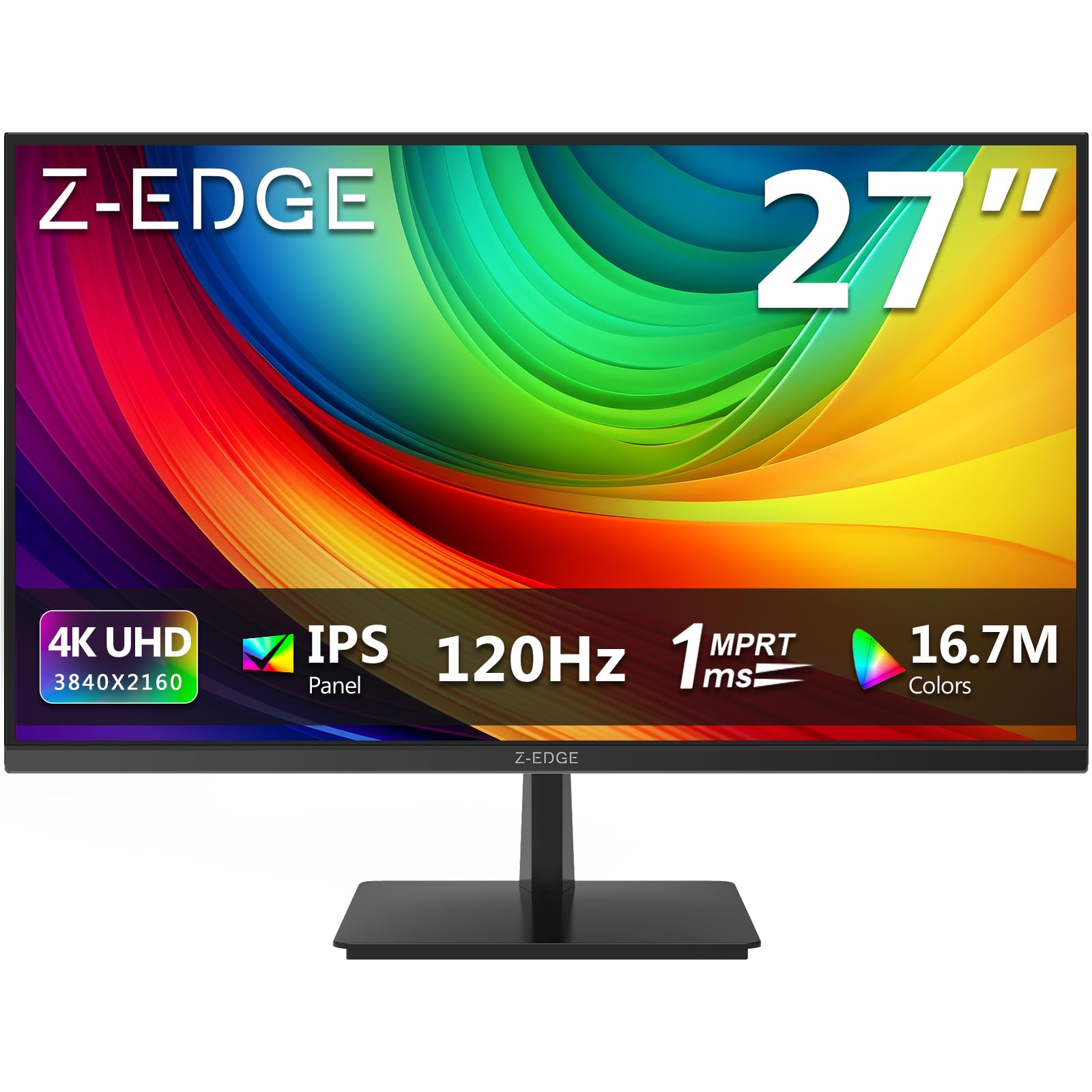
Imaj: Devan view of the Z-Edge 27-inch 4K UHD monitor. This image shows the monitor displaying a vibrant scene, highlighting its slim bezels and overall design.
4.2 Dèyè View ak Pò yo

Imaj: Dèyè view of the Z-Edge 27-inch 4K UHD monitor. This image illustrates the monitor's connectivity options, including HDMI and DisplayPort inputs, and the VESA mounting pattern.
Pò ki disponib:
- DC 12V: Pò D 'pouvwa.
- HDMI 1/2 (2.0): Two HDMI input ports for connecting various devices.
- DP 1/2 (1.4): Two DisplayPort input ports for high-resolution connections.
- Odyo Deyò: 3.5mm audio jack for connecting external speakers or headphones.

Imaj: Detaye view of the monitor's input ports. This diagram clearly labels each port, including DC 12V power, two HDMI 2.0, two DisplayPort 1.4, and an audio output.
5. Enstalasyon
5.1 Asanblaj Sipò a
- Retire monitè a nan anbalaj li avèk prekosyon, epi pwoteje ekran an.
- Attach the stand neck to the monitor panel using the provided screws.
- Connect the stand base to the stand neck, securing it with the remaining screws.
- Mete monitè a ki fin rasanble a sou yon sifas ki plat e ki estab.
Alternatively, the monitor supports VESA 100x100mm mounting for wall mounts or monitor arms. Ensure the VESA mount is rated for the monitor's weight.
5.2 Konekte ak yon Aparèy
Connect your computer, game console, or other compatible device to the monitor using either an HDMI or DisplayPort cable.
- For 4K resolution at 120Hz, use a DisplayPort 1.4 cable or an HDMI 2.0 cable.
- Insert one end of the cable into the corresponding port on your device and the other end into an available HDMI or DP port on the monitor.
5.3 Koneksyon pouvwa
- Connect the power adapter to the DC 12V port on the monitor.
- Ploge adaptè pouvwa a nan yon priz kouran.
6. Operasyon Enstriksyon
6.1 Limen/Etenyen
Peze bouton pouvwa ki sitiye sou monitè a pou limen oswa etenn li. Limyè endikatè pouvwa a ap limen lè monitè a limen.
6.2 Navigasyon meni OSD
The On-Screen Display (OSD) menu allows you to adjust various monitor settings. Use the control buttons (usually located on the back or bottom of the monitor) to navigate the menu.
- Press a button to open the OSD menu.
- Sèvi ak bouton direksyon yo pou deplase ant opsyon yo.
- Peze bouton seleksyon an pou konfime yon seleksyon oswa antre nan yon sou-meni.
- Peze bouton sòti a pou fèmen meni OSD a.
6.3 Anviwònman Foto
Adjust display characteristics to your preference:
- Klate: Ajiste luminans jeneral ekran an.
- Kontras: Modify the difference between light and dark areas.
- Tanperati koulè: Select from preset modes (e.g., Warm, Cool, User) or adjust RGB values manually.
- Rapò aspè: Choose between Full, 4:3, or 16:9.
6.4 Karakteristik jwèt yo

Image: Visual representation of the difference between 120Hz and 60Hz refresh rates, illustrating how 120Hz provides a smoother and more fluid visual experience, especially for fast-paced content.
- FreeSync / Adaptive Sync: Enable this feature in the OSD menu and on your graphics card settings to synchronize the monitor's refresh rate with your GPU's frame rate, reducing screen tearing and stuttering.
- Tan repons (MPRT): Adjust for faster pixel response, beneficial for fast-paced gaming.

Image: Visual demonstration of FreeSync technology. The left side shows screen tearing and stuttering when FreeSync is off, while the right side displays smooth, fluid motion with FreeSync enabled.
6.5 Seleksyon Antre
If you have multiple devices connected, use the OSD menu or a dedicated input select button to switch between HDMI 1, HDMI 2, DP 1, and DP 2 inputs.
7. Antretyen
7.1 Netwaye monitè a
- Toujou debranche monitè a nan priz kouran anvan ou netwaye li.
- Sèvi ak yon ti moso twal mou, ki san pèl dampLave avèk dlo oswa yon pwodui netwayaj ekran dou ki pa abrazif.
- Pa flite pwodui netwayaj la dirèkteman sou ekran an.
- Avoid using alcohol-based cleaners, ammonia, or abrasive materials.
7.2 Swen Jeneral
- Kenbe monitè a lwen limyè solèy dirèk ak sous chalè.
- Pa mete objè lou sou monitè a oswa sou kab li yo.
- Evite manyen ekran an ak objè byen file.
NAN. Depanaj
| Pwoblèm | Kòz posib | Solisyon |
|---|---|---|
| Pa gen imaj sou ekran an |
|
|
| Imaj la twoub oswa defòme |
|
|
| Screen tearing or stuttering (gaming) |
|
|
| Pa gen odyo nan kas ekoutè/oratè yo |
|
|
9. Espesifikasyon
| Karakteristik | Detay |
|---|---|
| Mak | Z-Kwen |
| Nimewo Modèl | S274K |
| Gwosè ekran | 27 pous |
| Kalite Panel | IPS |
| Rezolisyon | 4K UHD (3840 x 2160 piksèl) |
| Rafrechisman pousantaj | 120 Hz |
| Tan repons | 1ms MPRT |
| Aspè rapò | 16:9 |
| Klète | 250 cd/m² |
| Pwopòsyon kontras | 1000:1 |
| Koulè sipò | 1.07 Billion Colors (99% sRGB) |
| Viewing Ang | 178° (H/V) |
| Koneksyon | 2x HDMI 2.0, 2x DisplayPort 1.4, Sòti Odyo |
| Karakteristik espesyal | Adjustable Tilt (-5°~15°), FreeSync, Flicker-Free, Ultra Slim Bezel |
| VESA konpatibilite | 100x100mm |
| Konsomasyon pouvwa | 32 Watt |
| Klas efikasite enèji | F (Lyen EPREL) |

Image: Key display specifications including IPS Panel technology, 250 nits brightness, support for 16.7 million colors, and a 1000:1 contrast ratio.
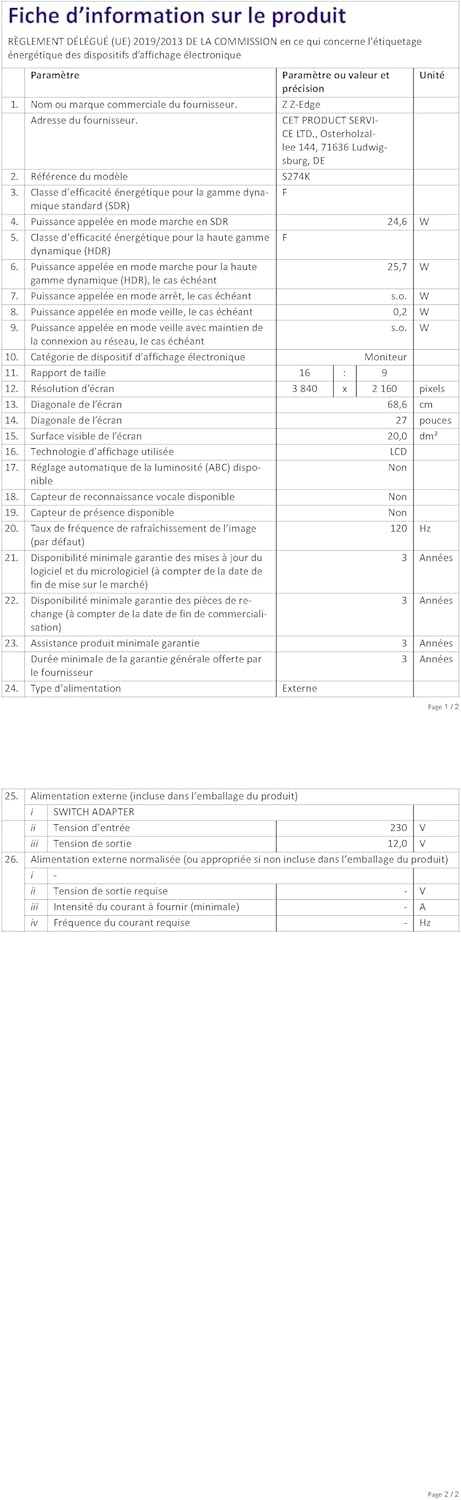
Image: EU Energy Label for the Z-Edge S274K monitor, indicating an energy efficiency class of F and energy consumption of 25 kWh per 1000 hours.
10. Garanti ak sipò
10.1 Garanti manifakti a
This Z-Edge monitor comes with a Garanti manifakti 1 zan apati dat acha a. Garanti sa a kouvri domaj nan materyèl ak nan fabrikasyon anba itilizasyon nòmal. Li pa kouvri domaj ki koze pa move itilizasyon, aksidan, modifikasyon san otorizasyon, oswa kòz ekstèn.
Pou reklamasyon garanti, tanpri konsève prèv acha ou.
10.2 Sipò pou Kliyan
If you encounter any issues not covered in the troubleshooting section or require further assistance, please contact Z-Edge customer support. Refer to the official Z-Edge websit la pou jwenn enfòmasyon kontak ak resous sipò ki pi ajou yo.