1. Enstalasyon
The Dyson HushJet Purifier Compact is engineered for powerful, quiet air purification in rooms up to 203 sq ft. Follow these steps for initial setup:
- Unboxing: Carefully remove the purifier and all packaging materials from the box.
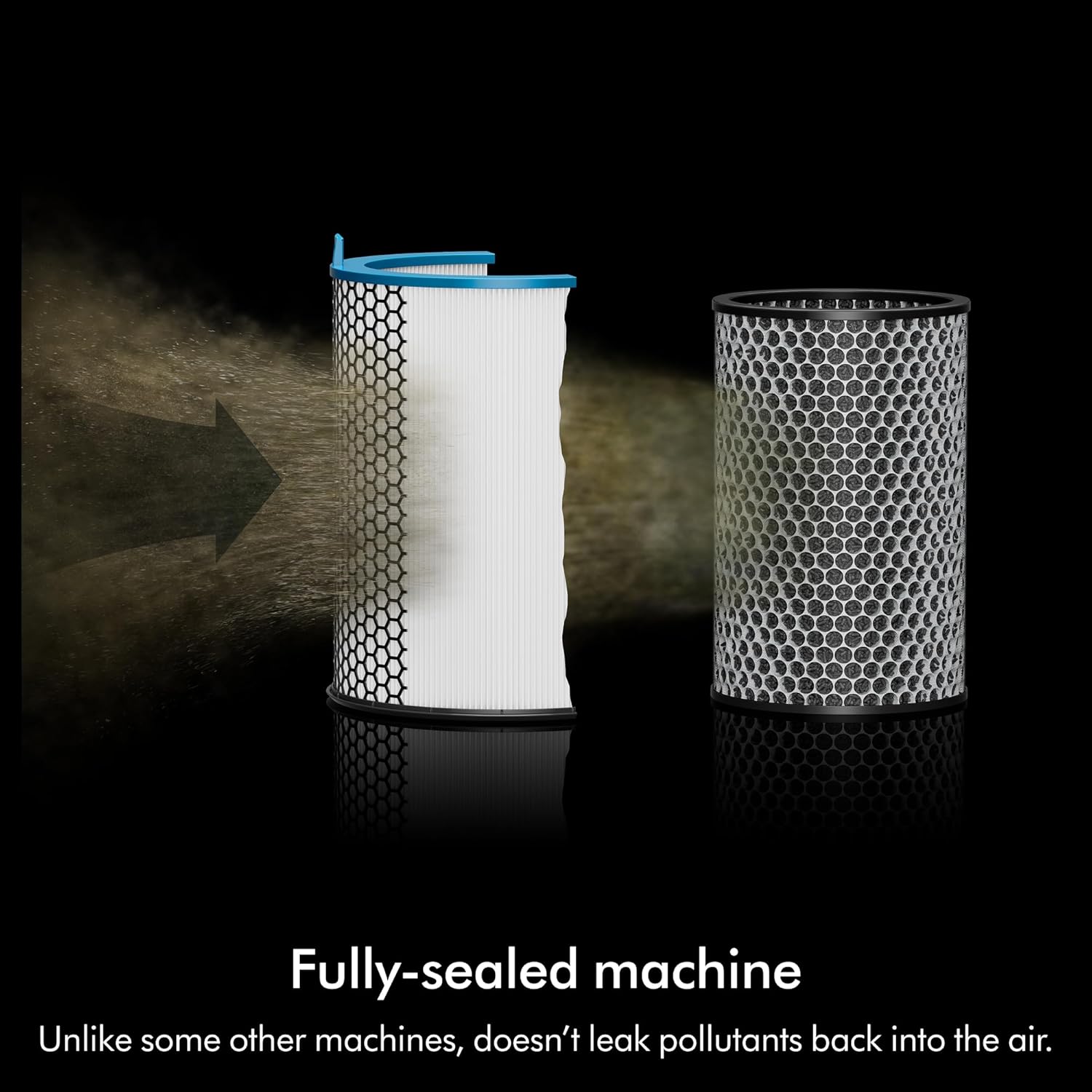
- Preparasyon pou filtre: The unit comes with two filters: a 360° Electrostatic filter and a 360° Activated Carbon filter. These are typically pre-installed but may have protective wrapping that needs to be removed before first use. Refer to the diagram below for filter installation.
- Koneksyon pouvwa: Place the purifier on a flat, stable surface. Connect the power cord to the unit and then plug it into a suitable electrical outlet.
- MyDyson App Setup: Download the MyDyson app from your device's app store. Follow the in-app instructions to connect your Dyson HushJet Purifier Compact for remote control and monitoring of air quality.

Video: Dyson HushJet Purifier Compact Overview
This video provides a brief product overview of the Dyson HushJet Purifier Compact, highlighting its key features and design.
2. Operating the Purifier
Your Dyson HushJet Purifier Compact offers various operating modes for optimal air quality control.
- Limen/Etenyen: Press the power button on the unit or use the MyDyson app to turn the purifier on or off.
- Ajiste vitès koule lè a: Increase or decrease the airflow speed using the controls on the unit or through the MyDyson app to suit your preference.
- Mòd oto: In Auto mode, the purifier intelligently monitors air quality and adjusts its operation to purify only when needed, conserving energy and extending filter life.
- Mòd dòmi: Activate Sleep mode for quieter operation, delivering pure air at just 24dB, ideal for nighttime use.
- MyDyson App Control: Control and monitor your home's air quality from anywhere using the MyDyson app. Set schedules, receive personalized air quality reports, and adjust settings remotely.
- Kontwòl vwa: Use compatible voice services for hands-free control of your purifier.


Video: Dyson HushJet Purifier Compact Product Demo
This video demonstrates the quiet operation and features of the Dyson HushJet Purifier Compact.
3. Antretyen
Regular maintenance ensures optimal performance and longevity of your Dyson HushJet Purifier Compact.
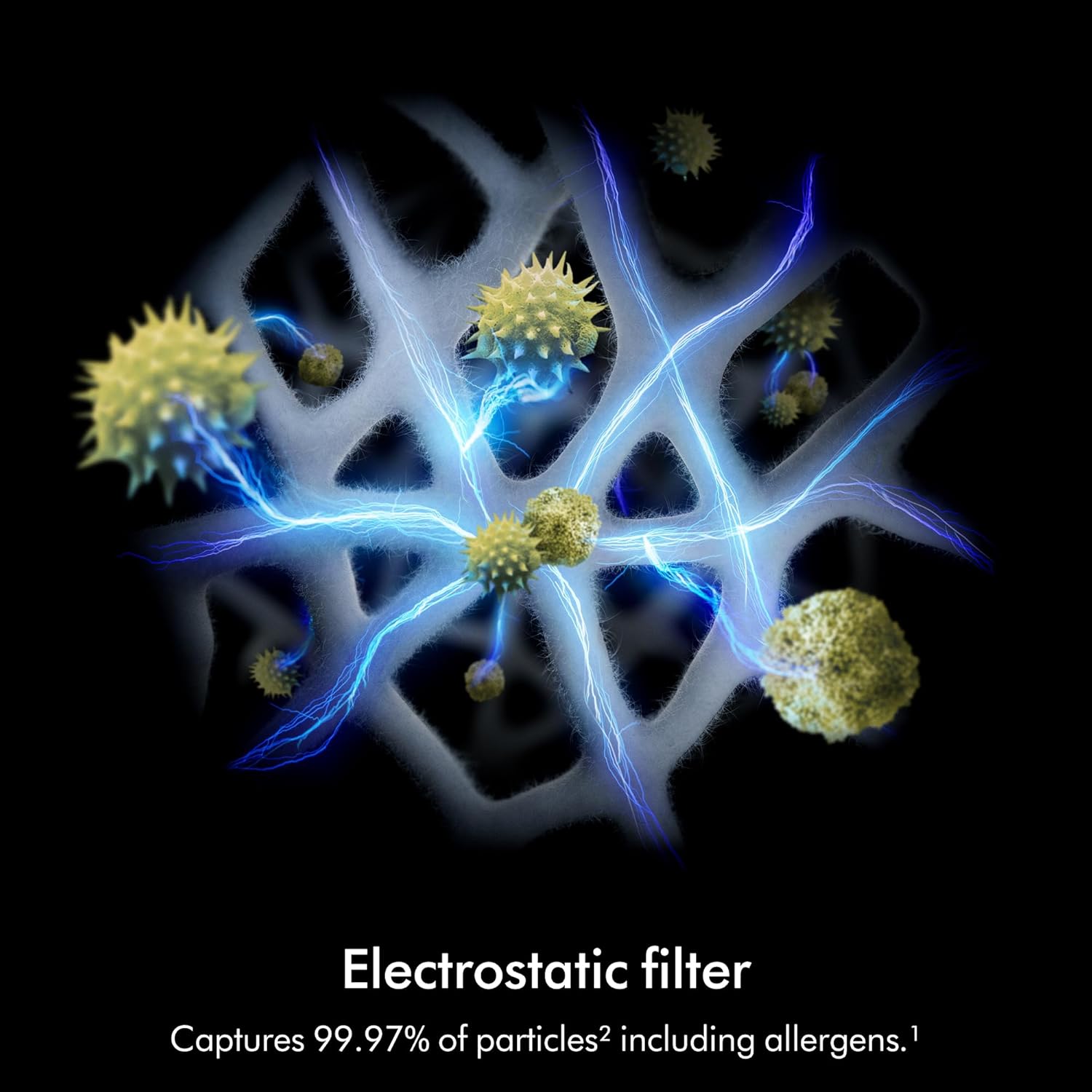
- Ranplasman filtè: The 360° Electrostatic filter captures 99.97% of pollutants and lasts up to five years, reducing replacement hassle and costs. The 360° Activated Carbon filter removes odors and gases. Replace filters as indicated by the unit or MyDyson app.
- Netwayaj: Wipe the exterior of the purifier with a soft, dry cloth. Do not use cleaning agents or abrasive materials.

NAN. Depanaj
If you encounter issues with your Dyson HushJet Purifier Compact, refer to the following common solutions:
- Aparèy pa limen: Ensure the power cord is securely plugged into both the unit and a working electrical outlet. Check for any tripped circuit breakers.
- bri ki pa nòmal: Verify that the unit is placed on a stable, level surface. Check if any foreign objects are obstructing the air intake or outlet.
- Pòv sikilasyon lè: Check if the filters are correctly installed and not excessively dirty. Replace filters if necessary.
- Inaccurate Air Quality Readings: Ensure the air quality sensor is clean and unobstructed. Refer to the MyDyson app for detailed diagnostics.
- Pwoblèm koneksyon aplikasyon an: Ensure your purifier is within range of your Wi-Fi router and that your Wi-Fi network is active. Restart both your purifier and your smartphone.
5. Espesifikasyon
| Karakteristik | Detay |
|---|---|
| Nimewo Modèl | SP01-A |
| Dimansyon pwodwi | 9.06"D x 9.06"W x 18.5"H |
| Pwa atik | 6.94 liv |
| Kouvèti zòn etaj | Up to 203 sq ft (270.0 sq ft listed in specifications) |
| Nivo bri | 24 Decibels (in Sleep mode) / 42 Decibels (general) |
| Gwosè Retansyon Patikil | 0.3 Micron |
| Kalite kontwolè | Aplikasyon mobil |
| Filtre Klas | Advanced (HEPA H13 filtration) |
| Konpozan ki enkli | Purifier, Electrostatic filter, Carbon filter |
| Sous pouvwa | AC/DC |
6. Garanti & Sipò
For warranty information, product registration, or technical support, please refer to the documentation included with your Dyson HushJet Purifier Compact or visit the official Dyson website. You can also contact Dyson customer service directly through the MyDyson app for assistance.


