Entwodiksyon
Thank you for choosing the HUO JI G98 Wireless Mechanical Keyboard. This keyboard offers versatile connectivity options, customizable RGB backlighting, and a durable design for both gaming and office use. Please read this manual carefully to ensure proper setup and operation.
The G98 keyboard features a compact 96% layout, retaining essential keys while saving desk space. It includes a side rotary knob for convenient control and supports hot-swappable switches for personalized typing experiences.
Kontni pake
Anvan ou kòmanse, tanpri asire w ke tout bagay yo prezan nan pake a:
- HUO JI G98 Wireless Mechanical Keyboard
- USB-C kab
- 2.4GHz USB Reseptè
- Keycap Puller
- Chanje Puller
- Manyèl Itilizatè (dokiman sa a)
Enstalasyon
1. Chaje klavye a
The G98 keyboard is equipped with a built-in 4000mAh high-capacity battery. For optimal performance, fully charge the keyboard before first use.
- Connect the provided USB-C cable to the Type-C port on the keyboard.
- Konekte lòt bout kab USB-C a nan yon sous kouran USB (pa egzanp, yon pò USB òdinatè, yon adaptè miray).
- Endikatè a chaje pral montre estati a chaje.

Image: The keyboard's 4000mAh battery provides approximately 16 hours of use with backlighting on and 53 hours with backlighting off. It can be quickly recharged when the battery runs low.
2. Connecting the Keyboard (Tri-Mode Connectivity)
The G98 keyboard supports three connection modes: Bluetooth 5.0, 2.4GHz wireless, and USB wired. You can connect to up to five devices simultaneously and switch between them.
2.1. Mòd san fil 2.4GHz
- Locate the 2.4GHz USB receiver, typically stored in a compartment on the keyboard.
- Branche reseptè USB a nan yon pò USB ki disponib sou òdinatè w la oswa aparèy ou an.
- Switch the keyboard's mode selector to 2.4GHz wireless mode. The keyboard should automatically connect.

Image: The keyboard's side view, illustrating the Type-C port for wired connection/charging and the storage slot for the 2.4GHz USB receiver.
2.2. Mòd Bluetooth 5.0
- Switch the keyboard's mode selector to Bluetooth mode.
- On your device (PC, laptop, phone, tablet), enable Bluetooth and search for new devices.
- Select "HUO JI G98" (or similar) from the list of available devices to pair.
- The keyboard can store up to three Bluetooth connections. Use Fn + Q/W/E to switch between paired Bluetooth devices.
2.3. USB Wired Mode
- Connect the provided USB-C cable to the keyboard's Type-C port.
- Connect the other end of the USB-C cable to a USB port on your computer.
- The keyboard will automatically switch to wired mode and function without needing a battery charge.
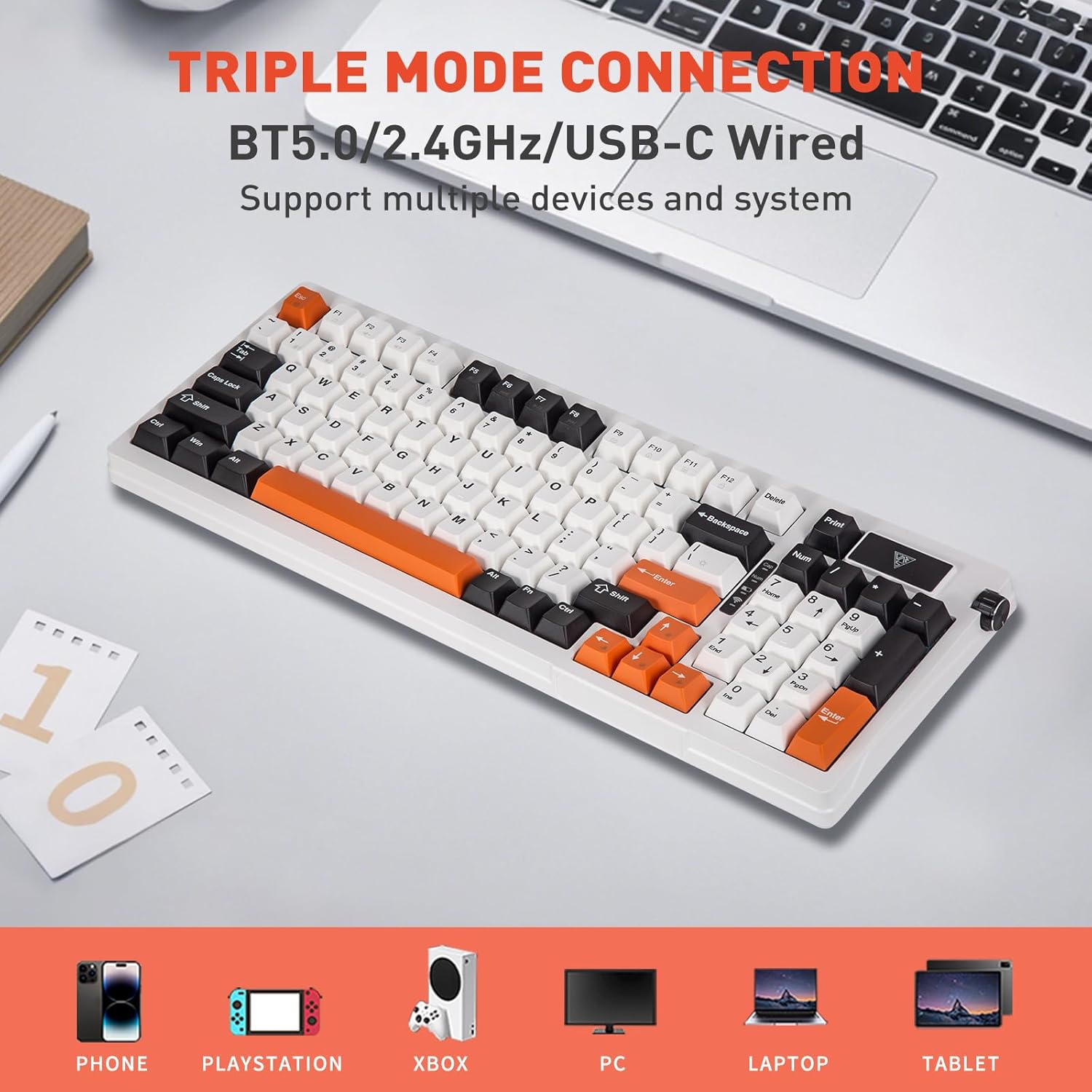
Image: The HUO JI G98 keyboard demonstrating its triple mode connectivity: Bluetooth 5.0, 2.4GHz wireless, and USB-C wired, compatible with various devices like phones, PlayStations, Xboxes, PCs, laptops, and tablets.
Enstriksyon Operasyon
1. Fonksyon debaz klavye a
The G98 keyboard features a standard 96% layout with 99 keys, including a dedicated number pad and arrow keys. All keys function as labeled in their primary role.
2. Rotary Knob Functionality
The side rotary knob provides quick access to multimedia controls and lighting adjustments.
- Long peze: Pouvwa ON/OFF.
- Scroll: Adjust volume (up/down).
- Long peze pou 3 segonn: Switch to light mode adjustment.
- Rotate one frame: Cycle through light modes when in light mode adjustment.

Image: Detailed explanation of the rotary knob's functions, including power control, volume adjustment, and light mode switching, alongside a small display screen that changes with light patterns.
3. Kontwòl ekleraj RGB
The keyboard features 1.6 million RGB color combinations and various lighting effects. Use the following Fn key combinations to control the backlighting:
- Fn + Espas: Switch light bar mode or turn off the bar backlight.
- Fn + \| Switch between 18 RGB light effects or turn off the backlight.
- Fn + ↑: Ogmante klète ekleraj la.
- Fn + ↓: Diminye klète limyè a.
- Fn + →: Increase lighting speed.
- Fn + ←: Decrease lighting speed.

Image: The HUO JI G98 keyboard showcasing its 16.8 million RGB backlight capabilities and the corresponding Fn key combinations for controlling brightness and speed.
4. Hot-Swappable Switches and Keycaps
The G98 keyboard features a hot-swappable PCB, allowing you to easily replace 3-pin or 5-pin mechanical switches without soldering. Keycaps can also be replaced.
- Use the included keycap puller to carefully remove the desired keycap.
- Use the included switch puller to gently grasp and pull out the switch.
- Aliyen broch nouvo switch la ak twou ki sou PCB a epi peze byen fèm jiskaske li klike an plas.
- Place the new keycap onto the switch stem.
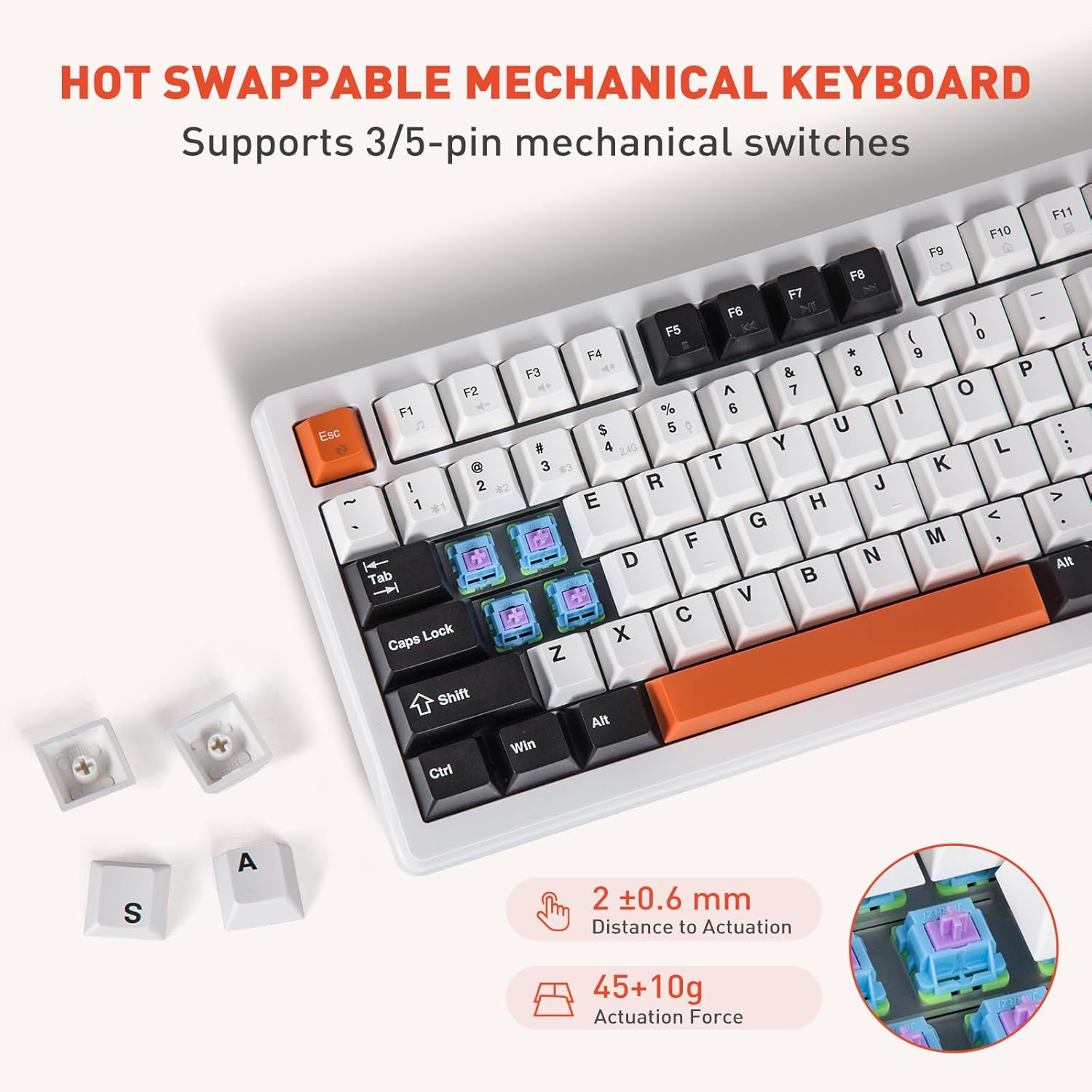
Image: The HUO JI G98 keyboard highlighting its hot-swappable mechanical switches, showing individual switches and keycaps removed, along with specifications for actuation distance and force.
5. Two-Stage Kickstand Adjustment
The keyboard features a two-stage kickstand, offering three different typing angles for enhanced comfort during long typing sessions.
- Flat: Kickstands fully retracted.
- Low Section Tripod: Extend the smaller kickstand for a moderate angle.
- High Section Tripod: Extend the larger kickstand for a steeper angle.

Image: The HUO JI G98 keyboard from a side view, illustrating the two-stage kickstand providing three height options for ergonomic typing.
Antretyen
1. Netwaye klavye a
- Disconnect the keyboard from all power sources and devices before cleaning.
- Sèvi ak yon ti moso twal mou, ki san pèl dampRense avèk dlo oswa yon solisyon netwayaj dou pou siye bouchon kle yo ak sifas la.
- Pou pousyè ak debri ant kle yo, sèvi ak lè konprese oswa yon ti bwòs.
- Avoid using harsh chemicals, abrasives, or solvents, as these can damage the keyboard's finish.
2. Swen batri
- Pou pwolonje lavi batri a, evite dechaje klavye a nèt souvan.
- Sere klavye a nan yon kote ki fre epi sèk lè w pa itilize li pou yon bon bout tan.
- Si ou pa pral itilize klavye a pou yon bon bout tan, chaje li a apeprè 50% anvan ou sere li.
Depanaj
1. Klavye a pa konekte
- Tcheke mòd: Ensure the keyboard is in the correct mode (2.4GHz, Bluetooth, or Wired) for your connection type.
- Nivo batri: Verify the keyboard has sufficient battery charge. Connect via USB-C to check if it powers on.
- 2.4GHz: Asire w ke reseptè USB a byen branche nan yon pò USB ki fonksyone. Eseye yon lòt pò USB.
- Bluetooth: Ensure Bluetooth is enabled on your device. Forget the device in your device's Bluetooth settings and re-pair.
- Branche: Ensure the USB-C cable is securely connected to both the keyboard and the computer. Try a different USB-C cable or port.
2. Backlighting Not Working or Incorrect
- Klate: Sèvi ak Fn + ↑ pou ogmante klète a.
- Mòd: Use Fn + \| to cycle through lighting effects or turn the backlight on/off.
- Batri: Low battery can affect backlighting performance. Charge the keyboard.
3. Kle yo pa reponn
- Koneksyon: Re-establish the connection as described in the "Setup" section.
- Switch Issue: If only a few keys are affected, the switch might be faulty or improperly seated. Use the switch puller to remove and re-insert the switch, or replace it if necessary.
- Konfli Lojisyèl: Rekòmanse òdinatè w la oswa aparèy ou an.
Espesifikasyon
| Nimewo Modèl | G98 |
| Koneksyon Teknoloji | Bluetooth 5.0, 2.4GHz Wireless, USB Wired (Type-C) |
| Deskripsyon klavye | Mekanik |
| Layout | 96% (99 Kle) |
| Karakteristik espesyal | RGB Backlit, Hot-Swappable Switches, Rotary Knob, Gasket Structure, PCB Single Key Slotting |
| Kapasite batri | 4000mAh |
| Materyèl Keycap | PBT |
| Dimansyon pwodwi | 15.8 x 5.98 x 1.53 pous (40.13 x 15.19 x 3.89 cm) |
| Pwa atik | 2.1 liv (0.95 kg) |
| Aparèy konpatib | Laptop, PC, Phone, Tablet, Gaming Consoles |
Garanti ak sipò
HUO JI products are designed and manufactured to the highest quality standards. For information regarding warranty coverage, technical support, or customer service, please refer to the warranty card included with your product or visit the official HUO JI websit.
If you encounter any issues not covered in this manual, please contact HUO JI customer support for assistance.


