1. Entwodiksyon
This manual provides detailed instructions for the setup, operation, and maintenance of your ATTACK SHARK X8 Ultra Wireless Gaming Mouse. Designed for high-performance gaming, the X8 Ultra features a lightweight design, multiple connectivity options, and advanced sensor technology.

Imaj 1.1: Anlè view of the ATTACK SHARK X8 Ultra Wireless Gaming Mouse.
2. Pake kontni
Verifye ke tout atik yo prezan nan pakè ou a:
- ATTACK SHARK X8 Ultra Wireless Gaming Mouse
- 8K USB-C Receiver
- USB-A to USB-C Charging Cable (Paracord)
- Replacement Mouse Feet Skates
- Grip Tap
- Manyèl Itilizatè (dokiman sa a)
3. Mouse Layout and Features
Familiarize yourself with the key components and features of your X8 Ultra mouse.

Imaj 3.1: Plis paseview of the X8 Ultra's internal components and external features.
- Bouton Klike Agoch/Dwat: Equipped with Omron micro switches for tactile feedback and durability.
- wou woulo liv: Provides smooth scrolling with subtle tactile bumps.
- Bouton bò: Programmable buttons located on the left side for additional functions.
- Bouton DPI: Located on the underside of the mouse, allows cycling through preset DPI levels.
- Chanjman koneksyon: Located on the underside, allows switching between 2.4GHz wireless, Bluetooth, and wired modes.
- PAW3950MAX Sensor: High-precision optical sensor for accurate tracking.
- Nordic 52840 MCU: Advanced microcontroller for efficient performance and low latency.
- Nano-Ice Coating: Surface treatment designed to keep grip cool during extended use.
4. Gid Enstalasyon
4.1 Chaje Sourit la
- Connect the USB-C end of the charging cable to the mouse.
- Connect the USB-A end of the charging cable to an available USB port on your computer or a USB wall adapter.
- The mouse LED indicator will show charging status. A full charge provides up to 300 hours of intermittent use.
4.2 Konekte Sourit la
The X8 Ultra supports three connection modes: 2.4GHz Wireless, Bluetooth, and Wired USB.
2.4GHz Wireless Mode:
- Locate the 8K USB-C receiver.
- Ploge reseptè a nan yon pò USB ki disponib sou òdinatè w lan.
- Set the connectivity switch on the underside of the mouse to the "2.4G" position.
- Sourit la ta dwe konekte otomatikman.

Image 4.1: The 8K USB-C receiver for 2.4GHz wireless connection.
Mòd Bluetooth:
- Set the connectivity switch on the underside of the mouse to the "BT" position.
- Sou òdinatè w la, ouvri paramèt Bluetooth yo epi chèche nouvo aparèy.
- Select "ATTACK SHARK X8 Ultra" from the list of available devices to pair.
Fil USB mòd:
- Connect the USB-C end of the charging cable to the mouse.
- Connect the USB-A end of the charging cable to an available USB port on your computer.
- Set the connectivity switch on the underside of the mouse to the "Wired" position.
- The mouse will function as a wired device and charge simultaneously.
5. Operasyon Enstriksyon
5.1 DPI Ajisteman
The X8 Ultra features a PixArt PAW3950MAX sensor with adjustable DPI from 50 to 42,000. To change DPI settings:
- Press the DPI button on the underside of the mouse to cycle through preset DPI levels.
- The LED indicator on the mouse will change color to indicate the current DPI setting.
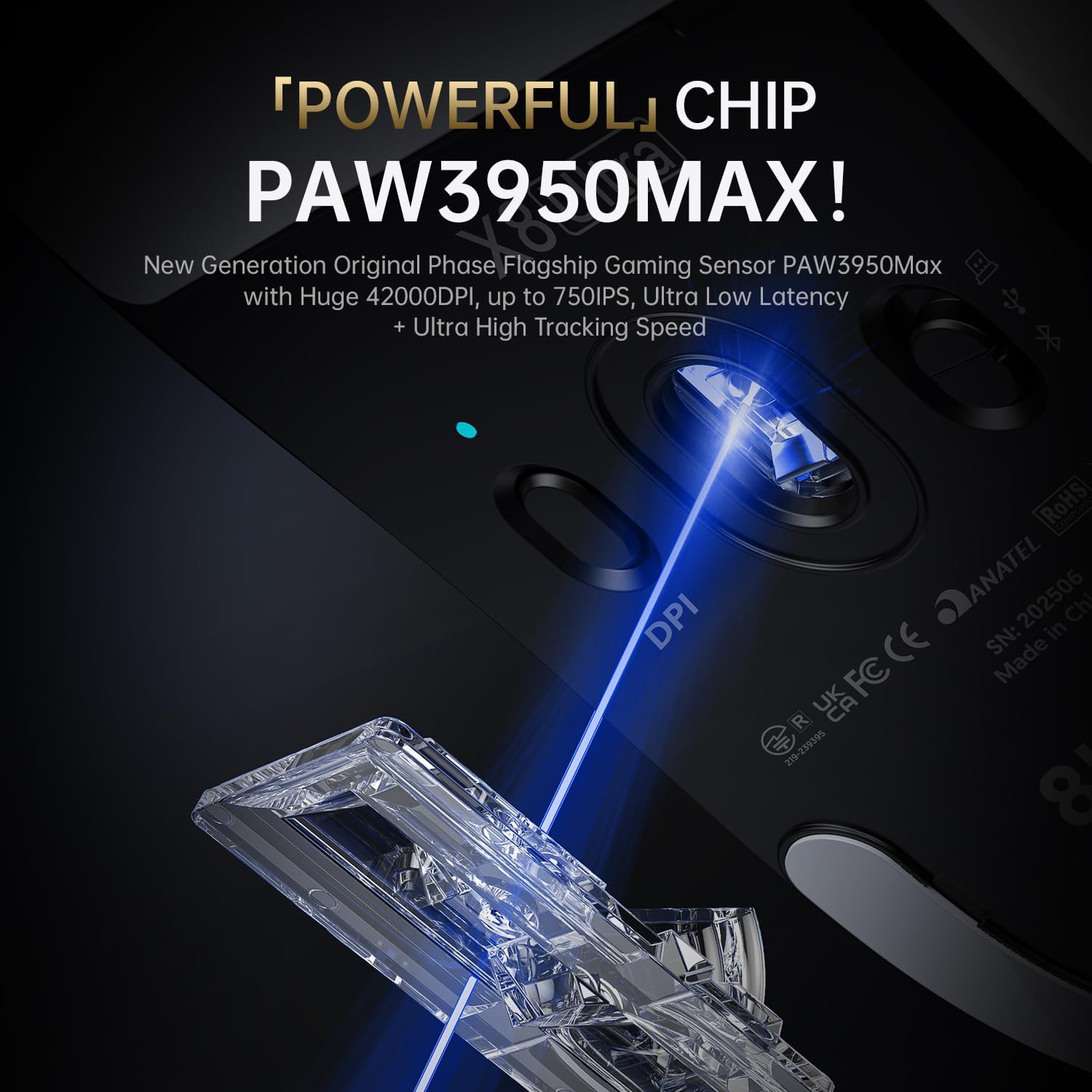
Image 5.1: The PixArt PAW3950MAX sensor for precise tracking.
5.2 Cloud Driver Software
For advanced customization, including DPI adjustment, polling rate, button remapping, macro recording, and competitive mode settings, use the web-based Cloud Driver software.
- Ensure your mouse is connected to your computer (preferably via 2.4GHz wireless or wired mode for full functionality).
- Louvri ou web browser and navigate to the official ATTACK SHARK websit (pa egzanp, www.attackshark.pro).
- Locate the Cloud Driver section for the X8 Ultra model.
- Follow the on-screen instructions to customize your mouse settings. Settings are saved directly to the mouse's memory.

Image 5.2: The Cloud Driver interface for advanced mouse configuration.
5.3 Pousantaj Sondaj
The X8 Ultra supports an 8KHz wireless polling rate for ultra-low latency and faster response. In wired mode, it operates at 1KHz. The polling rate can be adjusted via the Cloud Driver software.

Image 5.3: Explanation of 8K Polling Rate technology.
6. Antretyen
6.1 Netwayaj
- Sèvi ak yon twal mou epi sèk pou siye sifas sourit la.
- Pou pousyè tè ki difisil pou retire, yon ti kras dampht twal la ak dlo oswa yon solisyon netwayaj twò grav.
- Avoid using harsh chemicals or abrasive materials that could damage the mouse's finish or sensor.
- Regularly clean the optical sensor area on the underside of the mouse with a cotton swab to ensure optimal tracking performance.
6.2 Swen Batri
- To prolong battery life, avoid fully discharging the mouse frequently.
- Sere sourit la nan yon kote ki fre epi sèk lè w pa itilize li pou yon bon bout tan.
- Si ou pa pral itilize sourit la pou yon bon bout tan, chaje l a anviwon 50% anvan ou sere l.
6.3 Replacing Mouse Feet Skates
The package includes replacement PTFE mouse feet skates for maintaining smooth glide. When the existing skates show significant wear:
- Carefully peel off the old mouse feet using a thin tool.
- Netwaye sifas kote paten yo te tache a pou retire nenpòt rès adezif.
- Peel the backing from the new skates and carefully apply them to the corresponding areas on the mouse's underside.
- Peze byen fèm pou asire bon adezyon.

Image 6.1: PTFE anti-slip footpads for smooth mouse movement.
NAN. Depanaj
| Pwoblèm | Solisyon posib |
|---|---|
| Mouse not responding in wireless mode. |
|
| Koneksyon ki ralanti oubyen ki pa mache souvan. |
|
| Inaccurate tracking. |
|
| Cloud Driver software not detecting mouse. |
|
8. Espesifikasyon
Key technical specifications for the ATTACK SHARK X8 Ultra Wireless Gaming Mouse:

Image 8.1: Detailed technical specifications for the X8 Ultra and other X8 series models.
| Karakteristik | Detay |
|---|---|
| Modèl | X8 Ultra |
| Capteur | PixArt PAW3950MAX |
| Ranje DPI | 50 - 42,000 DPI |
| Vitès mouvman | 750 ONSÈY |
| Akselerasyon | 60G |
| Viv bouton | 100 milyon klik |
| Mikwo switch | Omron switch |
| Pousantaj biwo vòt | Wireless 8000Hz / Wired 1000Hz |
| MCU | Nòdik 52840 |
| Koneksyon | Wired / 2.4GHz Wireless / Bluetooth |
| Pwa | 55g |
| Kapasite batri | 500 mAh |
| Dimansyon | Apeprè 125.5 x 63 x 40 mm (4.96 x 2.5 x 1.6 pous) |
9. Garanti ak sipò
ATTACK SHARK products are designed for reliability and performance. For warranty information, technical support, or service inquiries, please refer to the official ATTACK SHARK websit la oubyen kontakte sèvis kliyan yo dirèkteman.
Ofisyèl Websit: www.attackshark.pro
Magazen mak: ATTACK SHARK Amazon Store
Tanpri kenbe prèv ou achte pou reklamasyon garanti.


