1. Entwodiksyon
This manual provides detailed instructions for the setup, operation, maintenance, and troubleshooting of your LIGE EF13-E Military Smart Watch. Please read this manual thoroughly before using your device to ensure proper functionality and to maximize your user experience.
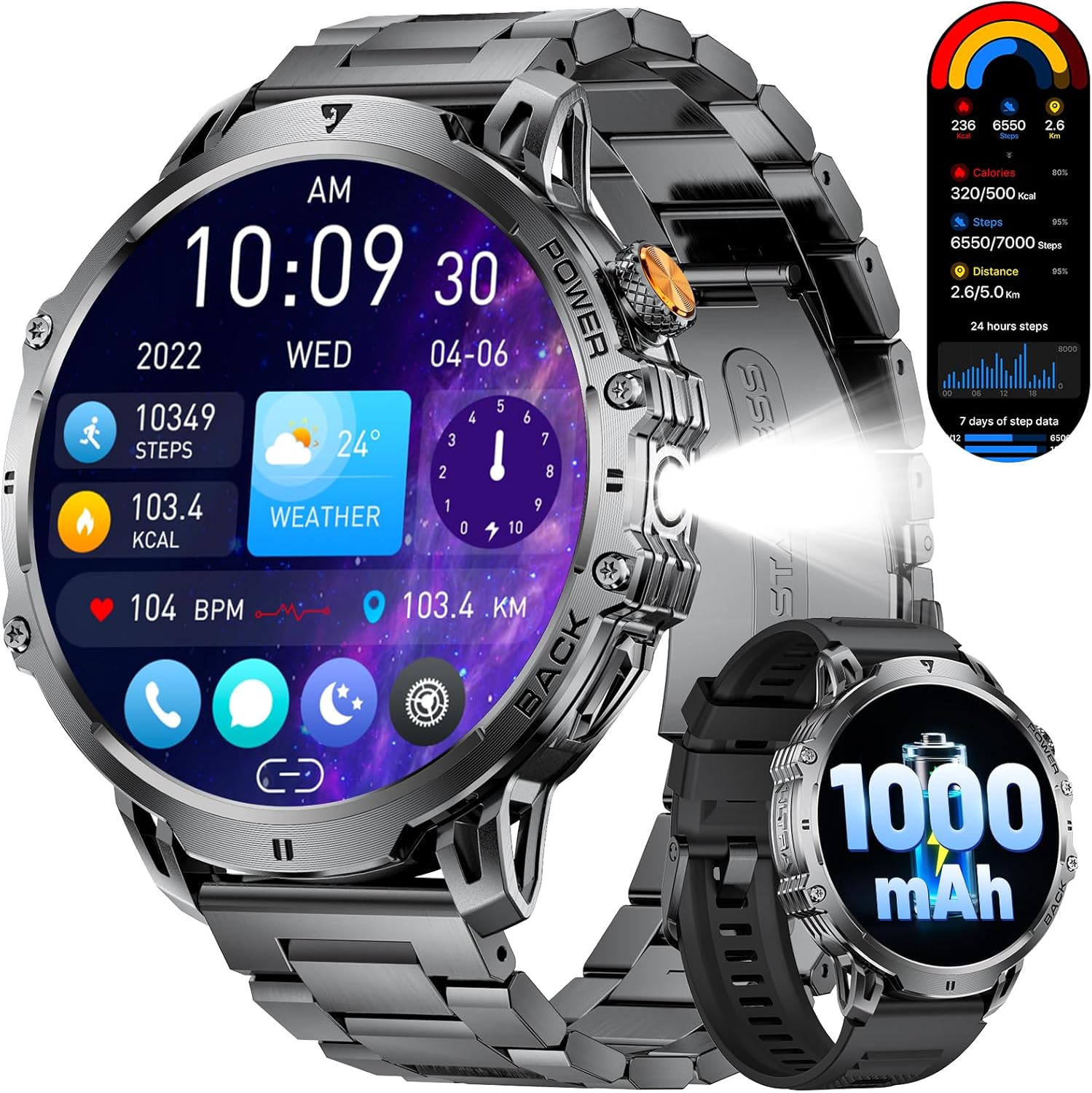
Figure 1: LIGE EF13-E Military Smart Watch Overview
2. Ki sa ki nan bwat la
Upon opening your LIGE EF13-E package, you should find the following items:
- LIGE EF13-E Smart Watch
- Kab Charger mayetik
- Stainless Steel Watch Strap
- Silicone Watch Band
- Watch Strap Adjustment Tool
- Manyèl itilizatè
Silicone Watch Band
Stainless Steel Watch Strap
3. Gid Enstalasyon
3.1 Premye chaj
Before first use, ensure your smartwatch is fully charged. Connect the magnetic charging cable to the charging points on the back of the watch and plug the USB-A end into a compatible power source. The watch will automatically power on once charging begins.

Figi 2: Koneksyon Chaje Mayetik
3.2 Enstalasyon ak koneksyon aplikasyon an
To unlock the full functionality of your LIGE EF13-E Smart Watch, you need to install the companion application, "FitCloudPro," on your smartphone (Android 4.4+ or iOS 8.0+).
- Scan the QR code displayed on the watch screen or in the user manual to download the "FitCloudPro" app from the Google Play Store or Apple App Store.
- Pèmèt Bluetooth sou smartphone ou.
- Open the "FitCloudPro" app, navigate to the "Device" section, and tap "Bind Device" or "Add New Device."
- Select "EF13" from the list of available devices.
- Konfime demann koneksyon an sou tou de smartphone ou ak smartwatch la.
- Grant necessary permissions within the app for notifications, contacts, and call logs to ensure full functionality.

Figure 3: App Installation and Pairing Steps
Video 1: LIGE EF13 Smartwatch Setup and Features Overview
4. Enstalasyon ak Ajisteman Band
Your LIGE EF13-E Smart Watch comes with two interchangeable bands: a silicone band for sports and a stainless steel band for formal occasions. Both are designed for easy attachment and removal.
4.1 Attaching Bands
To attach a band, align the spring bar with the lug holes on the watch body. Push the spring bar inwards and slide the band into place, then release the spring bar to secure it. Ensure both ends are firmly locked.
4.2 Adjusting the Stainless Steel Band
The stainless steel band can be adjusted using the provided tool to remove or add links for a comfortable fit. Insert the tool's pin into the small holes on the side of the links, push to release the pin, and remove the desired number of links. Reassemble by inserting the pins back into the links.
Figure 4: Stainless Steel Band Adjustment
5. Itilizasyon mont entelijan an
The LIGE EF13-E features a 1.85-inch HD full-touch screen for intuitive navigation and a built-in LED flashlight for convenience.
5.1 Navigasyon ekran
- Glise anlè/desann: Jwenn aksè nan paramèt rapid oswa notifikasyon.
- Glise agoch/dwat: Navigate through various widgets such as activity data, heart rate, blood oxygen, and weather.
- Peze bouton bò a: Retounen nan ekran prensipal la oubyen ale nan meni prensipal la.
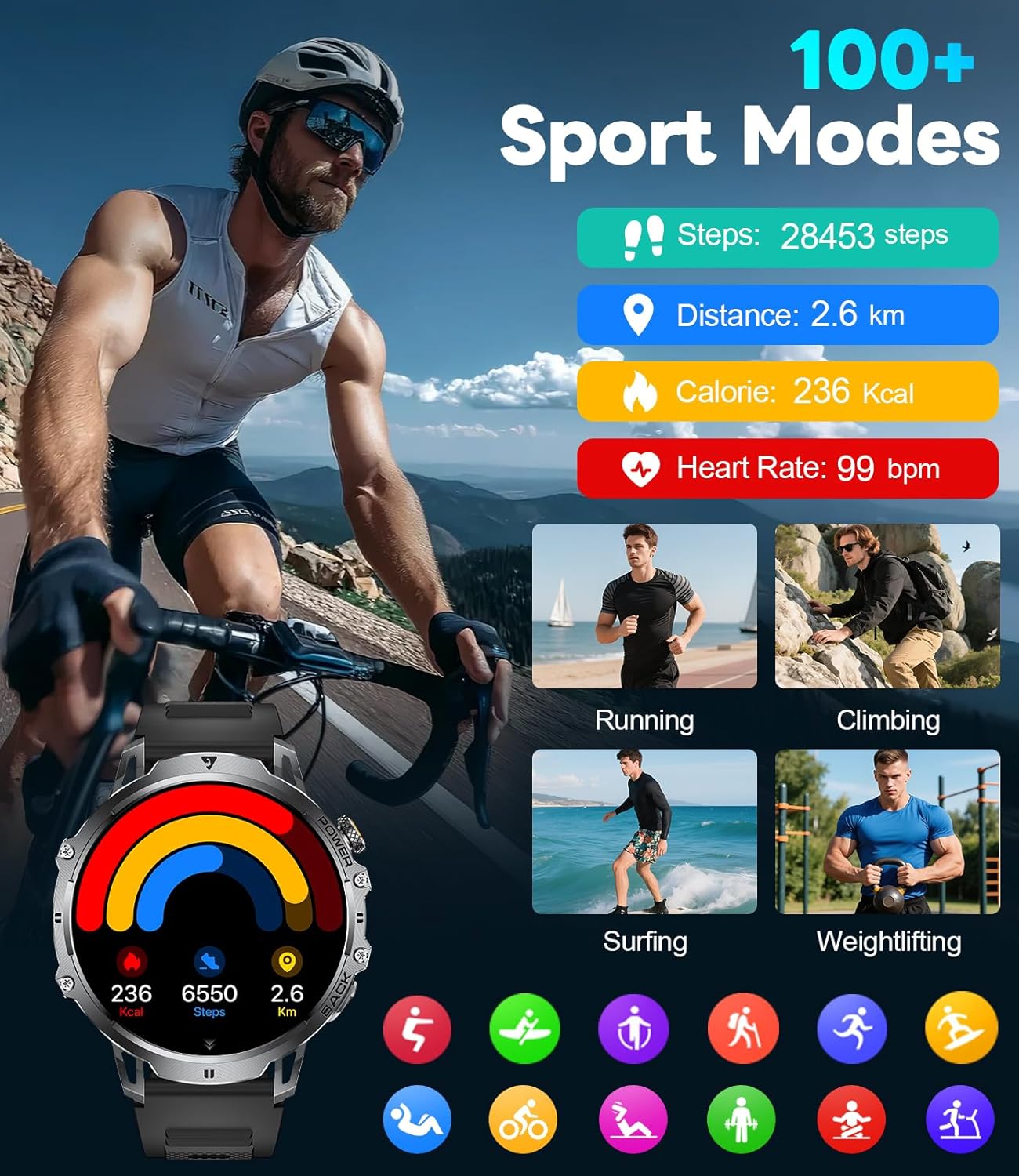
Figure 5: Watch Face and Menu Navigation
5.2 Apèl ak Notifikasyon Bluetooth
Once paired with your smartphone, the watch allows you to manage calls and receive notifications directly on your wrist.
- Fè/Resevwa Apèl: Use the built-in microphone and speaker to make or answer calls without taking out your phone.
- Message Alerts: Receive real-time notifications for SMS, WhatsApp, and other social media apps.
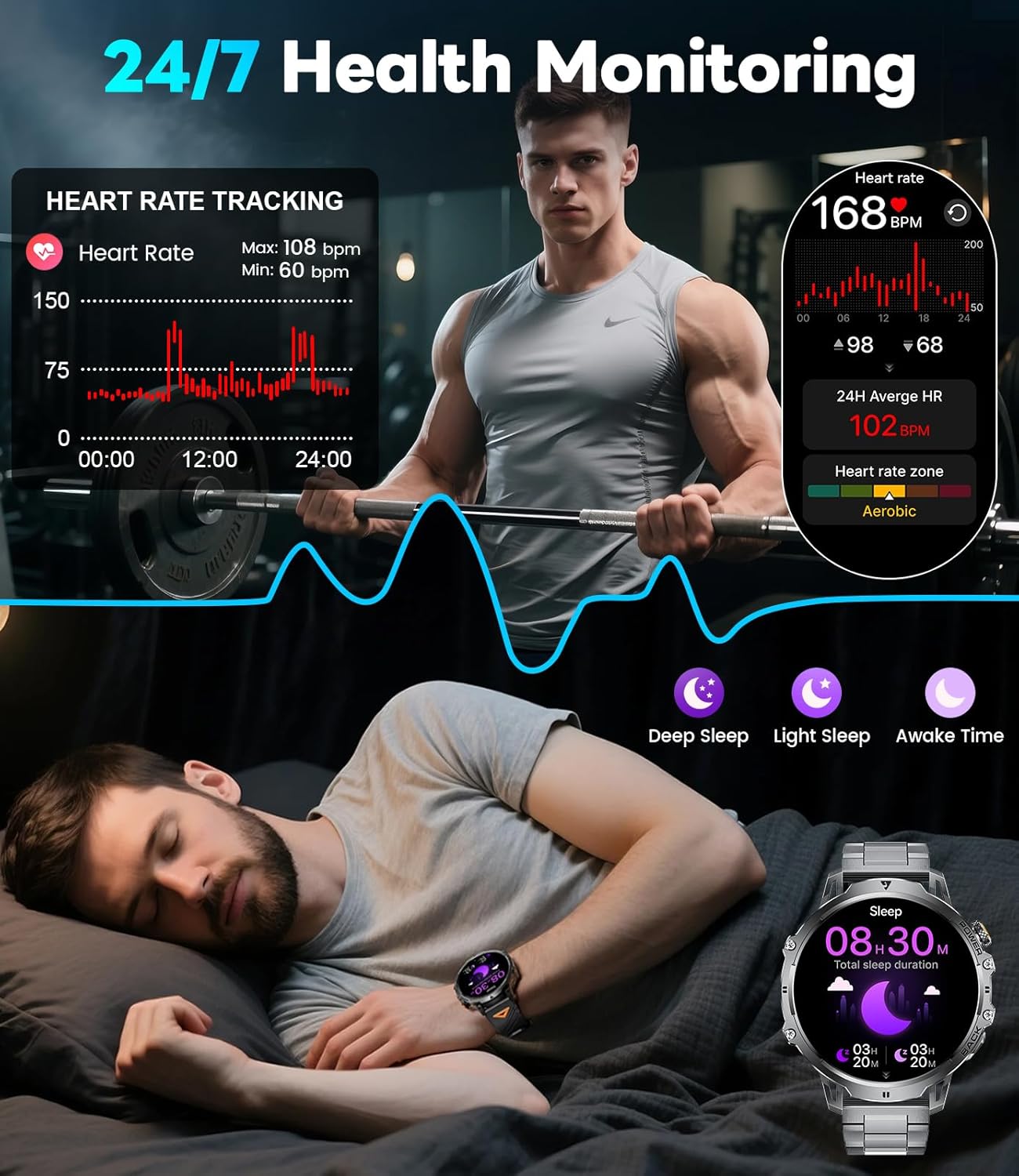
Figure 6: Bluetooth Calling and Message Notifications
5.3 Siveyans Sante
The EF13-E continuously monitors key health metrics:
- Batman kè: 24/7 heart rate tracking.
- Oksijèn san: Monitors SpO2 levels.
- Kalite dòmi: Tracks deep sleep, light sleep, and awake time to help improve sleep habits.
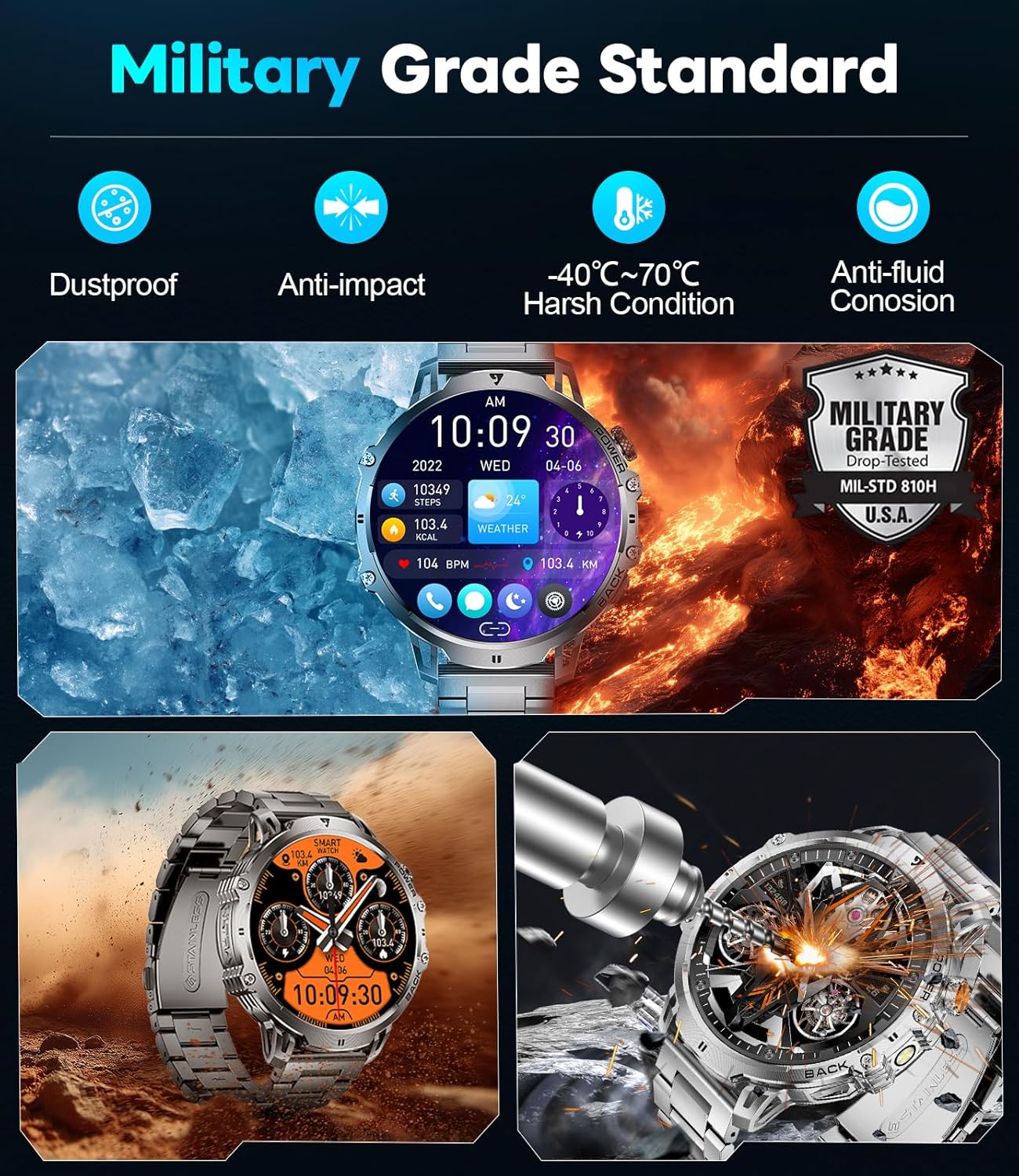
Figure 7: Health Monitoring Features
5.4 Espò mòd
With over 110 sports modes, the watch accurately tracks calories, distance, and steps for various activities, from running and cycling to strength training.
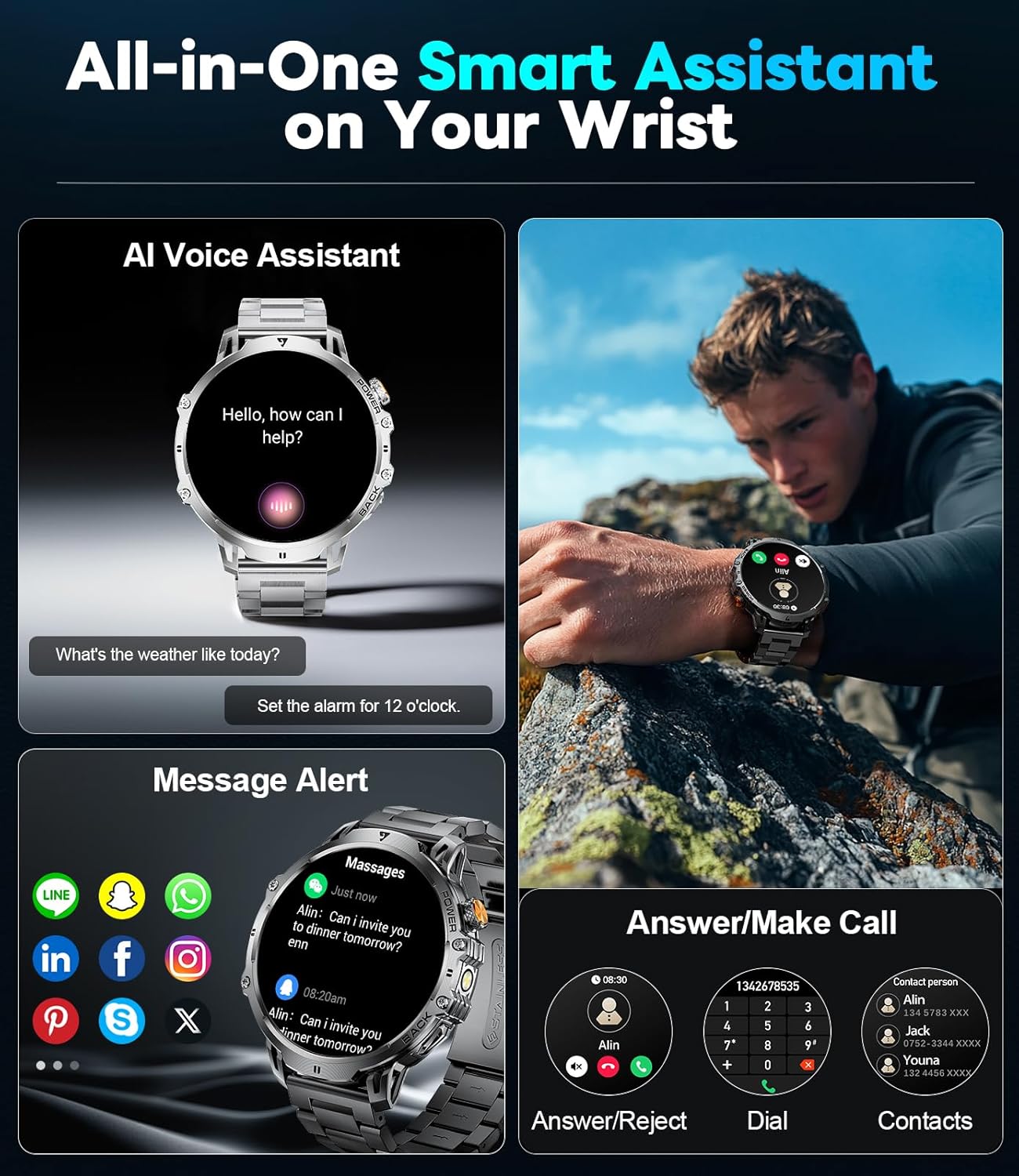
Figure 8: 110+ Sports Modes Tracking
5.5 Lòt Karakteristik
The smartwatch also includes a range of practical tools:
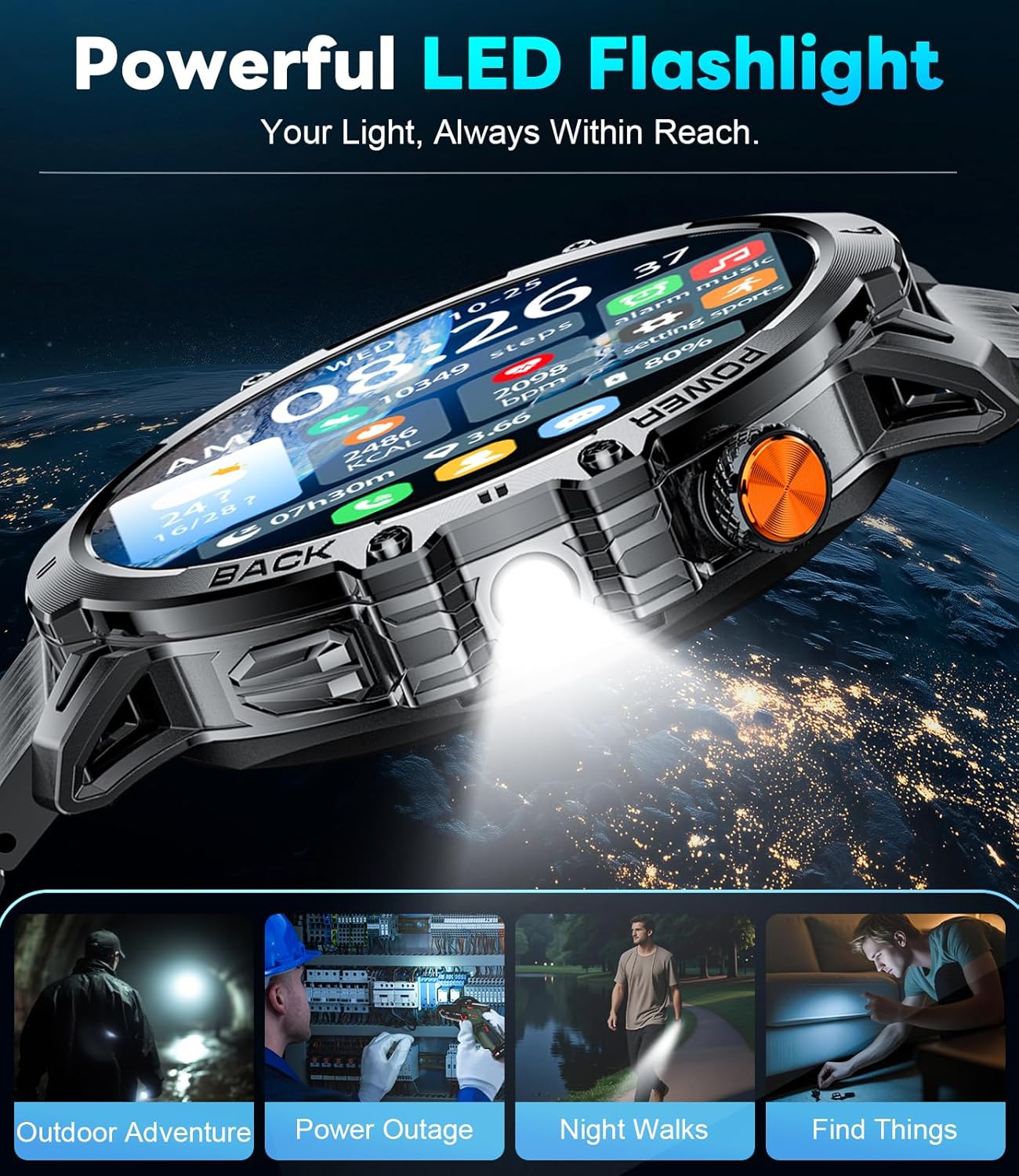
- Bati-an ki ap dirije flach: Bay ekleraj nan anviwònman nwa.
- Kontwòl Mizik: Jere lèktur mizik sou smartphone ou.
- Mizajou meteyo: Jwenn enfòmasyon sou metewolojik aktyèl la.
- Stopwatch & Alarm: Fonksyon esansyèl pou kenbe tan.
- Asistan vwa: Interact with your device using voice commands.
- Kontwòl kamera: Deklanche kamera telefòn entelijan ou a adistans.
- Mini-jwèt: Two built-in games for entertainment.
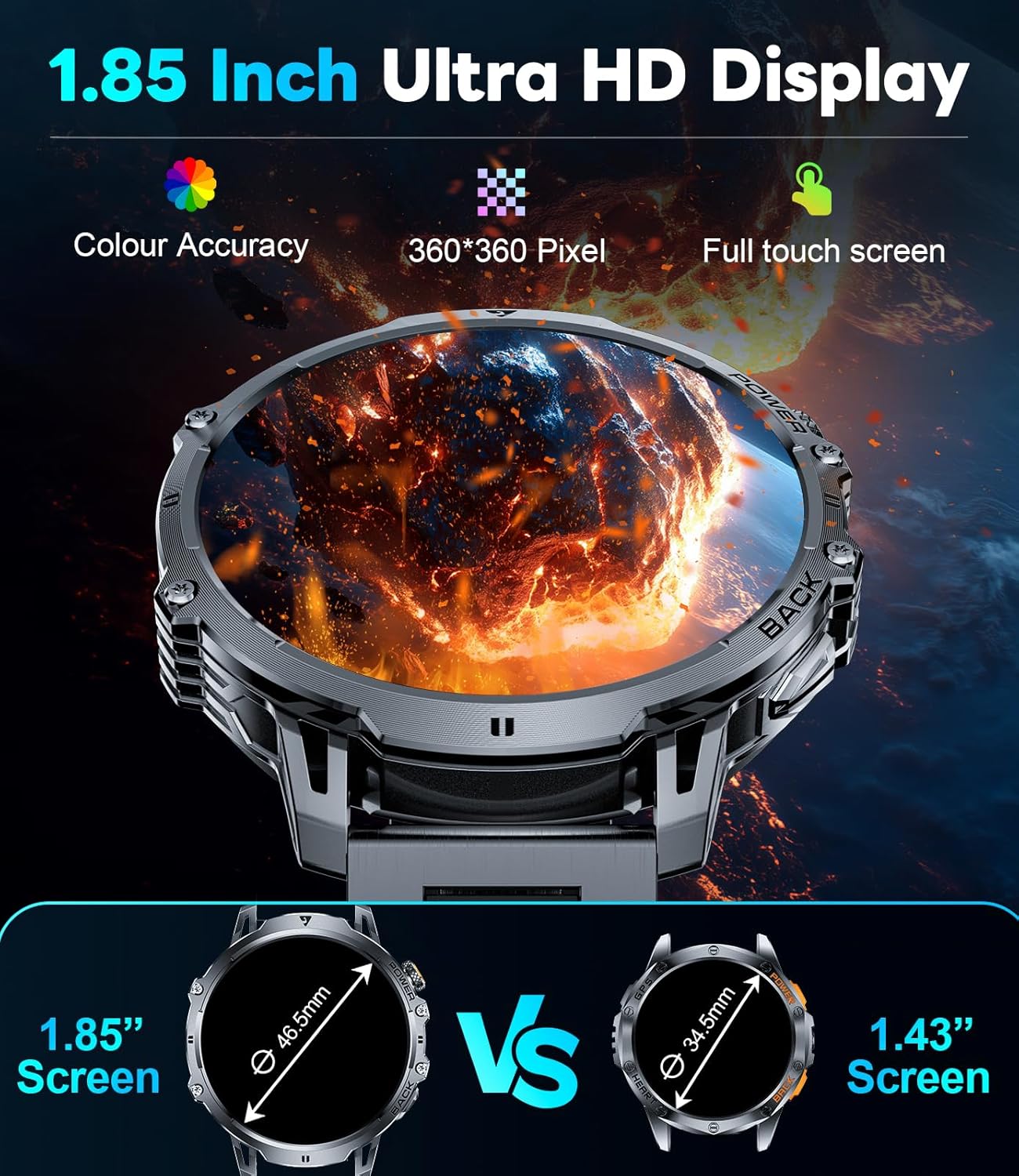
Figure 9: Powerful LED Flashlight
6. Antretyen
To ensure the longevity and optimal performance of your LIGE EF13-E Smart Watch, follow these maintenance guidelines:
- Netwayaj: Regularly wipe the watch screen and bands with a soft, dry cloth. For stubborn dirt, use a slightly damp twal ak savon twò grav, apresa sèk byen.
- Rezistans dlo: The watch is rated for 5ATM water resistance, making it suitable for swimming and showering. However, avoid hot water, steam, or prolonged submersion in deep water. Do not press buttons underwater.
- Chaje: Use only the provided magnetic charging cable. Avoid exposing the charging contacts to metal objects to prevent short circuits.
- Depo: Sere mont lan nan yon kote ki fre epi sèk, lwen limyè solèy dirèk ak tanperati ekstrèm.
- Evite pwodwi chimik yo: Do not expose the watch to strong chemicals, solvents, or detergents, as these can damage the materials.
NAN. Depanaj
If you encounter issues with your LIGE EF13-E Smart Watch, refer to the following common solutions:
- Mont lan pa limen: Asire w ke mont lan chaje nèt. Konekte l nan plato a epi tann kèk minit.
- Pa ka konekte ak telefòn entelijan an:
- Asire w ke Bluetooth aktive sou telefòn ou epi mont lan nan zòn nan.
- Rekòmanse telefòn ou ak mont lan.
- Check if the "FitCloudPro" app has all necessary permissions.
- Try unbinding and re-pairing the device through the app.
- Notifikasyon ki pa resevwa:
- Verify that "Push Notifications" are enabled in the "FitCloudPro" app for specific applications.
- Tcheke paramèt notifikasyon telefòn ou an pou asire w aplikasyon an gen dwa voye notifikasyon.
- Asire w ke mont lan konekte via Bluetooth.
- Done sou sante ki pa egzak:
- Asire w ke mont lan byen sere sou ponyèt ou, ni twò sere ni twò lach.
- Netwaye detèktè yo ki sou dèyè mont lan.
- Evite twòp mouvman pandan mezi yo.
- Kout lavi batri:
- Diminye klète ekran an ak tan ekran an rete limen.
- Disable unnecessary features like continuous heart rate monitoring if not needed.
- Ensure the watch is fully charged before use.
8. Espesifikasyon
| Nimewo Modèl | EF13-E |
| Mak | LIGE |
| Gwosè ekspozisyon | 1.85 Inches HD TFT (360x360 resolution) |
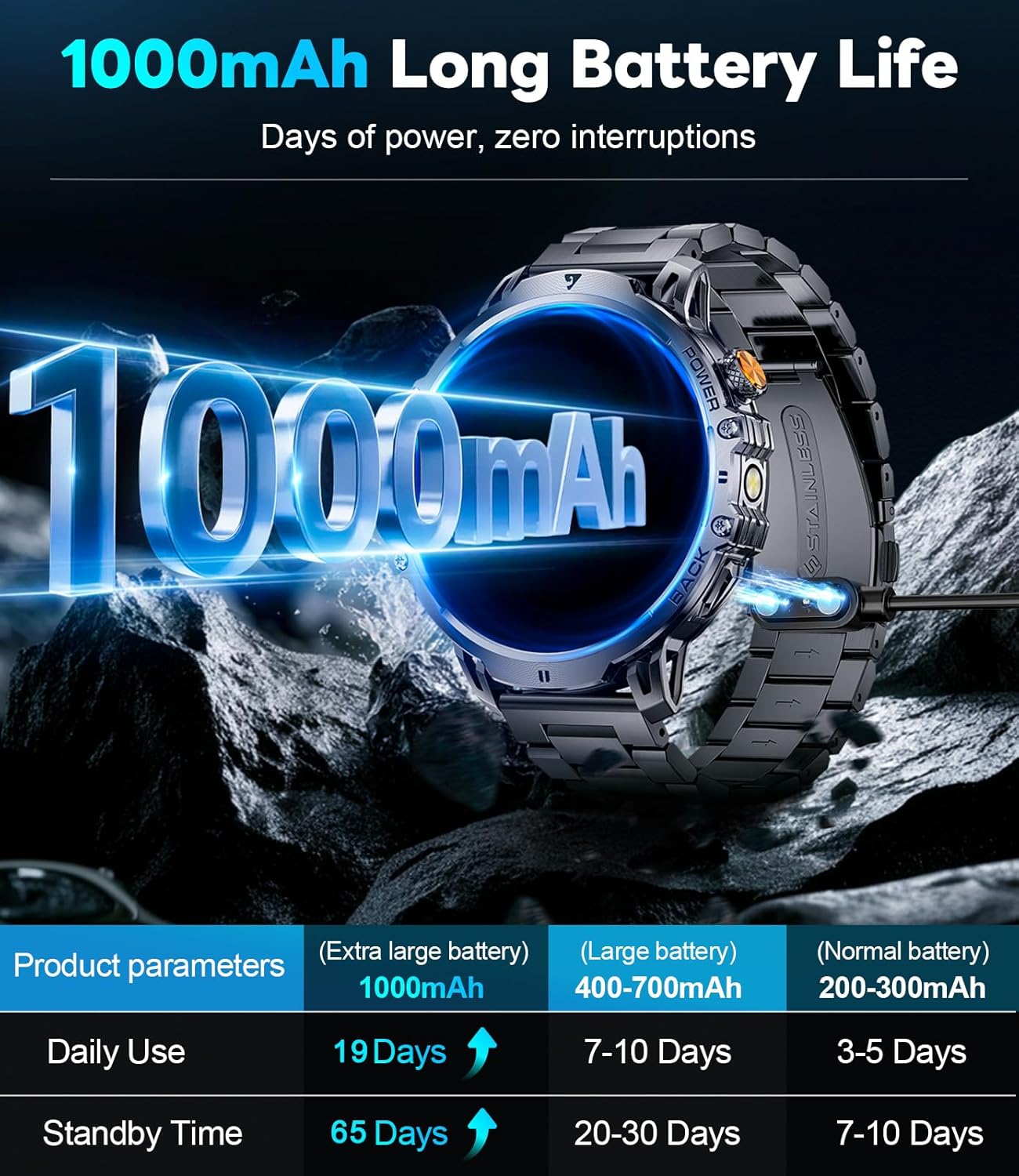
| Kapasite batri | 1000 mAh Lityòm Polymère |
| Tan sibstiti | Jiska 65 jou |
| Tan Itilizasyon Nòmal | Over 19 Days |
| Rezistans dlo | 5ATM |
| Koneksyon | Bluetooth |
| Sistèm operasyon konpatibilite | Android 4.4+ ak iOS 8.0+ |
| Kapasite Depo memwa | 256 MB |
| Karakteristik espesyal | 1.85" Large HD Screen, 5ATM Waterproof, 1000 mAh Battery, 110+ Sport Modes, Sleep Monitor, Alarm Clock, Music Player, Sedentary Reminder, Activity Tracker, Calorie Tracker, Distance Tracker, Multisport Tracker, Bluetooth calls, Notifications, Weather Forecast, Built-in LED Flashlight, Voice Assistant, Camera Control, Mini-Games. |
| Pwa atik | 9.6 ons |
| Dimansyon | 8.07 x 3.66 x 0.91 pous |

Figure 10: 1.85 Inch Ultra HD Display

Figure 11: Military Grade Standard Durability
9. Garanti ak sipò
LIGE is committed to ensuring your satisfaction. If you have any questions, require support, or encounter any issues with your LIGE EF13-E Smart Watch, please do not hesitate to contact our customer service team. Refer to the contact information provided in your product packaging or on the official LIGE websit pou asistans.