Entwodiksyon
Thank you for choosing the Gamrombo Wireless Controller. This manual provides essential information for setting up, operating, and maintaining your controller to ensure optimal performance across various platforms, including Xbox One, Xbox Series X/S, PC, Mac, and mobile devices.
Tanpri li manyèl sa a byen anvan ou itilize epi kenbe li pou referans nan lavni.

Image: The Gamrombo Wireless Controller, highlighting its upgraded features and broad compatibility with various platforms and connection types.
Karakteristik pwodwi
The Gamrombo Wireless Controller is designed to enhance your gaming experience with a range of advanced features:
- Konpatibilite milti-platfòm: Seamlessly connects with Xbox Series X/S, Xbox One/One S/One X, PC, Mac, and mobile devices (iOS/Android).
- Motè Vibrasyon Doub: Built-in motors provide realistic haptic feedback for an immersive gaming experience.
- Fonksyon Turbo Semi-Otomatik: Enables rapid firing for enhanced gameplay in action-oriented titles.
- Standard 3.5mm Audio Jack: Allows direct connection of compatible headsets for in-game audio and communication.
- Konsepsyon ergonomique: Sculpted surfaces and refined geometry ensure comfort and control during extended play sessions.
- 6-Axis Motion Sensor: Provides dynamic feeling and precise control through motion sensing capabilities.
- Anti-slip Grip: Textured surfaces on both sides of the controller ensure a secure hold.

Imaj: Plis paseview of the controller's multifunctional features, including double shock, motion control, 360° joystick, turbo, macro, and more.
Enstriksyon Enstalasyon
1. Enstalasyon batri
- Jwenn konpatiman batri a sou dèyè kontwolè a.
- Louvri kouvèti batri a.
- Insert two (2) AA batteries (not included), ensuring correct polarity (+/-).
- Fèmen kouvèti batri a byen.
2. Connecting to Xbox Consoles (Xbox One, Xbox Series X/S)
- Asire w ke konsole Xbox ou a limen.
- Peze epi kenbe la Bouton Kay on the controller until it powers on and the indicator light flashes.
- On your Xbox console, press the Bouton appariement (usually located on the front or side of the console).
- Peze epi kenbe la Bouton appariement on the top edge of the Gamrombo controller until the indicator light flashes rapidly.
- The controller's indicator light will become solid when successfully paired.
3. Connecting to PC/Mac/Mobile Devices
The controller supports connection via Bluetooth or a wired USB connection (USB dongle not included for wireless PC connection).
Bluetooth Connection (PC/Mac/Mobile)
- Asire w ke Bluetooth aktive sou aparèy ou an.
- Peze epi kenbe la Bouton Kay on the controller until it powers on.
- Peze epi kenbe la Bouton appariement on the top edge of the controller until the indicator light flashes rapidly.
- On your device, search for new Bluetooth devices and select "Gamrombo Controller" (or similar) from the list.
- The controller's indicator light will become solid upon successful pairing.
Wired Connection (PC)
- Connect the controller to your PC using a compatible USB cable (not included).
- The PC should automatically detect and install the necessary drivers.
- The controller will be ready for use once the drivers are installed.

Image: The Gamrombo controller highlighting its broad compatibility across multiple gaming platforms and operating systems.
Mizajou firmwèr kontwolè a
If you experience connectivity issues with your Xbox console, a firmware upgrade may be required. This process is performed on a Windows PC.
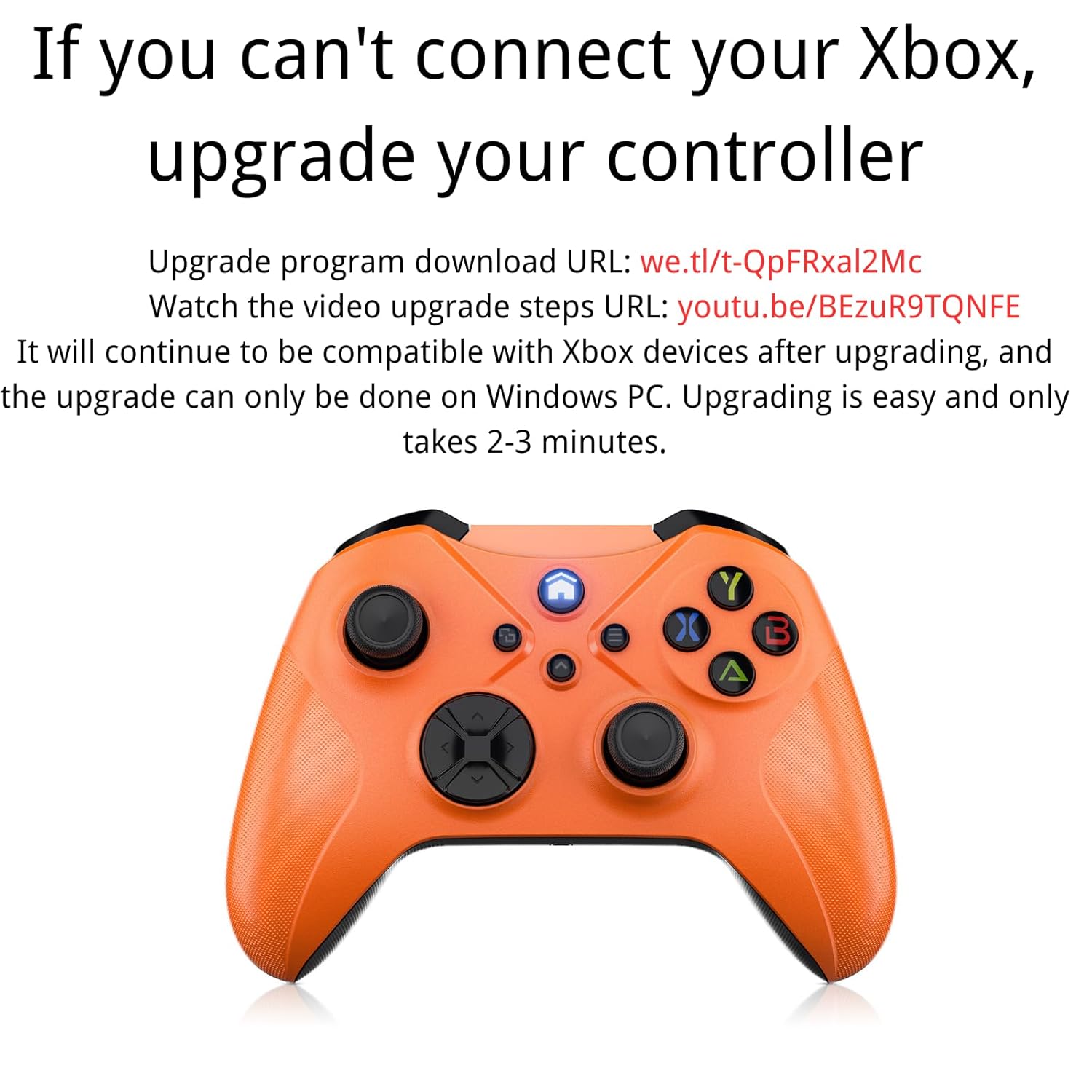
Image: Instructions for upgrading the controller firmware if connection issues occur with Xbox.
Etap ajou:
- Download the upgrade program from the official source. (Refer to product packaging or manufacturer's websit pou espesifik la URL).
- Connect the Gamrombo controller to a Windows PC using a USB cable.
- Run the downloaded upgrade program.
- Follow the on-screen instructions to complete the upgrade. The process typically takes 2-3 minutes.
- After the upgrade, the controller will remain compatible with Xbox devices.
Enstriksyon Operasyon
1. Fonksyon bouton debaz yo
The controller features standard Xbox layout buttons:
- Bouton A, B, X, Y: Bouton aksyon pou kòmandman nan jwèt la.
- Pad direksyonèl (D-Pad): Pou yon antre direksyonèl presi.
- Bwat analogik gòch/dwat: Pou mouvman ak kontwòl kamera.
- Left/Right Bumpers (LB/RB): Bouton sou zepòl pou divès aksyon.
- Left/Right Triggers (LT/RT): Pressure-sensitive triggers for acceleration, firing, etc.
- Bouton Kay: Limen/etenn kontwolè a, li jwenn aksè nan meni sistèm yo.
- View/Share Button: Accesses in-game menus or share features.
- Bouton meni: Accesses game or system options.

Imaj: Dèyè view of the controller showing the location of shoulder buttons (LB, RB, LT, RT) and programmable back buttons (PR, PL) with a 'set' button.
2. Fonksyon Turbo
The semi-automatic turbo function allows for continuous rapid input of a button press. To activate:
- Peze epi kenbe la Bouton turbo (if present, refer to controller diagram) and then press the desired action button (e.g., A, B, X, Y, LB, RB, LT, RT).
- Release both buttons. The selected action button will now continuously repeat its input when held down.
- To deactivate, repeat the process: press and hold the Bouton turbo and then press the same action button again.

Image: The controller illustrating the semi-automatic turbo function for faster action in games.
3. Dual Vibration
The controller features dual vibration motors that provide varying levels of feedback based on in-game events. The intensity of vibration is typically controlled by the game itself.

Image: The controller demonstrating its dual-motor shock feature, capable of weak, moderate, and strong vibration effects.
4. 3.5mm Audio Jack
Connect any compatible 3.5mm headset to the audio jack located at the bottom of the controller for in-game audio and voice chat.

Image: The controller with a 3.5mm stereo audio jack, allowing connection of headphones for immersive sound.
5. 6-Axis Motion Sensor
The integrated 6-axis motion sensor provides enhanced dynamic control in supported games, allowing for intuitive movements like direction control, visual field angle changes, and responsive actions.

Image: The controller's 6-axis motion sensor in action, illustrating its use for direction control, visual field changes, and responsive actions in games.
Antretyen
- Netwayaj: Sèvi ak yon twal mou epi sèk pou netwaye kontwolè a. Evite itilize pwodui chimik ki agresif oswa materyèl abrazif.
- Depo: Sere kontwolè a nan yon kote ki fre epi sèk, lwen limyè solèy dirèk ak tanperati ekstrèm.
- Swen batri: Retire pil yo si ou pa pral itilize kontwolè a pou yon peryòd tan pwolonje pou anpeche flit.
- Evite gout: Pwoteje kontwolè a kont tonbe ak enpak, ki ka domaje konpozan entèn yo.
Depanaj
1. Kontwolè a pa konekte/pa konekte
- Asire w ke pil yo enstale kòrèkteman epi yo gen ase chaj.
- Verify that the controller is within the wireless range (approximately 33 feet).
- Eseye pwosesis koneksyon an ankò jan sa dekri nan seksyon Enstalasyon an.
- If connecting to Xbox, ensure the controller firmware is up to date (refer to the Controller Firmware Upgrade section).
- Try connecting the controller via a USB cable to rule out wireless issues.
2. Buttons/Joysticks Not Responding
- Tcheke nivo batri a epi ranplase si sa nesesè.
- Rekòmanse kontwolè a ak aparèy ki konekte a.
- Ensure no debris is obstructing the buttons or joysticks.
- Si w ap itilize yon koneksyon filaire, eseye yon lòt pò USB oswa kab.
3. No Audio from Headset
- Ensure the headset is fully plugged into the 3.5mm audio jack.
- Check the headset's volume controls and mute settings.
- Verify audio settings on your console or PC to ensure output is directed to the controller.
- Test the headset with another device to confirm it is functional.
Espesifikasyon
| Karakteristik | Detay |
|---|---|
| Nimewo Modèl | Xbox One (Compatible) |
| Konpatibilite | Xbox Series X/S, Xbox One/One S/One X, PC (Windows 7/8/10), Mac, iOS, Android |
| Koneksyon | Wireless (Xbox Wireless Technology), Bluetooth, Wired (USB) |
| Wireless Range | Jiska 33 pye (10 mèt) |
| Sous pouvwa | 2 x AA pil (pa enkli) |
| Audio Port | 3.5mm Stereo Headset Jack |
| Karakteristik espesyal | Dual Vibration, Semi-Automatic Turbo, 6-Axis Motion Sensor, Macro Function |
| Dimansyon | 6.73 x 4.72 x 2.8 pous (apeprè) |
| Pwa | 10.2 ons (apeprè, san pil) |
Garanti ak sipò
Pou enfòmasyon sou garanti a ak sipò teknik, tanpri al gade dokiman ki vini ak acha ou a oswa vizite sit ofisyèl Gamrombo a. websit la. Kenbe prèv acha ou pou reklamasyon garanti.
If you encounter any issues not covered in this manual, please contact Gamrombo customer service for assistance.


