1. Entwodiksyon
This manual provides essential information for the proper setup, operation, and maintenance of your KOORUI G2721X 27-inch 1440p QHD Gaming Monitor. Please read this manual thoroughly before using the product to ensure optimal performance and safety. Keep this manual for future reference.

Figi 1.1: Devan view of the KOORUI G2721X monitor, showcasing montur mens li yo ak sipò a.
2. Pake kontni
Verify that all items are present in the package. If any items are missing or damaged, please contact your retailer or KOORUI customer support.
- KOORUI G2721X Monitor (x1)
- Monitor Base (x1)
- Manyèl Enstriksyon (x1)
- DisplayPort (DP) Cable (x1)
- Pouvwa adaptè (x1)
3. Pwodwi souview
3.1 Karakteristik kle
- Ekspozisyon: 27-inch QHD (2560x1440) resolution for crisp visuals.
- Pousantaj rafrechisman: Up to 260Hz (supports 240Hz) for smooth gameplay.
- Tan repons: 1ms (GTG) for minimal motion blur.
- Kalite panèl: Fast IPS for vibrant colors and wide viewang ing.
- Sipò HDR: HDR400 for enhanced contrast and brightness.
- Adaptive Sync: Eliminates screen tearing and stuttering.
- Gamme koulè: 99% sRGB and 90% DCI-P3 for accurate color reproduction.
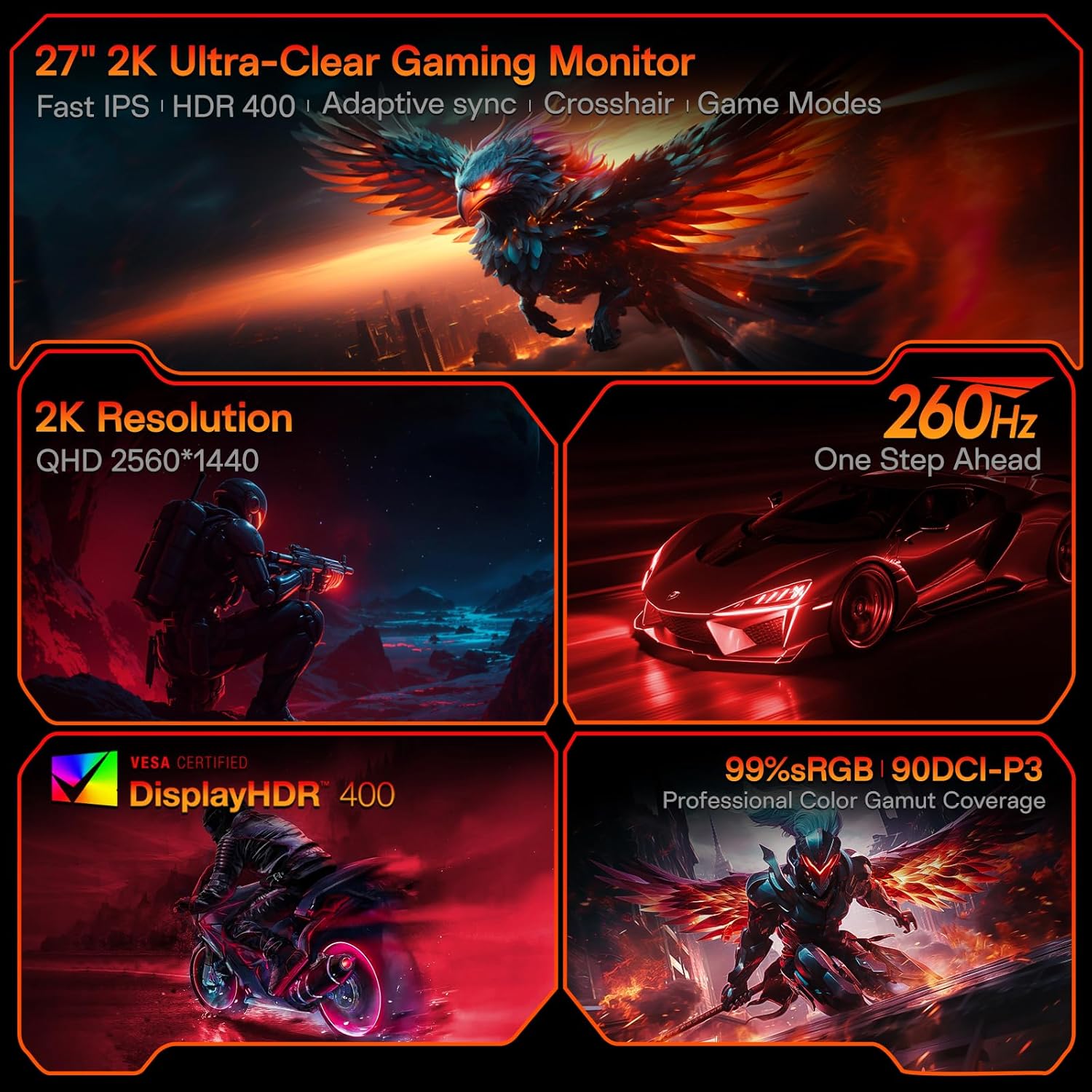
Figure 3.1: Visual representation of the monitor's core features.
3.2 Pò ak Kontwòl
The monitor features a variety of input and output ports for versatile connectivity, along with an intuitive control system.
- Videyo Antre: Two HDMI 2.0 ports, one DisplayPort 1.4 port.
- Sòti odyo: One 3.5mm audio jack.
- Antre pouvwa: One DC power port.
- Kontwòl: A 5-way joystick located on the rear for On-Screen Display (OSD) navigation.
- Konsepsyon: Hawk-wing backplate with integrated cooling stripes for efficient heat dissipation.

Figi 3.2: Dèyè view of the monitor detailing port locations and physical adjustments.
4. Enstalasyon
4.1 Enstalasyon kanpe
- Carefully remove the monitor and base from the packaging.
- Align the monitor stand with the slot on the back of the monitor.
- Gently push the stand into the slot until it clicks into place, indicating a secure connection.
- Mete monitè a ki fin rasanble a sou yon sifas ki plat e ki estab.
4.2 Koneksyon kab
- Connect the provided DisplayPort (DP) cable from your computer's graphics card to the DP 1.4 port on the monitor. Alternatively, use an HDMI cable to connect to one of the HDMI 2.0 ports.
- Connect the power adapter to the DC power port on the monitor, then plug the other end into a power outlet.
- If using external speakers or headphones, connect them to the 3.5mm Audio Out port.
4.3 Video Guide: Installation and Features
Watch this video for a visual guide on installing the monitor stand and an overview nan karakteristik li yo.
Video 4.1: A detailed demonstration of the KOORUI G2721X monitor's assembly and key functionalities. This video covers the physical setup, port connections, and highlights features such as the 260Hz refresh rate, QHD resolution, and Adaptive Sync technology.
5. Operasyon Enstriksyon
5.1 Navigasyon sou ekran (OSD)
The monitor's settings can be adjusted using the 5-way joystick located on the back of the display. Press the joystick to open the OSD menu, then move it up/down/left/right to navigate and select options.
5.2 Motion Performance
The G2721X offers an ultra-smooth 260Hz refresh rate, crucial for competitive gaming. It also features 3-level Overdrive settings to optimize response time:
- Nòmal: 5ms response time.
- Vit: 3ms response time.
- Ekstrèm: 1ms response time.
Adjust these settings via the OSD menu to find the optimal balance for your gaming experience.

Figure 5.1: Illustrates the visual difference in motion clarity between 260Hz and 120Hz refresh rates.
5.3 Color Performance
The monitor covers 99% sRGB and 90% DCI-P3 color gamuts, displaying 16.7 million colors (8-bit). This wide color range enhances in-game visuals and provides accurate color reproduction for various applications.

Figure 5.2: Demonstrates the monitor's extensive color capabilities.
5.4 Adaptive Sync
Adaptive Sync technology synchronizes the monitor's refresh rate with your graphics card's frame rate, effectively eliminating screen tearing and stuttering during fast-paced action. Ensure Adaptive Sync is enabled in both the monitor's OSD and your graphics card's control panel for optimal performance.
Sipò 5.5 HDR400
With HDR400 support, the monitor delivers brighter colors, deeper blacks, and enhanced contrast, providing a more immersive visual experience in compatible content.
5.6 mòd jwèt
The G2721X includes dedicated game display modes to enhance your gaming experience:
- Crosshair: Provides an on-screen crosshair for improved aiming accuracy.
- Revèy: Displays an on-screen timer for managing game events.
- FPS: Optimized settings for First-Person Shooter games.
- RCG: Optimized settings for Racing games.
- RPG: Optimized settings for Role-Playing Games.

Figi 5.3: Egzamples of the monitor's dedicated game modes.
6. Espesifikasyon
| Karakteristik | Spesifikasyon |
|---|---|
| Nimewo Modèl | G2721X |
| Gwosè ekran | 27 pous |
| Kalite Panel | Vit IPS |
| Rezolisyon | 2560 x 1440 (QHD) |
| Rafrechisman pousantaj | 260Hz (supports 240Hz) |
| Tan repons | 1ms (GTG) |
| Klète | 350 cd/m² (Nit) |
| Sipò HDR | HDR400 |
| Gamut koulè | 99% sRGB, 90% DCI-P3 |
| Koulè Pwofondè | 16.7 milyon koulè (8-bit) |
| Dansite piksèl | 109 PPI |
| Aspè rapò | 16:9 |
| Koneksyon | 2x HDMI 2.0, 1x DisplayPort 1.4, 1x Audio Out, 1x DC Power |
| VESA konpatibilite | 75x75mm |
| Ajisteman enklinezon | -5 ° a 20 ° |
| Pwodwi Dimansyon (W x D x H) | 24 x 8.46 x 18.59 pous |
| Pwa atik | 10.83 liv |
7. Antretyen
Bon antretyen asire lonjevite ak pèfòmans optimal monitè ou a.
- Netwaye ekran an: Sèvi ak yon ti moso twal mou, ki san pèl dampened with water or a specialized screen cleaner. Do not use alcohol-based cleaners or abrasive materials.
- Netwayaj C aasing: Siye monitè a casinSiye ak yon twal mou epi sèk. Evite itilize detèjan oswa solvan ki fò.
- Vantilasyon: Ensure the monitor's ventilation slots are clear and not obstructed to prevent overheating.
- Pouvwa Off: Toujou etenn monitè a epi debranche li nan priz kouran an anvan ou netwaye li oswa si ou pa pral itilize li pou yon peryòd tan pwolonje.
NAN. Depanaj
Si ou rankontre pwoblèm ak monitè ou a, gade etap depanaj komen sa yo:
- Pa gen pouvwa:
- Asire w ke kab kouran an byen konekte ak monitè a ak priz kouran an.
- Verify the power outlet is functioning correctly by plugging in another device.
- Pa gen siyal:
- Check that the video cable (DP or HDMI) is securely connected to both the monitor and your computer's graphics card.
- Asire w ke sous opinyon ki kòrèk la chwazi sou monitè a atravè meni OSD la.
- Teste avèk yon lòt kab videyo oswa pò si genyen.
- Ekran k ap flache:
- Tcheke kab videyo a pou wè si li domaje oswa si koneksyon yo lach.
- Ajiste to rafrechisman an nan paramèt ekspozisyon òdinatè w la.
- Disable Adaptive Sync temporarily to see if the issue persists.
- Image Quality Issues (Blurry, Distorted Colors):
- Ensure the monitor's resolution is set to its native 2560x1440 in your computer's display settings.
- Reset the monitor to factory settings via the OSD menu.
- Adjust color settings (brightness, contrast, color temperature) in the OSD.
9. Garanti ak sipò
Your KOORUI G2721X monitor is backed by a 1-year panel warranty epi 3-year accessory coverage. Please note that terms and conditions apply to the warranty. For detailed warranty information or technical assistance, please refer to the official KOORUI websit la oubyen kontakte sèvis kliyan yo dirèkteman.
If you have any questions or require further assistance, please do not hesitate to reach out to KOORUI customer support.


