1. Entwodiksyon
This manual provides detailed instructions for the installation, operation, and maintenance of your Duronic DM6A2 Dual Monitor Arm. The DM6A2 is designed to securely hold two computer monitors, offering flexible adjustments for an ergonomic workspace. It features a gas spring mechanism for smooth height adjustments and integrated cable management to maintain an organized desk.
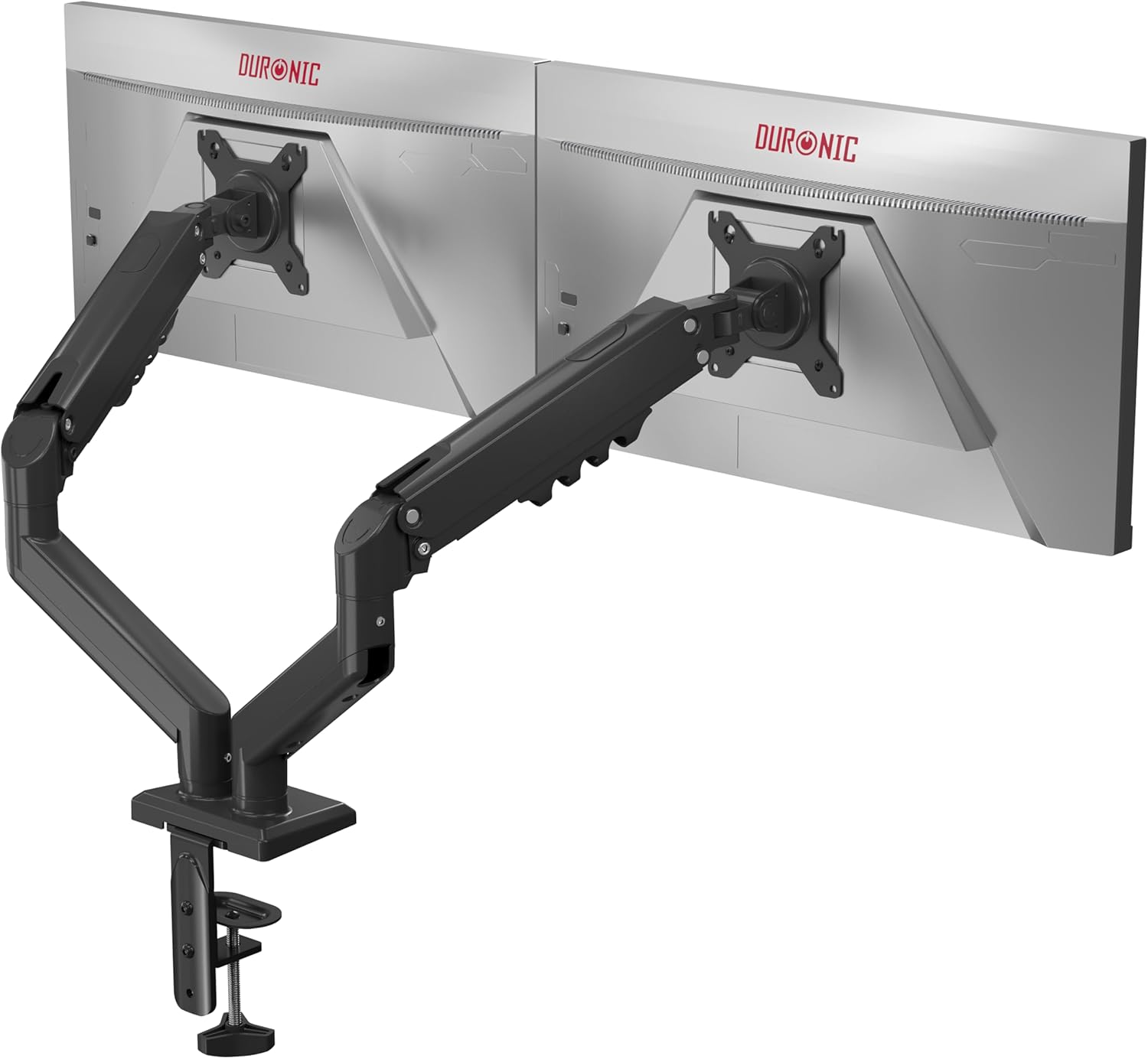
Image 1.1: The Duronic DM6A2 Dual Monitor Arm supporting two monitors.
2. Enfòmasyon sou Sekirite
Please read all instructions carefully before installation and use. Failure to follow these instructions may result in product damage, injury, or property damage.
- Asire w ke sifas biwo w la solid ase pou sipòte pwa bra monitè a ak de monitè yo ansanm.
- Do not exceed the maximum weight capacity of 9 kg (19.8 lbs) per arm.
- Ensure all screws are tightened securely before use. Do not overtighten.
- Kenbe timoun ak bèt kay lwen zòn enstalasyon an.
- Adjust the gas spring tension carefully to match your monitor's weight. Improper tension can cause monitors to drop or spring up unexpectedly.
3. Pake kontni
Verify that all components are present before beginning installation. If any parts are missing or damaged, please contact Duronic customer support.
- Main pole and base
- Two monitor arms with gas springs
- Two VESA mounting plates
- Desk clamp and grommet mounting hardware
- Cable management clips/covers
- Assembly tools (Allen keys, screws)
4. Enstriksyon Enstalasyon
4.1. Choose Your Mounting Method (Clamp oswa Grommet)
The DM6A2 offers two installation options: desk clamp or grommet mount. Select the method suitable for your desk.

Image 4.1: Desk clamp supports thickness from 15mm to 100mm. Grommet mount supports thickness from 15mm to 50mm.
4.1.1. Desk Clamp Enstalasyon
- Tache cl laamp base to the main pole.
- Pozisyon clamp sou kwen biwo ou.
- Sere boulon clamp screw until the arm is securely fastened to the desk. Ensure it is stable.
4.1.2. Enstalasyon Montur Grommet
- Si biwo ou a gen yon twou pou jete dwèt, mete baz jete dwèt la nan twou a.
- Fikse baz la anba biwo a avèk plak ak nwa yo bay la.
- Attach the main pole to the grommet base.
4.2. Attach VESA Plates to Monitors
The DM6A2 supports VESA 75x75mm and 100x100mm mounting patterns.

Image 4.2: The DM6A2 supports monitors from 13 to 32 inches and VESA patterns 75x75mm and 100x100mm, with a maximum weight of 9kg per arm.
- Mete monitè a ak anpil atansyon fas anba sou yon sifas mou epi pwòp.
- Align the VESA mounting plate with the screw holes on the back of your monitor.
- Secure the plate using the appropriate screws provided. Do not overtighten.
4.3. Monte monitè yo sou bra yo
- Slide the VESA plate with the attached monitor onto the end of each monitor arm.
- Ensure the monitor is securely seated on the arm.
- Tighten any locking screws on the VESA head to prevent accidental detachment.
4.4. Ajiste gaz Spring Tansyon
The gas spring mechanism allows for smooth and stable monitor positioning. You must adjust the tension to match the weight of your monitors.

Image 4.3: The internal gas spring mechanism provides smooth monitor adjustments.

Image 4.4: Adjust the gas spring tension using the provided tool.
- Use the provided Allen key to adjust the tension screw located on the arm.
- Turn clockwise to increase tension (for heavier monitors) or counter-clockwise to decrease tension (for lighter monitors).
- Adjust until the monitor stays at the desired height when released, without drifting up or down.
4.5. Jesyon kab
Route your monitor cables through the integrated cable management clips or covers on the arms to keep your workspace tidy.
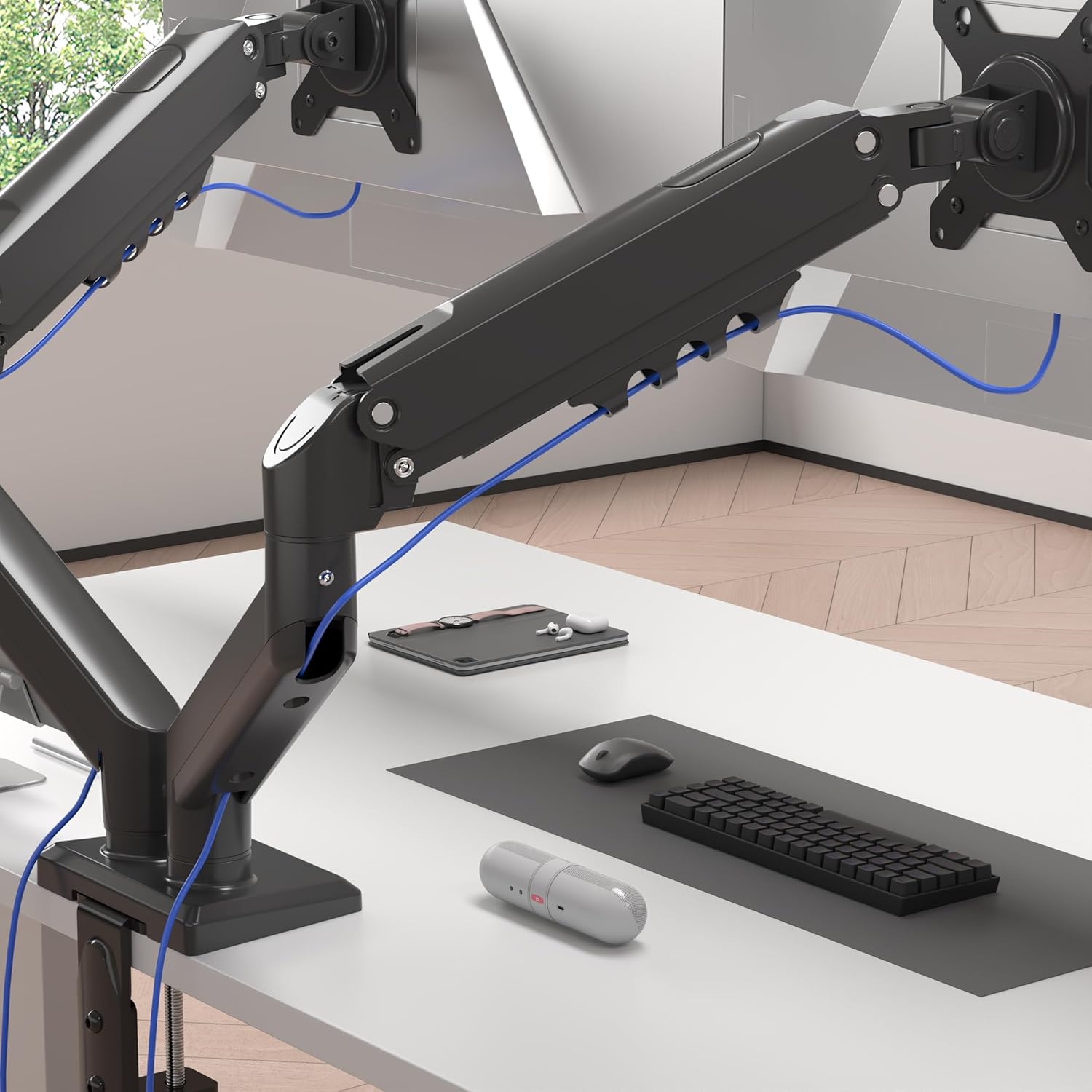
Image 4.5: Cables are neatly organized using the arm's cable management system.
5. Enstriksyon Operasyon (Ajisteman)
The Duronic DM6A2 offers a range of adjustments for optimal viewing konfò.
5.1. Ajisteman Wotè
Gently push or pull the monitor to the desired vertical position. The gas spring will hold it in place once the tension is correctly set.
5.2. Ajisteman Panche
The monitor can be tilted up or down to reduce glare and improve viewang ing.

Image 5.1: The monitor can be tilted from -90° to +85°.
5.3. Ajisteman Pivote
Swivel the monitor left or right to share your screen with others or adjust your viewang ang.

Image 5.2: The monitor can swivel +/-90°.
5.4. Rotation Adjustment
Vire monitè a 360 degre pou chanje ant oryantasyon peyizaj ak pòtrè.

Image 5.3: The monitor can rotate 360° for landscape or portrait viewing.
6. Antretyen
- Netwayaj: Siye bra monitè a ak yon twal mou,amp twal. Evite pwodui netwayaj abrazif.
- Tèks Peryodik: Tcheke tout vis ak koneksyon yo regilyèman pou asire yo rete sere epi byen fèm. Sere boulon yo ankò si sa nesesè.
- Ajisteman prentan gaz: If your monitor's weight changes, or if the arm starts to drift, readjust the gas spring tension as described in Section 4.4.
NAN. Depanaj
- Monitor sags or drops: The gas spring tension is too low for the monitor's weight. Increase tension by turning the adjustment screw clockwise.
- Monitor springs up or is difficult to push down: The gas spring tension is too high for the monitor's weight. Decrease tension by turning the adjustment screw counter-clockwise.
- Bra a pa stab: Asire biwo clamp or grommet mount is securely tightened to the desk. Check all arm connections for tightness.
- Monitor does not rotate/tilt/swivel smoothly: Check for any obstructions. Ensure the pivot points are not overtightened. A small amount of silicone lubricant can be applied to moving parts if needed, but avoid contact with electrical components.
8. Espesifikasyon
| Nimewo Modèl | DM6A2 |
| Mak | Duronic |
| Gwosè Monitè Konpatib | 13 - 32 pous |
| Kapasite pwa pou chak bra | Jiska 9 kg (19.8 liv) |
| VESA konpatibilite | 75x75mm, 100x100mm |
| Panche Range | -90° pou +85° |
| Ranje Swivel | +/- 90 ° |
| Wotasyon | 360° (Peyizaj/Pòtrè) |
| Opsyon Montaj | Biwo Clamp, Grommet mòn |
| Biwo Clamp Epesè | 15mm - 100mm |
| Epesè Grommet Mount | 15mm - 50mm |
| Materyèl | Aliminyòm, Metal |
9. Garanti ak sipò
For warranty information or technical support, please refer to the documentation included with your purchase or visit the official Duronic website. If you encounter any issues not covered in this manual, please contact Duronic customer service for assistance.


