Entwodiksyon
The KONNWEI KW206 is an advanced automotive tool designed to provide real-time vehicle data and diagnostic capabilities. It functions as both a Head-Up Display (HUD) for critical driving information and a comprehensive OBD2 diagnostic scanner. This manual provides instructions for the proper setup, operation, and maintenance of your KW206 device.
Pwodwi souview
The KW206 integrates a 3.5-inch full-color LCD screen to display over 100 key vehicle parameters. It is compatible with OBDII/EOBD-compliant gasoline, diesel, and hybrid vehicles manufactured from 2003 onwards. Key features include:
- Ekspozisyon Done an Tan Reyèl: Speed, RPM, coolant temperature, fuel consumption, voltage, throttle position, intake pressure, and more.
- Fonksyon dyagnostik: Read and clear Diagnostic Trouble Codes (DTCs), reset Check Engine Light, I/M readiness status, freeze frame data, O2 sensor test, EVAP system test.
- Avètisman Sekirite: Customizable warnings for overspeed, high engine temperature, low voltage, and RPM limits.
- Tès pèfòmans: 0-100 km/h acceleration test.
- Entèfas itilizatè-zanmitay: Auto-adjusting brightness, multiple display themes, metric/imperial unit switching.

Image: The KONNWEI KW206 device showing its main display and various data points.
Kontni pake
Verifye ke tout atik yo prezan nan pakè ou a:
- KONNWEI KW206 Auto Diagnostic Scanner Unit
- OBDII Connection Cable
- Manyèl Itilizatè (dokiman sa a)
- USB Cable (for software updates)
- Mounting Accessories (e.g., anti-slip mat, stand)

Image: The KONNWEI KW206 package contents, showing the main unit, OBDII cable, and other accessories.
Enstalasyon ak Enstalasyon
The KW206 is designed for plug-and-play installation. No complex setup or external power source is required.
- Jwenn pò OBDII a: Pò OBDII a tipikman sitiye anba tablodbò a sou bò chofè machin nan. Gade manyèl pwopriyetè machin ou an si ou pa ka jwenn li.
- Konekte aparèy la: Plug the provided OBDII connection cable into your vehicle's OBDII port. Ensure a secure connection.
- Pozisyon aparèy la: Place the KW206 unit on your dashboard using the provided anti-slip mat or stand. Ensure it does not obstruct your view nan wout la.
- Pouvwa sou: Once connected, the device will automatically power on when the vehicle's ignition is turned to the ON position (or engine started).
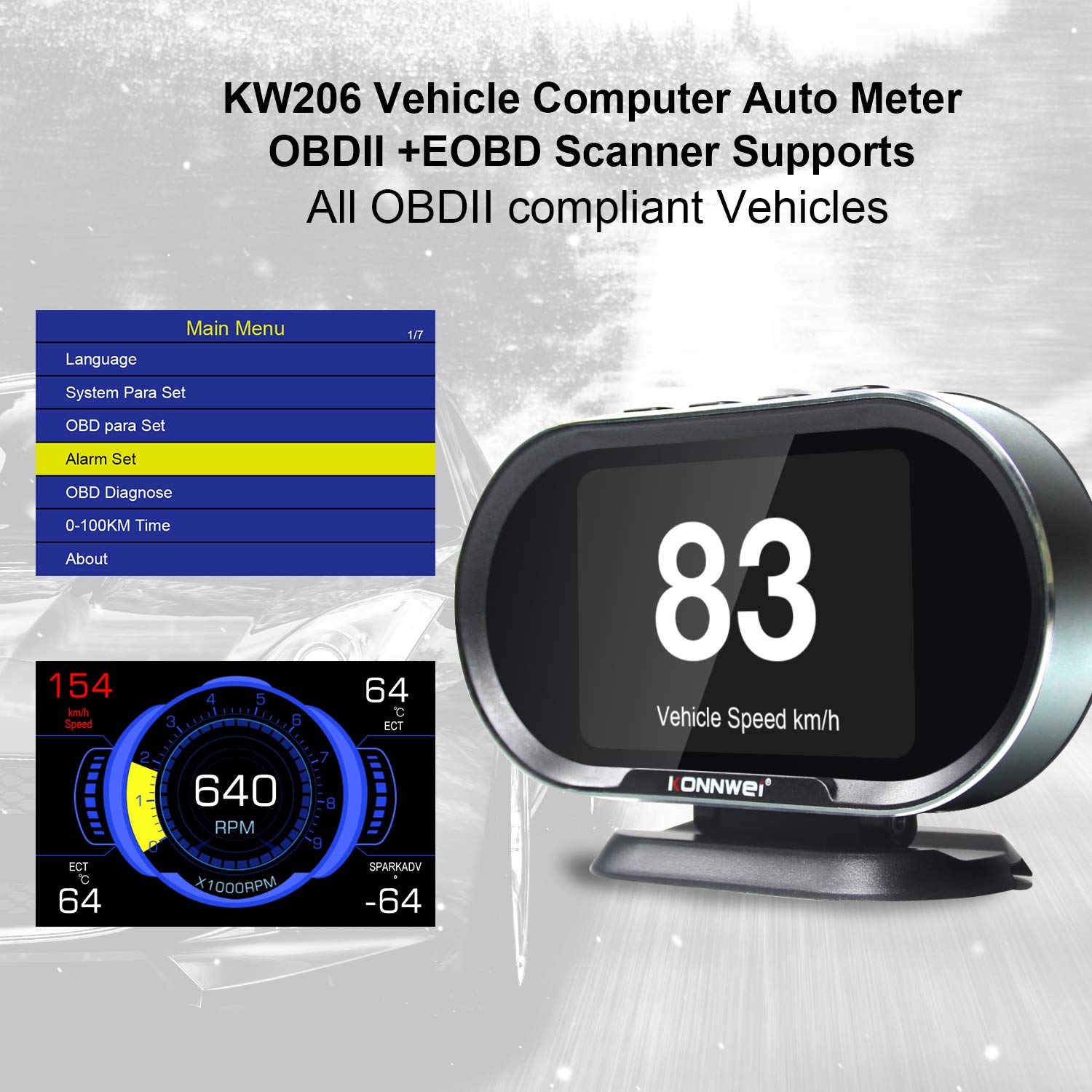
Image: The main menu of the KW206, accessible after initial setup, allowing configuration of various parameters.
Enstriksyon Operasyon
The KW206 features an intuitive four-button interface for navigation and selection.
Navigasyon debaz
- Sèvi ak la UP epi DESANN buttons to scroll through menu options or data parameters.
- Peze a OK bouton pou konfime yon seleksyon oubyen antre nan yon sou-meni.
- Peze a ESC bouton an pou retounen nan ekran anvan an oswa pou sòti nan yon fonksyon.
Display Modes and Parameters
The KW206 offers multiple display modes and can show up to 95 different parameters. You can cycle through these modes and select specific data streams to monitor.
- Real-time Data Stream: View live sensor data such as engine RPM, vehicle speed, coolant temperature, fuel system status, calculated load value, and more.
- Customizable Displays: The device allows you to configure which parameters are displayed on the main screen.
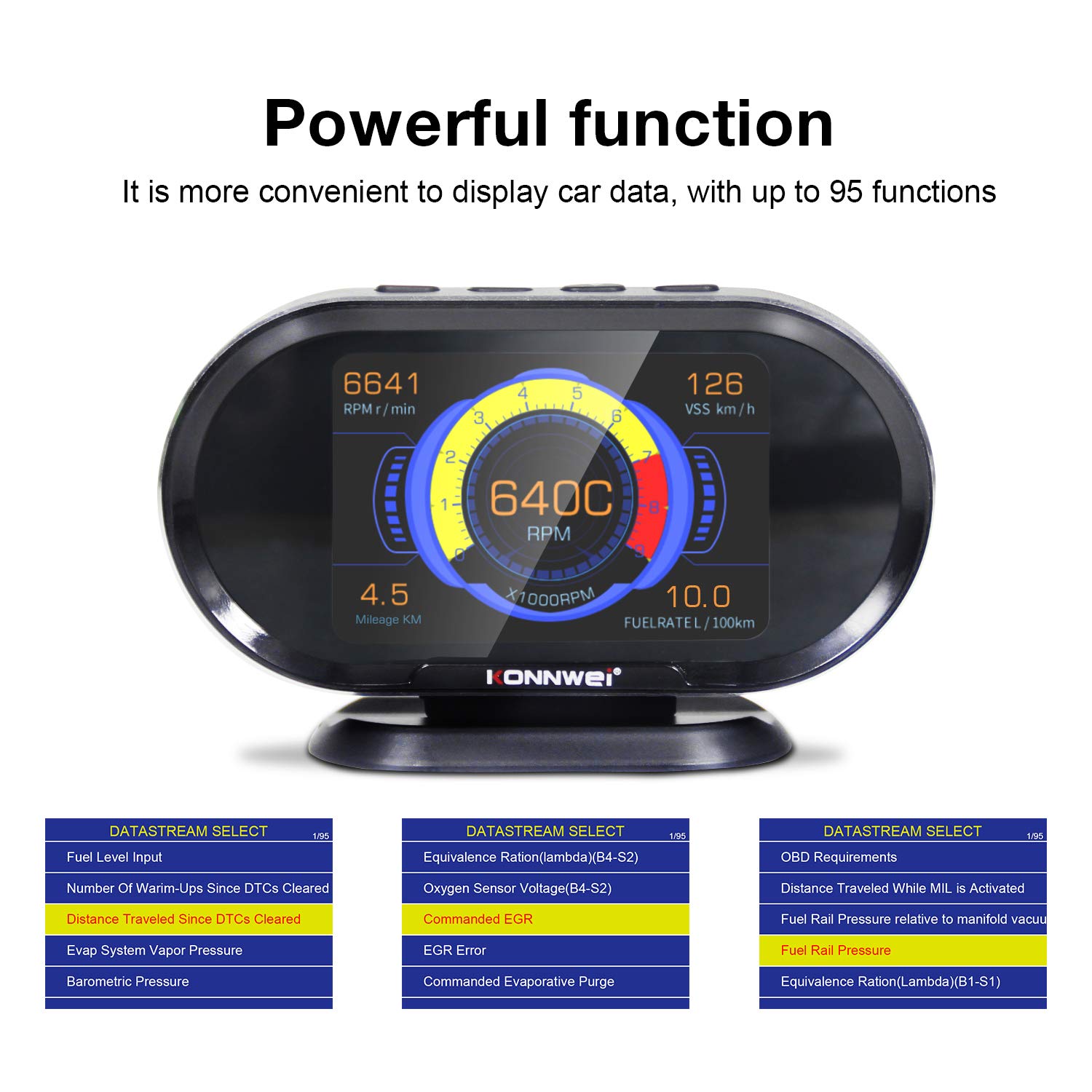
Image: The KW206 displaying various vehicle data points simultaneously, demonstrating its multi-functionality.

Image: A visual representation of the numerous functions and parameters available on the KW206, including diagnostic tools and alert settings.
Fonksyon dyagnostik
- Li Kòd: Retrieve generic (P0, P2), manufacturer-specific (P1), and pending Diagnostic Trouble Codes (DTCs).
- Kòd Klè: Erase DTCs and reset the Check Engine Light (MIL). This also clears I/M readiness monitor status.
- Preparasyon I/M: Tcheke estati monitè ki gen rapò ak emisyon yo pou detèmine si machin nan pare pou yon tès emisyon.
- Friz done ankadreman: View yon foto kondisyon fonksyònman machin nan lè yo te mete yon kòd fay.
- Tès Capteur O2: Rekipere rezilta tès monitè detèktè O2 a.
- Tès Sistèm EVAP: Initiate a test of the Evaporative Emission Control System.

Image: The KW206 displaying OBD stream data, including diagnostic trouble codes and real-time sensor readings.
Anviwònman Alèt
Configure various alerts to enhance driving safety and monitor vehicle health.
- Overspeed Warning: Set a maximum speed limit, and the device will alert you if exceeded.
- High Engine Temperature Alert: Receive a warning if the engine coolant temperature reaches a predefined threshold.
- Low Voltage Avètisman: Alerts you to potential battery or charging system issues.
- RPM Limit Reminder: Set an RPM limit to prevent over-revving the engine.

Image: The KW206 indicating an alarm condition with a red display, contrasting with a normal white display.
Antretyen
To ensure the longevity and optimal performance of your KW206 device, follow these maintenance guidelines:
- Netwayaj: Sèvi ak yon twal mou epi sèk pou netwaye aparèy la. Evite pwodui netwayaj abrazif oswa solvan.
- Depo: Sere aparèy la nan yon kote ki fre epi sèk lè w pa ap itilize li. Evite tanperati ekstrèm.
- Mizajou lojisyèl: The KW206 supports lifetime free software updates. Regularly check the KONNWEI official website for the latest firmware to ensure compatibility with new vehicle models and improved functionality. Connect the device to a computer via the provided USB cable for updates.
- Swen kab: Inspect the OBDII cable periodically for any signs of damage. Do not use a damaged cable.
Depanaj
If you encounter issues with your KW206, refer to the following common problems and solutions:
| Pwoblèm | Kòz posib | Solisyon |
|---|---|---|
| Aparèy pa limen. |
|
|
| Pa gen done ki parèt oswa lekti yo pa kòrèk. |
|
|
| Check Engine Light remains on after clearing codes. |
|
|
Espesifikasyon
| Karakteristik | Detay |
|---|---|
| Modèl | KW206 |
| Ekspozisyon | Ekran LCD koulè 3.5 pous |
| Dimansyon (L x W x H) | 5.4 x 3.3 x 2.1 pous (13.7 x 8.4 x 5.3 cm) |
| Pwa | 10.2 ons (0.29 kg) |
| Opere Voltage | 9-16V (via OBDII port) |
| Tanperati Fonksyònman | 0°C a 60°C (32°F a 140°F) |
| Tanperati Depo | -20 ° C a 70 ° C (-4 ° F a 158 ° F) |
| Pwotokòl sipòte | J1850, CAN, ISO9141, EOBD |
| Materyèl | ABS plastik |
Garanti ak sipò
KONNWEI provides lifetime customer support and free software updates for the KW206 device. For technical assistance, warranty claims, or further inquiries, please refer to the contact information provided on the official KONNWEI websit oswa anbalaj pwodwi a.
Regularly check the official KONNWEI website for the latest software updates to ensure optimal performance and compatibility.


