1. Entwodiksyon
The EPOMAKER Click Lite Wireless Gaming Mouse is designed for precision and versatility across multiple platforms. Featuring tri-mode connectivity, a high-precision PAW3311 sensor, and a lightweight ergonomic design, it offers an enhanced user experience for gaming and productivity.
2. Pake kontni
- 1 x Click Lite Wireless Gaming Mouse
- 1 x 2.4GHz Dongle (stored inside the mouse)
- 1 x Detachable USB-A to USB-C Cable
- 1 x Manyèl Itilizatè Miltileng
- Extra PTFE Stickers

3. Pwodwi souview
Karakteristik kle
- Koneksyon Tri-Mòd: Supports 2.4GHz wireless, Bluetooth (BT1/BT2), and USB-C wired connections.
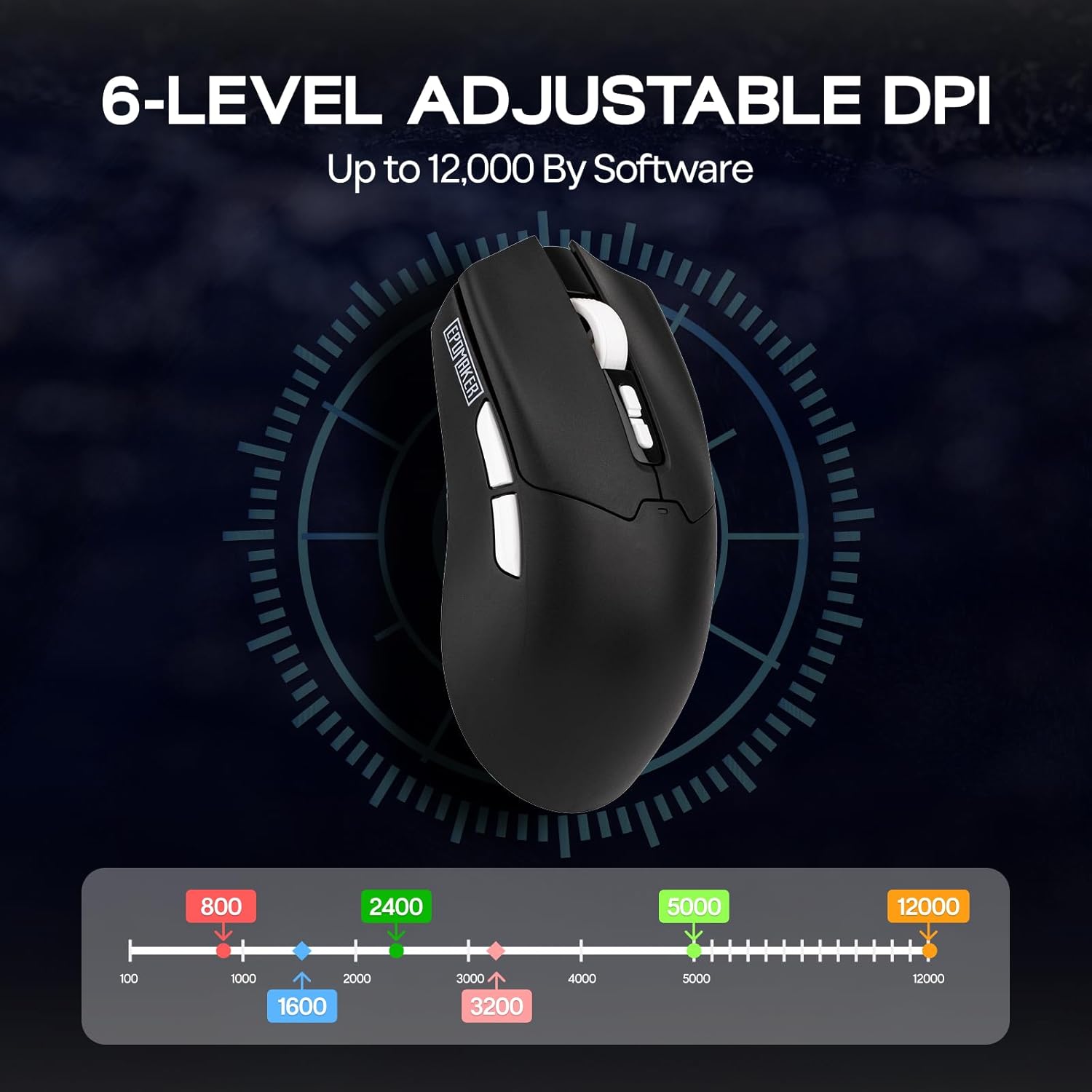
- High-Precision Sensor: Equipped with a PAW3311 sensor, offering adjustable DPI from 800 to 12,000.
- Bouton pwogramasyon: Features 5 customizable buttons for personalized control.
- Batri ki dire lontan: Integrated 500mAh rechargeable battery provides up to 78 hours of continuous use.
- Konsepsyon ultra lejè: Weighs only 59 grams for comfortable extended use.
- Pousantaj biwo vòt segondè: Stable 1000Hz polling rate with 1ms latency.
- Konsepsyon ergonomique: Shaped for natural fit and fatigue-free operation.

Bouton ak Endikatè
- Bouton Klike Agoch/Dwat: Bouton sourit estanda.
- wou woulo liv: For scrolling and middle-click functionality.
- DPI Up/Down Buttons: Located near the scroll wheel for on-the-fly DPI adjustment.
- Bouton bò: Two programmable buttons on the left side.
- Chanjman koneksyon: Located on the bottom of the mouse to select 2.4G, BT1, BT2, or USB wired mode.
- Polling Rate Button: Located on the bottom of the mouse to cycle through polling rates.
- Endikatè ki ap dirije: Provides feedback on DPI, polling rate, and connectivity status.

4. Enstalasyon
Chaje sourit la
Connect the included USB-A to USB-C cable to the mouse's front USB-C port and to a power source (e.g., computer USB port, USB wall adapter). The LED indicator will show charging status.
Mòd Koneksyon
The Click Lite mouse supports three connection modes: 2.4GHz wireless, Bluetooth, and USB-C wired. Use the switch on the bottom of the mouse to select your desired mode.
- 2.4GHz Wireless Mode:
- Remove the 2.4GHz USB dongle from its storage slot on the bottom of the mouse.
- Branche kle a nan yon pò USB-A ki disponib sou òdinatè w la.
- Slide the switch on the bottom of the mouse to the '2.4G' position. The mouse will automatically connect.
- Bluetooth Mode (BT1/BT2):
- Slide the switch on the bottom of the mouse to either 'BT1' or 'BT2' position.
- On your device, search for Bluetooth devices and select 'EPOMAKER Click Lite' to pair. The LED indicator will flash during pairing and become solid once connected.
- You can pair with two different Bluetooth devices using BT1 and BT2.
- Mòd USB-C filaire:
- Connect the USB-A to USB-C cable from your computer to the mouse.
- Sourit la ap fonksyone tankou yon sourit filaire epi li pral chaje an menm tan.
5. Operasyon Enstriksyon
DPI Ajisteman
The mouse features adjustable DPI settings from 800 to 12,000. Use the DPI Up/Down buttons located behind the scroll wheel to cycle through the preset DPI levels. The LED indicator will change color to reflect the current DPI setting.
Ajisteman pousantaj biwo vòt yo
The polling rate can be adjusted using the dedicated button on the bottom of the mouse. Cycle through available polling rates (e.g., 125Hz, 250Hz, 500Hz, 1000Hz) to match your preference and optimize responsiveness.
Estati batri
The mouse is equipped with a 500mAh rechargeable battery, offering up to 78 hours of continuous use on a full charge. The LED indicator will signal low battery status and charging progress.

6. Software Customization
Enhance your mouse functionality by downloading the official EPOMAKER Click Lite driver software from the EPOMAKER website. The software allows for advanced customization of buttons, DPI, and performance settings.
Anviwònman kle yo
- Change Key Setting: Reasigne fonksyon sou nenpòt nan 5 bouton pwogramasyon yo.
- Rapid-fire Key: Configure a button for rapid, repeated key presses.
- Combo Keys: Assign complex key combinations to a single button.
- Anviwònman Macro: Create and assign custom macros for automated sequences.
- Fonksyon: Access a library of predefined functions to assign to buttons.
- Enfim kle: Deactivate specific buttons to prevent accidental presses.
Anviwònman DPI
Fine-tune your mouse sensitivity by adjusting DPI levels. The software allows for precise control over DPI values and associated LED colors.
Anviwònman Pèfòmans
- Move Correction: Enable or disable Straight Correction and Ripple Correction for smoother tracking.
- Anviwònman dòmi: Adjust the 2.4G and Bluetooth standby times to conserve battery.
- Mouse Report Rate: Set the polling rate (125Hz, 250Hz, 500Hz, 1000Hz).
- Parameter Settings (Debounce): Adjust the debounce time for click registration.

7. Antretyen
- Netwayaj: Use a soft, dry cloth to clean the mouse surface. For optical sensor, use a cotton swab lightly dampfini ak alkòl izopropilik.
- Depo: Sere sourit la nan yon kote ki fre epi sèk, lwen limyè solèy dirèk ak tanperati ekstrèm.
- Swen batri: Evite dechaje batri a nèt souvan. Chaje sourit la regilyèman pou kenbe batri a an bon eta.
NAN. Depanaj
| Pwoblèm | Solisyon posib |
|---|---|
| Mouse not responding in 2.4GHz mode | Ensure the 2.4GHz dongle is securely plugged into a USB port. Check if the mouse switch is set to '2.4G'. Try a different USB port. |
| Pwoblèm koneksyon Bluetooth | Ensure the mouse switch is set to 'BT1' or 'BT2'. Make sure Bluetooth is enabled on your device and the mouse is in pairing mode. Remove previous pairings and re-pair. |
| DPI a pa chanje | Press the DPI Up/Down buttons firmly. If using custom software settings, ensure they are applied correctly. |
| Mouse cursor erratic or unresponsive | Clean the optical sensor on the bottom of the mouse. Ensure you are using the mouse on a suitable surface (not highly reflective or transparent). |
| Kout lavi batri | Ensure the mouse is fully charged. Adjust sleep settings in the software to conserve power. |
9. Espesifikasyon
- Modèl: Click Lite
- Koneksyon: 2.4GHz san fil, Bluetooth, USB-C ak fil
- Capteur: Capteur optik PAW3311
- DPI: 800-12,000 (Reglabl)
- Pousantaj biwo vòt: 125Hz, 250Hz, 500Hz, 1000Hz
- Bouton: 5 Bouton pwogramasyon
- Batri: 500mAh Rechargeable
- Lavi batri: Jiska 78 èdtan (itilizasyon kontinyèl)
- Pwa: Apeprè 59 g
- Dimansyon: 4.76 x 2.5 x 0.04 pous
- Akselerasyon: 35G
- Vitès Suivi: 300 ONSÈY
- Konpatibilite: PC, Mac, Linux
10. Garanti ak sipò
EPOMAKER products come with a standard manufacturer's warranty. For detailed warranty information, technical support, or service inquiries, please visit the official EPOMAKER websit la oubyen kontakte ekip sèvis kliyan yo. Kenbe resi acha w la pou reklamasyon garanti.


