1. Entwodiksyon
This manual provides detailed instructions for the installation, operation, and maintenance of your Girafit GRF-T350SW 3K 5MP Indoor/Outdoor Pan/Tilt/Zoom Wi-Fi Security Camera. Please read this manual thoroughly before using the product to ensure proper functionality and safety. Keep this manual for future reference.
2. Pwodwi souview
Karakteristik kle
- 3K 5MP Resolution with 4X Digital Zoom: Bay videyo klè ak detaye footage.
- 360° Pan and 180° Tilt: Offers comprehensive coverage of your monitoring area.
- AI Person/Pet/Vehicle Detection: Advanced artificial intelligence for accurate identification of subjects, reducing false alerts.
- Auto Motion Tracking: Automatically follows detected subjects within the camera's field of view.
- Vizyon lannwit koulè zetwal: Enhanced low-light performance for vivid color images at night.
- De-fason Audio: Mikwofòn ak oratè entegre pou kominikasyon an tan reyèl.
- Auto Alert Siren: Deters intruders with an audible alarm.
- Evalyasyon rezistans move tan IP65: Suitable for outdoor use in various weather conditions.
- Opsyon Depo fleksib: Supports encrypted US cloud storage and local Micro SD card storage (up to 256GB).
- 2.4GHz/5GHz Wi-Fi Connectivity: Dual-band Wi-Fi support for stable connection.
Ki sa ki nan bwat la
- Girafit GRF-T350SW Camera Body
- Adaptè pouvwa
- Montage vis ak lank
- Mounting Modèl
- Manyèl itilizatè

Figure 2.1: Girafit GRF-T350SW camera showing its pan and tilt capabilities.

Figure 2.2: The Girafit GRF-T350SW camera operating reliably in both rainy and sunny conditions, highlighting its IP65 weatherproof design.
3. Enstalasyon
3.1 Enstalasyon Fizik
- Chwazi yon kote: Select a suitable outdoor or indoor location that provides the desired viewing angle and is within range of your Wi-Fi network. Ensure the power outlet is accessible.
- Monte kamera a: Use the provided mounting template to mark drill holes. Secure the mounting bracket to the wall or ceiling using the screws and anchors. Attach the camera to the bracket.
- Konekte pouvwa: Plug the power adapter into the camera and then into a power outlet. The camera will power on and initiate its startup sequence.
3.2 Enstalasyon Aplikasyon ak Kreyasyon Kont
- Download the Girafit App: Chèche pou 'Girafit' in your smartphone's app store (iOS or Android) and download the official application.
- Kreye yon kont: Louvri aplikasyon an epi swiv enstriksyon ki sou ekran an pou anrejistre yon nouvo kont.
3.3 Rezo Koneksyon
- Ajoute Aparèy: In the Girafit app, tap the '+' icon to add a new device. Select your camera model.
- Swiv enstriksyon ki nan aplikasyon an: The app will guide you through connecting the camera to your 2.4GHz or 5GHz Wi-Fi network. This typically involves scanning a QR code displayed on your phone with the camera lens.
- Konplete: Once connected, the camera's status indicator will change, and you will see the live feed in the app.
4. Opere
4.1 Pan, Tilt, and Zoom Control
Soti nan ap viv la view in the Girafit app, use the on-screen controls to remotely adjust the camera's viewing angle. The camera supports 360° horizontal pan and 180° vertical tilt. You can also digitally zoom in up to 4X to view detay.

Figure 4.1: Visual comparison demonstrating the clarity of 3K 5MP resolution with 4X zoom compared to standard 3MP resolution.
4.2 Deteksyon Mouvman ak Suivi Otomatik
The camera features advanced AI detection capabilities to identify humans, pets, and vehicles. When motion is detected, the camera can automatically track the subject, zoom in, record the event, and send push notifications to your smartphone.
- Aktive Deteksyon: Navigate to the camera settings in the app to enable AI Person/Pet/Vehicle Detection.
- Set Detection Zones: Defini zòn espesifik nan kamera a view where you want motion detection to be active.
- Activate Auto Tracking: Enable auto tracking in the settings to allow the camera to follow detected subjects.
- Auto Alert Siren: Configure the camera to trigger an audible siren upon detection to deter unwanted visitors.

Figure 4.2: Illustration of the camera's automatic tracking feature, showing a person being followed with a 4X zoom.

Figure 4.3: The camera's AI accurately detecting a human, a pet, and a vehicle in a home environment.

Figure 4.4: The camera detecting activity in a defined hexagonal area and issuing an auto voice alert.
4.3 Vizyon lannwit
The GRF-T350SW offers multiple night vision modes for clear surveillance in low-light conditions.
- Vizyon lannwit koulè zetwal: Utilizes a Starlight Sensor and f/1.6 aperture to capture more light, providing full-color video even in very dim environments.
- Envizib detèktè mòd: Vizyon lannwit nwa ak blan estanda lè l sèvi avèk LED enfrawouj.
- Mòd Spotlight: Activates built-in spotlights to illuminate the area and capture color video when motion is detected at night.
Ou ka chanje ant mòd sa yo oubyen mete yo sou otomatik nan paramèt aplikasyon an.

Figure 4.5: Visual representation of the camera's Starlight Color Night Vision, Infrared Mode, and Spotlight Mode capabilities.
4.4 Odyo De-fason
The integrated microphone and speaker allow for two-way communication. You can speak through the camera to visitors or deter intruders directly from your smartphone via the Girafit app.
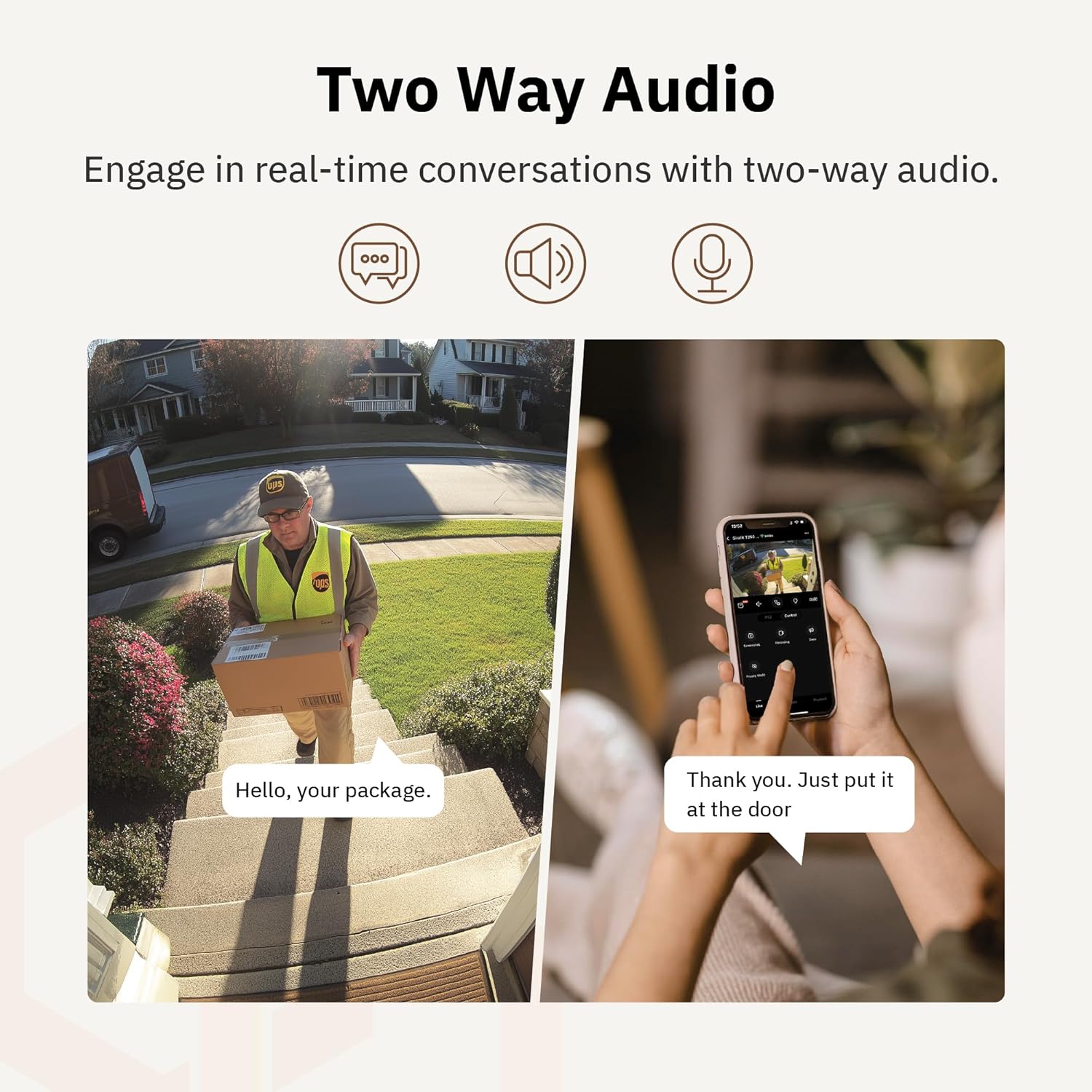
Figi 4.6: Yon egzanpample of using two-way audio to communicate with a delivery person at the door.
4.5 Mode konfidansyalite
For enhanced privacy, the camera features a privacy mode. When activated, the camera lens physically tilts down by 180°, ensuring no live feed is captured or transmitted. This provides 100% privacy protection when needed.

Figure 4.7: The camera in privacy mode, with the lens tilted downwards to ensure no recording or live view.
4.6 Depo Videyo
The camera supports two primary methods for video storage:
- Kat mikwo SD: Insert a Micro SD card (up to 256GB, not included) into the designated slot on the camera for local storage of recordings.
- Depo nwaj: Girafit offers encrypted cloud storage services in the US. Refer to the app for subscription options and details.
5. Antretyen
5.1 Netwayaj
Pou kenbe pèfòmans optimal, netwaye lantiy kamera a ak bwat la detanzantan. Sèvi ak yon twal mou, damp twal pou siye pousyè ak salte. Evite itilize pwodui chimik ki agresif oswa materyèl abrazif ki ka domaje lantiy la oswa fini an.
5.2 Mizajou Firmware
Girafit regularly releases firmware updates to improve camera performance, add new features, and enhance security. Check the Girafit app periodically for available updates and follow the in-app instructions to install them. Ensure the camera has a stable power supply during updates.
NAN. Depanaj
- Kamera pa konekte ak Wi-Fi:
- Ensure your Wi-Fi network is 2.4GHz or 5GHz and the password is correct.
- Deplase kamera a pi pre routeur Wi-Fi ou a.
- Rekòmanse routeur ou a ak kamera a.
- Kalite videyo pòv:
- Tcheke vitès koneksyon entènèt ou an.
- Netwaye lantiy kamera a.
- Ensure the camera is receiving adequate power.
- Deteksyon mouvman pa travay:
- Verifye ke deteksyon mouvman an aktive nan paramèt aplikasyon an.
- Adjust detection sensitivity and detection zones.
- Asire w pa gen okenn obstak ki bloke kamera a view.
- Pwoblèm odyo de sans:
- Check microphone and speaker permissions for the Girafit app on your phone.
- Asire w ke mikwofòn ak oratè kamera a pa bloke.
For further assistance, please contact Girafit customer support.
7. Espesifikasyon
| Karakteristik | Deskripsyon |
|---|---|
| Non modèl | GRF-T350SW |
| Rezolisyon Capture Videyo | 3K (5MP) |
| Itilizasyon Andedan kay la / Deyò | Deyò |
| Koneksyon Teknoloji | Wi-Fi (2.4GHz/5GHz), Wired |
| Sous pouvwa | Fil elektrik |
| Kalite aliye | Mi mòn |
| Karakteristik espesyal | 2-Way Audio, AI Detection (Human/Pet/Vehicle), Auto Tracking, Color Night Vision, IP65 Weatherproof |
| Aparèy konpatib | Desktop, Laptop, Smartphone (Android/iOS) |
| Dimansyon atik (L x W x H) | 2.63 x 2.63 x 4.76 pous |
| Pwa atik | 14.7 ons |
| Opsyon Depo | Kat Micro SD (jiska 256GB), Depo nan nwaj la |
| UPC | 764742517881 |
8. Garanti ak sipò
Girafit products are designed for reliability and performance. For warranty information, please refer to the warranty card included with your product or visit the official Girafit website. For technical support, troubleshooting assistance, or any inquiries regarding your Girafit GRF-T350SW camera, please contact Girafit customer service through the contact information provided on the official website or within the Girafit app.


