1. Entwodiksyon
The GIGABYTE AERO X16 Copilot+ PC is designed for high-performance computing, blending powerful components with a sleek, portable design. This manual provides essential information for setting up, operating, maintaining, and troubleshooting your new laptop. It features an AMD Ryzen AI 9 HX 370 processor, NVIDIA GeForce RTX 5070 Laptop GPU, a 16-inch 2560x1600 WQXGA 165Hz display, and runs on Windows 11 Home. Its lightweight chassis and advanced cooling system ensure optimal performance for demanding tasks.
Official GIGABYTE AERO X16 Trailer: This video showcases the design and key features of the GIGABYTE AERO X16 laptop.
2. Ki sa ki nan bwat la
Verifye ke tout atik yo prezan nan anbalaj la:
- GIGABYTE AERO X16 Laptop
- Adaptè pouvwa
- Manyèl Itilizatè (dokiman sa a)
3. Pwodwi souview ak Karakteristik kle yo
The AERO X16 is engineered for peak performance and user experience. Below are some of its core features:
- GIGABYTE GiMATE: An intelligent AI agent that personalizes performance to your workflow, adapting system operations to your unique needs.
- AMD Ryzen AI 9 HX 370 Processor: Delivers best-in-class CPU and NPU performance for demanding productivity tasks and AI PC experiences.
- NVIDIA GeForce RTX 5070 Laptop GPU: Powered by NVIDIA Blackwell, offering next-generation graphics capabilities for gaming and creative pursuits, with AI horsepower for NVIDIA DLSS 4 and NVIDIA Studio.
- Windows 11 Home (Copilot+ PC): Provides a fast, intelligent, and secure operating system experience, enhancing productivity and creativity.
- Thin and Lightweight Design: Measures only 16.75 mm (0.65 inches) and weighs 1.9 kg (4.18 lbs), ensuring portability without compromising performance.
- 16-inch WQXGA (2560x1600) 165Hz Display: Features an IPS panel with 3ms response time, 100% sRGB, and 400 nits brightness for a superior visual experience.
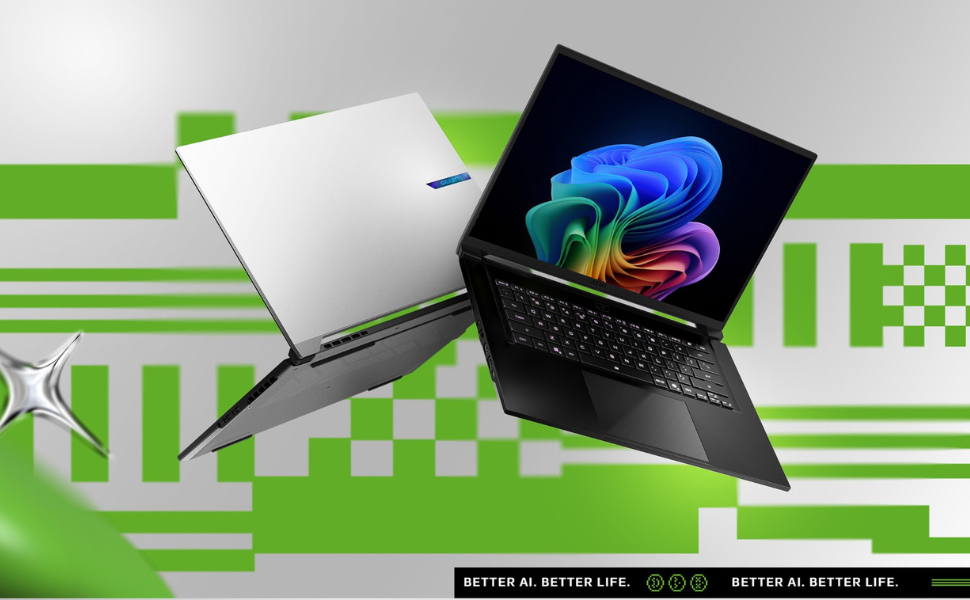
Image: Ultimate Processing Power. This graphic highlights the laptop's CPU capabilities, including core count, thread count, boost clock speed, and thermal design power.
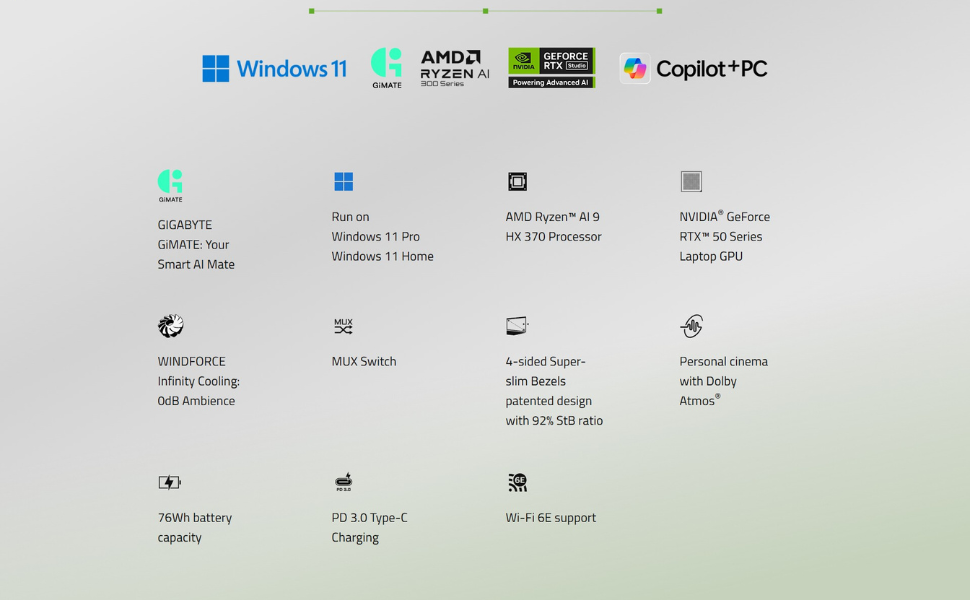
Image: Game Changer. This image emphasizes the NVIDIA GeForce RTX 50 Series GPU, powered by Blackwell and AI, for advanced gaming and creative tasks.
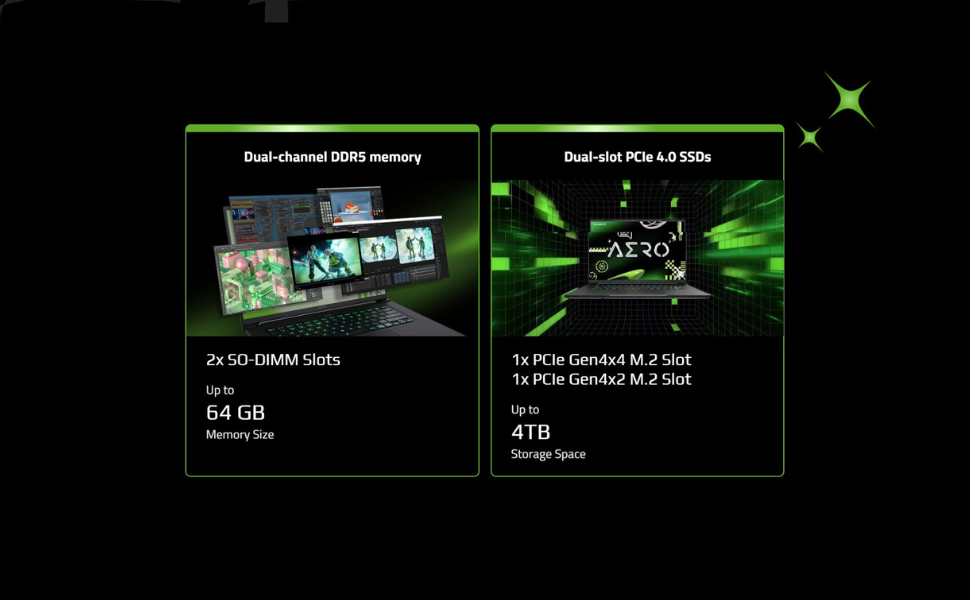
Image: Cinema Experience. This graphic details the high-quality display features of the AERO X16, including resolution, refresh rate, and color accuracy.
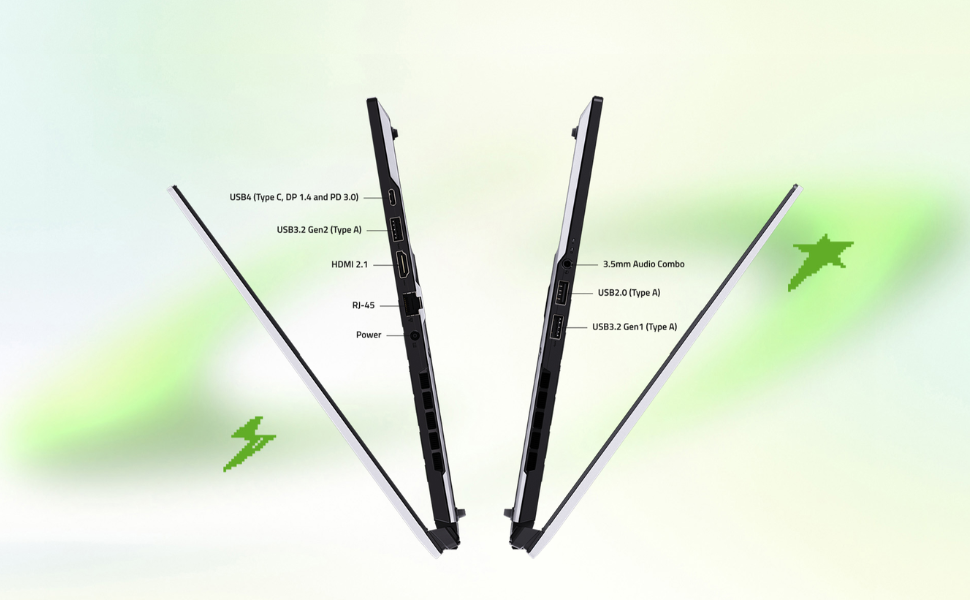
Image: Key Specifications. This image summarizes the core components and operating system of the AERO X16, including upgrade potential.
4. Gid Enstalasyon
4.1 Debalaj ak Premye Enspeksyon
- Retire laptop la ak tout akseswa yo nan anbalaj la avèk anpil atansyon.
- Enspekte laptop la pou wè si li gen nenpòt domaj fizik. Si ou jwenn domaj, kontakte machann ou an imedyatman.
- Place the laptop on a stable, flat surface.
4.2 Konekte adaptè kouran an
- Connect the power adapter to the DC-in port on the laptop.
- Ploge fil elektrik la nan yon priz elektrik.
- Kite batri a chaje pou omwen 30 minit anvan premye itilizasyon an, oubyen jiskaske endikatè batri a montre yon chaj konplè.

Imaj: Devan view of the GIGABYTE AERO X16 laptop.

Imaj: Bò kote view of the GIGABYTE AERO X16, illustrating port locations.
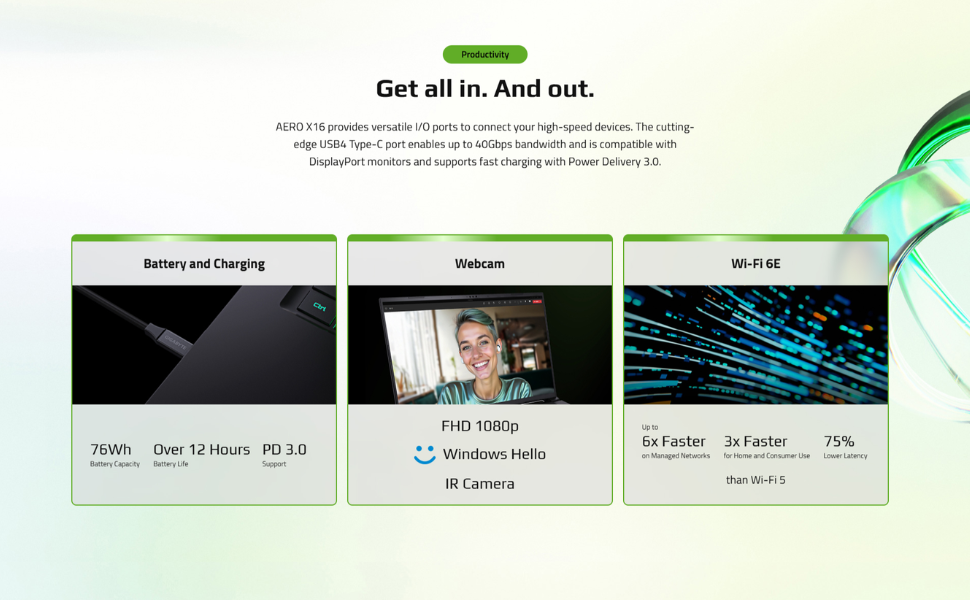
Image: All-Round Versatility. This diagram labels the various input/output ports on the laptop for easy identification.
4.3 Premye Demaraj ak Enstalasyon Windows
- Louvri kouvèti laptop la epi peze bouton pouvwa a.
- Swiv enstriksyon ki sou ekran an pou konplete konfigirasyon Windows 11 Home la, ki gen ladan lang, rejyon, koneksyon rezo, ak kreyasyon kont itilizatè.
- Ensure your laptop is connected to the internet to download necessary updates during setup.
5. Kijan pou itilize òdinatè pòtab ou a
5.1 Klavye ak Touchpad
The AERO X16 features a full-sized keyboard and a responsive touchpad for navigation and input.
- Klavye ekleraj: Adjust the keyboard backlight brightness using the dedicated function keys (Fn + F3/F4).
- Jès Touchpad: Utilize multi-touch gestures for scrolling, zooming, and switching applications. Refer to Windows settings for customization.

Imaj: Anwo-anba view of the GIGABYTE AERO X16, highlighting the keyboard and touchpad layout.
5.2 Anviwònman ekspozisyon
Your laptop's 165Hz WQXGA display offers vibrant visuals. You can adjust display settings via Windows settings:
- Rezolisyon: Set to 2560x1600 for optimal clarity.
- Pousantaj rafrechisman: Ensure 165Hz is selected for the smoothest visual experience.
- Klate: Adjust as needed for comfortable viewing.
5.3 GIGABYTE GiMATE AI Software
GIGABYTE GiMATE is an intelligent AI agent designed to optimize your laptop's performance based on your usage patterns. It can adjust power settings, fan speeds, and other parameters to enhance efficiency and user experience. Explore the GiMATE application to customize its settings and modes.
6. Antretyen
6.1 Netwaye òdinatè pòtab ou a
- Ekran: Sèvi ak yon moso twal mou, ki san pèl dampLave avèk dlo oswa yon pwodui netwayaj ekran. Evite pwodui chimik ki agresif.
- Klavye ak chasi: Sèvi ak yon twal mou. Pou pousyè tè ki difisil pou retire, yon ti kras mouye.amp cloth is acceptable. Compressed air can be used to clear dust from between keys.
- Vantilasyon: Regularly clean the air vents to prevent dust buildup, which can affect cooling performance. Use compressed air to gently clear dust.

Imaj: Anba view of the GIGABYTE AERO X16, showing the cooling vents.
6.2 Mizajou lojisyèl
Keep your operating system, drivers, and GIGABYTE software updated to ensure optimal performance, security, and compatibility.
- Mizajou Windows yo: Regularly check for and install updates via Windows Settings > Windows Update.
- Mizajou chofè: Visit the official GIGABYTE support website for the latest drivers for your AERO X16 model.
6.3 Swen Batri
- Evite dechaje batri a nèt souvan.
- If storing the laptop for an extended period, charge the battery to approximately 50-70% and store it in a cool, dry place.
- Evite ekspoze laptop la nan tanperati ekstrèm.
NAN. Depanaj
7.1 Pwoblèm pouvwa
- Laptop la pa limen: Ensure the power adapter is securely connected and the outlet is functional. Try a different outlet. If the battery is completely drained, allow it to charge for a while before attempting to power on.
- Batri pa chaje: Check the power adapter and cable for damage. Ensure the DC-in port is clean. Try restarting the laptop.
7.2 Pwoblèm ekspozisyon
- Pa gen ekspozisyon: Connect an external monitor to check if the issue is with the laptop's screen. If the external monitor works, the laptop's display or its connection may be faulty.
- Ekran k ap flache: Update your graphics drivers. Check display cable connections if using an external monitor.
7.3 Pwoblèm Pèfòmans
- Pèfòmans ralanti: Close unnecessary applications. Check for background processes consuming high CPU/RAM. Ensure sufficient free storage space. Update drivers and Windows.
- Surchof: Ensure vents are clear of obstructions. Use the GIGABYTE GiMATE software to adjust fan profiles. Consider using a cooling pad.
8. Espesifikasyon
| Karakteristik | Spesifikasyon |
|---|---|
| Kanpe Screen Display Size | 16 pous |
| Rezolisyon ekran | 2560 x 1600 piksèl (WQXGA) |
| Rezolisyon ekran maksimòm | 2560x1600 piksèl |
| Processeur | AMD Ryzen AI 9 HX 370 (5.1 GHz ryzen_ai) |
| RAM | 32 GB DDR5 RAM (5600 MHz) |
| Disk Drive | 1000 GB SSD (PCIe Gen4 NVMe™ M.2 SSD) |
| Koprosesè grafik | NVIDIA GeForce RTX 5070 |
| Gwosè RAM Kat grafik | 8 GB |
| Sistèm operasyon | Windows 11 Kay |
| Kalite san fil | Bluetooth, Wi-Fi 6E |
| Kantite USB 2.0 pò | 1 |
| Kantite USB 3.0 pò | 3 |
| Mwayèn lavi batri | 14 Hours (up to) |
| Pwa atik | 4.19 liv |
| Dimansyon pwodwi | 13.98 x 0.79 x 9.87 pous |
| Koulè | Espas Gri |
9. Garanti ak sipò
Your GIGABYTE AERO X16 laptop comes with a manufacturer's warranty. Please refer to the warranty card included in your product packaging for specific terms and conditions, including warranty period and coverage details.
For technical support, driver downloads, and further assistance, please visit the official GIGABYTE support websit la. Ou ka jwenn tou FAQ ak gid depanaj la.
Sipò GIGABYTE Websit: www.gigabyte.com/support


