Entwodiksyon
The Bose SoundLink Micro Portable Bluetooth Speaker (2nd Gen) is a compact, durable, and high-performance wireless speaker designed for on-the-go audio. This manual provides essential information for setting up, operating, and maintaining your speaker to ensure optimal performance and longevity.

Image: The Bose SoundLink Micro speaker, highlighting its powerful sound capabilities.
Ki sa ki nan bwat la
Verifye ke tout atik yo prezan anvan ou kontinye ak konfigirasyon an:
- Bose SoundLink Micro Portable Speaker (2nd Gen)
- USB-C pou USB-A kab
- Fèy Sekirite
Pwodwi souview
The SoundLink Micro features a robust design with intuitive controls for easy operation.

Imaj: Devan view of the SoundLink Micro speaker, displaying the Bluetooth, volume, play/pause, and power buttons.
Kontwòl:
- Bouton Bluetooth: Lanse mòd koneksyon Bluetooth la.
- Volim desann (-): Diminye volim odyo.
- Bouton jwe/poz: Controls media playback (play, pause, skip tracks).
- Volim moute (+): Ogmante volim odyo.
- Bouton pouvwa: Limen oswa etenn oratè a.
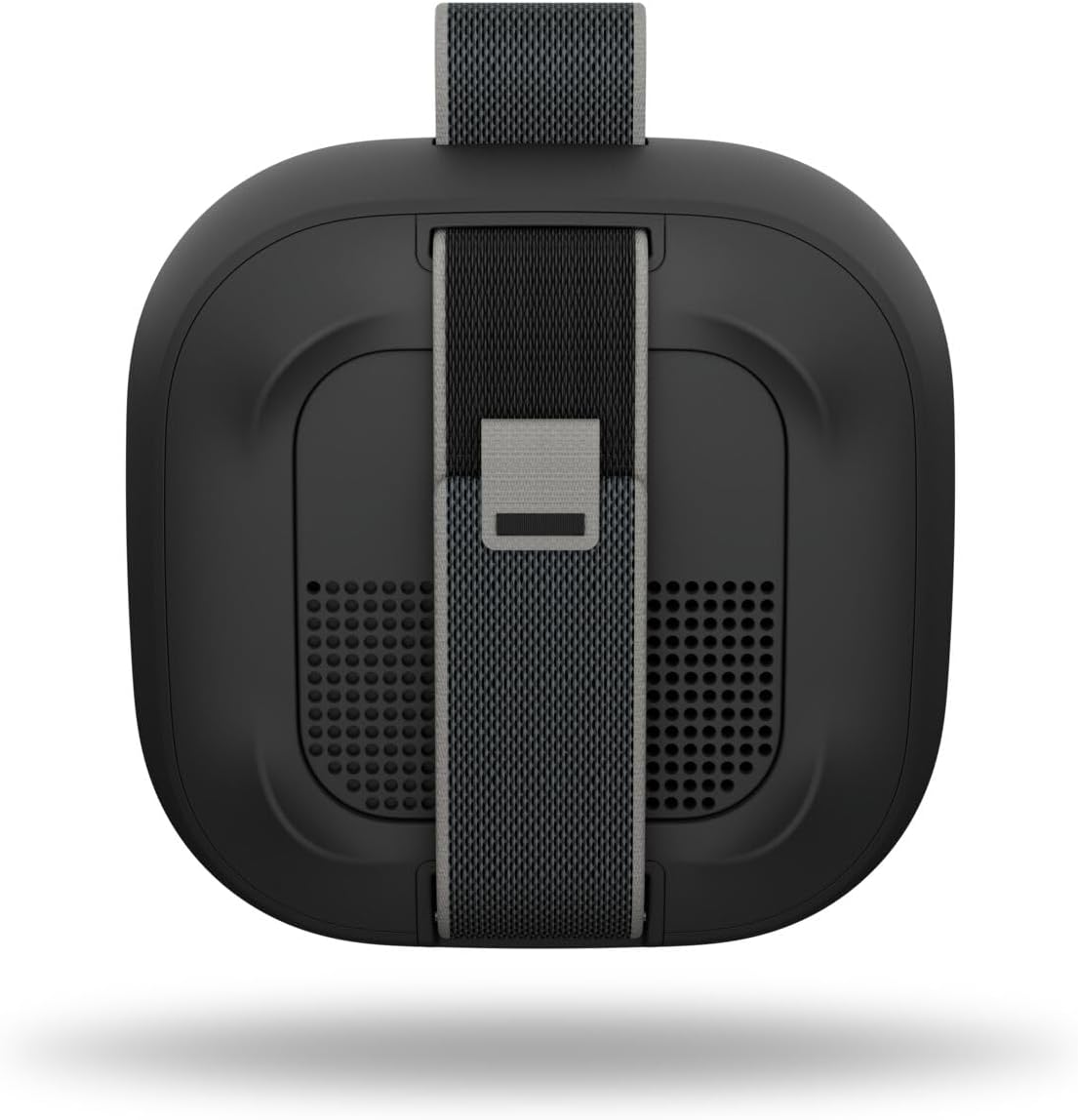
Imaj: Dèyè view of the SoundLink Micro speaker, highlighting the integrated utility strap for attachment.
The speaker also features a durable utility strap for easy attachment to bags or other objects, enhancing its portability.
Enstalasyon
1. Chaje Oratè a
- Connect the small end of the USB-C to USB-A cable to the USB-C port on the speaker.
- Connect the large end of the cable to a USB-A wall charger (not included) or a computer's USB port.
- Limyè endikatè batri a ap limen pou montre eta chaj la. Yon chaj konplè pran apeprè 3 èdtan.
2. Powering On / Off
- Pou pouvwa sou, peze la Pouvwa button. You will hear an audible tone and the battery indicator will show the current charge level.
- Pou koupe pouvwa a, peze epi kenbe Pouvwa button until you hear an audible tone.
3. Pè Bluetooth
- Avèk oratè a limen, peze epi kenbe la Bluetooth button until the Bluetooth indicator light blinks blue. The speaker is now in pairing mode.
- On your mobile device, enable Bluetooth and select "Bose SoundLink Micro" from the list of available devices.
- Once connected, you will hear an audible tone and the Bluetooth indicator light will glow solid white.
4. Sèvi ak aplikasyon Bose a
- Download the Bose app from your device's app store.
- The app allows for software updates, adjustable EQ settings (bass, treble, mid-levels), volume control, and the ability to create shortcuts.
Enstriksyon Operasyon
Kontwole lèktur Klas Mizik
- Peze a Jwe/Poz button once to play or pause audio.
- Peze a Jwe/Poz button twice quickly to skip to the next track.
- Peze a Jwe/Poz button three times quickly to skip to the previous track.
- Sèvi ak la Volim monte (+) epi Volim Dawonn (-) bouton pou ajiste nivo odyo a.
Pairing Two Speakers (Party Mode / Stereo Mode)
You can link two SoundLink Micro (2nd Gen) speakers for an enhanced audio experience:
- Mòd Pati: Plays the same audio simultaneously from both speakers, ideal for larger areas.
- Mòd stereo: Designates one speaker as the left channel and the other as the right channel for a stereo soundstage.
Refer to the Bose app for detailed instructions on how to set up Party Mode or Stereo Mode.

Image: Two SoundLink Micro speakers demonstrating the ability to link for expanded sound.
Antretyen
Durability ak Pwoteksyon
The SoundLink Micro is designed for rugged use:
- Waterproof and Dustproof (IP67 rated): Can withstand immersion in water up to 1 meter for 30 minutes and is protected against dust ingress.
- Shock and Rust Resistant: Built to endure drops and exposure to various environments.

Image: The SoundLink Micro speaker in an outdoor setting, emphasizing its durable construction.
Netwayaj
Pou netwaye oratè a, sèvi ak yon twal mou.amp cloth. Avoid using solvents or harsh chemicals. Ensure the USB-C port cover is securely closed before exposing the speaker to water or dust.
Depanaj
If you encounter issues with your SoundLink Micro, try the following steps:
- Pa gen pouvwa: Asire w ke oratè a chaje. Konekte l nan yon sous kouran avèk kab USB-C ki vini ak li a.
- Pa gen son: Tcheke nivo volim yo sou oratè a ak aparèy ki konekte a. Asire w ke oratè a byen konekte atravè Bluetooth.
- Pwoblèm koneksyon Bluetooth: Turn off and on your device's Bluetooth. Try unpairing and re-pairing the speaker. Ensure the speaker is within the 30-foot Bluetooth range.
- Oratè a pa reponn: Perform a soft reset by holding the Power button for 10 seconds.
For further assistance, consult the Bose app or the official Bose support websit.
Espesifikasyon
| Karakteristik | Spesifikasyon |
|---|---|
| Non modèl | Bose SoundLink Micro Speaker (2nd Gen) |
| Nimewo Modèl Atik | 895098-0100 |
| Kalite Oratè | Portable oratè |
| Koneksyon Teknoloji | Bluetooth |
| Teknoloji kominikasyon san fil | Bluetooth |
| Gamme Bluetooth | Jiska 30 pye |
| Sous pouvwa | Batri Powered |
| Lavi batri | Jiska 12 èdtan |
| Tan pou chaje | Apeprè 3 èdtan |
| Nivo rezistans dlo | Ki enpèmeyab (IP67) |
| Dimansyon pwodwi | 4.09"D x 4.09"W x 1.69"H |
| Pwa atik | 0.33 kilogram (11.6 ons) |
| Metòd kontwòl | Aplikasyon, bouton pouse |
| Konpozan ki enkli | Speaker, USB-C to USB-A cable, Safety Sheet |
Garanti ak sipò
The Bose SoundLink Micro Portable Bluetooth Speaker (2nd Gen) comes with a Limited Warranty. For specific warranty terms and conditions, please refer to the Safety Sheet included in the packaging or visit the official Bose websit.
For product support, software updates, and additional resources, download the Bose app or visit www.bose.com/support.


