1. Entwodiksyon
This manual provides essential information for the proper use and maintenance of your TECLAST T65 Android 15 Tablet. Please read it thoroughly before using the device to ensure optimal performance and longevity.

2. Ki sa ki nan bwat la
Verifye ke tout atik yo prezan nan pakè a:
- Android 15 T65 tablet x 1
- Chargeur x 1
- Chaje kab x 1
- Manyèl enstriksyon x 1
- Ejection pin x 1
3. Pwodwi Features
3.1 Ekspozisyon ak Vizyèl
- Ekspozisyon IPS 13.4-pous: Agrandi viewing area with narrow bezels for an immersive experience.
- 1920x1200 HD Resolution: Delivers clear and detailed visuals.
- TDDI Technology: Reduces touch layers for brighter images and faster response.
- 120Hz To Rafrechisman Segondè: Ensures smooth animations and agile touch response.
- Sipò Widevine L1: Enables streaming of 1080P content from platforms like Netflix and YouTube.
- Mòd Pwoteksyon Je: Includes Reading Mode, Eye Protection Mode, and Dark Mode for comfortable viewing.

3.2 Pèfòmans ak Depo
- Processeur Octa-core: Features a Unisoc T7280 CPU with A75 and A55 cores, clocking up to 2.2GHz for efficient performance.
- Mali-G57 GPU: Integrated graphics coprocessor for enhanced visual processing.
- 20GB (8GB+12GB Expansion) RAM: Bay ampmemwa pou fè plizyè bagay an menm tan.
- 128GB Depo Entèn: Sufficient space for applications and media.
- Depo dilatabl: Supports up to 1TB via TF (microSD) card (sold separately).
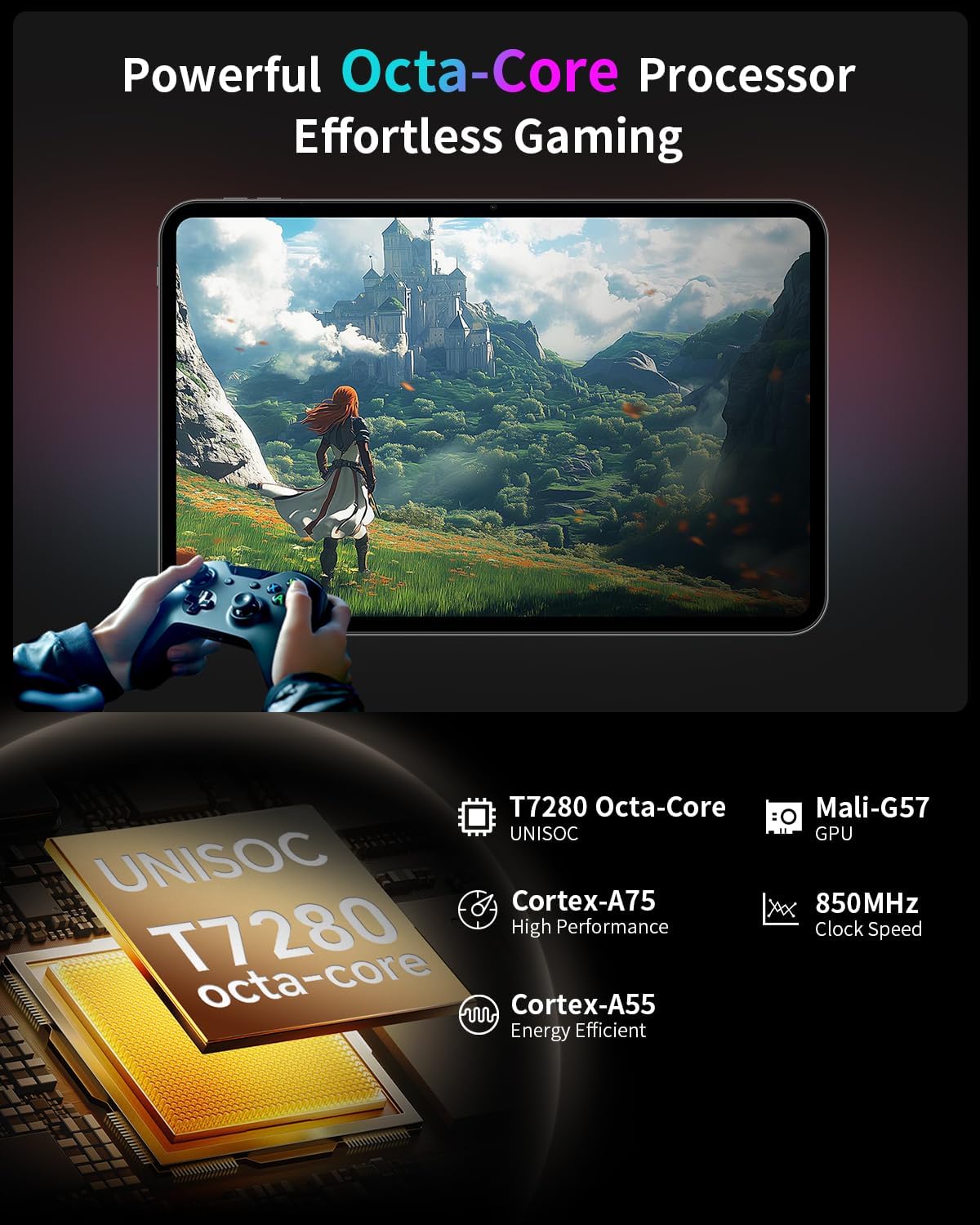
3.3 Operating System and User Experience
- Android 15 (GMS Certified): Offers a smooth, fast, and secure operating experience with enhanced privacy features.
- AI Intelligent Optimization: Improves system efficiency.
- Productivity Features: Includes split-screen function, Quick Sidebar for fast app launch, and Assistive Control for quick system navigation.
- Kontwòl paran yo: Built-in Google Family Link for managing screen time, app usage, and device location for children.

3.4 Connectivity and Battery
- 8000mAh batri: Provides extended usage, up to 8 hours of video playback.
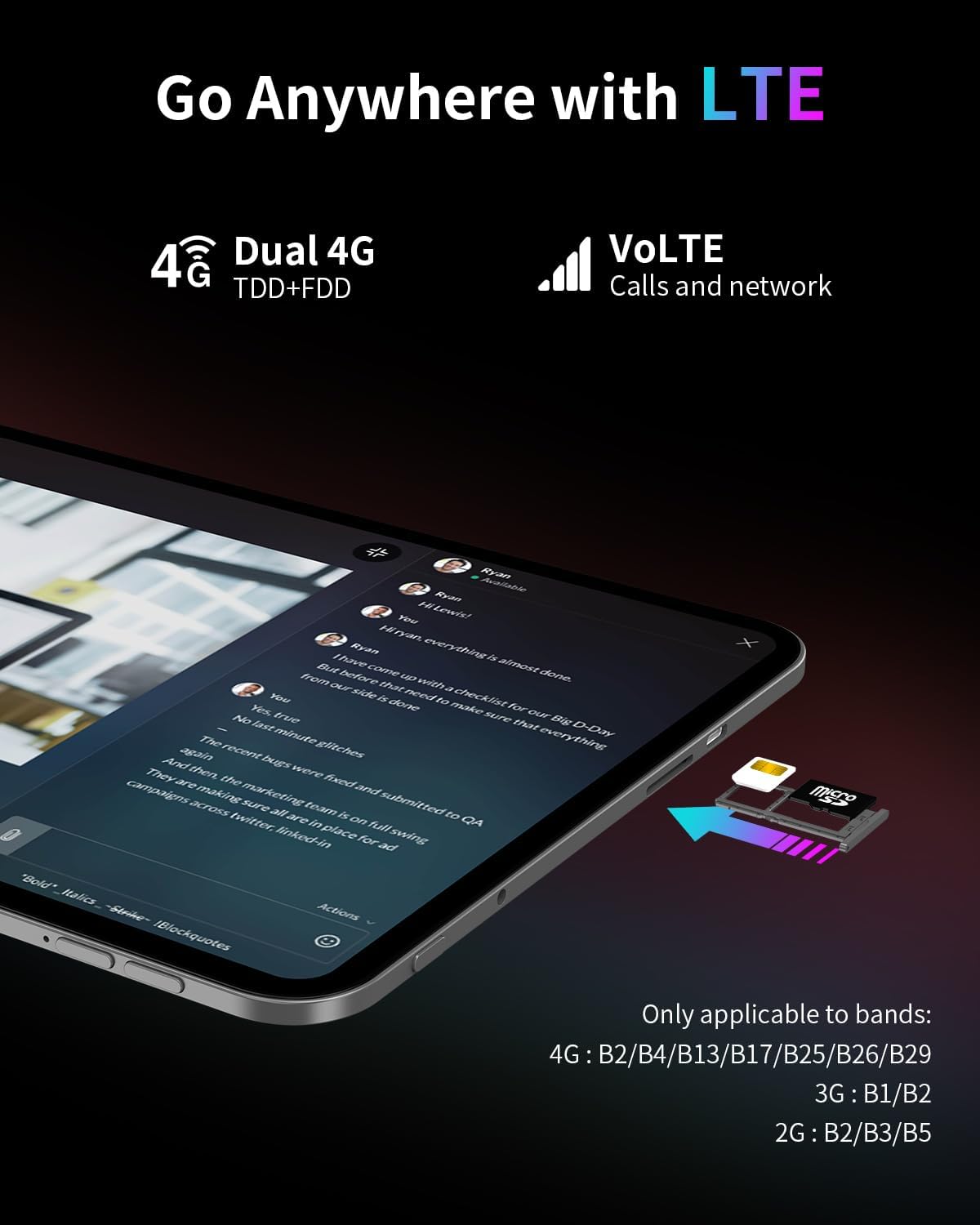
- Koneksyon 4G LTE: Supports mobile data for on-the-go internet access (bands: 4G: B2/B4/B13/B17/B25/B26/B29; 3G: B1/B2; 2G: B2/B3/B5).
- Dual-Band Wi-Fi (2.4GHz+5GHz): Supports 802.11a/b/g/n/ac for stable wireless internet.
- Bluetooth 5.0: Pou konekte akseswa san fil.
- GPS: Supports BeiDou, GPS, GLONASS, and GALILEO for accurate navigation.
- Fonksyonalite OTG: Allows connection of USB peripherals.
- USB Kalite-C: Pou chaje ak transfè done.
3.5 Odyo
- SWEET 4 Sound System: Enhanced audio output.
- Smart K Intelligent Amplifier Chip: Improves sound clarity.
- Jack ekoutè 3.5mm: Pou koneksyon odyo ak fil.
4. Enstalasyon
4.1 Premye pouvwa sou
- Press and hold the power button located on the side of the tablet until the TECLAST logo appears.
- Swiv enstriksyon yo sou ekran an pou chwazi lang ou, konekte ak yon rezo Wi-Fi, epi konfigire kont Google ou.
4.2 Inserting SIM/TF Card
- Jwenn fant kat SIM/TF la sou bò tablèt la.
- Use the provided ejection pin to gently press into the small hole next to the tray until it pops out.
- Place your Nano-SIM card(s) and/or TF card into the tray, ensuring correct orientation as indicated on the tray.
- Remete plato a nan fant lan avèk prekosyon.
4.3 Chaje tablèt la
- Connect the charging cable to the USB Type-C port on the tablet.
- Plug the other end of the cable into the provided charger, and then into a power outlet.
- Ikòn batri a sou ekran an ap endike estati chaj.
5. Operasyon Enstriksyon
5.1 Navigasyon debaz
- Jès manyen: Tape pou chwazi, glise pou defile, pense pou agrandi.
- Ekran Kay: Jwenn aksè a aplikasyon, widjèt, ak notifikasyon.
- Quick Sidebar: Swipe inward from the edge of the screen to access frequently used apps and system controls.
- Assistive Control: A virtual button providing quick access to system functions.
5.2 Anviwònman ekspozisyon
- Ajisteman klète: Drag the brightness slider in the quick settings panel or navigate to Settings > Display.
- Pousantaj rafrechisman: The tablet automatically adjusts to 120Hz for smoother visuals. This can be managed in Display settings.
- Mòd Pwoteksyon Je: Activate Reading Mode, Eye Protection Mode, or Dark Mode from quick settings or Display settings to reduce eye strain.
5.3 Koneksyon
- Wi-Fi: Ale nan Anviwònman > Rezo ak entènèt > Wi-Fi pou konekte ak rezo ki disponib yo.
- Done mobil: Ensure a SIM card is inserted and mobile data is enabled in Settings > Network & internet > Mobile network.
- Bluetooth: Konekte ak aparèy Bluetooth yo atravè Anviwònman > Aparèy konekte > Bluetooth.
- GPS: Ou ka jere sèvis lokalizasyon yo nan Anviwònman > Lokalizasyon.
5.4 Kontwòl paran yo
To set up parental controls, navigate to Settings > Digital Wellbeing & parental controls. You can use Google Family Link to manage screen time, monitor app usage, and set content restrictions for children's profiles.
6. Antretyen
6.1 Netwayaj
- Sèvi ak yon twal mou ki pa gen pousyè pou netwaye ekran an ak kò tablèt la.
- Evite itilize pwodui chimik ki agresif, pwodui netwayaj abrazif, oswa espre ayewosòl.
- Pou tach ki difisil pou retire, yon ti kras dampRense twal la avèk dlo oswa yon solisyon pou netwaye ekran.
6.2 Swen Batri
- Evite ekspoze tablèt la nan tanperati ekstrèm.
- Pa kite tablèt la konplètman chaje oswa konplètman dechaje pou yon peryòd tan pwolonje.
- Sèvi sèlman ak plato orijinal la ak kab ki vini ak aparèy la.
6.3 Mizajou lojisyèl
Tcheke epi enstale mizajou lojisyèl regilyèman pou asire pèfòmans, sekirite ak aksè a nouvo fonksyonalite yo optimal. Ale nan Anviwònman > Sistèm > Mizajou sistèm.
NAN. Depanaj
7.1 Pwoblèm komen ak solisyon
- Tablet does not power on:
- Ensure the battery is charged. Connect the charger and wait a few minutes before attempting to power on again.
- Press and hold the power button for at least 10-15 seconds to perform a forced restart. - Ekran an pa reponn:
- Restart the tablet.
- Ensure the screen is clean and free of moisture or debris. - Pwoblèm koneksyon Wi-Fi:
- Restart the tablet and your Wi-Fi router.
- Forget the network in Wi-Fi settings and reconnect.
- Ensure you are within range of the Wi-Fi signal. - Apps are crashing or freezing:
- Close and reopen the app.
- Clear the app's cache and data in Settings > Apps.
- Asire w ke aplikasyon an mete ajou nan dènye vèsyon an.
- Restart the tablet. - Batri a ap dechaje byen vit:
- Diminye klète ekran an.
- Close unused apps running in the background.
- Disable Wi-Fi, Bluetooth, or GPS when not in use.
- Check for apps consuming excessive battery in Settings > Battery.
7.2 Reset faktori
Avètisman: Yon reset faktori ap efase tout done ki sou tablèt ou a. Fè yon kopi done enpòtan yo anvan ou kontinye.
To perform a factory reset, go to Settings > System > Reset options > Erase all data (factory reset).
8. Espesifikasyon
| Karakteristik | Spesifikasyon |
|---|---|
| Non modèl | T65 |
| Mak | TECLAST |
| Sistèm operasyon | Android 15 |
| Gwosè ekran | 13.4 pous |
| Rezolisyon ekran | 1920 x 1200 piksèl |
| Rafrechisman pousantaj | 120Hz |
| Processeur | Unisoc T7280 Okta-nwayo (2.2 GHz) |
| Koprosesè grafik | Mali-G57 |
| RAM | 20GB (8GB LPDDR4 + 12GB Expansion) |
| Gwosè memwa flash | 128 GB |
| Depo dilatabl | Up to 1TB TF Card (sold separately) |
| Kalite san fil | 802.11a/b/g/n/ac (Dual-Band Wi-Fi) |
| Bluetooth | Bluetooth 5.0 |
| Koneksyon selilè | 4G LTE (B2/B4/B13/B17/B25/B26/B29), 3G (B1/B2), 2G (B2/B3/B5) |
| GPS | 4-Mode Satellite Positioning (BeiDou, GPS, GLONASS, GALILEO) |
| Kapasite batri | 8000mAh |
| Mwayèn lavi batri | 8 èdtan (lèktur videyo) |
| Dèyè WebCam Rezolisyon | 13 MP |
| Pwa atik | 1.59 liv (apeprè 720g) |
| Dimansyon pwodwi | 12 x 7.9 x 0.33 pous (apeprè 30.5 x 20.1 x 0.84 cm) |
| Koulè | Gri |
9. Garanti ak sipò
9.1 Enfòmasyon sou Garanti
Please refer to the warranty card included in your product packaging for detailed warranty terms and conditions. Keep your proof of purchase for warranty claims.
9.2 Sipò pou Kliyan
For any questions, technical assistance, or issues with your TECLAST T65 tablet, please contact TECLAST customer support. Most inquiries are answered within 24 hours.
You can typically find contact information on the official TECLAST website or through the seller's platform where you purchased the product.


