1. Entwodiksyon
This manual provides comprehensive instructions for the KOSPET Magic R10 GPS Smart Watch. It covers device setup, operational procedures, maintenance guidelines, and troubleshooting tips to ensure optimal performance and user experience. Please read this manual thoroughly before using your device.

Image 1.1: KOSPET Magic R10 Smart Watch displaying time, date, battery, steps, and calories.
2. Ki sa ki nan bwat la
Lè w ap ouvri pake a, verifye si tout bagay yo la:
- 1 x KOSPET Magic R10 Stainless Steel Smart Watch
- 1 x kab plato
- 1 x Manyèl Itilizatè (dokiman sa a)
3. Enstalasyon
3.1 Premye chaj
Before first use, fully charge your KOSPET Magic R10 Smart Watch. Connect the provided charger cable to the watch's charging port and a USB power source. The watch display will indicate charging status.
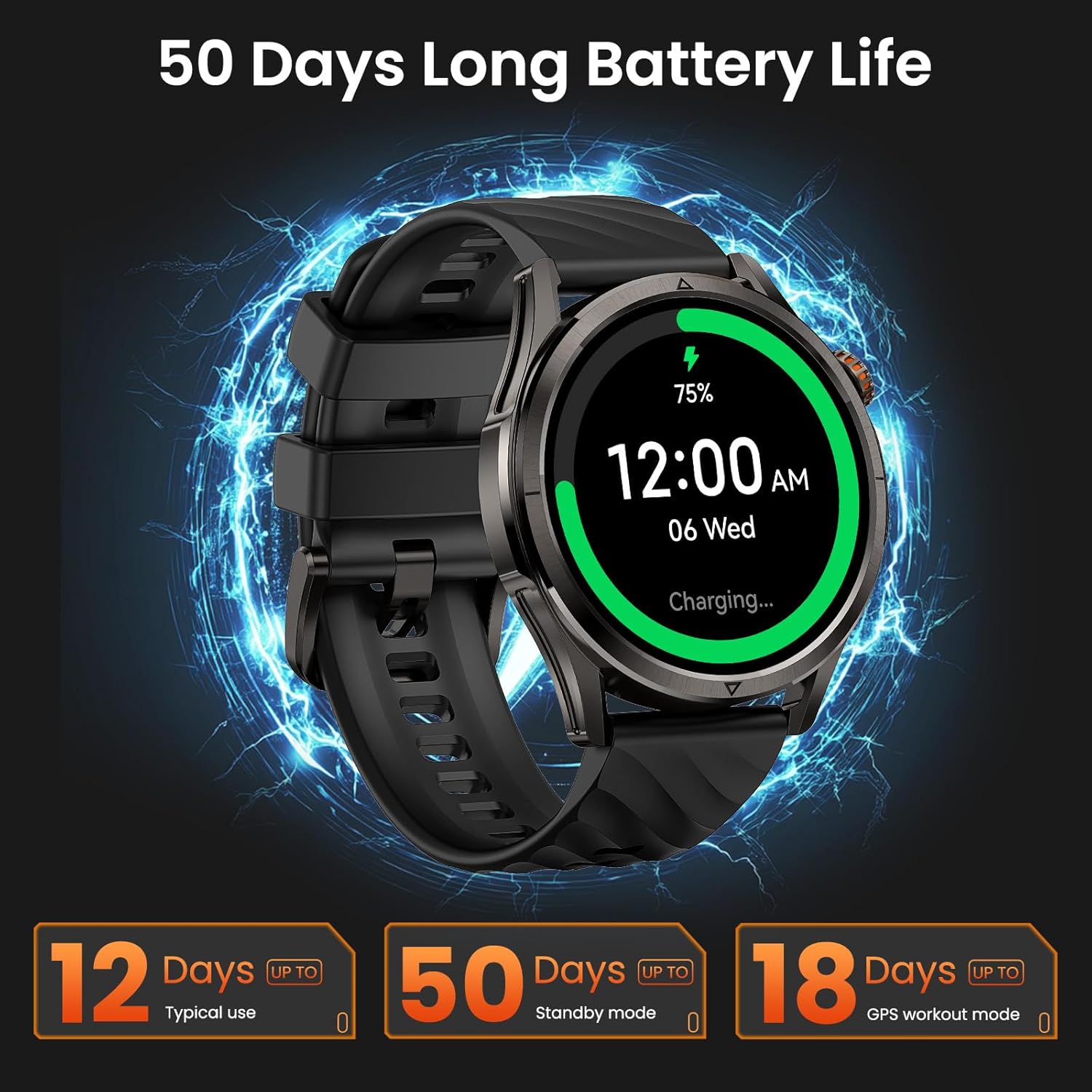
Image 3.1: KOSPET Magic R10 Smart Watch on a charger, indicating 75% battery and displaying battery life estimates.
3.2 App Installation (Apexmove)
The KOSPET Magic R10 Smart Watch requires the Apexmove application for full functionality. The app is compatible with iOS 10.0+ and Android 5.1+ devices.
- Download the 'Apexmove' app from the Apple App Store (for iOS) or Google Play Store (for Android).

Image 3.2: Download the Apexmove app from your device's app store.
3.3 Pairing with Phone
To connect your watch to your smartphone:
- Asire w ke Bluetooth telefòn ou an aktive.
- Open the Apexmove app. Navigate to 'Device' and select 'Add a new device'.
- The app will search for your watch. Select 'KOSPET Magic R10' from the list.
- Konfime demann koneksyon an sou telefòn ou ak sou mont lan.

Image 3.3: Connection steps for iOS devices.
3.4 Notification Setup
To receive messages and app notifications on your watch, follow these steps:
Pou aparèy iOS:
- Ensure the Apexmove app remains active in the background.
- In the Apexmove app, go to 'Device' and open 'SMS Reminder' to enable SMS notifications.
- Still in 'Device', click 'App Notification' and enable notifications for desired applications.
- Go to your iPhone's 'Settings' > 'Notifications' > 'Apexmove' and allow notifications.

Image 3.4: iOS message and app notification setup.
Pou Aparèy Android:
- Keep the Apexmove app active (add to whitelist in settings if necessary).
- Turn off 'Do Not Disturb' and 'Low Power Mode' on your phone.
- In the Apexmove app, go to 'Device' and open 'SMS Reminder' to enable SMS notifications.
- Still in 'Device', click 'App Notification' and enable notifications for desired applications.
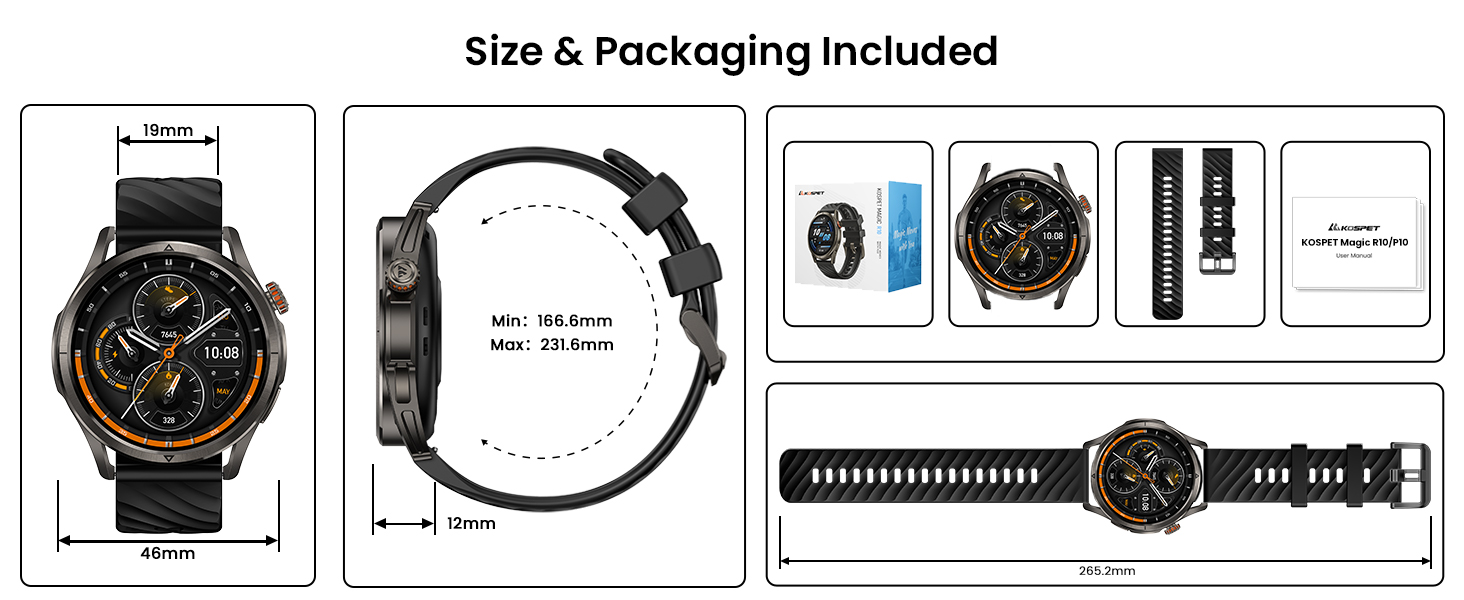
Image 3.5: Android message and app notification setup.
4. Operasyon Enstriksyon
4.1 Ekspozisyon ak Navigasyon
The Magic R10 features a 1.43" AMOLED display with Corning Gorilla Glass for durability and clear visibility. Navigate the watch interface using touch gestures and the physical buttons.
4.2 Fonksyonalite GPS
The watch includes built-in GPS that connects to 6 satellite systems, providing accurate location tracking. Dual-band GNSS ensures reliable signal strength, even in challenging environments. An integrated Altitude Pressure Compass provides elevation data and directional guidance.

Image 4.1: Multi-GNSS positioning and route tracking.
4.3 mòd espò
The Magic R10 supports 180 sport modes. It also features 6 smart recognition sports (walking, cycling, elliptical, etc.) that automatically detect and begin monitoring your activity without manual input.

Image 4.2: Apexmove app interface displaying activity data for various sports.
4.4 Siveyans Sante
The watch is equipped with a 4PD sensor for comprehensive health tracking, including:
- Batman kè: Continuous 24/7 heart rate monitoring.
- SpO2: Blood oxygen saturation tracking.
- Siveyans dòmi: Suiv dòmitages ak dire.
- Stress and Emotions: Monitors stress levels.
- Menstrual Cycles: Provides tracking for women's health.
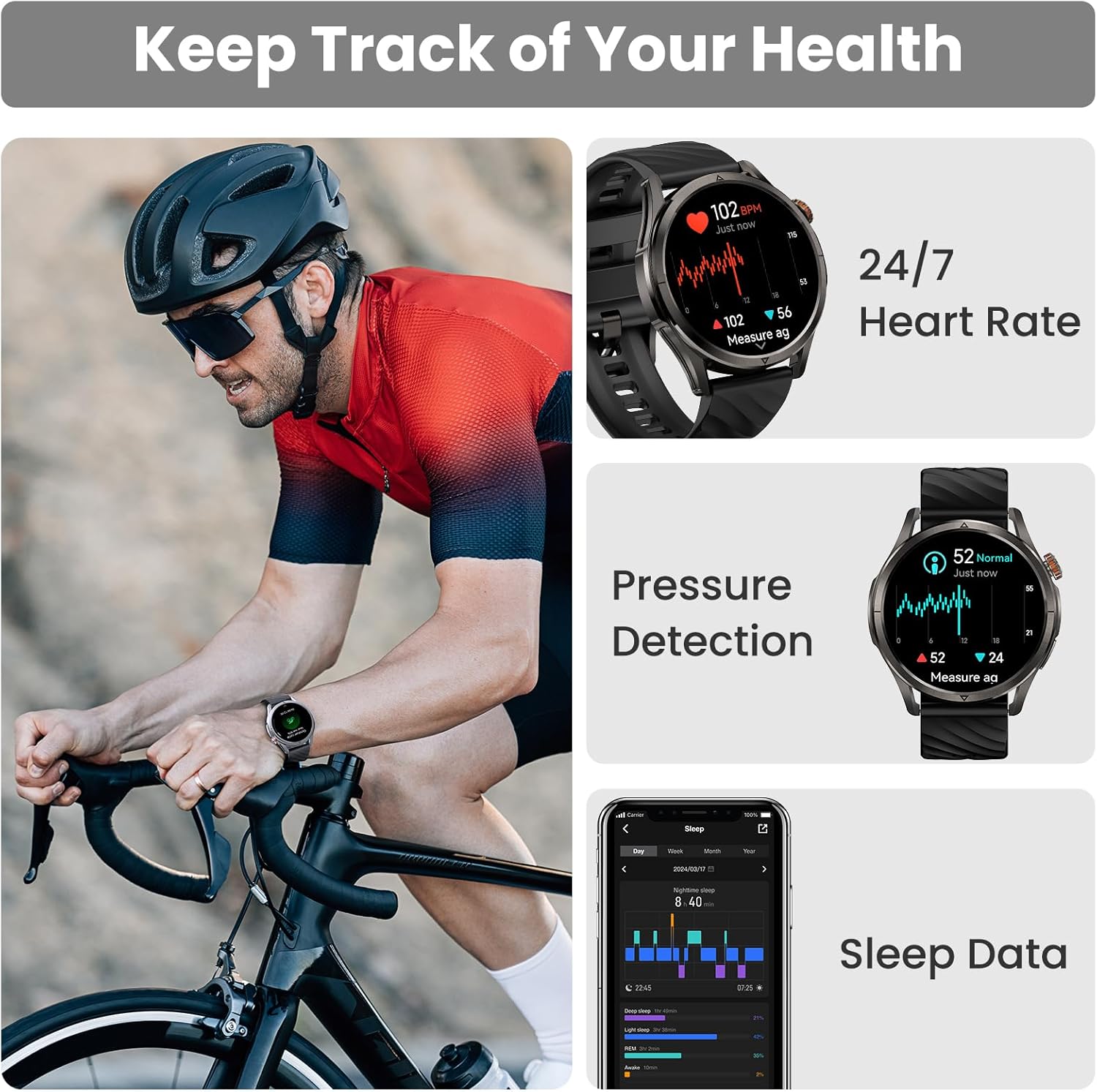
Image 4.3: Health monitoring features including heart rate, pressure, and sleep data.

Image 4.4: Menstrual cycle tracking interface.

Image 4.5: Heart rate monitoring during exercise.

Image 4.6: Sleep monitoring data display.
4.5 Calling and Notifications
The watch allows you to answer and make calls directly from your wrist when connected to your phone. It also displays message reminders and notifications from various applications.

Image 4.7: Call management, voice assistant, and message reminders.
4.6 Asistan Vwa
Utilize the built-in voice assistant for hands-free task execution, such as checking weather or initiating calls.
5. Antretyen
5.1 Rezistans dlo
The Magic R10 has a 5ATM water resistance rating, making it suitable for swimming and daily exposure to water (rain, sweat). It is not recommended for diving or high-pressure water activities.

Image 5.1: Watch being used for swimming, demonstrating 5ATM water resistance.
5.2 Netwayaj
Netwaye mont ou ak braslè ou regilyèman avèk yon twal mou.amp twal. Evite itilize pwodui chimik ki agresif oswa materyèl abrazif. Asire w ke kontak chaj yo pwòp epi sèk anvan ou chaje yo.
5.3 Swen Batri
Pou pwolonje lavi batri:
- Evite tanperati ekstrèm.
- Charge the watch fully before prolonged storage.
- Do not allow the battery to completely drain frequently.
NAN. Depanaj
6.1 Pwoblèm Koneksyon Bluetooth
If your watch fails to connect or maintain a Bluetooth connection:
- Asire w ke Bluetooth la aktive sou telefòn ou ak sou mont lan.
- Rekòmanse telefòn ou ak mont lan.
- Ensure the Apexmove app is updated to the latest version.
- Try unpairing the watch from your phone's Bluetooth settings and then re-pairing through the Apexmove app.
- Check if other Bluetooth devices are causing interference. Temporarily disconnect other devices if necessary.
6.2 Batri ki dire lontan
Si lavi batri a pi kout pase espere:
- Diminye klète ekran an.
- Disable 'Always On Display' if enabled.
- Limit frequent GPS usage or long GPS tracking sessions.
- Etenn notifikasyon ki pa nesesè yo.
- Ensure the watch is fully charged using the provided cable.
6.3 Done sou Sante ki Pa Egzak
For accurate health monitoring:
- Asire w ke mont lan byen sere sou ponyèt ou, ni twò sere ni twò lach.
- Kenbe zòn detèktè a pwòp.
- Avoid excessive movement during measurements (e.g., SpO2).
7. Espesifikasyon
| Karakteristik | Spesifikasyon |
|---|---|
| Nimewo Modèl | Magic R10 |
| Gwosè ekran | 1.43 pous |
| Kalite ekspozisyon | AMOLED |
| Materyèl kò | Nerjaveèi asye |
| Rezistans dlo | 5ATM |
| GPS | Built-in GPS (6 satellite systems, Dual-band GNSS) |
| Kapasite batri | 450 Miliamp Orè |
| Lavi batri (itilizasyon tipik) | Jiska 12 jou |
| Battery Life (GPS Workout Mode) | Jiska 18 èdtan |
| Battery Life (Standby Mode) | Jiska 50 jou |
| Kapasite Depo memwa | 128 MB |
| Sistèm operasyon konpatibilite | Android 5.1+ ak iOS 10.0+ |
| Koneksyon | Bluetooth |
| Karakteristik espesyal | Activity Tracker, Always On Display, GPS, Notifications, Voice Assistant, Phone Call |
| Pwa atik | 9.6 ons |

Image 7.1: Watch dimensions and package contents.
8. Garanti ak sipò
For warranty information and customer support, please refer to the official KOSPET website or contact the retailer from whom you purchased the device. Keep your proof of purchase for warranty claims.


