1. Entwodiksyon
The EUQQ YYK-Q10 AI Translation Earbuds are advanced wireless headphones designed to facilitate communication across language barriers, provide high-fidelity audio, and offer effective noise control. This manual provides essential information for setting up, operating, and maintaining your earbuds.

Figure 1: EUQQ YYK-Q10 AI Translation Earbuds in their charging case.
2. Pake kontni
Asire w tout atik yo prezan nan pakè w la:
- 2 x AI Language Translation Earbuds
- 1 x ka chaje
- 1 x kab chaje (USB-C)
- 3 x S/M/L Ear Caps (one set pre-installed)
- 1 x manyèl itilizatè
3. Enstalasyon
3.1 Chaje ekoutè yo ak bwat la
Anvan premye itilizasyon an, chaje ekoutè yo ak bwat chaje a nèt.
- Mete ekoutè yo nan bwat chaje a. Asire w yo byen chita.
- Konekte kab chaje USB-C ki vini ak aparèy la nan pò chaje ki sou bwat la epi nan yon sous kouran USB konpatib.
- Ekran LED ki sou bwat chaje a ap montre pousantaj batri a.tage of the case and individual charging status of the left (L) and right (R) earbuds.
- A full charge for the earbuds takes approximately 1 hour. The case provides up to 36 hours of total playtime.
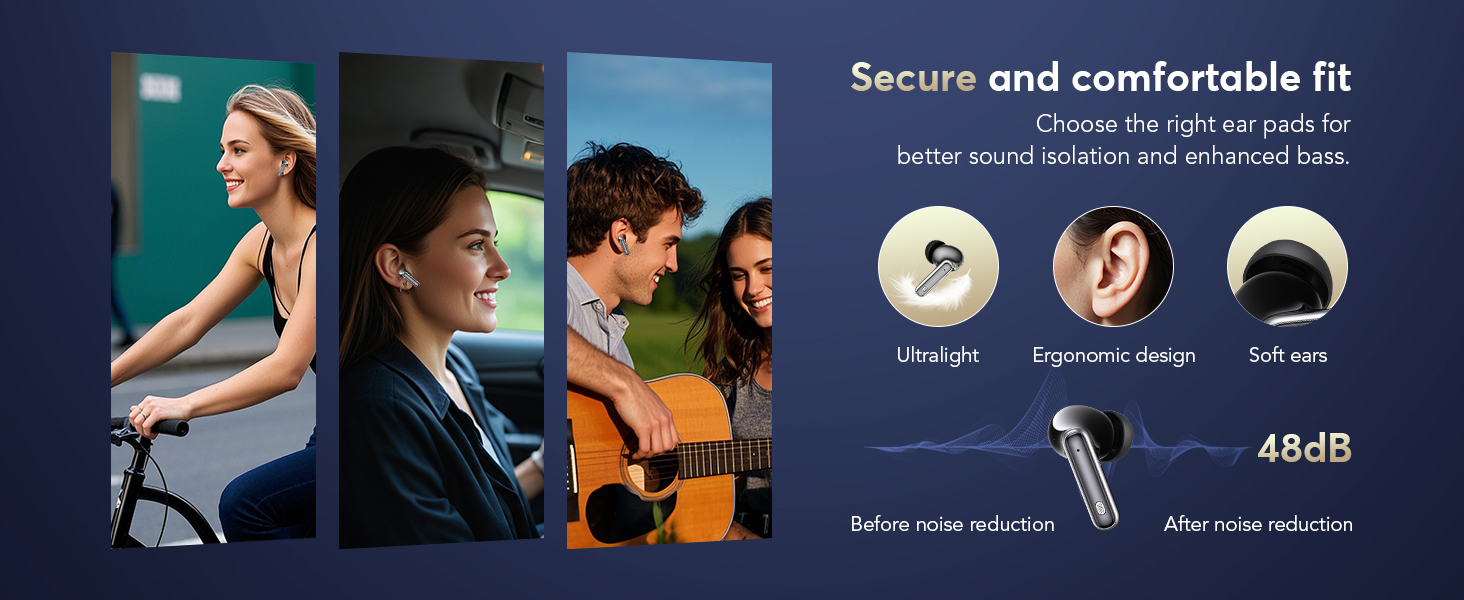
Figure 2: Earbuds and charging case displaying battery levels and USB-C charging port.
3.2 Telechaje ak Enstalasyon Aplikasyon an
To utilize the translation features, download the companion application:
- Scan the QR code provided in the user manual or visit the official app download page: https://bitdynamic.ai/app/download.html
- Install the application on your smartphone (compatible with Android and iOS devices).
- Follow the on-screen instructions to sign up or log in to the app.

Figure 3: Step-by-step guide for app setup and initial use.
3.3 Bluetooth Pairing
Pair your earbuds with your smartphone via Bluetooth 5.4 technology for a stable connection up to 15 meters.
- Louvri bwat chaje a. Ekoutè yo ap antre otomatikman nan mòd koneksyon.
- Sou telefòn entelijan ou an, ale nan paramèt Bluetooth yo epi aktive Bluetooth la.
- Select "YYK-Q10" from the list of available devices to connect.
- Once connected, a confirmation message will appear in the app.
Video 1: Demonstration of AI Language Translation Earbuds and Bluetooth 5.4 pairing.
4. Operasyon Enstriksyon
4.1 Kontwòl manyen
Ekoutè yo gen kontwòl taktil entwisyon pou plizyè fonksyon:
- Click MFB key: Pause/Play music.
- Double-click left/right MFB buttons: Sote tras yo.
- Click MFB button: Reponn/Fen apèl.
- Long press MFB button: Rejte apèl.
- Press and hold right MFB button for 2 seconds: Call Siri/Voice Assistant.
- Press and hold left MFB button for 2 seconds: Switch to ANC mode.

Figure 4: Smart Touch Control functions on the earbuds.
4.2 Mòd Kontwòl Bri
The earbuds offer three versatile modes to tailor your audio experience:
- Anilasyon aktif bri (ANC): Blocks out distractions for an immersive sound experience.
- Mòd nòmal: Lekti odyo estanda san anilasyon bri aktif oswa transparans.
- Mòd transparans: Allows you to hear your surroundings without removing the earbuds, balancing ambient sounds for safety and interaction.
To switch between modes, press and hold the left MFB button for 2 seconds.
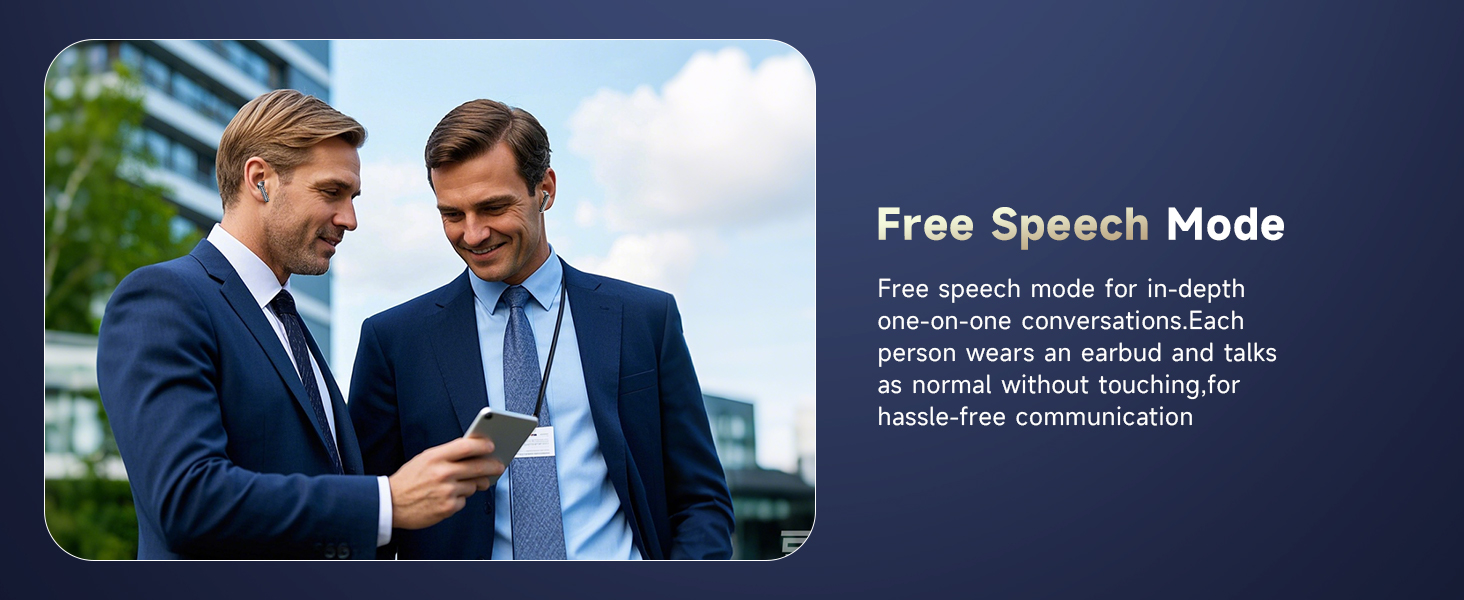
Figure 5: Seamless switching between noise control modes.
4.3 Real-Time Translation Modes
The companion app provides various translation modes to optimize communication:
- Free Speech Mode: For in-depth one-on-one conversations. Each person wears an earbud and speaks normally without touching, allowing for hassle-free communication.
- Mòd manyen: For fluent conversation. Each person wears an earbud. Touch the earbud before speaking; the other person will hear the translation in their earbud.
- Mode Oratè: For directions or ordering food. Wear the earbud yourself and speak; the results will be played through the phone's speaker.
- Entèpretasyon Similtane: Real-time translation with voice, ideal for international conferences.
- Face-to-Face Translation (Earphones + Mobile Phone): Two-way translation with voice for global negotiations or travel.
- Face-to-Face Translation (Dual-Ear Mode): Share earbuds with another person, allowing both to speak and receive translations simultaneously.
Figi 6: Plis paseview of real-time translation modes.
Video 2: Real-time AI translation demonstration.
Video 3: Features of the 144-language translator earbuds.
5. Karakteristik
5.1 High-Fidelity Sound Quality
Experience clear and balanced audio with 13mm dynamic drivers and volume-optimized active EQ, ensuring high-fidelity sound at any volume.

Figure 7: Internal components for Hi-Fi Sound Quality.
5.2 Teknoloji Bluetooth 5.4 Avanse
Benefit from lightning-fast data transfer, ultra-stable connection, and an extended range of up to 15 meters with Bluetooth 5.4. This technology ensures minimal latency for music, calls, and real-time translation, even in high-interference environments.
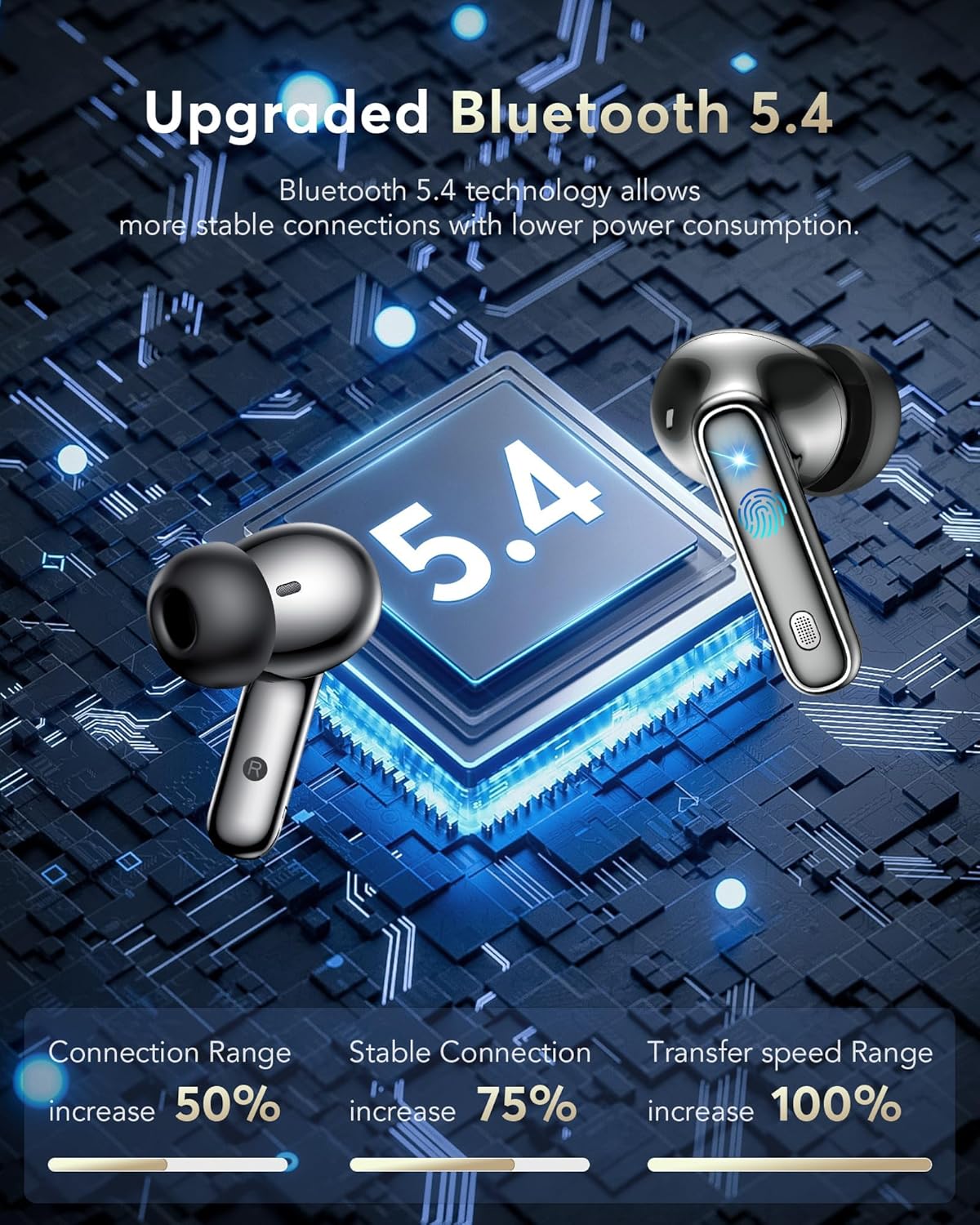
Figi 8: Avansetages of Bluetooth 5.4 technology.
5.3 IPX7 Enpèmeyab Evalyasyon
The earbuds are IPX7 waterproof, making them resistant to sweat and splashes, suitable for various activities including sports and travel.
Video 4: IPX7 Waterproof feature demonstration.
5.4 Batri ki dire lontan
Enjoy 6-7 hours of continuous playtime on a single charge. The charging case extends this to a total of 36 hours, ensuring your earbuds are ready for extended use.

Figure 9: Battery life and fast charging capabilities.
5.5 Konfò ak Anfòm
The lightweight and ergonomic design ensures a secure and comfortable fit for extended wear, making them suitable for various activities.
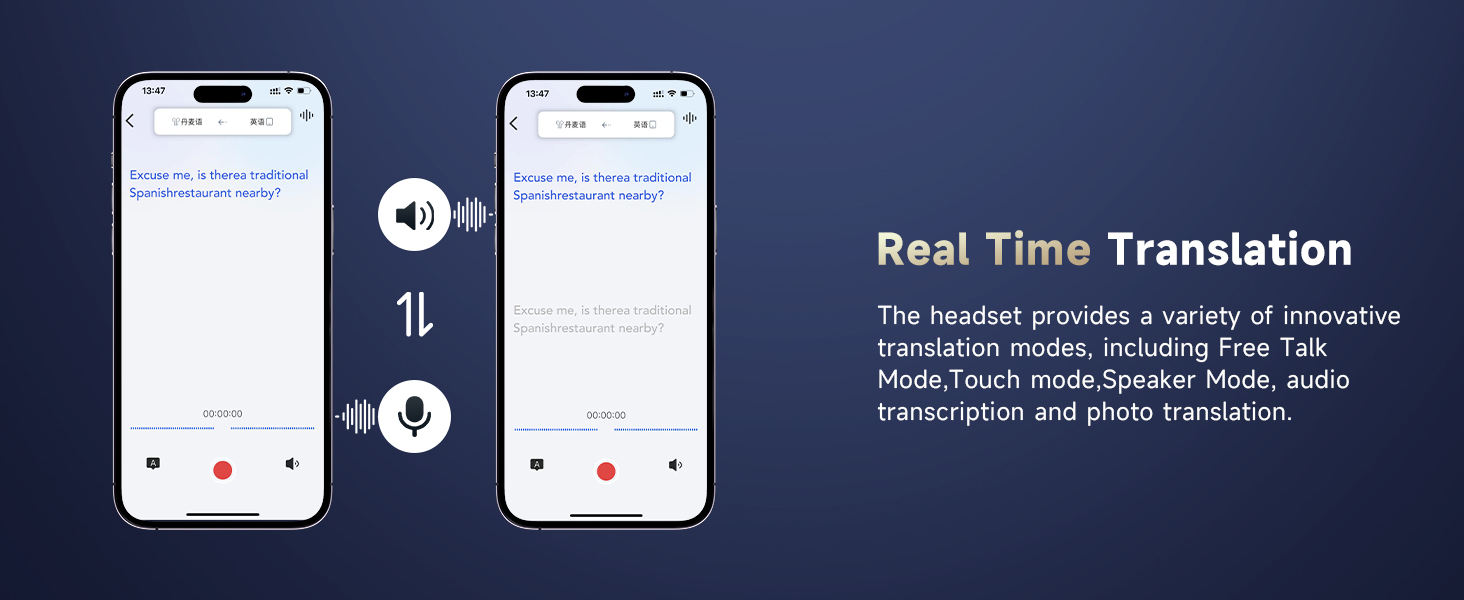
Figure 10: Ergonomic design for secure and comfortable fit.
5.6 Additional App Features
The companion app also includes features to enhance your daily life:
- Èd pou dòmi: Built-in white noise features like rain and ocean waves to help you fall asleep.
- Audio and Video Call: Online calls with real-time translation, no app needed for the other party.
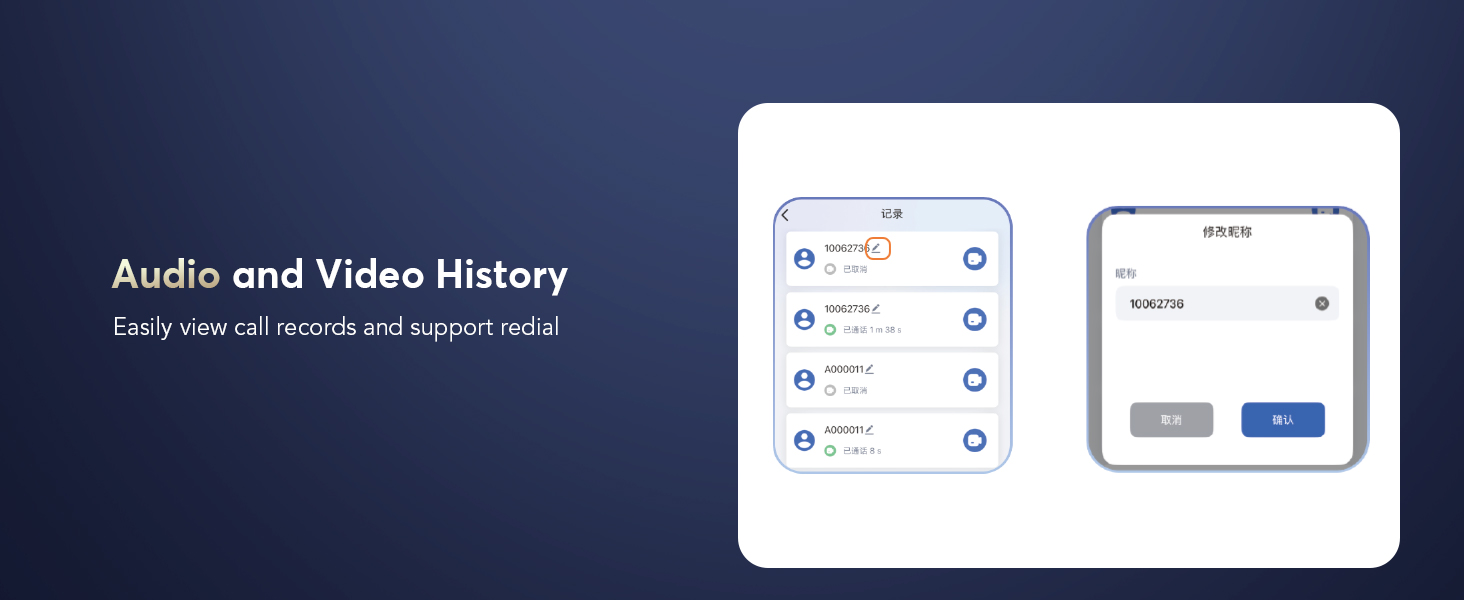
- Audio and Video History: Fasil view call records and support redial.
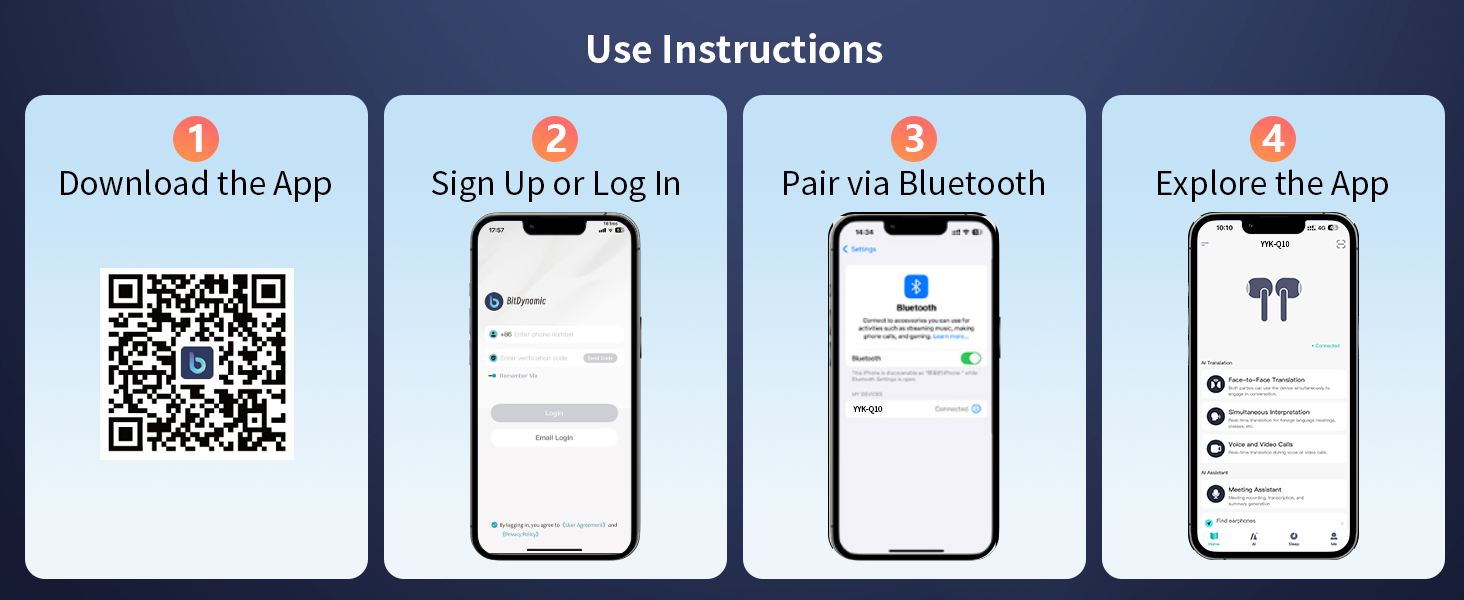
Figure 11: Sleep Aid feature in the app.

Figure 12: Audio and Video Call with real-time translation.
6. Antretyen
- Netwaye ekoutè yo ak bwat chaje a regilyèman avèk yon twal mou epi sèk.
- Evite itilize materyèl abrazif oswa pwodwi chimik piman bouk.
- Keep the charging contacts on the earbuds and inside the case clean and dry to ensure proper charging.
- Sere ekoutè yo nan bwat chaje yo lè w pa ap itilize yo pou pwoteje yo epi pou kenbe batri a dire lontan.
- Replace ear caps as needed with the provided spares for optimal fit and hygiene.
NAN. Depanaj
| Pwoblèm | Kòz posib | Solisyon |
|---|---|---|
| Ekoutè pa asosye | Bluetooth is off on device; earbuds not in pairing mode; out of range. | Ensure Bluetooth is on; open case to activate pairing; move device closer to earbuds. |
| Pa gen son | Volim nan twò ba; ekoutè yo pa konekte; medya a an poz. | Increase volume; re-pair earbuds; check media playback. |
| Tradiksyon an pa mache | App not open; incorrect language settings; poor microphone input. | Open and configure app; verify language settings; speak clearly into microphone. |
| Ekoutè pa chaje | Charging contacts dirty; cable faulty; power source issue. | Clean contacts; try different cable/power source; ensure earbuds are seated correctly. |
8. Espesifikasyon
- Non modèl: YYK-Q10
- Mak: EUQQ
- Koneksyon Teknoloji: San fil (Bluetooth 5.4)
- Gamme Bluetooth: 15 mèt
- Kontwòl bri: Anilasyon bri aktif (ANC)
- Kalite chofè odyo: Chofè dinamik (13mm)
- Lavi batri (koutè): 6-7 Hours (continuous playtime)
- Dire batri (ak bwat chaje): Jiska 36 èdtan
- Tan pou chaje: 1 Hour (earbuds)
- Entèfas chaje: USB-C
- Nivo rezistans dlo: IPX7 (enpèmeyab)
- Kalite kontwòl: Kontwòl manyen
- Materyèl: Akrilonitrile butadien stirèn (ABS)
- Pwa atik: 12 gram
- Lang ki sipòte: 144 Languages and Accents
9. Garanti ak sipò
For warranty information and customer support, please refer to the documentation included in your product packaging or visit the official EUQQ websit. Kenbe resi acha ou pou reklamasyon garanti.


