1. Pwodwi souview
The LIGE Smart Watch FV18 is a versatile wearable device designed to enhance your daily life with health monitoring, fitness tracking, and smart communication features. It features a 1.47-inch HD display, IP68 water resistance, and supports Bluetooth calls.
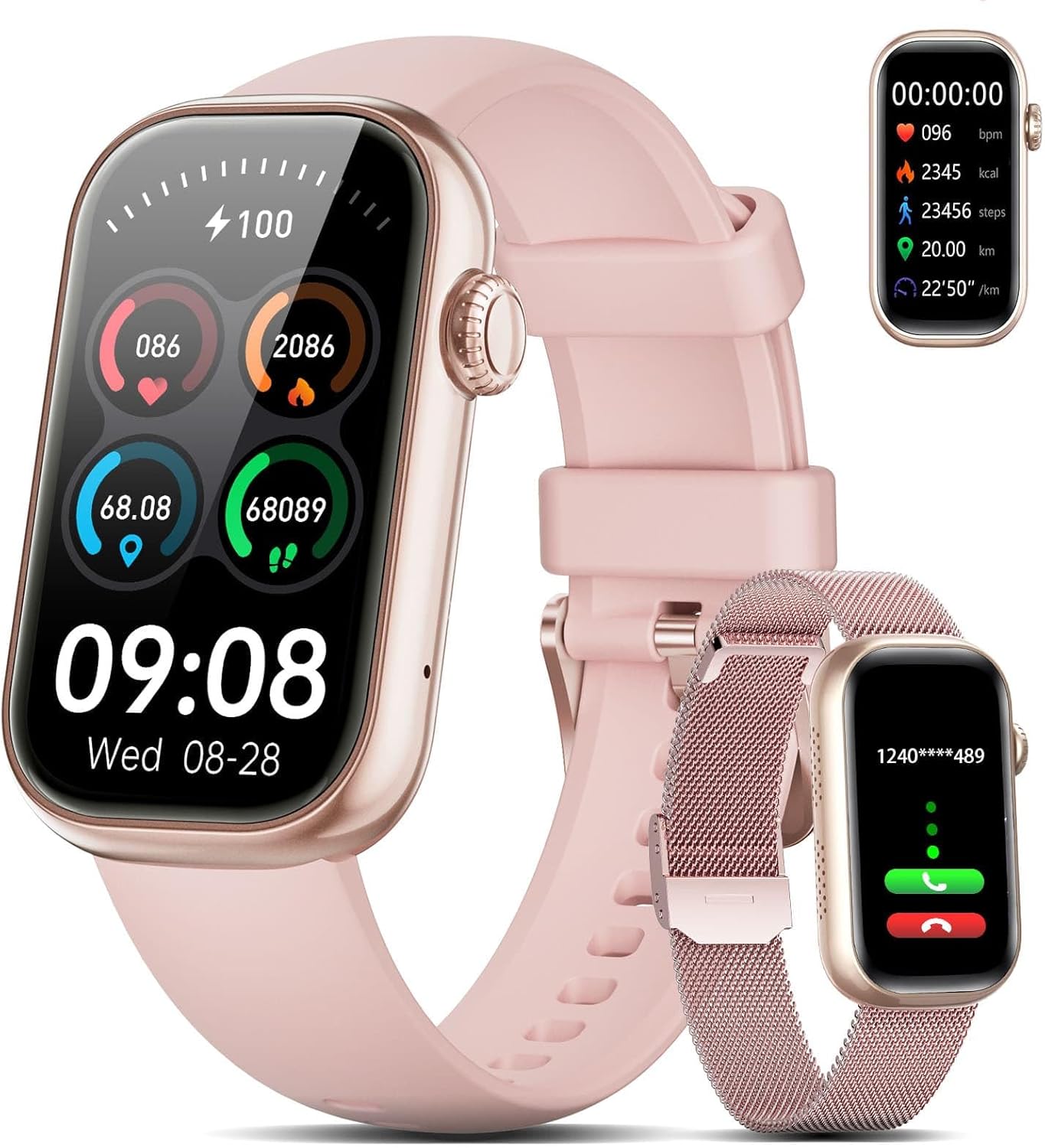
Image 1.1: LIGE Smart Watch FV18 with interchangeable straps.
2. Gid Enstalasyon
2.1 Debalè ak Konpozan
Lè w ouvri pake a, w ap jwenn atik sa yo:
- 1 x LIGE Smart Watch FV18
- 1 x Stainless Steel Mesh Strap
- 1 x Silicone senti
- 1 x mayetik chaje kab
- 1 x manyèl itilizatè
Video 2.1: Unboxing the LIGE Smart Watch FV18 and its components.
2.2 Attaching the Straps
The LIGE Smart Watch FV18 comes with two interchangeable straps. To attach a strap, align the pins on the strap with the holes on the watch body and slide them into place until they click securely. To remove, pull the small lever on the strap pin and gently detach.
2.3 Telechaje ak Enstalasyon Aplikasyon an
To utilize all features of your smart watch, download the GloryFit application on your smartphone. You can find the app by:
- Scanning the QR code provided in the user manual or on the watch display.
- Searching for "GloryFit" in the Apple App Store (for iOS) or Google Play Store (for Android).
Follow the on-screen instructions to install the app.

Image 2.2: Guide for downloading and installing the GloryFit app.
2.4 Aparèy Pairing
After installing the GloryFit app, follow these steps to pair your smart watch:
- Asire w ke Bluetooth telefòn ou an aktive.
- Open the GloryFit app and navigate to the "Device" section.
- Tap "Add Device" or "Select device" and allow location permissions if prompted.
- The app will search for nearby devices. Select "QS-50(ID-5B05)" or a similar identifier for your LIGE Smart Watch FV18.
- Konfime demann koneksyon an sou telefòn ou ak sou mont lan.
2.5 Notification and Contact Synchronization
To receive notifications and make calls directly from your watch:
- Notifikasyon: In the GloryFit app, go to "Device" > "Push message" and grant "Notification access" to GloryFit. Then, enable notifications for desired applications (e.g., WhatsApp, Facebook, Instagbelye mouton).
- Kontak: In the GloryFit app, go to "Device" > "Bluetooth call with watch" > "Address Book" to synchronize up to 100 contacts from your phone to the watch.
3. Operasyon Enstriksyon
3.1 Navigasyon debaz
The LIGE Smart Watch FV18 features a full touchscreen display. Swipe left, right, up, or down to navigate through menus, access quick settings, and view different functions. Press the side button to return to the home screen or wake the device.
3.2 Fè ak reponn apèl yo
Once paired via Bluetooth, you can manage calls directly from your watch:
- Reponn apèl: When a call comes in, tap the green icon on your watch to answer.
- Fè apèl: Access the call menu on your watch to dial numbers or select from synchronized contacts. The watch uses its built-in speaker and microphone for clear communication.

Image 3.1: Smart Bluetooth Call feature on the LIGE Smart Watch FV18.
3.3 Resevwa Notifikasyon
After enabling notification access in the GloryFit app, your watch will display real-time alerts for incoming calls, SMS messages, and various app notifications (e.g., Facebook, WhatsApp, TikTok).

Image 3.2: The watch receives notifications from various social media and messaging apps.
3.4 Siveyans Sante
The watch is equipped with optical sensors for continuous health tracking:
- Batman kè: Li kontwole batman kè ou pandan tout jounen an.
- Oksijèn nan san (SpO2): Mezire nivo saturation oksijèn nan san ou.
- Suivi dòmi: Analize modèl dòmi ou, ki gen ladan dòmi pwofon, dòmi lejè, ak lè ou reveye.
- Suivi aktivite: Anrejistre kantite pa ou pran, distans ou kouvri, ak kalori ou boule.

Image 3.3: 24/7 Health Management features including Heart Rate, Sleep Tracking, and Blood Oxygen.
3.5 Espò mòd
The watch supports over 70 sports modes to track your workouts. Select your activity from the watch menu or the GloryFit app to record real-time data such as duration, heart rate, and calories burned.

Image 3.4: The watch offers a wide range of sports modes for tracking physical activities.
Video 3.5: Demonstrating health tracking and various sports modes on the LIGE Smart Watch FV18.
3.6 Pèsonalize Kadran Mont yo
Personalize your watch with over 165 selectable watch faces available through the GloryFit app. You can also upload your own photos to create custom dials.
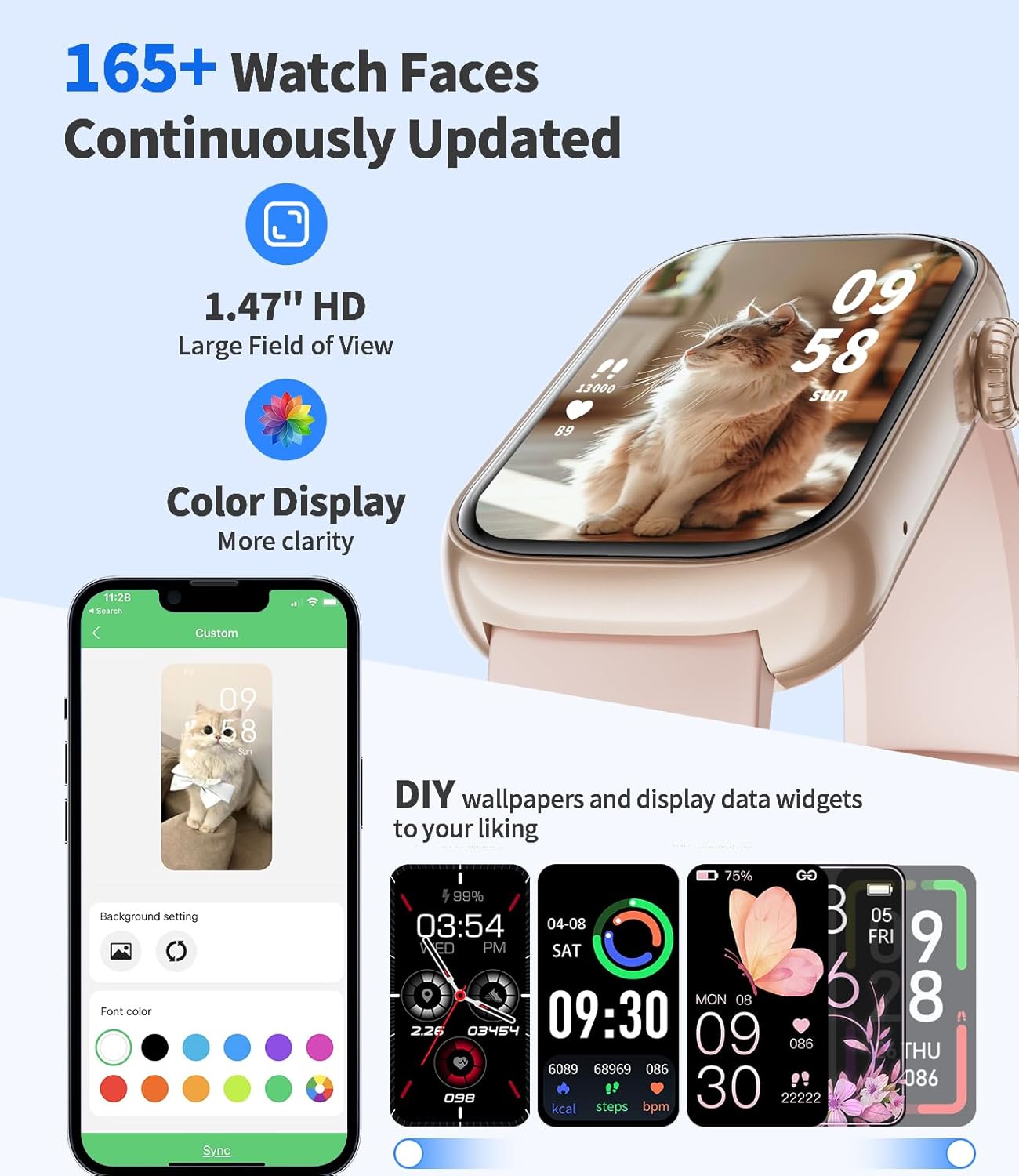
Image 3.6: A selection of watch faces and options for custom backgrounds.
3.7 Mizik ak Kontwòl Kamera
Control your smartphone's music playback and camera shutter directly from your watch when connected via Bluetooth.
3.8 Find Phone Feature
If your phone is misplaced, use the "Find Phone" feature on your watch to make your phone ring, helping you locate it.
4. Antretyen
4.1 Chaje Aparèy la
Connect the magnetic charging cable to the charging points on the back of the watch and a USB power source. A full charge takes approximately 2 hours. The watch provides 5-10 days of typical usage and up to 20 days in standby mode.

Image 4.1: Information on IP68 water resistance and battery life.
4.2 Rezistans dlo
The LIGE Smart Watch FV18 is IP68 certified, meaning it is resistant to dust and can withstand splashes, rain, and sweat. It is pa apwopriye for swimming, diving, or use in saunas or hot showers, as steam and hot water can compromise the seals.
Video 4.2: Demonstrating the durability and water resistance of the LIGE Smart Watch FV18.
4.3 Netwayaj ak swen
To maintain your watch, regularly clean the watch body and straps with a soft, dry cloth. If necessary, use a slightly damp cloth for the silicone strap. Avoid using harsh chemicals or abrasive materials.
NAN. Depanaj
If you encounter issues with your LIGE Smart Watch FV18, please refer to the following common solutions:
- Mont lan pa limen: Asire w ke mont lan chaje nèt. Konekte l nan plato mayetik la pou omwen 30 minit.
- Pa ka konekte ak telefòn nan:
- Asire w ke Bluetooth aktive sou telefòn ou epi mont lan nan zòn nan.
- Rekòmanse telefòn ou ak mont lan.
- Check if the GloryFit app has necessary permissions (location, Bluetooth).
- Try unpairing and re-pairing the device through the GloryFit app.
- Notifikasyon ki pa resevwa:
- Verify that "Notification access" is granted to GloryFit in your phone's settings.
- Ensure specific app notifications are enabled within the GloryFit app.
- Check if "Do Not Disturb" mode is active on either your phone or watch.
- Done sou sante ki pa egzak: Asire w ke mont lan byen sere sou ponyèt ou, ni twò sere ni twò lach. Netwaye detèktè ki dèyè mont lan regilyèman.
- Kout lavi batri: Reduce screen brightness, disable unnecessary notifications, or limit continuous heart rate monitoring to extend battery life.
6. Espesifikasyon
| Karakteristik | Detay |
|---|---|
| Modèl | FV18 |
| Gwosè ekspozisyon | 1.47 Inches IPS HD (172 x 320 pixels) |
| Koneksyon | Bluetooth 5.2 |
| Kapasite batri | 300 mAh |
| Tan pou chaje | Apeprè. 2 èdtan |
| Lavi batri (itilizasyon tipik) | 5-10 jou |
| Lavi batri (standby) | Jiska 20 jou |
| Rezistans dlo | IP68 |
| Depo memwa | 128 MB |
| Sistèm operasyon | Konpatib ak Android/iOS |
| Gade Pwa Kò a | 14.5 gram |
| Gade dimansyon | 45.5mm x 26.4mm x 11mm |
7. Garanti ak sipò
7.1 Enfòmasyon sou Garanti
Your LIGE Smart Watch FV18 comes with a 2-year warranty. Please retain your proof of purchase for warranty claims.
7.2 Sipò pou Kliyan
If you have any questions, require technical assistance, or need to make a warranty claim, please contact our professional customer service team. We aim to respond to your inquiry within 24 hours and provide the best solution.
Contact details can typically be found on the product packaging, the official LIGE websit la, oubyen atravè platfòm acha ou a.


