CAMECHO 9-inch Android 13 Car Stereo User Manual
For BMW 1 Series (E81, E82, E87, E88)
1. Entwodiksyon ak souview
This manual provides comprehensive instructions for the CAMECHO 9-inch Android 13 Car Stereo. This unit is specifically designed for BMW 1 Series models E81, E82, E87, and E88. It integrates advanced features such as an 8-core processor, 6GB RAM, 128GB internal storage, and a high-resolution 1280x720 IPS touchscreen. Key functionalities include wireless CarPlay, Android Auto, integrated GPS navigation, Bluetooth 5.0 connectivity, Digital Sound Processor (DSP), FM/RDS radio, and support for a rear view camera. Please read this manual thoroughly to ensure proper installation and optimal use of your new car stereo system.
2. Konpatibilite
This CAMECHO car stereo is compatible with the following BMW 1 Series models:
- BMW 1 Series E81
- BMW 1 Series E82
- BMW 1 Series E87
- BMW 1 Series E88
Nòt Konpatibilite Enpòtan: This product is designed for vehicles with a left-hand drive configuration. Large screens are not supported for right-hand drive vehicles. Before purchasing or installing, please verify your car's central control panel matches the 'Option A' configuration shown below. If you are unsure about compatibility, please send a photo of your car's central control unit and the back of the original CD player to the seller for assistance.

3. Karakteristik
The CAMECHO car stereo offers a range of features to enhance your driving experience:
- Sistèm operasyon: Android 13
- Processeur: 8-core CPU for smooth performance
- Memwa ak Depo: 6GB RAM + 128GB ROM
- Ekspozisyon: 9-inch IPS touchscreen with 1280x720 resolution
- Koneksyon: Built-in Bluetooth 5.0, Wi-Fi, and GPS
- Entegrasyon Smartphone: Wireless and wired Apple CarPlay & Android Auto, Mirror Link (wireless and wired)
- Odyo: Digital Sound Processor (DSP) with 32-band equalizer for customizable sound, FM/RDS radio tuner
- Multitach: Split-screen function to run multiple applications simultaneously
- Kontwòl vwa: Smart Voice Assistant support
- Sipò pou kamera: Dèyè view camera input (AHD/CVBS)
- Kontwòl volan: Supports original steering wheel controls
- Pèsonalizasyon: Multiple UI desktop themes and customizable home screen apps
- Fonksyon adisyonèl: Global weather display, network radio, video output, dual USB interfaces.

4. Enstalasyon ak Enstalasyon
This section outlines the general installation process. Professional installation is recommended.
4.1 Kontni pake a
Verifye ke tout konpozan yo prezan nan pake a:
- Main Unit (9-inch display)
- Pouvwa kab
- RCA Cable
- USB Cables (2 interfaces)
- GPS antèn
- Adaptè radyo
- Mikwofòn
- Canbus Decoder
- Zouti enstalasyon
- Manyèl itilizatè
- AHD Rear Camera (optional purchase)
- Pwodwi pou Telefòn (sipò pou monte, vis)

4.2 Tcheke Pre-Enstalasyon
Before beginning installation, ensure your vehicle is compatible (refer to Section 2). Disconnect the car battery's negative terminal to prevent electrical shorts.
4.3 Etap Enstalasyon (Jeneral)
- Carefully remove the original car stereo and trim panels. Refer to your vehicle's service manual for specific instructions.
- Connect the main power cable (1) to the car's wiring harness.
- Connect the RCA cables (2) for audio output and auxiliary input.
- Connect the USB cables (3) for external devices.
- Connect the camera input cable (4) if installing a rear view kamera.
- Connect the radio adapter (5) to the car's antenna.
- Connect the GPS antenna (6) and position it in a location with clear sky view (pa egzanp, tablodbò).
- Mount the new head unit into the dashboard opening using the provided brackets and screws.
- Rekonekte batri machin nan.
- Turn on the car stereo and perform initial setup.
Nòt: The rear of the unit features clearly labeled ports for Power, RCA, USB, Camera Input, Radio Adapter, and GPS Antenna. Ensure all connections are secure.
5. Operasyon Enstriksyon
5.1 Operasyon debaz
- Limen/Etenyen: Peze epi kenbe bouton pouvwa a.
- Kontwòl Volim: Use the volume knob or steering wheel controls.
- Ekran tactile: Navigate menus and select functions by touching the screen.
5.2 CarPlay san fil ak Android Auto
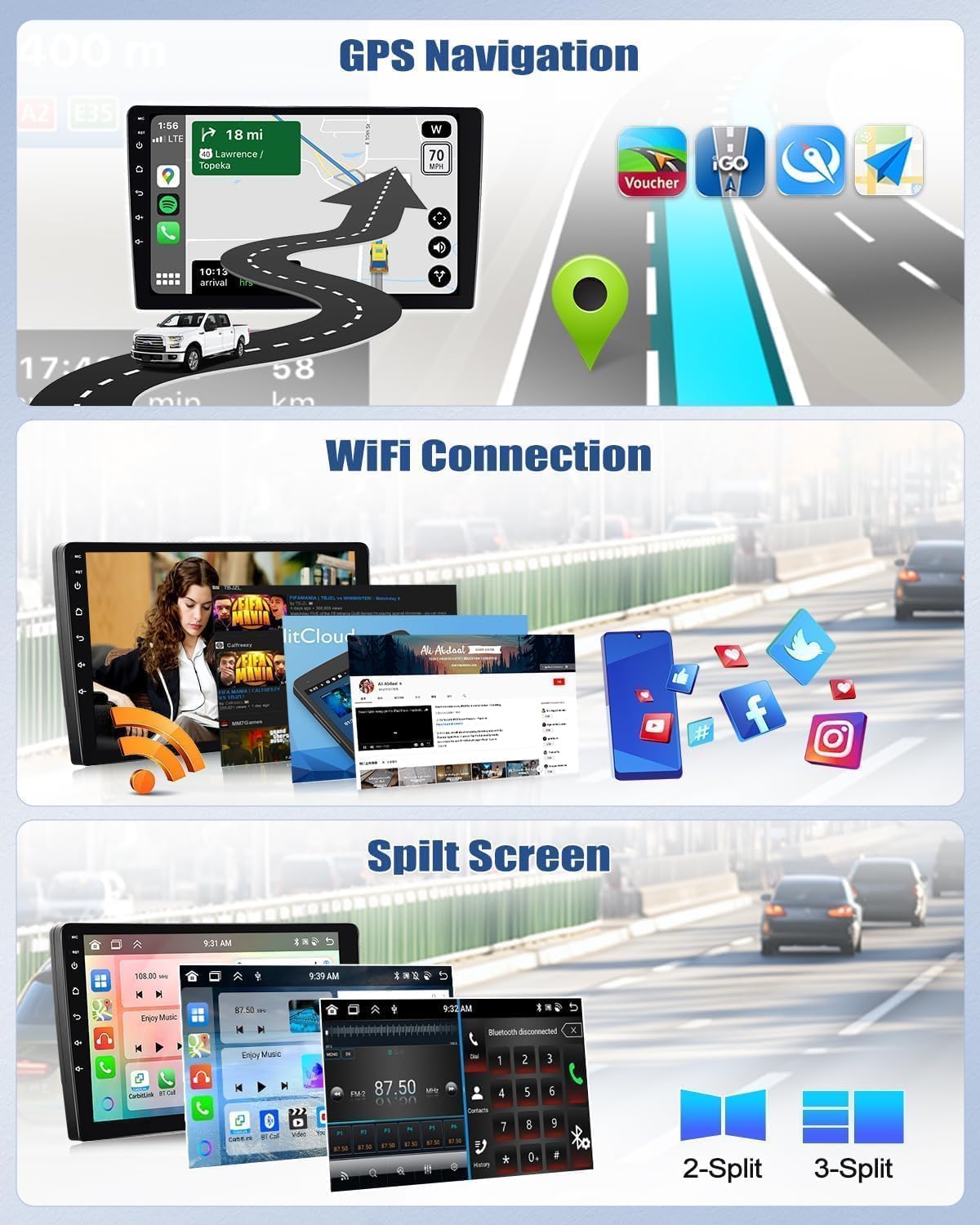
Connect your smartphone wirelessly or via USB to access Apple CarPlay or Android Auto. This allows you to use compatible apps like Spotify, Google Maps, Waze, and WhatsApp directly on the car stereo display.

5.3 Navigasyon GPS
The unit has a built-in GPS module. You can use pre-installed offline maps (requires internet for initial download) or online navigation apps like Google Maps, Waze, etc., when connected to Wi-Fi.
5.4 Bluetooth 5.0
Pair your phone via Bluetooth for hands-free calling and audio streaming. The built-in microphone ensures clear communication.

Radyo 5.5 FM/RDS
Tune into your favorite FM radio stations. The RDS (Radio Data System) feature displays station information, traffic updates, and more.
5.6 Fonksyon ekran divize
Sèvi ak fonksyon ekran divize a pou egzekite de aplikasyon an menm tan, tankou navigasyon ak lekti mizik.
5.7 Kontwòl volan (SWC)
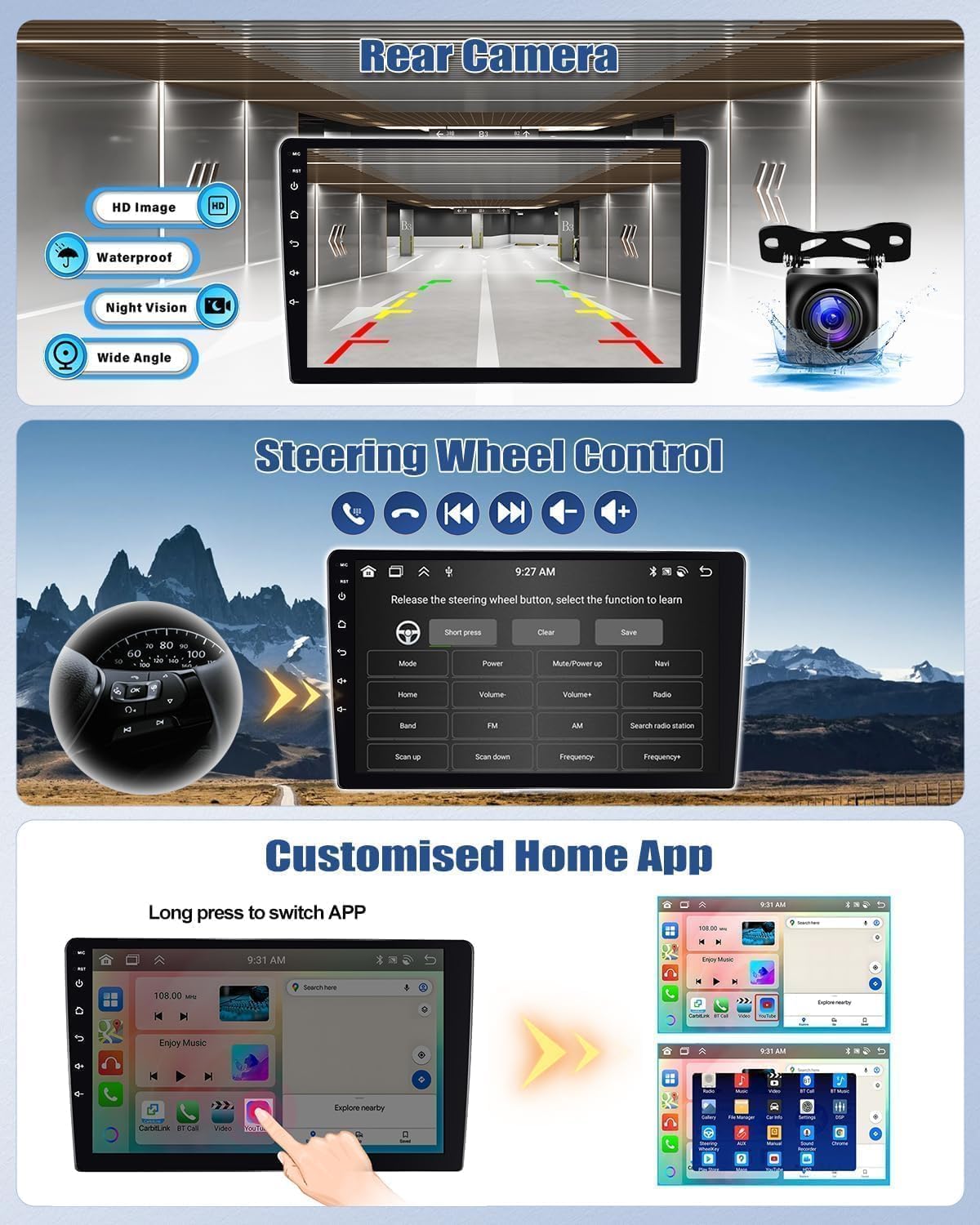
The unit supports your car's original steering wheel controls. You can configure buttons to control volume, track changes, mode selection, and more directly from your steering wheel.
5.8 Asistan Vwa
Activate the smart voice assistant for hands-free control of navigation, music, and other functions.

6. Antretyen
Pou asire lonjevite ak pèfòmans optimal stereo machin ou an, swiv gid antretyen sa yo:
- Netwayaj: Sèvi ak yon twal mou epi sèk pou netwaye ekran an ak aparèy la. Evite pwodui netwayaj abrazif oswa solvan.
- Tanperati: Operate the unit within the specified temperature range (-20°C to 75°C). Extreme temperatures can affect performance.
- Mizajou lojisyèl: Periodically check for and install software updates to ensure the system runs efficiently and securely.
- Koneksyon kab: Ensure all cables are securely connected and free from damage.
NAN. Depanaj
If you encounter issues with your car stereo, refer to the following common troubleshooting tips:
- Pa gen pouvwa: Check all power connections and the car's fuse box. Ensure the car battery is properly connected.
- Pa gen son: Verify speaker connections, volume settings, and audio source selection. Check if the mute function is active.
- Pèt siyal GPS: Asire w antèn GPS la byen enstale epi li gen yon vizyon klè. view nan syèl la.
- Pwoblèm koneksyon Bluetooth: Ensure Bluetooth is enabled on both the stereo and your phone. Try unpairing and re-pairing the devices.
- Ekran taktil la pa reponn: Eseye rekòmanse aparèy la. Si pwoblèm nan pèsiste, ou ka bezwen fè yon reset faktori (nòt: sa ap efase tout done itilizatè yo).
- CarPlay/Android Auto pa fonksyone: Ensure your phone's operating system is up to date. Try connecting with a different USB cable or restarting your phone.
Pou pwoblèm ki pèsiste, tanpri kontakte sèvis kliyan.
8. Espesifikasyon
| Karakteristik | Spesifikasyon |
|---|---|
| Sistèm | Android 13 |
| Chipset | 8257 (8-core) |
| Gwosè ekran | 9 pous |
| memwa (RAM) | 6GB |
| Depo (ROM) | 128GB |
| Rezolisyon ekran | 1280x720 |
| Radyo Chip | 8035 |
| Sortie pouvwa | 4 x 45W |
| Bluetooth vèsyon | 5.0 |
| Tanperati Fonksyònman | -20 ° C a 75 ° C |
| Sipò Mikwofòn Ekstèn | Wi |
| Radyo Band | FM/RDS |
| Sòti videyo | Sipò |
| Antre ranvèse | AHD/CVBS |
| Wi-Fi / Split Screen | Sipò |
| Kat | Built-in offline maps (requires internet for data download) |
| Entèfas USB | Doub USB |
| Sipò fòma odyo | APE/FLAC/WAV/MP3/WMA |
| Sipò fòma videyo | MKV/RMVB/AVI/MP4/MDV |
| Sipò fòma imaj | PNG/JPEG/JPG/GIF/WBMP/BNP |
| Kòd appariement Bluetooth | 0000 |
| Lang ki sipòte | Spanish, German, English, French, Italian, Portuguese, Russian, Turkish, Vietnamese, Hebrew, Polish, Chinese, Arabic |
9. Garanti ak sipò
For warranty information, please refer to the documentation provided with your purchase or contact the seller directly. If you require technical assistance or have questions not covered in this manual, please reach out to CAMECHO customer support. Provide your product model number and a detailed description of the issue for efficient service.


