1. Entwodiksyon ak souview
The Acer Aspire 16 AI Copilot+ PC is designed for enhanced productivity and intuitive AI capabilities. Featuring a 16-inch WUXGA 120Hz 100% sRGB display and powered by the Snapdragon X processor with a 45 TOPS NPU, this laptop delivers efficient performance for various tasks. This manual provides essential information for setting up, operating, and maintaining your device.

Image: Acer Aspire 16 AI Copilot+ PC highlighting key features like Windows 11, Copilot+PC, Snapdragon X, WUXGA display, and Wi-Fi 7.
2. Ki sa ki nan bwat la
Your Acer Aspire 16 AI Copilot+ PC package includes the following items:
- Laptop
- USB tip-C pouvwa adaptè
- Kòd pouvwa

Image: Included accessories for the Acer Aspire 16 AI Copilot+ PC, showing the power adapter, power cord, and setup guides.
3. Gid Enstalasyon
Follow these steps for the initial setup of your Acer Aspire 16 AI Copilot+ PC:
- Unboxing: Retire laptop la ak tout akseswa yo nan anbalaj la avèk anpil atansyon.
- Konekte pouvwa: Plug the USB Type-C power adapter into the laptop's USB4 port and connect it to a power outlet.
- Premye demaraj: Open the laptop lid. The system may power on automatically or require you to press the power button.
- Enstalasyon Windows: Swiv enstriksyon ki parèt sou ekran an pou konplete konfigirasyon Windows 11 Home la, tankou lang, rejyon, koneksyon rezo, ak kreyasyon kont itilizatè.
- Mizajou: Allow the system to download and install any necessary updates to ensure optimal performance and security.
Video: Official Acer America Corporation video titled "Copilot+PC A New Era of AI", providing an overview of the new AI capabilities and the NPU.
4. Karakteristik pwodwi ak plis ankòview
4.1. Pò ak Koneksyon
The Acer Aspire 16 AI offers a comprehensive selection of ports for connectivity:
- Bò Goch: 2 x USB Type-C (USB4, up to 40Gbps, USB Charging & Power Delivery up to 65W), 1 x USB 3.2 Gen 1 (with power-off charging), 1 x HDMI 2.1 with HDCP Support.
- Bò Dwa: 1 x USB 3.2 Gen 1, 1 x Headphone/Speaker/Line-out Jack, 1 x MicroSD Card Slot, 1 x Kensington Lock Slot.

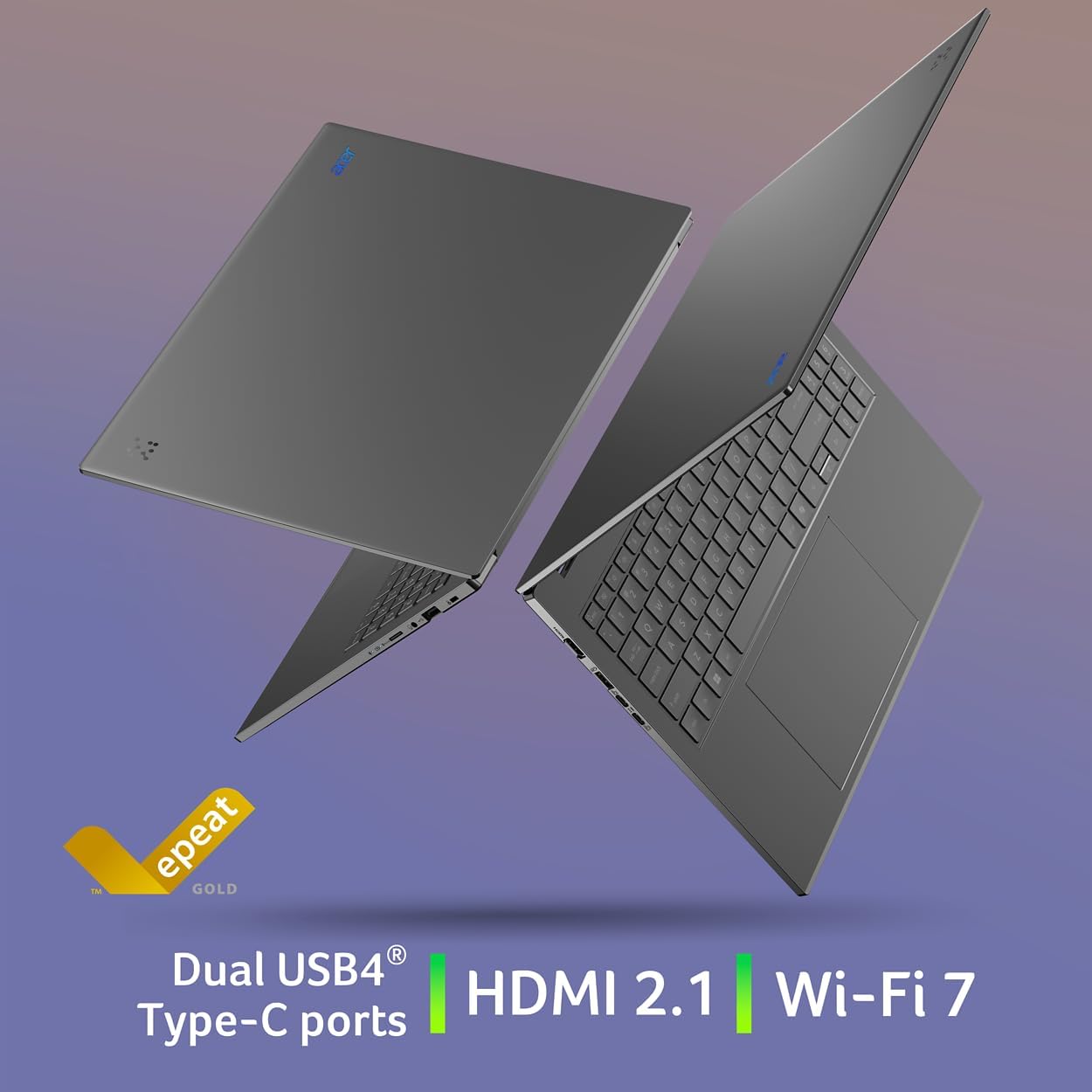
Image: Left side of the laptop showing HDMI, USB 3.2, and two USB Type-C (USB4) ports.
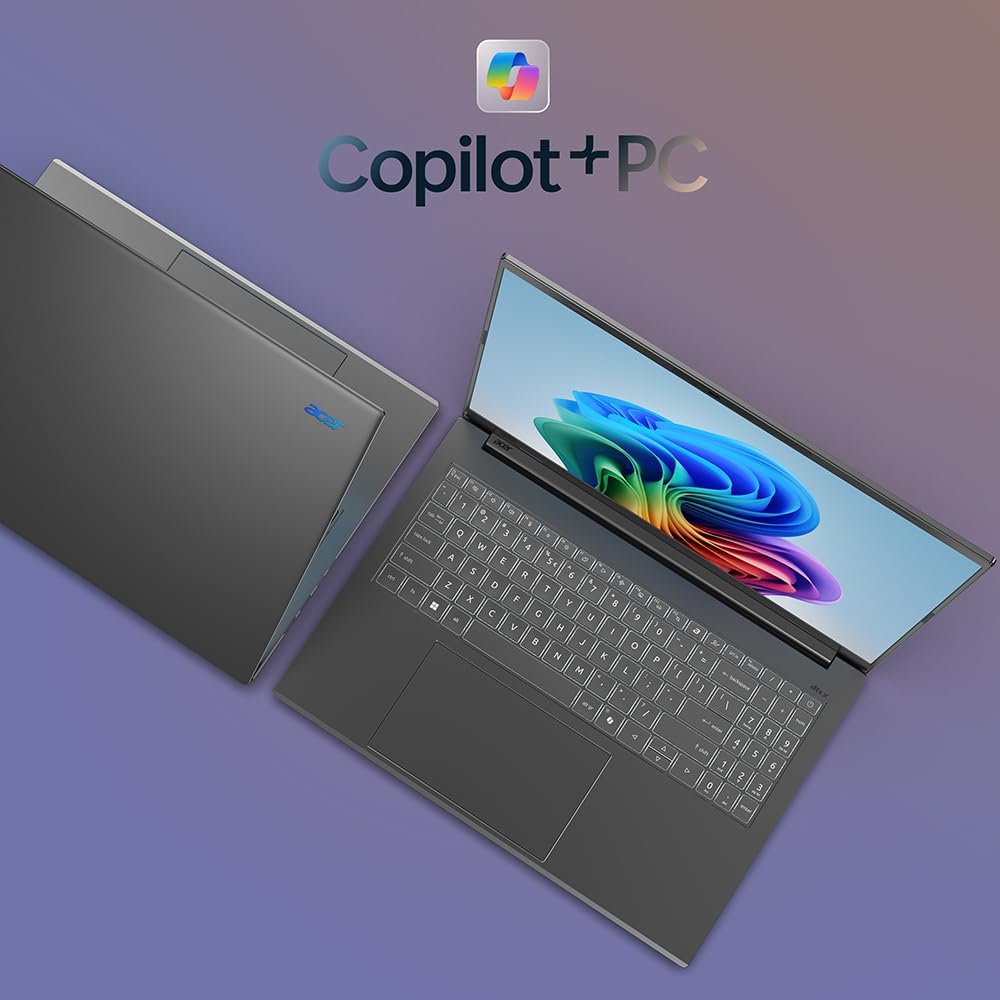
Image: Right side of the laptop showing MicroSD card slot, headphone jack, USB 3.2, and Kensington lock slot.
4.2. Montre
Experience stunning visuals on the 16-inch WUXGA (1920x1200) display with a 120Hz refresh rate and 100% sRGB color coverage. The anti-glare screen ensures comfortable viewing nan divès kondisyon ekleraj.

Image: The laptop's display showcasing its 120Hz refresh rate, WUXGA resolution, and 100% sRGB color coverage.
4.3. Klavye ak Touchpad
The full-size keyboard features a numeric keypad and backlighting for comfortable typing in any environment. The large, responsive touchpad supports multi-touch gestures for intuitive navigation.
Imaj: Anwo-anba view of the Acer Aspire 16 AI, highlighting the full-size backlit keyboard and large touchpad.
4.4. AI Features (Copilot+ PC)
The Acer Aspire 16 AI is a Copilot+ PC, integrating advanced AI capabilities directly into Windows 11 Home:
- Recall (Preview): Helps you remember and find content you've seen on your PC.
- Click to Do (Preview): Offers quick actions over images or text for enhanced productivity.
- Improved Windows Search: Efficiently locate documents and images in seconds.
- Super Resolution in Photos: Enhances image quality, turning fuzzy photos into crisp, high-definition memories.
- AcerSense: A versatile tool for managing device settings, optimizing video presence, and accessing AI features.
- Acer pirifyeView 2.0 & PurifiedVoice 2.0: Enhances video calls with 1440p QHD webcam, automatic framing, background blur, gaze correction, and AI noise cancellation.

Imaj: Plis paseview of Copilot+PC AI features such as Recall, Click to Do, Improved Windows Search, and Super Resolution in Photos.

Image: The AcerSense interface, showing options for streamlining settings and optimizing video presence.
Video: Official Acer America Corporation video demonstrating Copilot+PC Recall (preview) features for timeline and search.
5. Operasyon Enstriksyon
Your Acer Aspire 16 AI runs on Windows 11 Home, offering a familiar and intuitive user experience. Utilize the Snapdragon X processor for efficient multitasking and AI-accelerated applications. The long battery life (up to 27 hours for video playback, 18 hours for web browsing) ensures extended usage without frequent charging.
The 180-degree lie-flat hinge allows for versatile positioning, making it suitable for various work or viewing senaryo.

Image: The Acer Aspire 16 AI showcasing its durable aluminum chassis and 180-degree lie-flat hinge for versatile use.
6. Antretyen
To ensure the longevity and optimal performance of your laptop:
- Netwayaj: Sèvi ak yon twal mou ki pa gen pousyè pou netwaye ekran an ak chasi a. Evite pwodui chimik ki agresif.
- Mizajou lojisyèl: Regularly check for and install Windows updates and Acer driver updates.
- Swen batri: Avoid fully discharging the battery frequently. For prolonged storage, charge the battery to around 50-60%.
- Vantilasyon: Ensure proper airflow around the laptop to prevent overheating.
NAN. Depanaj
If you encounter issues with your laptop, consider the following:
- Pwoblèm pouvwa: Ensure the power adapter is securely connected and the outlet is functional. Try a different outlet if necessary.
- Pwoblèm ekspozisyon: Si ekran an vid, eseye konekte yon monitè ekstèn pou wè si pwoblèm nan soti nan ekran laptop la.
- Ralentissement pèfòmans: Fèmen aplikasyon ki pa nesesè yo, tcheke pou pwosesis an background, epi asire w ke gen ase espas depo lib.
- Pwoblèm lojisyèl: Restart the laptop. If the problem persists, check for system updates or consider restoring to a previous system point.
Pou pwoblèm ki pi konplèks, al gade sipò Acer la. websit oswa kontakte sèvis kliyan.
8. Espesifikasyon
| Karakteristik | Detay |
|---|---|
| Nimewo Modèl | A16-11M-X0LW |
| Sistèm operasyon | Windows 11 Kay |
| Processeur | Qualcomm Snapdragon X X1-26-100 (8-Core, 3.0GHz Qualcomm Oryon CPU, 45 TOPS Qualcomm Hexagon NPU, up to 1.7 TFLOPs Qualcomm Adreno GPU) |
| Ekspozisyon | 16-inch WUXGA (1920x1200) 120Hz, 100% sRGB |
| RAM | 16GB LPDDR5X memwa entegre |
| Depo | 512GB PCIe Gen 4 SSD |
| Koneksyon san fil | Wi-Fi 7 (802.11.be), Bluetooth 5.3 |
| Pò | 2x USB4 Type-C, 2x USB 3.2 Gen 1 (1 with power-off charging), 1x HDMI 2.1, 1x Headphone/Speaker/Line-out, 1x MicroSD Card Slot, 1x Kensington Lock Slot |
| Webkam | 1440p QHD with Acer PurifiedView 2.0 |
| Lavi batri | Up to 27 hours (video playback), Up to 18 hours (web navige) |
| Dimansyon | 14" lajè x 9.85" pwofondè x 0.63" wotè |
| Pwa | 3.42 liv |
9. Garanti ak sipò
Your Acer Aspire 16 AI Copilot+ PC comes with standard manufacturer warranty. For detailed warranty information, please refer to the documentation included in your product packaging or visit the official Acer support websit.
Plan pwoteksyon opsyonèl disponib pou yon pwoteksyon pwolonje:
- Plan Pwoteksyon 4 Zan
- Plan Pwoteksyon 2 Zan
- Pwoteksyon Konplè: Yon sèl plan kouvri tout acha pase ak acha nan lavni ki kalifye yo.
For technical assistance, driver downloads, or service requests, please visit the Sipò Acer Websit.