1. Entwodiksyon
The Perixx PERIBOARD-832RGB is a compact, wireless mini keyboard featuring RGB backlighting and multi-device Bluetooth connectivity. This manual provides instructions for setting up, operating, and maintaining your keyboard to ensure optimal performance.

Image 1.1: The Perixx PERIBOARD-832RGB keyboard in use, showcasing its compact design and backlit keys.
2. Pake kontni
Tanpri tcheke pake a pou atik sa yo:
- Perixx PERIBOARD-832RGB Wireless RGB Backlit Mini Keyboard
- USB-C to A Charging Cable
- Manyèl Itilizatè (dokiman sa a)

Image 2.1: Contents of the Perixx PERIBOARD-832RGB package, including the keyboard, USB-C cable, and manual.
3. Enstalasyon ak Koneksyon
3.1 Chaje klavye a
Before first use, fully charge the keyboard. Connect the provided USB-C to A cable to the keyboard's USB-C charging port and the other end to a USB power source (e.g., computer USB port, USB wall adapter).
- Limyè endikatè chaj la ap limen pandan chaj la.
- The indicator will change or turn off once charging is complete.

Image 3.1: Location of the USB-C charging port and power ON/OFF switch on the keyboard.
3.2 Power On/Off
Locate the power switch on the side or back of the keyboard. Slide it to the 'ON' position to power on the keyboard. Slide it to 'OFF' when not in use to conserve battery.
3.3 Bluetooth Pairing (Multi-Device Connection)
The PERIBOARD-832RGB supports connection to up to three devices via Bluetooth. Follow these steps to pair your keyboard:
- Asire w ke klavye a limen.
- Peze epi kenbe la Fn kle ak youn nan kle chanèl Bluetooth yo (Q for BT1, W for BT2, or E for BT3) for 3-5 seconds until the corresponding indicator light (usually above the key) starts blinking rapidly. This indicates the keyboard is in pairing mode.
- Sou aparèy ou an (PC, laptop, tablèt, telefòn entelijan), aktive Bluetooth epi chèche nouvo aparèy.
- Select "PERIBOARD-832RGB" from the list of available devices.
- Si yo mande w, antre kòd koneksyon ki parèt sou ekran w lan avèk klavye a epi peze Antre.
- Once paired, the indicator light will stop blinking and remain solid for a few seconds before turning off. The keyboard is now connected.
To connect to additional devices, repeat the process using a different Bluetooth channel key (Fn+W or Fn+E).

Image 3.2: Visual guide for connecting the keyboard to up to three devices using Fn+Q/W/E keys.
4. Operasyon
4.1 Chanje ant Aparèy Konekte yo
Pou chanje ant aparèy ki asosye ou yo, jis peze bouton an Fn kle ansanm ak kle chanèl Bluetooth ki koresponn lan (Q, W, oswa E) pou aparèy ou vle a. Klavye a ap konekte otomatikman ak aparèy ou chwazi a.
4.2 Kontwòl ekleraj
The PERIBOARD-832RGB features RGB backlighting with multiple color options.
- Aktive/Etenn Limyè dèyè a: Peze Fn + F11 (RGB) pou limen oubyen etenn limyè dèyè a.
- Chanje koulè ekleraj dèyè a: Peze Fn + F12 (RGB) to cycle through the available RGB colors (7 colors).
- Ajiste klète: Sèvi ak Fn + paj moute pou ogmante klète ak Fn + Page desann diminye klète.
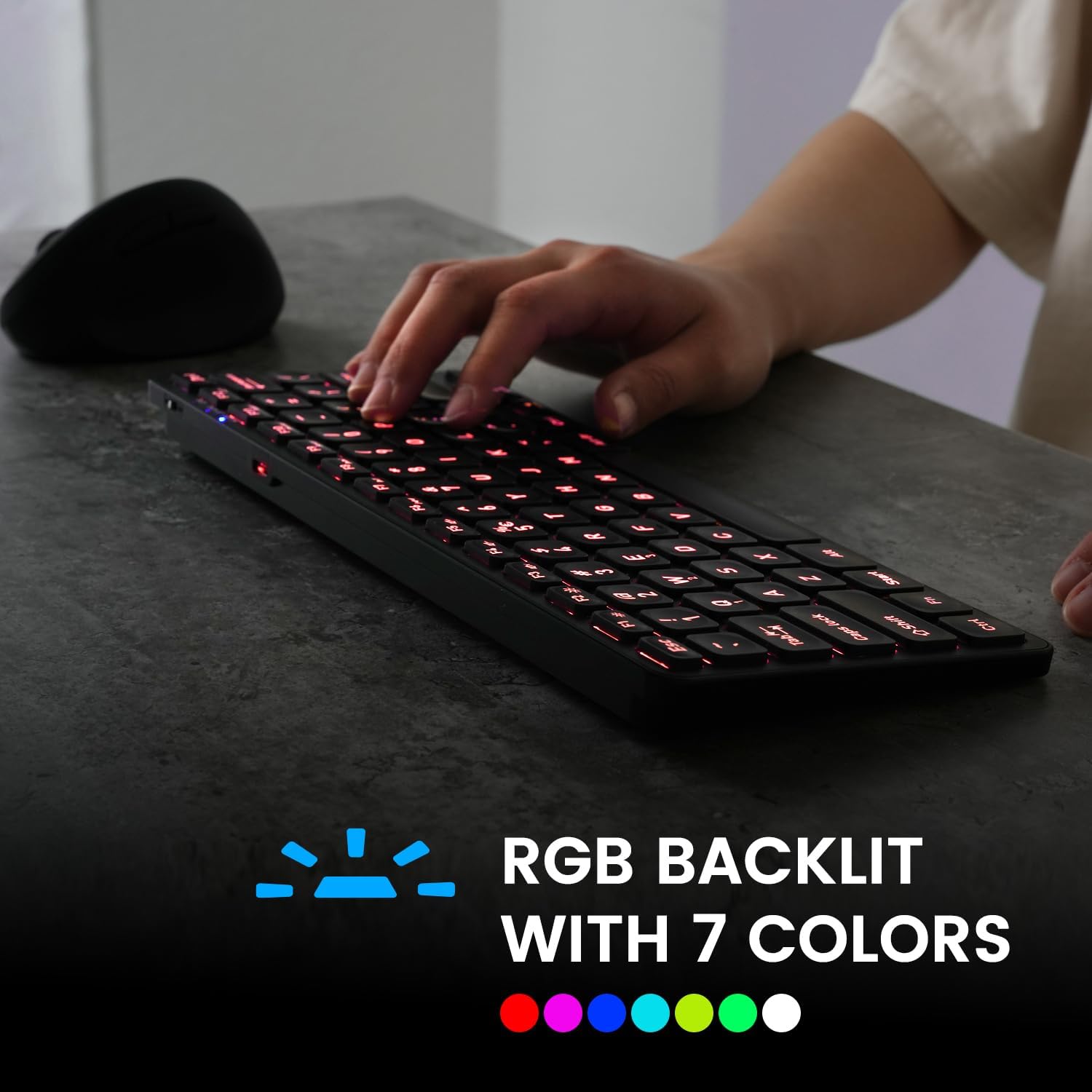
Image 4.1: The keyboard illuminated with RGB backlighting, demonstrating visibility in low-light conditions.
4.3 Kle Fonksyon (Konbinezon Fn)
Many keys have secondary functions accessible by holding the Fn key and pressing the desired function key. These include media controls, volume adjustments, and other system shortcuts.
| Konbinezon kle | Fonksyon |
|---|---|
| Fn + Q | Chanje nan aparèy Bluetooth 1 |
| Fn + W | Chanje nan aparèy Bluetooth 2 |
| Fn + E | Chanje nan aparèy Bluetooth 3 |
| Fn + F1 | Media Player |
| Fn + F2 | Volim desann |
| Fn + F3 | Volim leve |
| Fn + F4 | bèbè |
| Fn + F5 | Previous Track |
| Fn + F6 | Jwe/Poz |
| Fn + F7 | Next Track |
| Fn + F8 | Sispann |
| Fn + F9 | Web Navigatè |
| Fn + F10 | Imèl |
| Fn + F11 (RGB) | Ekleraj sou / Off |
| Fn + F12 (RGB) | Cycle Backlight Colors |
| Fn + paj moute | Ogmante Klate ekleraj |
| Fn + Page desann | Diminye Klate ekleraj |

Imaj 4.2: Detaye view of the keyboard keys, highlighting the primary and secondary (Fn) functions.
5. Antretyen
Pou asire lonjevite ak pèfòmans optimal klavye ou a, swiv gid antretyen sa yo:
- Netwayaj: Sèvi ak yon ti moso twal mou, ki san pèl dampened with water or a mild cleaning solution to wipe the surface of the keyboard. Avoid harsh chemicals or abrasive materials.
- Retire pousyè: Sèvi ak lè konprese pou retire pousyè ak debri ki ant kle yo.
- Swen batri: Evite dechaje batri a nèt souvan. Chaje klavye a regilyèman, sitou si ou pa pral itilize li pou yon bon bout tan.
- Depo: Sere klavye a nan yon kote ki fre epi sèk, lwen limyè solèy dirèk ak tanperati ekstrèm.
NAN. Depanaj
If you encounter issues with your PERIBOARD-832RGB, refer to the following common solutions:
| Pwoblèm | Solisyon posib |
|---|---|
| Klavye a pa limen. | Ensure the power switch is in the 'ON' position. Charge the keyboard fully using the provided USB-C cable. |
| Pa ka konekte via Bluetooth. | Make sure the keyboard is in pairing mode (Fn + Q/W/E, indicator blinking). Ensure Bluetooth is enabled on your device. Try unpairing and re-pairing the keyboard. Move the keyboard closer to your device. |
| Kle yo pa reponn oswa yo pa tape byen. | Check battery level and charge if necessary. Ensure the keyboard is connected to the correct device. Restart the keyboard and your device. |
| Limyè dèyè a pa fonksyone. | Press Fn + F11 to toggle the backlight. Ensure the keyboard has sufficient battery charge. |
| Klavye a dekonekte souvan. | Ensure the keyboard is within the effective Bluetooth range (typically 10 meters). Reduce interference from other wireless devices. Charge the keyboard. |
7. Espesifikasyon
| Karakteristik | Detay |
|---|---|
| Mak | Perixx |
| Modèl | PERIBOARD-832RGB |
| Koneksyon Teknoloji | Bluetooth |
| Deskripsyon klavye | Mechanical (Scissor-switch type) |
| Karakteristik espesyal | RGB Backlit (7 colors) |
| Aparèy konpatib | Odinatè, Laptop, Tablèt, Telefòn entelijan |
| Dimansyon pwodwi | 11.06"L x 4.53"W x 0.87"H (28.09 x 11.51 x 2.21 cm) |
| Pwa atik | 1.06 liv (0.48 kg) |
| Materyèl | Plastik |
| Sous pouvwa | USB Powered (Rechargeable Battery) |
| Konpozan ki enkli | USB-C pou yon kab |
8. Garanti ak sipò
Perixx products are covered by a limited warranty. For detailed warranty information, technical support, or customer service, please refer to the official Perixx websit la oubyen kontakte sèvis kliyan yo dirèkteman. Kenbe resi acha w la pou reklamasyon garanti.


