1. Entwodiksyon
This manual provides detailed instructions for the safe and effective operation of your Betopper LF2405 300W Matrix Beam LED Strobe Effect Light. Please read this manual thoroughly before installation, operation, or maintenance. Retain this manual for future reference.

Figure 1: Betopper LF2405 300W Matrix Beam LED Strobe Effect Light
2. Enfòmasyon sou Sekirite
- Toujou konekte nan yon priz kouran ki gen koneksyon ak tè.
- Asire bon vantilasyon pou anpeche surchof.
- Pa ekspoze aparèy la ak lapli oswa imidite.
- Evite ekspoze je dirèk nan sous limyè a.
- Dekonekte kouran anvan ou netwaye oswa antretyen.
- This product is rated IP20 for indoor use only. Outdoor use requires additional weather protection.
3. Pake kontni
Verifye ke tout atik ki nan lis anba a yo enkli nan pakè ou a:
- Strobe Effect Light (LF2405) x 1
- Manyèl Enstriksyon x 1
- Power Input Cable x 1
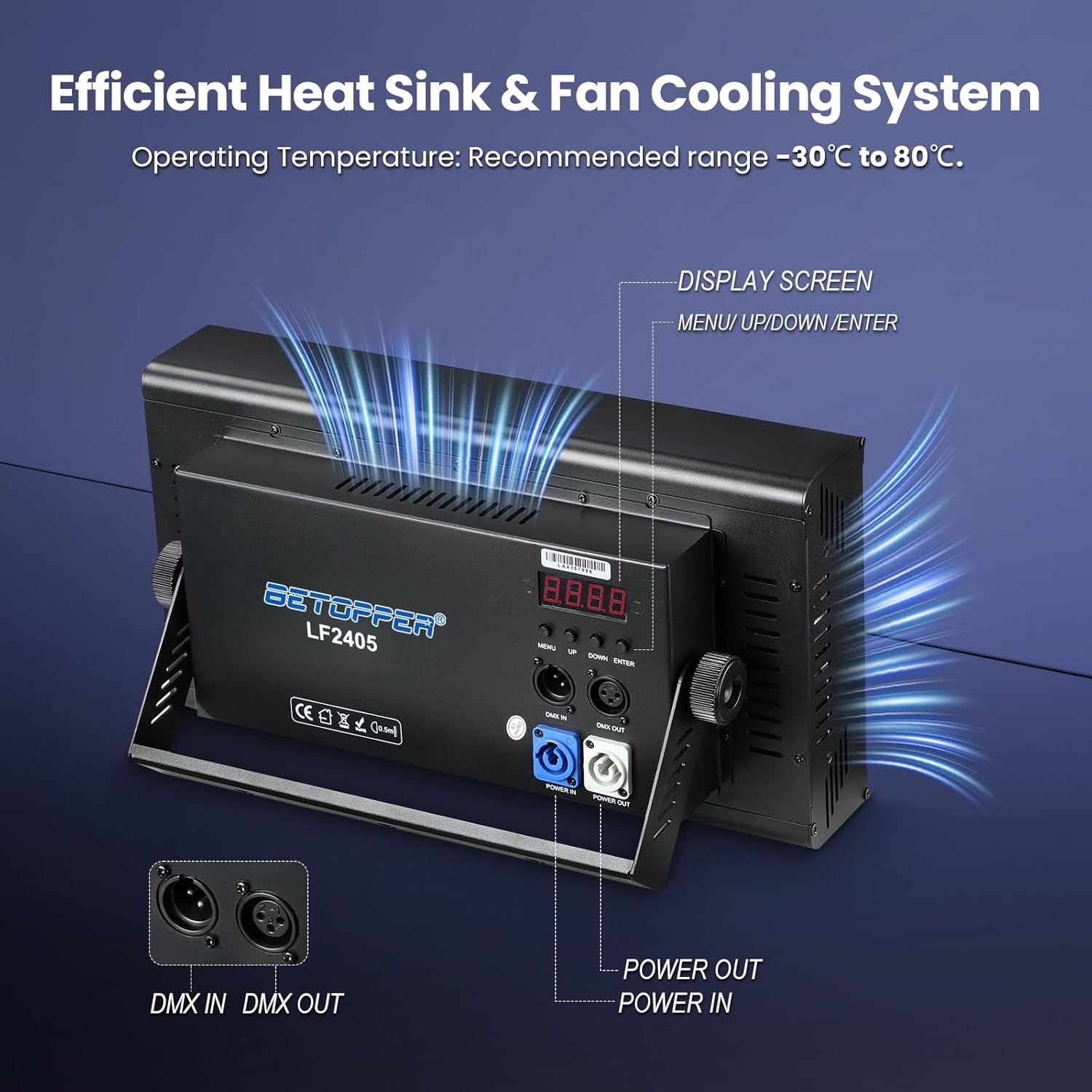
Figure 2: Included items in the Betopper LF2405 package
4. Pwodwi souview
The Betopper LF2405 is a 300W Matrix Beam LED Strobe Effect Light designed for dynamic visual impact in various settings. It features a high-density RGB+White LED matrix capable of producing crisp beam lines, sweeping visual textures, and simulated rainfall effects.
4.1. Karakteristik kle
- Powerful LED Matrix: High-density RGB+White LED matrix for dynamic visual effects.
- Simulated Rainfall Effects: Creates cascading visual effects mimicking falling rain.
- Pixel Mapping: Individual LED control for custom patterns, chase sequences, and animations.
- Intense Strobe Capabilities: Adjustable high-speed strobe effects from 1 to 30Hz.
- Refwadisman efikas: Integrated heat sink and fan cooling system for optimal performance.
4.2. Light Sources
The LF2405 incorporates a combination of LED types for versatile lighting:
- 384 pieces of 0.3W 5050 RGB Wash Light LEDs
- 24 pieces of 5W 3535 White (Golden) Beam Light LEDs
- 256 pieces of 0.2W 5730 White LEDs

Figi 3: Detaye view of the LF2405 LED matrix components
5. Espesifikasyon teknik
| Spesifikasyon | Valè |
|---|---|
| Mak | Betopper |
| Nimewo Modèl | LF2405 |
| Sous pouvwa | Fil elektrik |
| Kalite sous limyè | Dyòd emisyon limyè (LED) |
| Sous limyè Wattage | 300 Watts |
| Voltage | 24 Volts |
| Kantite sous limyè | 1000 |
| Endèks rann koulè | 90 |
| Dimansyon pwodwi | 15"L x 8"L x 5"H |
| Pwa atik | 10.67 liv |
| Materyèl | Aliminyòm |
| Fini Kalite | Poud kouvwi |
| Kalite aliye | Stage Mount |
| Karakteristik anpoul | Customizable Patterns, Adjustable Strobe Speed, Dynamic Visual Effects |
6. Enstalasyon
Follow these steps for initial setup of your LF2405 light:
- Dekonpoze: Carefully remove the light and all accessories from the packaging.
- Pozisyon: Place the light on a stable surface or mount it securely using appropriate stage mounting hardware. The integrated bracket allows for adjustable positioning.
- Koneksyon pouvwa: Connect the provided power input cable to the 'POWER IN' port on the rear of the unit and then to a grounded power outlet.
- Koneksyon DMX (Si ou vle): If using DMX control, connect your DMX controller to the 'DMX IN' port. Use the 'DMX OUT' port to daisy-chain multiple units.
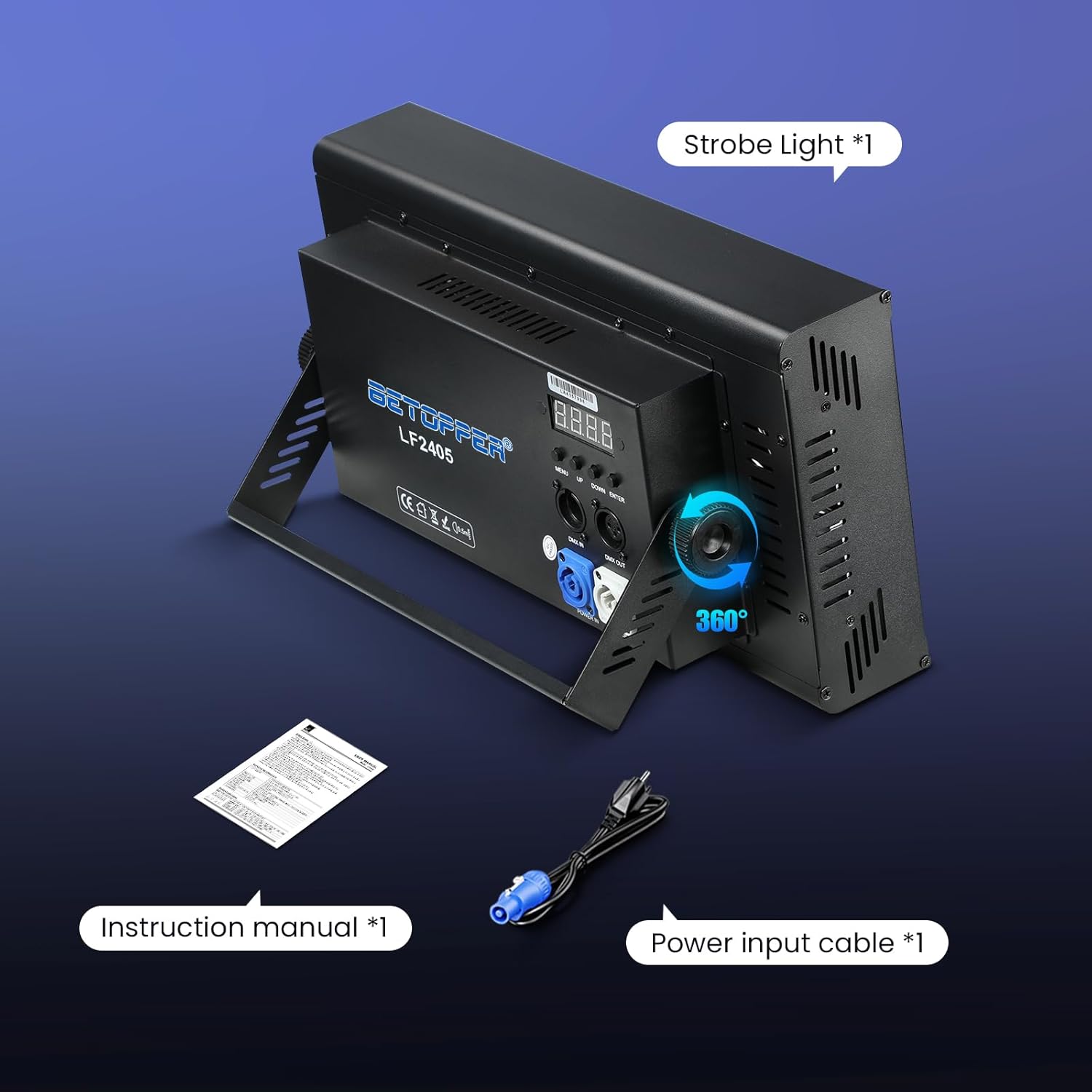
Figure 4: Betopper LF2405 with adjustable stand for flexible positioning
7. Operasyon Modes
The LF2405 offers multiple control modes to suit various applications:
- DMX512: For professional control via a DMX controller. Supports 5CH, 11CH, and 112CH modes.
- oto: Pre-programmed light sequences for automatic operation.
- Mèt-Esklav: Link multiple units where one acts as the master, controlling the others.
- Kontwòl son: Light effects react to ambient sound.
- RDM: Remote Device Management for advanced configuration.
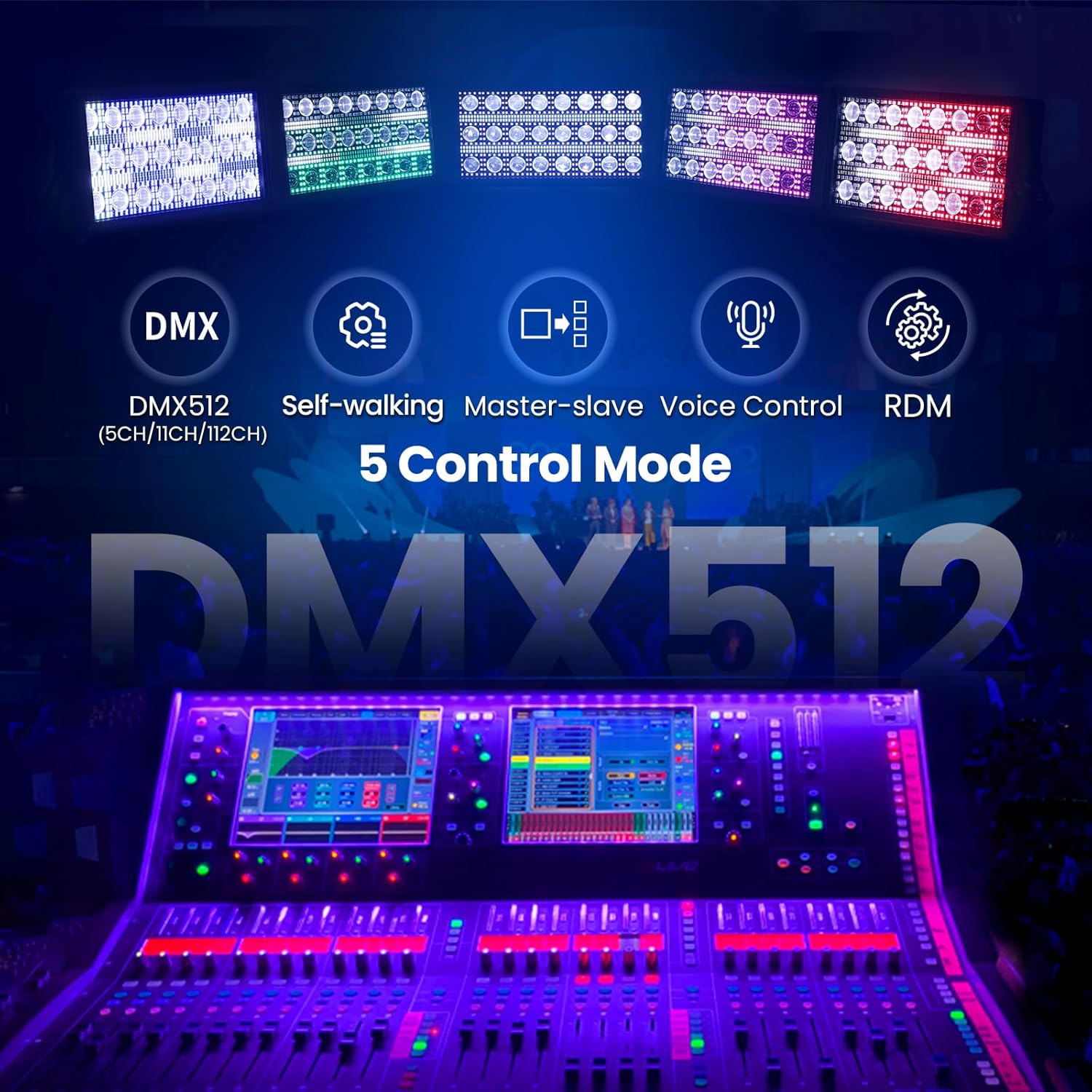
Figure 5: Control panel with menu buttons and DMX ports
7.1. Adjusting Sound-Control Mode Sensitivity
To adjust the sensitivity of the sound-control mode, follow the instructions in the video below. This involves accessing a hidden menu to fine-tune the response to sound input.
Video 1: Instructions on how to adjust the sound-control mode sensitivity for the Betopper LF2405.
8. Dynamic Visual Effects
The LF2405 is engineered to deliver a wide array of visual effects, enhancing any stage or event environment.
8.1. Pixel Mapping
Utilize the pixel mapping feature to create custom graphics, text, or animations by controlling each individual LED. This allows for precise and unique light designs.
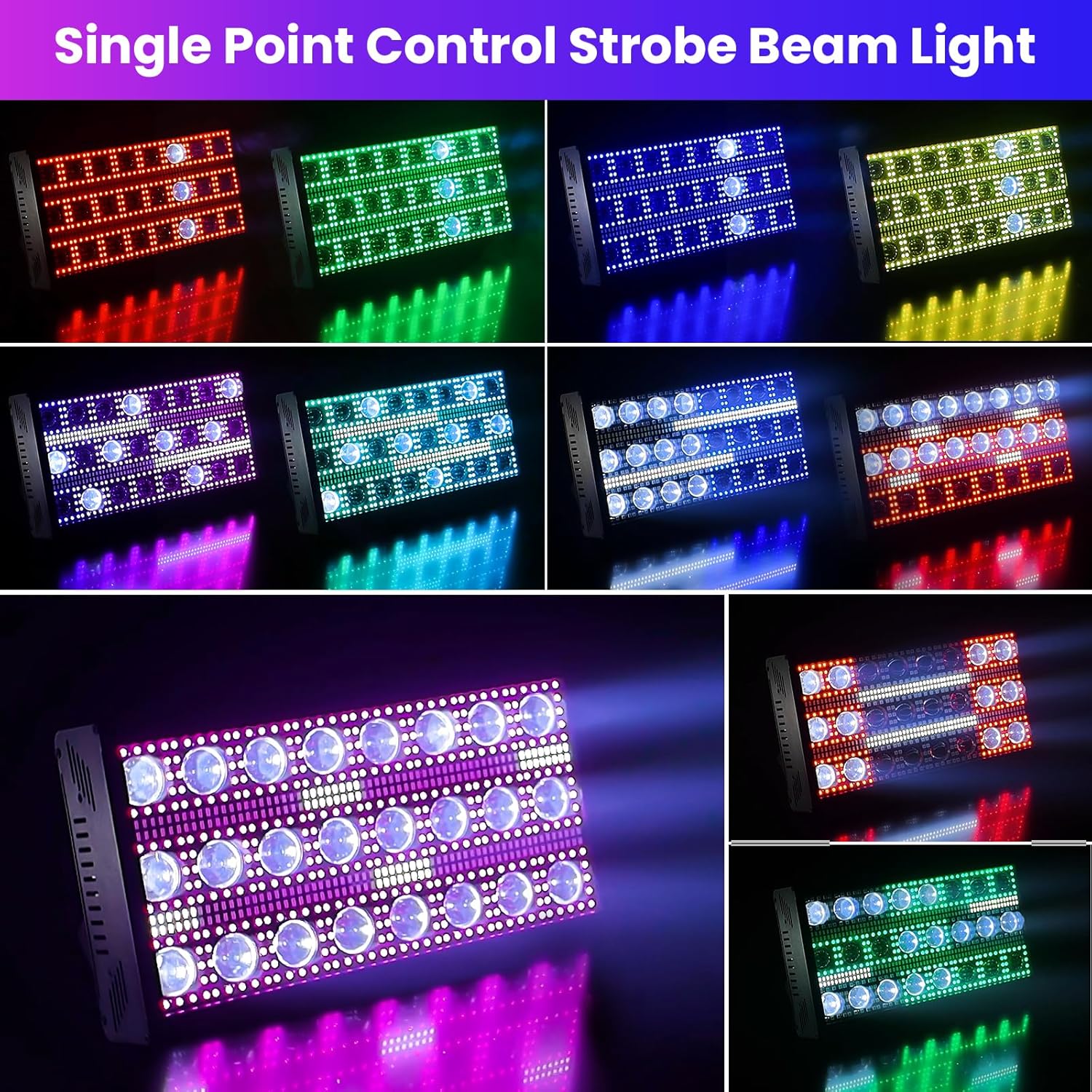
Figi 6: Egzamples of pixel-mapped patterns and animations
8.2. Strobe Effects
The unit provides intense strobe capabilities with an adjustable speed range of 1 to 30Hz, allowing synchronization with music or dramatic moments.
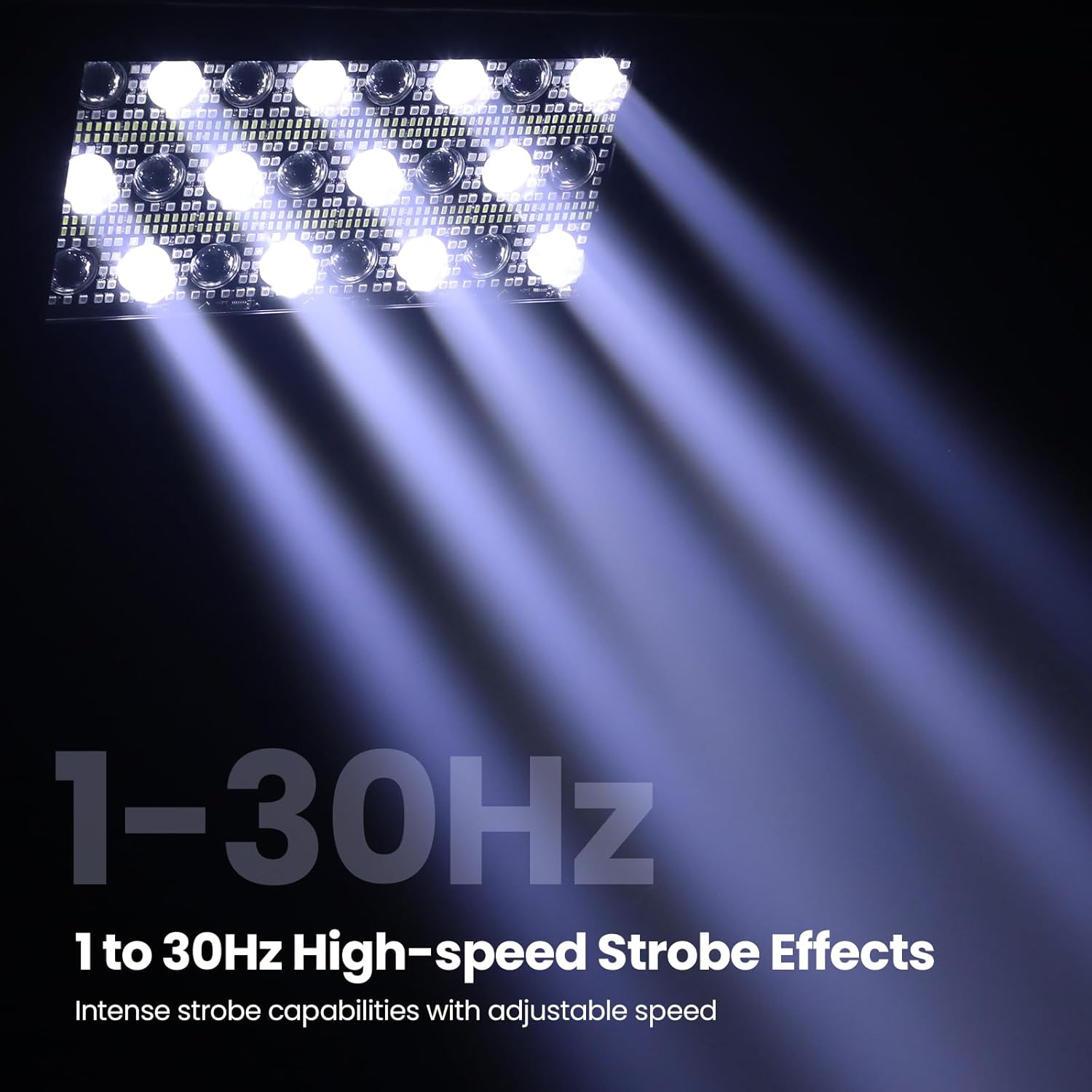
Figure 7: High-speed strobe effects in action
8.3. Rainfall Effects
Create captivating cascading visuals that simulate falling rain, adding depth and atmosphere to your lighting design.
Video 2: Demonstration of various matrix beam and strobe effects, including rainfall simulations.
Videyo 3: Yon ti pale rapidview of the LF2405's matrix beam and strobe capabilities.
9. Antretyen
Regular maintenance ensures the longevity and optimal performance of your light:
- Netwayaj: Periodically clean the lenses and housing with a soft, lint-free cloth. Do not use abrasive cleaners.
- Enspeksyon: Regularly check power cables and DMX connections for any signs of wear or damage.
- Sistèm refwadisman: Ensure the fan and ventilation openings are free from dust and debris to maintain efficient cooling.
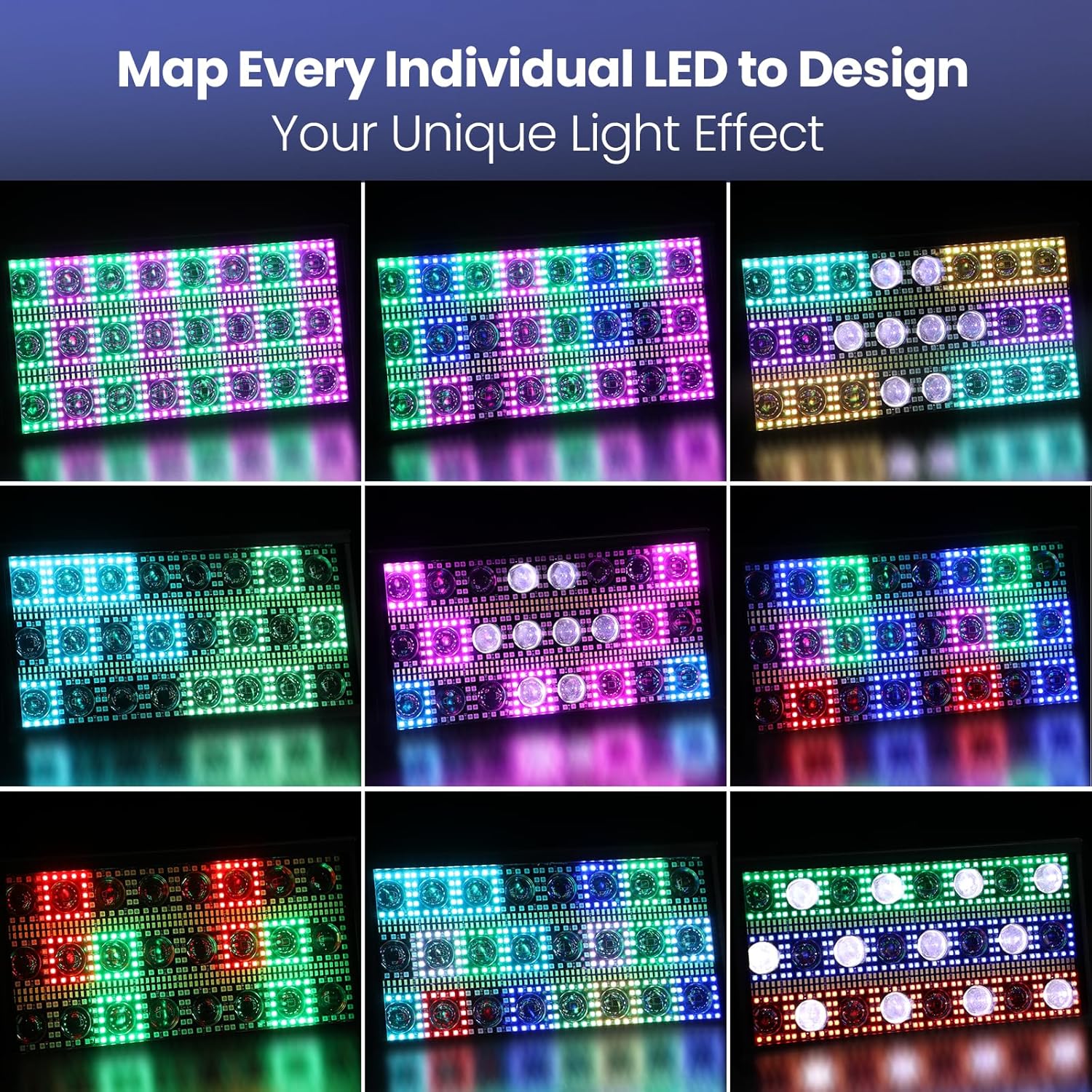
Figure 8: Rear panel highlighting the cooling system
NAN. Depanaj
If you encounter issues with your LF2405, refer to the following common solutions:
- Pa gen pouvwa: Check the power cable connection and ensure the power outlet is functional.
- Pa gen pwodiksyon limyè: Verify the selected operating mode and DMX settings (if applicable).
- Incorrect DMX Control: Ensure DMX cables are correctly connected and the DMX address is set appropriately on the unit.
- Surchof: Check for obstructions in the ventilation system and ensure the operating environment is within the recommended temperature range (-30°C to 80°C).
11. Garanti ak sipò
For warranty information or technical support, please refer to the contact details provided with your purchase documentation or visit the official Betopper websit la. Kenbe prèv acha ou pou reklamasyon garanti.


